Digital activities for the book Webster’s Email that are perfect for grades K-2. 12 total digital activities that will help students expand their understanding of this great read aloud storybook. I designed this for technology teachers so that you can read the same book to all 3 grade levels and then assign them different activities. You can read it again the next year with fresh activities for the next grade!
Digital activities for the book If you Give a Mouse an iPhone that are perfect for grades K-2. 12 total digital activities that will help students expand their understanding of this great read aloud storybook. I designed this for technology teachers so that you can read the same book to all 3 grade levels and then assign them different activities. You can read it again the next year with fresh activities for the next grade!
$16.00Original price was: $16.00.$12.80Current price is: $12.80.
These Coding Activities are perfect for your grades 2-5 students. These are fully digital and can be used through Google Slides or PowerPoint. Let your students learn about computer languages in a fun and engaging way. These activities are independent click and go lessons on binary, coding, and problem solving. Perfect for the ISTE standard Computational Thinking. They would even be great for your STEM time in class or your Maker Space during the Hour of Code!
Coding meets vocabulary instruction with VoCode! Integrate those robots you have (or turn students into robots) to complete these coding challenges. 3 Options for the activities mean that you can use this with ANY movable Bots and ANY grade level of students. Be sure to check out the images!
$18.00Original price was: $18.00.$12.00Current price is: $12.00.
Timely Tech is designed to help your students build tech skills while incorporating monthly themed digital activities. When I teach my students with monthly themed activities that bring in the other subject areas, I find that they are more engaged and empowered to learn. This is a set of 23 January Themed Technology Activities for grades K-5.
Here is an idea of how you might separate these activities by grade levels:
K/1: Beginning sounds, Spelling CVC Words, Counting Dice, Before and After Numbers
2/3: Make new words, ABC order, Pixel Art, January words search, Shapes Snowman
4/5: Decoding, Editing spelling errors, New Year Goals, IF/THEN/ELSE, Coding, Multimedia poster, Digital Snow Flakes
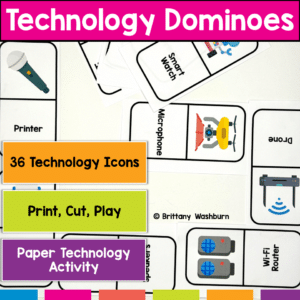
Get Ready to Level Up Your Computer Parts Unit with Tech Dominoes! If you’re looking for a fun and interactive way to reinforce your students’ tech knowledge, look no further. Introducing Tech Dominoes – the game that makes learning technology terms a blast! With printable paper domino cards, you can turn any class into an exciting tech adventure.
Help students learn the parts of the computer and types of technology with some simple matching and labeling activities. Great for the beginning of the year or whenever you do your computer parts lessons.
Introduce a lesson on operating systems with this eBook that goes over what operating systems are and the three most popular operating systems. There are also pages about mobile and chrome OS. Great for a warm up activity in the computer lab or classroom. Share the PDF with students for a paperless experience or print the nonfiction text out as a booklet.
Students are going to love creating their own Digital Glyph Easter Scene and you’re going to love all of the technology skills work they are getting. Digital Glyphs work on so many great technology skills. While students may be familiar with paper and pencil glyph activities, it takes it to a whole new level to do it digitally.
This resource works on so many great technology skills. While students may be familiar with using snap cubes (or counting blocks or whatever you call them) to make designs, it brings the skill to a whole new level to do it digitally. 10 Cinco de Mayo designs in 4 different levels for differentiation between grade levels k-5.
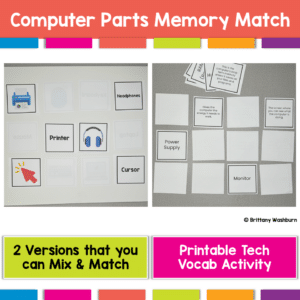
Get Ready to Level Up Your Computer Parts Unit with a Printable Memory Match Game! If you’re looking for a fun and interactive way to reinforce your students’ tech knowledge, look no further. Introducing Computer Parts Memory Match – the game that makes reviewing technology terms a blast! With 2 sets of printable computer parts cards, you can turn any class into an exciting tech adventure.
$146.50Original price was: $146.50.$102.55Current price is: $102.55.
This full-year bundle takes the pressure off with ready-to-use technology lessons designed just for 2nd grade learners. With a built-in pacing guide, a mix of digital and printable activities, and skills that align with ISTE Standards, you’ll feel confident teaching tech without spending hours prepping.
Perfect for tech specialists, classroom teachers, and STEM educators looking for structure without the stress.
$728.74Original price was: $728.74.$510.12Current price is: $510.12.
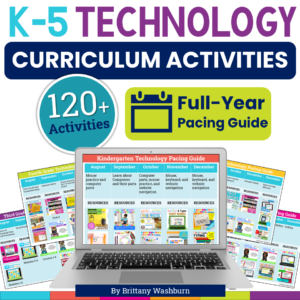
Tired of planning tech lessons from scratch? This K–5 Technology Curriculum Activities Bundle takes the pressure off with 120+ ready-to-use lessons covering computer skills, internet safety, keyboarding, coding, and more. Aligned to ISTE Standards and perfect for busy elementary tech teachers who want structure without the stress.
Digital coloring pages work on so many great technology skills at the same time. While students are all familiar with paper and pencil coloring activities, it takes it to a whole new level to do it digitally. With these nature and animal theme designs, students will master working with layered shapes and the fill tool. Coloring in individual shapes in each design requires precision and patience.
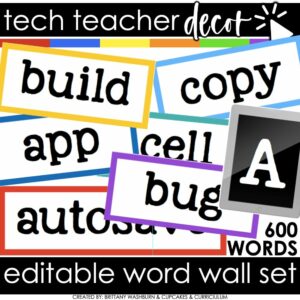
Bring tech terms to life in your classroom with these Technology Vocabulary Word Wall Cards! This colorful, editable set includes hundreds of ready-to-use vocabulary cards, category headers, and an editable file so you can create your own. Perfect for computer labs, STEM rooms, media centers, or any classroom teaching digital literacy.
Organized by topics like Coding, Internet Safety, STEM, Computer Basics, G Suite, 3D Printing, iOS, and AR/QR, these cards make it easy for students to reference and spell technology terms correctly. Print, laminate, and reuse year after year for a stylish and functional word wall.
Teach students about computer science with digital sorting activities for Conditionals. 2 types of digital activities ask students to act like a computer to sort items based on a condition and then take a look at a set of items and create their own condition before they sort.
Use these activities as a lesson on understanding what conditions are in computer science. Digital poster and vocabulary cards included.
Introduce a lesson on how digital storage works with this eBook that goes over flash drives, external hard drives, and cloud storage options. Great for a warm up activity in the computer lab or classroom. Share the PDF with students for a paperless experience or print the nonfiction text out as a booklet.
This resource works on so many great technology skills. While students may be familiar with using snap cubes (or counting blocks or whatever you call them) to make designs, it brings the skill to a whole new level to do it digitally. 10 Earth Day designs in 4 different levels for differentiation between grade levels k-5.
Students are going to love discovering what St Patrick’s Day themed design is hidden in the spreadsheet software mystery picture and you’ll love that they are practicing so many different skills. While students may be familiar with paper and pencil mystery pictures, it takes it to a whole new level to do it digitally. Students will really master the toolbar in Google Sheets or Microsoft Excel. The activity has them filling 100 cells in the table per design, making it a mastery activity.
Students are going to love creating their own Digital Glyph Summer Scene and you’re going to love all of the technology skills work they are getting. This resource works on so many great technology skills. While students may be familiar with paper and pencil glyph activities, it takes it to a whole new level to do it digitally.
Engage your tech lab students with Digital Keyboard Puzzles! This resource includes 21 digital puzzles housed in Google Slides with 2 levels of challenge for differentiation.
Try digital animation with your students by allowing them to create their own Fall themed scenes! Students choose from background options and then add shapes, text, and clip art graphics to make a scene. Then they duplicate the slide and make a small change over and over (about 50 times) to animate the scene. Once the stop motion animation is complete students publish it to the web and can optionally make it into a GIF using a website tool.
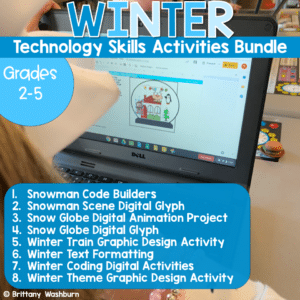
Teach students how to follow simple programs and conditions (if/then/else) with these Dress a Snowman digital coding activities. 2 types of digital activities ask students to follow the 3-part program to Dress a Snowman (10 slides) and then follow if/then/else directions to Dress a Snowman (10 slides). Code Builders Basics is an easier version of the Code Builders series meant for primary grades students.
Use these activities as a lesson on understanding what a program is, how to follow a program, and what conditionals are. Unlike the harder Code Builders series, Code Builders Basics do not require students to resize the pieces or adjust layers. They just drag and drop the pieces into place on the pre-built Snowman template.
$18.00Original price was: $18.00.$12.00Current price is: $12.00.
Timely Tech is designed to help your students build tech skills while incorporating monthly themed digital activities. When I teach my students with monthly themed activities that bring in the other subject areas, I find that they are more engaged and empowered to learn. This set includes Back to School themed activities that work regardless of which month you go back to school.
$18.00Original price was: $18.00.$12.00Current price is: $12.00.
Timely Tech is designed to help your students build tech skills while incorporating monthly themed digital activities. When I teach my students with monthly themed activities that bring in the other subject areas, I find that they are more engaged and empowered to learn. This set includes October themed activities
$42.00Original price was: $42.00.$33.60Current price is: $33.60.
Introduce lessons on computer basics with these eBooks. Great for a warm up activity in the computer lab or classroom. Share the PDF with students for a paperless experience or print the nonfiction text out as a booklet.
Students can learn and memorize the keyboard shortcuts by completing 10 engaging secret picture tile puzzles. These puzzles are great mouse or trackpad practice as well as being an opportunity to practice navigating a Google Slides or PowerPoint file.
This resource works on so many great technology skills. While students may be familiar with using snap cubes (or counting blocks or whatever you call them) to make designs, it brings the skill to a whole new level to do it digitally. 10 Superhero Theme designs in 4 different levels for differentiation between grade levels k-5.
Students are going to love creating their own Digital Glyph Saint Patrick’s Day Scene and you’re going to love all of the technology skills work they are getting. Digital Glyphs work on so many great technology skills. While students may be familiar with paper and pencil glyph activities, it takes it to a whole new level to do it digitally.
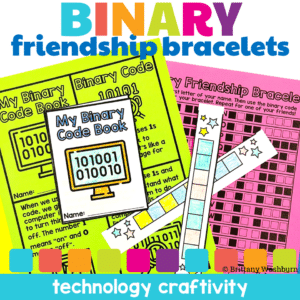
Why Choose the Binary Code Friendship Bracelet Craftivity & Booklet?
It’s more than just a craft; it’s a coding journey. Students won’t just create; they’ll decode, think, and connect. It’s a celebration of friendship, creativity, and the wonders of binary code.
Students can learn and memorize the web browser icons by completing 10 engaging digital secret picture tile puzzles. These puzzles are great mouse or trackpad practice as well as being an opportunity to practice navigating a Google Slides or PowerPoint file.
Typing basic sentences makes great keyboarding practice for elementary students. This is a set of 20 slides, each containing a few digital citizenship themed sentences for students to type. Any device that can access Google Slides or PowerPoint can be used to complete these digital interactive activities.
Teach students about computer science with digital sorting activities for Conditionals. 2 types of digital activities ask students to act like a computer to sort items based on a condition and then take a look at a set of items and create their own condition before they sort. This set has Foods and Drinks to sort in different ways.
Use these activities as a lesson on understanding what conditions are in computer science. Digital poster and vocabulary cards included.
$18.00Original price was: $18.00.$12.00Current price is: $12.00.
Timely Tech is designed to help your students build tech skills while incorporating monthly themed digital activities. When I teach my students with monthly themed activities that bring in the other subject areas, I find that they are more engaged and empowered to learn. This is a set of 23 February Themed Technology Activities for grades K-5.
Typing basic sentences makes great keyboarding practice for primary students. This is a set of 40 slides, each containing a short sentence for students to type. Any device that can access Google Slides or PowerPoint can be used to complete these digital interactive activities.
This is set 2 of this activity type. The sentences in set 2 are slightly longer, making it a great follow up to the first set for continued practice.
Are you looking for the perfect back to school low-prep way to get to know your technology class students? This fun Back to School All About Me laptop is perfect! Just print and color.
Also included is an end of year keepsake for your computer lab students. This fun end of year memory laptop is perfect for technology classes! Give your students the opportunity to remember their school year forever while staying on theme (technology). Guaranteed to keep students engaged!
Students are going to love creating their own Build a Zoo Digital Glyph and you’re going to love all of the technology skills work they are getting. Digital Glyphs work on so many great technology skills. While students may be familiar with paper and pencil glyph activities, it takes it to a whole new level to do it digitally.
In this Build a Zoo activity, students will be asked to work across slides in either Google Slides or PowerPoint, copy and paste between slides, resize pieces, layer pieces, group pieces, and save their finished work as an image file. All while completing an engaging get-to-know-you activity.
Learning keyboarding can be super boring and tedious for students. This set of 4 Transportation Themed text formatting activities aims to bring engagement and a sense of purpose to the practice of typing. Students will also (hopefully) have a sense of pride over the final outcome and an understanding of the learning objective.
Students are going to love creating their own Digital Glyph Apple Orchard Scene and you’re going to love all of the technology skills work they are getting. This resource works on so many great technology skills. While students may be familiar with paper and pencil glyph activities, it takes it to a whole new level to do it digitally.
This is an editable file of a QR code worksheet for students to review technology vocabulary words. Includes the student worksheet, directions, and answer key for teachers.
Do your student’s parents ever ask about what standards are used and what units are taught in technology class? Do they ask for a list of safe websites to use at home? If yes, then this resource is for you!
This flipbook is editable so you can add your own standards, grade level overviews and units, and resources for students to use at home.
Learning keyboarding can be super boring and tedious for students. This set of 4 School Themed text formatting activities aims to bring engagement and a sense of purpose to the practice of typing. Students will also (hopefully) have a sense of pride over the final outcome and an understanding of the learning objective.
Students are going to love discovering what St Patrick’s Day themed design is hidden in the hundreds chart mystery picture and you’ll love that they are practicing so many different skills. While students may be familiar with paper and pencil hundreds charts, it takes it to a whole new level to do it digitally. Students will really master the toolbar in whatever program you use. The activity has them filling 100 cells in a table per design, making it a mastery activity.