These Google Slides activities and Google Apps lessons teach elementary students the tools they use every day at school. Students learn to build presentations, write and format in Google Docs, organize data in Google Sheets, and find and turn in work in Google Classroom.
Lessons for beginners start with the basics, and project-based units give older students a reason to use every feature.
Showing 1–48 of 125 resultsSorted by popularity
Google Slides and PowerPoint Presentation Projects: 12 Months to Pinterest (opens in a new window)
$7.00Original price was: $7.00.$6.00Current price is: $6.00.
12 projects with monthly themed topics for students to practice creating presentations in either Google Slides or PowerPoint. There are 2 levels included for differentiation. The facts are the same, but the requirements for the presentation change between the levels.
Learning keyboarding can be super boring and tedious for students. This set of 4 Spring Themed text formatting activities aims to bring engagement and a sense of purpose to the practice of typing. Students will also (hopefully) have a sense of pride over the final outcome and an understanding of the learning objective.
Keyboard basics for the beginner keyboarder. In 12 activity slides, students will learn where the letters and numbers are on the keyboard and which fingers to use for which letters on the keyboard. All color coded to help memorization and visualization. The best part is that these activities are paperless. They are made for Google Drive and can also be use with Microsoft OneDrive (directions in file). Any device that can access Google Slides can be used to complete these digital interactive activities.
Digital Christmas Themed Coding Activities for your grades 2-5 students. These are fully digital and can be used through Google Slides or PowerPoint. Let your students learn about computer languages in a fun and engaging way. These activities are independent click and go lessons on binary, coding, and problem solving. Perfect for the ISTE standard Computational Thinking. They would even be great for your STEM time in class or your Maker Space during the Hour of Code!
Learning keyboarding can be super boring and tedious for students. This set of 4 Winter Themed text formatting activities aims to bring engagement and a sense of purpose to the practice of typing. Students will also (hopefully) have a sense of pride over the final outcome and an understanding of the learning objective.
Learning keyboarding can be super boring and tedious for students. This set of 4 Fall Themed text formatting activities aims to bring engagement and a sense of purpose to the practice of typing. Students will also (hopefully) have a sense of pride over the final outcome and an understanding of the learning objective.
Engaging project for students in which they act as Candy Store owners and have to work with the candy bars sold data to find out which candy bars make the store the most money.
Digital pixel art in google slides works on so many great technology skills. While students may be familiar with using snap cubes (or counting blocks or whatever you call them) to make designs, it brings the skill to a whole new level to do it digitally. 10 Halloween designs in 4 different levels for differentiation between grade levels k-5.
Digital Pixel Art STEM Challenges work on so many great technology skills. While students may be familiar with using snap cubes (or counting blocks or whatever you call them) to make designs, it brings the skill to a whole new level to do it digitally. 10 Christmas designs in 4 different levels for differentiation between grade levels k-5.
5 lessons for any beginner Google Docs user. Adding pictures, font and text, layering, spell check, and making lists. By the end of the 5 lessons students should be able to open a blank Docs template and create something original.
Are your students really struggling with basic computer troubleshooting? This 15 query unit is great for partner research or an extended individual research project. Each query is appropriate for upper elementary or middle school students. By the end of learning these 15 common computer troubleshooting problems, your classroom will run so smoothly without all of the “how do I…” questions. Feel free to add your own in addition to the 15 included. The queries on the slides are editable.
Do you need your students to be mouse or trackpad masters but don’t have time to plan the lessons? These 10 lessons progress through moving the mouse, clicking on things, click and drag, and double click. Your students will be engaged and you can just sit back and watch the learning happen.
$22.00Original price was: $22.00.$17.60Current price is: $17.60.
Do you need your students to learn how to use Google Slides? In this 11 lesson complete unit, your students will learn all of the major components of using Google Slides for education. The best part is that these lessons are click and go. The instructional videos are done for you so your students will be able to work independently.
As requested, here is a set of keyboarding activities that help students practice the shift key. This set of 6 Designs require students to use the whole keyboard including the shift key characters. The goal of text formatting activities is to bring engagement and a sense of purpose to the practice of typing. Students will also (hopefully) have a sense of pride over the final outcome and an understanding of the learning objective.
Learn the keyboard keys while practicing sight words with this color coded typing program. 225 common sight words are included, as well as a formatted template so you can use your own lists. There are 8 Google Slides files (also works in PPT) which split the words into groups of 25. These are perfect for any students grades PreK-3rd or older students who are still working on the Fry sight words list.
$4.00Original price was: $4.00.$3.00Current price is: $3.00.
Need your students to be able to copy and paste text and images? This practice unit teaches them 3 ways to copy and paste using google slides. The edit menu, right-click, and keyboard shortcut. This practice activity is short and sweet and should have your students feeling comfortable with copy and paste in no time!
This resource works on so many great technology skills. While students may be familiar with using snap cubes (or counting blocks or whatever you call them) to make designs, it brings the skill to a whole new level to do it digitally. 10 Thanksgiving designs in 4 different levels for differentiation between grade levels k-5.
Do your students know the keyboard letters and numbers but need practice with the special keys? Do they have to take online assessments where they will be asked to key in numbers and symbols? Then this practice set is just what you’ve been looking for. 2 levels of special keys practice plus BONUS practice for online assessment skills such as click and drag, short answer text, and drop down menus.
Students are going to love discovering what Halloween themed design is hidden in the spreadsheet software mystery picture and you’ll love that they are practicing so many different skills. While students may be familiar with paper and pencil mystery pictures, it takes it to a whole new level to do it digitally. Students will really master the toolbar in Google Sheets or Microsoft Excel. The activity has them filling 100 cells in the table per design, making it a mastery activity.
Are your students really struggling with how to get through a lesson in Google Classroom? This interactive lesson was designed for upper elementary students as a concrete way to learn the steps and procedures for completing their Google Classroom work.
Learning keyboarding can be super boring and tedious for students. This set of formatting activities aims to bring engagement and a sense of purpose to the practice of typing. By the time students finish all 11 U.S. Holidays they will have practiced each of the keyboard rows four times. Students will also (hopefully) have a sense of pride over the final outcome and an understanding of the learning objective.
3 lessons for any beginner Google Slides user. Adding pictures, font and text, and slide layouts. By the end of the 3 lessons students should be able to open a blank Slides template and create something original.
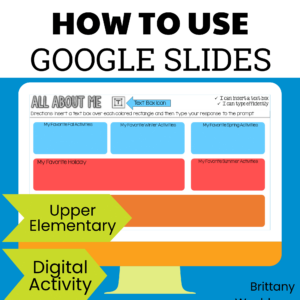
A crash course in how to use Google Slides. 9 Google Slides features and functions presented in an “All About Me EBook” perfect for upper elementary and middle school students.
5 lessons for any beginner Google Sheets user. By the end of the 5 lessons students should be able to open a blank Sheets template and create charts, graphs, and use formulas as well as manipulate the column and row sizes.
Students are going to love discovering what Halloween themed design is hidden in the hundreds chart mystery picture and you’ll love that they are practicing so many different skills. While students may be familiar with paper and pencil hundreds charts, it takes it to a whole new level to do it digitally. Students will really master the toolbar in whatever program you use. The activity has them filling 100 cells in a table per design, making it a mastery activity.
Learning keyboarding can be super boring and tedious for students. This set of 4 Summer Themed text formatting activities aims to bring engagement and a sense of purpose to the practice of typing. Students will also (hopefully) have a sense of pride over the final outcome and an understanding of the learning objective.
Students are going to love discovering what Christmas themed design is hidden in the hundreds chart mystery picture and you’ll love that they are practicing so many different skills. While students may be familiar with paper and pencil hundreds charts, it takes it to a whole new level to do it digitally. Students will really master the toolbar in whatever program you use. The activity has them filling 100 cells in a table per design, making it a mastery activity.
This resource works on so many great technology skills. While students may be familiar with using snap cubes (or counting blocks or whatever you call them) to make designs, it brings the skill to a whole new level to do it digitally. 10 Valentine’s Day designs in 4 different levels for differentiation between grade levels k-5.
Students are going to love discovering what Thanksgiving themed design is hidden in the spreadsheet software mystery pictures and you’ll love that they are practicing so many different skills. While students may be familiar with paper and pencil mystery pictures, it takes it to a whole new level to do it digitally. Students will really master the toolbar in Google Sheets or Microsoft Excel. The activity has them filling 100 cells in the table per design, making it a mastery activity.
Learn the keyboard keys while practicing technology vocabulary terms with this typing program. Over 200 vocabulary terms are included, as well as a video of directions for how to use your own lists. There are 13 Google Slides files which split the words into groups of 20. . There are 4 practice slides for each word.
Learn the keyboard keys while practicing sight words with this typing program. 342 common sight words are included, as well as a video of directions for how to use your own lists. There are 14 Google Slides files which split the words into groups of 25. These are perfect for any students grades PreK-3rd or older students who are still working on the Dolch sight words list. There are 3 practice slides for each word. I consider this a mastery activity, meaning that there are no wrong answers because students keep working until they are correct.
Fall themed activities for primary students. These activities are paperless and engaging! There are so many ways to use these activities that they will become a staple in your classroom.
-Use as a whole class activity on an interactive whiteboard
-Use as your computer station and watch students go through the activities independently!
Students are going to love discovering what Christmas themed design is hidden in the spreadsheet software mystery picture and you’ll love that they are practicing so many different skills. While students may be familiar with paper and pencil mystery pictures, it takes it to a whole new level to do it digitally. Students will really master the toolbar in Google Sheets or Microsoft Excel. The activity has them filling 100 cells in the table per design, making it a mastery activity.
This resource works on so many great technology skills. While students may be familiar with using snap cubes (or counting blocks or whatever you call them) to make designs, it brings the skill to a whole new level to do it digitally. 10 St. Patrick’s Day designs in 4 different levels for differentiation between grade levels k-5.
Test Taking Vocabulary is such an important thing to review with students before the test. Use these digital question stems on your interactive whiteboard as a daily writing warm up, or as an individual project on laptops or tablets to help your students learn what is expected from each of these critical words.
Words included: Describe, Identify, Explain, Infer, Develop, Evaluate, Compare and Contrast, Justify, Outline, Summarize, Predict, Interpret, Evidence, Analyze, Define, Illustrate.
Students can learn and memorize the Chromebook Special Keys by completing 10 engaging secret picture tile puzzles. These puzzles are great mouse or trackpad practice as well as being an opportunity to practice navigating a Google Slides or PowerPoint file.
Learn the keyboard keys while practicing primary words with this color coded typing program. 64 common words are included, as well as a formatted template so you can use your own lists. The typing activity works in PowerPoint or Google Slides. These are perfect for any students grades PreK-3rd or older students who are still working on learning the keyboard.
Guided Projects that Teach making Charts and Graphs in Google Sheets are the ideal way to build technology literacy for our youngest students. This set of 5 projects show students 5 different graph types so that by the time they get through the final project they could do it independently.
Students are going to love discovering what Thanksgiving themed design is hidden in the hundreds chart mystery picture and you’ll love that they are practicing so many different skills. While students may be familiar with paper and pencil hundreds charts, it takes it to a whole new level to do it digitally. Students will really master the toolbar in whatever program you use. The activity has them filling 100 cells in a table per design, making it a mastery activity.
Looking for Thanksgiving technology activities that teach real software skills? Students in grades 3–5 build a thankful presentation, format a Thanksgiving newsletter, and turn class vote data into a chart. Three 45-minute projects with a full teacher guide, rubrics, and vocabulary cards. Works in Google Slides, Docs, and Sheets, or PowerPoint, Word, and Excel.
Students are going to love discovering what Valentine’s Day themed design is hidden in the spreadsheet software mystery picture and you’ll love that they are practicing so many different skills. While students may be familiar with paper and pencil mystery pictures, it takes it to a whole new level to do it digitally. Students will really master the toolbar in Google Sheets or Microsoft Excel. The activity has them filling 100 cells in the table per design, making it a mastery activity.
Students can practice both academic and technology skills together with the right activities. This BUNDLE includes 14 Kindergarten ELA topics. The technology skills practiced will be mouse control (mostly click and drag) and learning the letters on the keyboard. See the ELA topics listed below.
This set is being designed with technology teachers and media specialists in mind, but any kindergarten teacher with access to devices would also find these resources to be very useful. Particularly if you include technology as a station rotation in your classroom.
Students are going to love discovering what Valentine’s Day themed design is hidden in the hundreds chart mystery picture and you’ll love that they are practicing so many different skills. While students may be familiar with paper and pencil hundreds charts, it takes it to a whole new level to do it digitally. Students will really master the toolbar in whatever program you use. The activity has them filling 100 cells in a table per design, making it a mastery activity.
This resource works on so many great technology skills. While students may be familiar with using snap cubes (or counting blocks or whatever you call them) to make designs, it brings the skill to a whole new level to do it digitally. 10 Cinco de Mayo designs in 4 different levels for differentiation between grade levels k-5.
This resource works on so many great technology skills. While students may be familiar with using snap cubes (or counting blocks or whatever you call them) to make designs, it brings the skill to a whole new level to do it digitally. 10 Earth Day designs in 4 different levels for differentiation between grade levels k-5.
Students are going to love discovering what St Patrick’s Day themed design is hidden in the spreadsheet software mystery picture and you’ll love that they are practicing so many different skills. While students may be familiar with paper and pencil mystery pictures, it takes it to a whole new level to do it digitally. Students will really master the toolbar in Google Sheets or Microsoft Excel. The activity has them filling 100 cells in the table per design, making it a mastery activity.
This resource works on so many great technology skills. While students may be familiar with using snap cubes (or counting blocks or whatever you call them) to make designs, it brings the skill to a whole new level to do it digitally. 10 Superhero Theme designs in 4 different levels for differentiation between grade levels k-5.
Digital Click and Drag Mystery Pictures work on so many great technology skills. While students may be familiar with using 100s charts in their math lessons, it brings the skill to a whole new level to use them as mouse or trackpad practice. This set includes 5 November/Thanksgiving themed designs in 2 different levels for differentiation between grade levels k-5.