Keyboarding practice works best in small, steady steps. These typing activities start with finding the letter keys and grow into typing words, sentences, punctuation and full paragraphs. Printable keyboards let students practice key locations without a screen, and digital activities in Google Slides or PowerPoint work on any device.
You’ll find options for every grade, from color coded typing for primary students to intermediate and advanced practice for upper elementary.
Showing 1–48 of 83 resultsSorted by popularity
Typing Practice Printable Keyboard Pages to Pinterest (opens in a new window)
Teach keyboarding without a screen! These printable typing keyboards help students master key locations and hand placement—perfect for early tech lessons, assessments, or quiet-time skill building.
Students practice the alphabet by matching individual letter keys to their places on a keyboard in a file folder. There are 4 different keyboard layout options included as well as uppercase, lowercase, and beginning letter picture key pieces. Prep once and use forever!
$18.00Original price was: $18.00.$12.00Current price is: $12.00.
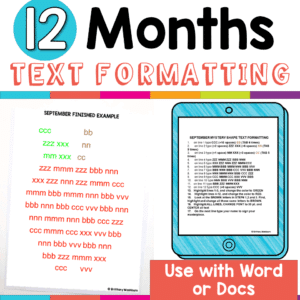
Make keyboarding meaningful with these 12 monthly text formatting activities that combine typing practice with creativity and purpose. Students build fluency while applying real formatting skills—without the boredom of drills. Easy to differentiate, aligned to ISTE Standards, and perfect for word processing practice all year long!
Engage your upper elementary and middle school students with Cut and Paste Keyboard Puzzles! It is deceptively tricky for students to cut the puzzle pieces and then find their places to create a completed keyboard.
$7.00Original price was: $7.00.$6.00Current price is: $6.00.
12 projects with monthly themed topics for students to practice creating presentations in either Google Slides or PowerPoint. There are 2 levels included for differentiation. The facts are the same, but the requirements for the presentation change between the levels.
Students practice the alphabet by matching individual letter keys to their places on a keyboard with this unique display. The keyboard prints across 4 pieces of paper (with optional individual keyboards included to extension). The letter keys have both upper and lowercase letters on them so that students can practice the alphabet.
Learning keyboarding can be super boring and tedious for students. This set of 4 Spring Themed text formatting activities aims to bring engagement and a sense of purpose to the practice of typing. Students will also (hopefully) have a sense of pride over the final outcome and an understanding of the learning objective.
Keyboard basics for the beginner keyboarder. In 12 activity slides, students will learn where the letters and numbers are on the keyboard and which fingers to use for which letters on the keyboard. All color coded to help memorization and visualization. The best part is that these activities are paperless. They are made for Google Drive and can also be use with Microsoft OneDrive (directions in file). Any device that can access Google Slides can be used to complete these digital interactive activities.
$5.00Original price was: $5.00.$3.00Current price is: $3.00.
15 coded keyboard secret messages in 5 sets of 3 fun themes. Both printable and digital versions are included so you can choose the format that works best for you.
Learning keyboarding can be super boring and tedious for students. This set of 4 Winter Themed text formatting activities aims to bring engagement and a sense of purpose to the practice of typing. Students will also (hopefully) have a sense of pride over the final outcome and an understanding of the learning objective.
Learning keyboarding can be super boring and tedious for students. This set of 4 Fall Themed text formatting activities aims to bring engagement and a sense of purpose to the practice of typing. Students will also (hopefully) have a sense of pride over the final outcome and an understanding of the learning objective.
Digital Keyboard practice for the beginner keyboarder. In 25 activity slides, students will learn where the letters are on a lowercase (Chromebook) keyboard. The best part is that these activities are paperless. Any device that can access Google Slides or PowerPoint can be used to complete these digital interactive activities.
Students can practice their keyboarding skills on their own in your virtual classroom. Use the trend of the Bitmoji Virtual Classroom to engage your students! 10 practice typing sites are linked in the slides so that students have choice.
Virtual classroom activities are great for students to learn about and practice topics. It is also a great opportunity to work on tech skills like navigating websites and working between tabs in a browser.
As requested, here is a set of keyboarding activities that help students practice the shift key. This set of 6 Designs require students to use the whole keyboard including the shift key characters. The goal of text formatting activities is to bring engagement and a sense of purpose to the practice of typing. Students will also (hopefully) have a sense of pride over the final outcome and an understanding of the learning objective.
Learn the keyboard keys while practicing sight words with this color coded typing program. 225 common sight words are included, as well as a formatted template so you can use your own lists. There are 8 Google Slides files (also works in PPT) which split the words into groups of 25. These are perfect for any students grades PreK-3rd or older students who are still working on the Fry sight words list.
Students learn about popular keyboard shortcuts with a quick lesson and then commit them to memory with 5 color by keyboard shortcut worksheets. Perfect for an offline activity!
Do your students know the keyboard letters and numbers but need practice with the special keys? Do they have to take online assessments where they will be asked to key in numbers and symbols? Then this practice set is just what you’ve been looking for. 2 levels of special keys practice plus BONUS practice for online assessment skills such as click and drag, short answer text, and drop down menus.
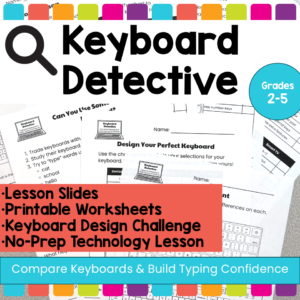
Help students build keyboard confidence with these no-prep keyboard activities that teach them to compare different keyboards, recognize the QWERTY layout, and understand how typing skills transfer across devices.
In this elementary technology lesson, students become Keyboard Detectives as they examine different types of keyboards, look for similarities and differences, and learn that keyboards may look different across laptops, desktops, Chromebooks, iPads, phones, and Smart TVs, but the important parts often stay in familiar places.
This resource is perfect for helping students understand that they do not have to relearn typing every time they use a new device. The lesson focuses on comparing keyboards, identifying key features, and building confidence with unfamiliar keyboard designs. The included teacher lesson plan is designed for 2nd–5th grade and includes student goals such as comparing keyboards, identifying similarities and differences, and using typing skills across devices.
Digital sight word builders work on so many great technology skills including drag and drop, working with shapes, and finding letters on the keyboard. While students may be familiar with hands on block building activities, it takes it to a whole new level to do it digitally. 4 sets of 25 sight words.
Learning keyboarding can be super boring and tedious for students. This set of formatting activities aims to bring engagement and a sense of purpose to the practice of typing. By the time students finish all 11 U.S. Holidays they will have practiced each of the keyboard rows four times. Students will also (hopefully) have a sense of pride over the final outcome and an understanding of the learning objective.
Using technology and problem solving skills, students decipher codes and complete activities to learn about computer keyboards. The activities are housed in a Google Slides file and students enter their codes into a locked Google Form. If you’ve been wanting to try an escape room or digital breakout with your students, this is a great place to start.
TECHademics Keyboarding Digital Activities are web based, so students can use them on any device as independent practice. This Keyboard practice set has 8 digital activity pages that help students become familiar with the keyboard. Students will get practice with the mouse or trackpad and keyboard. These digital keyboard activities are perfect for kindergarten and first grade students who need to learn the keyboard layout.
On each printable worksheet there are 3 keyboards for a total of 60 fill in the keyboards activities. There are 3 different keyboard layouts (PC, Chromebook, and Mac) so that students are exposed to different keyboard types. Great for exit ticket, sub activity, early finisher option, low-tech day, and the list goes on!
Students use a POP It keyboard (or any available keyboard) and the provided work mat and task cards as a station activity. There are 6 sets of task cards included so you can keep using this as students age. Prep once and use forever!
Learning keyboarding can be super boring and tedious for students. This set of 4 Summer Themed text formatting activities aims to bring engagement and a sense of purpose to the practice of typing. Students will also (hopefully) have a sense of pride over the final outcome and an understanding of the learning objective.
Learn the keyboard keys while practicing technology vocabulary terms with this typing program. Over 200 vocabulary terms are included, as well as a video of directions for how to use your own lists. There are 13 Google Slides files which split the words into groups of 20. . There are 4 practice slides for each word.
3 Halloween themed Keyboard shortcuts “games” that can be completed on any device. There are 12 keyboard shortcuts included and these 12 are repeated throughout the 3 games. This gives students an opportunity to master them. There is a 1 page poster included for you to use to introduce the keyboard shortcuts if your students are new to them.
Students put together a digital computer in 4 click and drag activities. They learn how to put icons on a desktop, where the hardware components go inside of a computer, they label the browser icons, and they put a keyboard together. There are differentiated options to meet the needs of your students.
This activity is provided in PowerPoint. You can upload it into your Google Drive and it will open with Slides.
Learn the keyboard keys while practicing sight words with this typing program. 342 common sight words are included, as well as a video of directions for how to use your own lists. There are 14 Google Slides files which split the words into groups of 25. These are perfect for any students grades PreK-3rd or older students who are still working on the Dolch sight words list. There are 3 practice slides for each word. I consider this a mastery activity, meaning that there are no wrong answers because students keep working until they are correct.
Typing simple sentences makes great keyboarding practice for primary students. This is a set of 40 slides, each containing a short sentence for students to type. Any device that can access Google Slides or PowerPoint can be used to complete these digital interactive activities.
120 sight words and spelling words coded in Binary to give students a decoding challenge. They are broken up into 12 sets of 10 digital flash cards which students access via a clickable PDF to take them to the web pages. After each word, students click check to see if they got it right or wrong.
$16.00Original price was: $16.00.$12.80Current price is: $12.80.
Learning keyboarding can be super boring and tedious for students. This set of Seasons Themed text formatting activities aims to bring engagement and a sense of purpose to the practice of typing. Students will also (hopefully) have a sense of pride over the final outcome and an understanding of the learning objective.
Learn the keyboard keys while practicing primary words with this color coded typing program. 64 common words are included, as well as a formatted template so you can use your own lists. The typing activity works in PowerPoint or Google Slides. These are perfect for any students grades PreK-3rd or older students who are still working on learning the keyboard.
Digital Secret Picture Tile Puzzles are great mouse or trackpad practice as well as being an opportunity to practice navigating a Google Slides or PowerPoint file. This set has 10 slides of CVC word building and typing practice. There is a Christmas theme on the secret pictures to make it engaging.
Coding meets vocabulary instruction with VoCode! Integrate those robots you have (or turn students into robots) to complete these coding challenges. 3 Options for the activities mean that you can use this with ANY movable Bots and ANY grade level of students. Be sure to check out the images!
3 Christmas Digital Keyboard shortcuts “games” that can be completed on any device. There are 12 keyboard shortcuts included and these 12 are repeated throughout the 3 games. This gives students an opportunity to master them. There is a 1 page poster included for you to use to introduce the keyboard shortcuts if your students are new to them.
Engage your tech lab students with Digital Keyboard Puzzles! This resource includes 21 digital puzzles housed in Google Slides with 2 levels of challenge for differentiation.
Students can learn and memorize the keyboard shortcuts by completing 10 engaging secret picture tile puzzles. These puzzles are great mouse or trackpad practice as well as being an opportunity to practice navigating a Google Slides or PowerPoint file.
Keyboard shortcuts “game” that can be completed on any device. The interactive PDF has a Crayrons theme, where students get to collect crayons with each correct answer. Interactive PDFs are easy to use and students can practice their tech skills from any device!
Typing basic sentences makes great keyboarding practice for primary students. This is a set of 40 slides, each containing a short sentence for students to type. Any device that can access Google Slides or PowerPoint can be used to complete these digital interactive activities.
This is set 2 of this activity type. The sentences in set 2 are slightly longer, making it a great follow up to the first set for continued practice.
Typing basic sentences makes great keyboarding practice for elementary students. This is a set of 20 slides, each containing a few digital citizenship themed sentences for students to type. Any device that can access Google Slides or PowerPoint can be used to complete these digital interactive activities.
Learning keyboarding can be super boring and tedious for students. This set of 4 Transportation Themed text formatting activities aims to bring engagement and a sense of purpose to the practice of typing. Students will also (hopefully) have a sense of pride over the final outcome and an understanding of the learning objective.
Technology Integration made easy with Quick Tech! Keyboarding can be fun with these quick tech printable and digital activities! Perfect to reinforce typing skills throughout the school year without wasting precious instructional time. The activities included are all ideal for kindergarten students in interest and complexity.
Learning keyboarding can be super boring and tedious for students. This set of 4 School Themed text formatting activities aims to bring engagement and a sense of purpose to the practice of typing. Students will also (hopefully) have a sense of pride over the final outcome and an understanding of the learning objective.
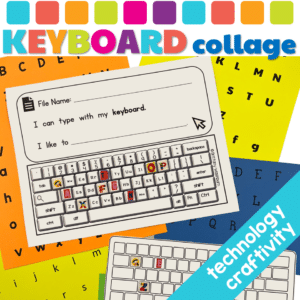
Embark on a delightful, educational adventure with our Keyboard Collage Craftivity, meticulously crafted to transform the mundane task of keyboard familiarization into a joyous learning expedition. This resource is a treasure trove designed for students to explore, interact, and master the keyboard layout while nurturing their creativity and precision. It’s not just a learning resource; it’s an experience that paves the way for digital literacy in a fun and engaging manner.
Typing paragraphs makes great keyboarding practice for upper elementary and middle school students. This is a set of 15 slides, each containing a digital citizenship themed paragraph for students to type. Any device that can access Google Slides or PowerPoint can be used to complete these digital interactive activities.
$92.25Original price was: $92.25.$45.00Current price is: $45.00.
Planning your keyboarding units for grades K-5 just got easier! This is a bundle of typing resources that includes everything you need to facilitate keyboarding practice and progress.
Learning keyboarding can be super boring and tedious for students. This set of 4 Bugs Themed text formatting activities aims to bring engagement and a sense of purpose to the practice of typing. Students will also (hopefully) have a sense of pride over the final outcome and an understanding of the learning objective.