Tips for Teaching Technology Skills to Kindergarten Students
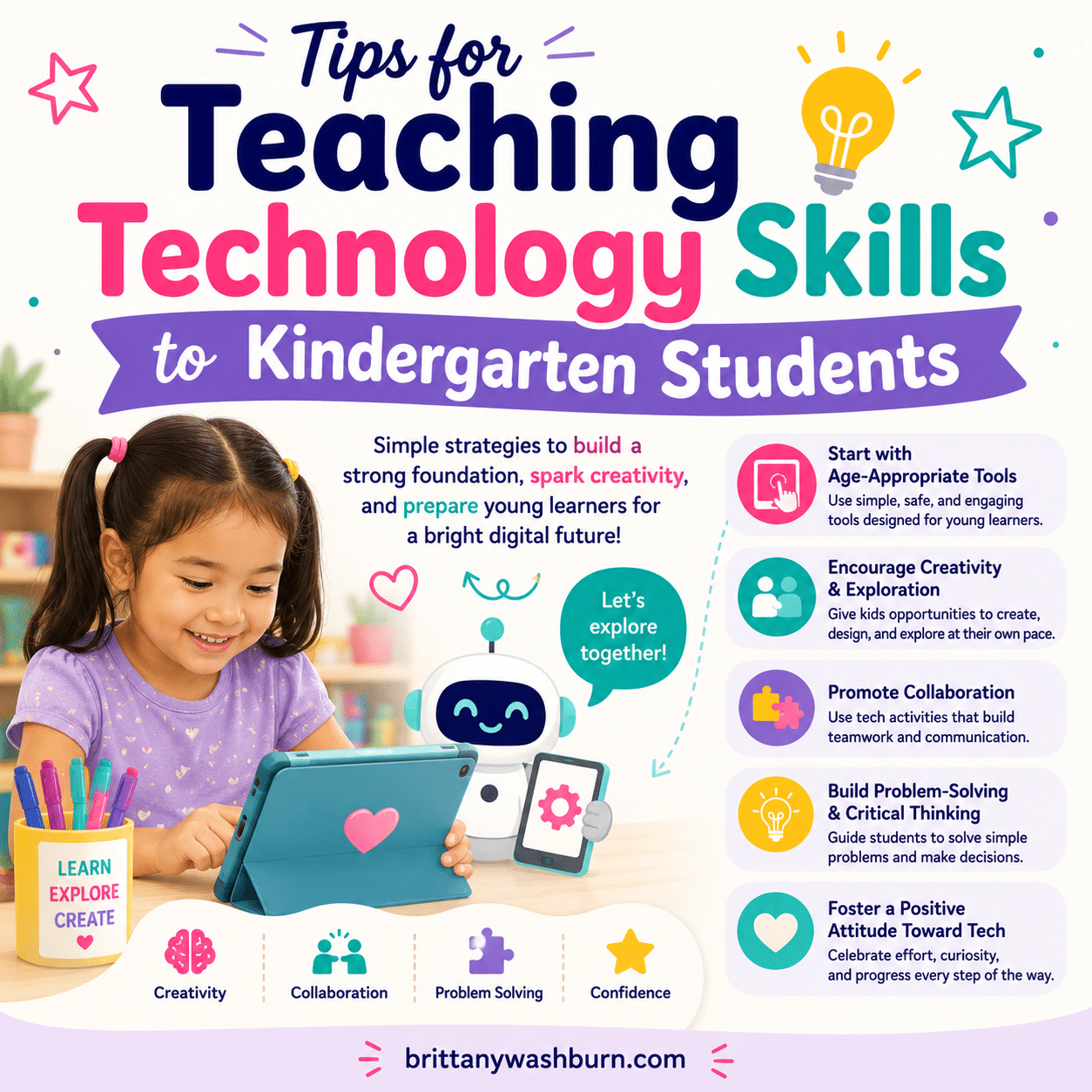
Teaching technology skills to kindergarten students is essential, as early exposure to technology can significantly enhance their learning experiences and prepare them for future academic challenges. At this stage in their development, children are naturally curious and eager to explore, making it the perfect opportunity to introduce them to the world of technology in a safe and engaging manner. By incorporating age-appropriate tools and fostering creativity, collaboration, and critical thinking, educators can help young learners build a solid foundation in technology that will serve them well throughout their educational journey. We’ll provide tips and strategies for effectively teaching technology skills to kindergarten students, ensuring that they not only learn the basics also develop a positive attitude towards technology.
Understanding the Technological Landscape for Young Learners
The Importance of Technology in Early Education
Technology isn’t just a part of life; it’s how we interact with the world. For kindergarteners, early exposure to technology can spark curiosity, enhance learning, and help develop critical thinking skills. By weaving tech into the curriculum, we prepare the little explorers for a tech-savvy future while keeping learning exciting.
Current Trends in Educational Technology
From interactive whiteboards to virtual reality, these tools are making learning dynamic and immersive. Apps that promote collaboration and gamification are also popular. It’s all about creating an interactive experience that keeps young learners engaged and motivated!
Creating a Safe and Engaging Learning Environment
Establishing Ground Rules for Technology Use
Create simple, clear guidelines about how to handle devices, share resources, and respect digital content. Maybe implement a “tech buddy” system where students can help each other, fostering collaboration while practicing responsible use. By setting boundaries, we’re not just keeping them safe; we’re building digital citizens who know how to navigate cyberspace like pros.
Designing a Kid-Friendly Classroom Setup
A kindergarten classroom should be as welcoming as possible. Arrange technology stations that are easily accessible, ensuring devices are at eye level for our youngest learners. Use colorful, engaging decor that sparks creativity and curiosity. Encourage collaboration by having small group workstations where kids can share devices and ideas. Don’t forget cozy corners for quiet tech time too!
Integrating Technology into Daily Activities
Blending Technology with Traditional Learning
The best way to ensure technology feels natural in your classroom is to blend it seamlessly with traditional learning methods. Integrate tech into storytime with interactive e-books, or use tablets for hands-on math games that bring numbers to life. Encourage creative projects using digital drawing tools alongside crayons and markers. This hybrid approach not only keeps things fresh, but helps children see the connections between digital and physical learning experiences.
Examples of Technology-Enhanced Lessons
Consider a scavenger hunt that incorporates QR codes hidden around the classroom, leading to fun facts or challenges. Or, transform a science lesson on plants into an augmented reality experience, where kids can “plant” seeds digitally and watch them grow! There’s also the option of using storytelling apps where children can narrate their own stories and illustrate them. The possibilities are endless, and each tech-enhanced lesson can turn learning into an unforgettable adventure!
Identifying the Core Technology Skills to Teach Kindergarten
To identify the core technology skills to teach Kindergarteners, it is important to consider the following:
- Keyboarding and typing skills: Students should be able to identify letter/number keys, develop basic hand-eye coordination (mouse and keyboard), using two hands.
- Basic computer skills: Students should be able to use technology to help me learn and solve problems. Students should be able to describe what different parts of a computer do.
- Internet skills: Students should be able to navigate a website.
- Presentation skills: Students should be able to choose and use digital tools to share my ideas.
- Basic coding and programming skills: Students should be able to break down big problems into smaller steps.
- Digital citizenship: Students should be able to use the internet safely and responsibly.
By focusing on these core technology skills, educators can help Kindergarteners develop the necessary skills to become proficient technology users and prepare them for success in future academic and professional endeavors.
Utilizing Age-Appropriate Tools and Resources to Teach Technology Skills to Kindergarten Students
Identifying Suitable Software and Applications
Look for applications that prioritize educational value but also invite engagement. Apps focused on literacy, numeracy, and creativity, designed specifically for little ones, often provide interactive and fun ways to learn. Always preview and vet resources to ensure they align with age-appropriate content and skill levels.
Choosing the Right Devices for Kindergarten Students
When it comes to devices, think small and sturdy. Tablets that are lightweight and have protective cases can withstand the bumps and drops that come with enthusiastic little hands. Touchscreens are often more intuitive for young learners, making the learning process smoother than trying to fold a fitted sheet! And let’s not forget about accessibility: find devices that offer features catering to diverse needs, ensuring every child can join in on the tech fun.
Encouraging Exploration and Creativity
Incorporating Hands-On Activities
To keep little hands busy and curious minds engaged, hands-on activities are a must! Use simple tech tools like tablets with drawing apps, coding toys, or interactive games that let kids tap, swipe, and maybe even start to learn about typing. The goal is to create a space where exploration is encouraged—imagine a tech playground where the only rule is to have fun while learning. Let their imaginations run wild as they create digital art or build their first line of code. The excitement will be contagious!
Promoting Problem-Solving Skills through Technology
Incorporate technology that encourages kids to solve puzzles and challenges—like coding robots that need a nudge in the right direction or games that require them to think critically. When they encounter a digital hiccup, cheer them on! Remind them that it’s perfectly normal to stumble. By making problem-solving a game, you’ll see their confidence soar as they crack the codes.
Fostering Collaboration Through Technology
Group Projects and Digital Collaboration Tools
Group projects are a fantastic way to introduce teamwork—because we all know that two heads are better than one! Use user-friendly digital tools that allow children to collaborate on projects, like shared slideshows or creative storyboards. Whether they’re crafting a group presentation on their favorite animal or designing a class mural online, these collaborative efforts not only teach technology skills but also the art of sharing.
Building Communication Skills with Technology
Teaching kids how to communicate effectively using technology is crucial. Encourage them to express their ideas through emails or classroom blogs, and don’t shy away from incorporating video calls—because nothing beats the joy of seeing their friends’ smiling faces. Teach them the basics of digital etiquette and how to express themselves clearly online. This way, they’ll build more than just tech skills; they’ll develop the confidence to share their voices in the digital world.
Assessing Technology Skills Progressively
Creating a Technology Skills Checklist
Outline essential tech skills that students should master—think of it like a scavenger hunt for their digital capabilities. Did they successfully turn off a tablet? Check! Can they upload a photo of their finger painting? Double check! This checklist can help YOU track their progress while giving kids a sense of achievement as they tick off each tech skill.
Implementing Informal Assessments
At this age, opt for informal assessments disguised as fun activities. Observe their interactions with tech during playtime or pose simple challenges while they’re engaged in a lesson. Did they confidently show their peers how to use a new app? Boom, that’s a win! By keeping assessments light and fun, you’ll gather valuable insights into their progress without the seriousness of a traditional test.
Involving Parents in Technology Learning
Communicating with Parents about Technology Goals
Keeping parents in the loop is like having a secret weapon in your teaching toolbox! Share your technology goals with them—what skills their little ones are learning and how they can support at home. Use friendly newsletters or parent-teacher meetings to discuss the fun tech adventures their kids are having. When parents know what to expect, they can reinforce these skills at home, transforming the learning experience into a family affair.
Offering Resources for Home Learning
To truly ignite the tech spark at home, provide parents with resources that are as easy to navigate as their favorite online shopping site. Share apps, websites, or even online courses that are perfectly tuned for kindergarteners. Consider hosting tech workshops for parents where they can learn alongside their kids. With the right resources, parents will feel empowered to help their little ones thrive, making learning a team effort!
Equipped & Ready to Teach Technology to Kindergarten
Teaching technology skills to kindergarten students is a vital step in preparing them for a future that is increasingly driven by digital innovation. By creating a supportive learning environment and integrating technology into everyday activities, educators can inspire young learners to explore and engage with the tools that will shape their world. As we continue to embrace technology in education, fostering curiosity and creativity will empower our students to become confident, capable users of technology, setting them up for success both in school and beyond.