
Inside of a Computer Lesson and Activity
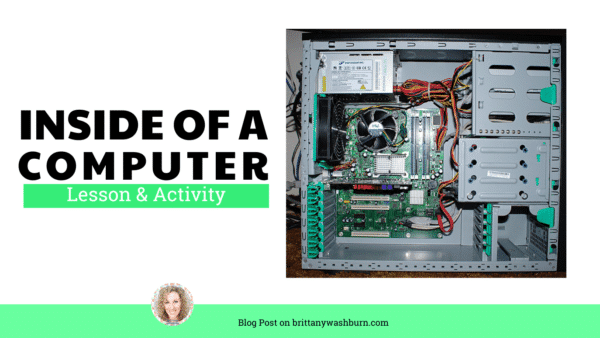
At the end of the school year when I ask my students what their favorite memory was of our time together, they always say it’s the day we took apart old computers. This is how we did it and how I held them accountable for their learning about computer hardware.
Show this if you have a projector
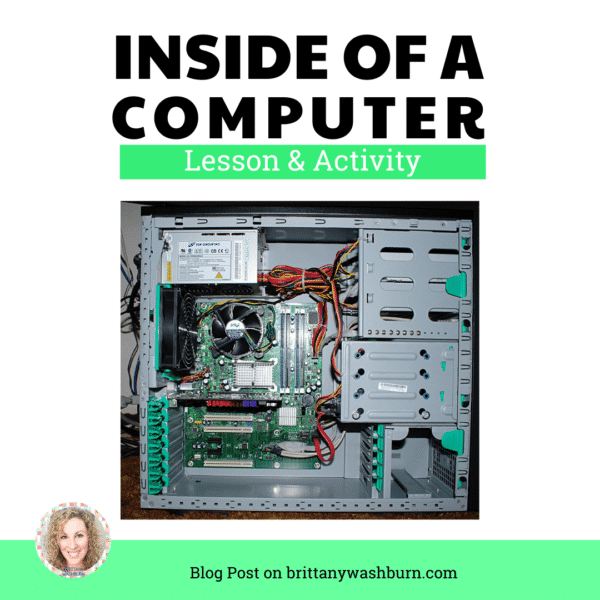
I put this up on the screen at the beginning of class and have students guess what they are looking at. One or two students always know because they have done something like this before. Students freak out (in the best way possible) when I tell them they get to take apart a computer today!
The Lesson

I created a click and learn activity of the inside of a computer with labels explaining 11 of the parts. I made a QR code for students to get to the site from the iPad. Each group (about 4 students) got a QR code and a worksheet.
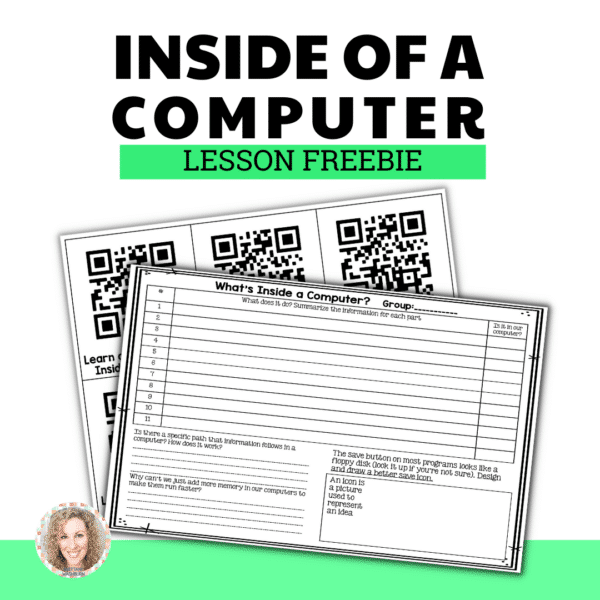
*I have both the QR Code and Worksheet in my Free Resource Library, which you can access by clicking on the image below and creating an account (Register). The downloads are in the TRY section near the bottom of the page.

The activity has students methodically work through all 11 of the labeled parts of the computer that are on the web page. They learn what they are, record that information, and check off whether or not our computers have that part. I fully encouraged them to remove parts so that they could check them out closer and see under them. I did ask students to take a picture before they started pulling it apart (using their iPad) so that they could return everything to its original place.
Then, there are 2 questions to answer and then a design challenge to work on as a group. The design challenge asks them to come up with a new icon for the save button since we don’t use floppy disks anymore. At the very end of class we shared the new save icon prototypes under my document camera for the whole class to see.
As you can see, this lesson and activity is super engaging for students, and easy peasy for the teacher to facilitate. Yes, it was a noisy class! I wish an administrator had stopped in during this lesson because they would have been so impressed by the problem solving and authentic learning happening. Maybe next time.
Don’t forget to grab the worksheet and QR code from my Free Resource Library and then share this post with your techie friends. Check out our 5 Tips for Teaching Students about Hardware as well! Thanks for reading!

Hour of Code Is Now Hour of AI. Does That Mean Coding Is Outdated?
AI can write code in seconds. So why should we still teach elementary students how…
How to Build a 1st Grade Digital Citizenship Unit
As technology continues to evolve and play a critical role in the lives of students,…

The First Tech Lessons Shouldn’t Be About Devices. Here’s What to Focus on Instead…
As elementary tech teachers, one of our primary goals is to equip young learners with…
How to Build a 3rd Grade Digital Citizenship Unit
Teaching students about responsible online behavior is more important than ever. Third graders are beginning…

Helping Elementary Students Understand the Internet
What is the internet anyway? Is it a black box on a pedestal? What actually…
Innovative Games Designed to Teach Serious Computer Science Skills
The demand for proficient computer science skills is higher than ever. To address this need,…




I am trying to get the free inside a computer lesson activity but cannot find a way to download it.
Can you please help me?
tmoore2@sdale.org
Visit this page to register and then the download is inside the resource library: https://brittanywashburn.com/free-resource-library/