How to Build a 1st Grade Digital Citizenship Unit
As technology continues to evolve and play a critical role in the lives of students, teaching digital citizenship has become more important than ever. For 1st graders, the goal of a digital citizenship unit is to help them understand the basics of what it means to be a responsible and safe online. Here’s a guide on how to construct a comprehensive digital citizenship unit tailored for elementary technology teachers working with 1st grade students!
Define Digital Citizenship
Begin by introducing the concept of digital citizenship to your students in an age-appropriate way. At this level, digital citizenship can be broken down into simple elements: being safe online, respecting others, and understanding how to use technology responsibly. Use relatable language and examples that resonate with 1st graders. For instance, explain that just like we need to share toys and be kind to our friends, we also need to share digital space respectfully.
Identify Key Digital Citizenship Topics for 1st Graders
Once your students grasp the idea of digital citizenship, it’s time to break it down a little more. You can design your unit around several important themes, such as:
- Online Safety: Teach students about the importance of safeguarding personal information and understanding secure passwords.
- Digital Footprint: Explain that everything they do online leaves a digital footprint, and discuss how the future might look back at their online activities.
- Respect and Etiquette Online: Teach students about online communications, and how to behave in virtual interactions. Also discuss the effects of cyberbullying and how to respond if they encounter it. Include role-playing scenarios to help students practice how to stand up against bullying both online and offline.
- Information Literacy: Help students learn how to discern credible sources from unreliable ones.
Establishing Learning Objectives for the Unit
Aligning with Educational Standards
When building a digital citizenship unit, aligning your objectives with educational standards ensures that what students learn is both relevant and valuable. Familiarize yourself with your local curriculum and integrate key concepts that meet these standards.
Setting Measurable Goals
To track progress and ensure that students are grasping the concepts, set measurable goals for their learning outcomes. Use clear, concise statements like “Students will be able to identify private and a personal information” or “Students will demonstrate respectful communication.” These will not only provide a roadmap for your unit but also give students a sense of accomplishment as they reach milestones along the way.
Discuss Cyber Safety
Spend time discussing how to stay safe online, emphasizing the importance of not sharing personal information (like full names, addresses, or school details) with anyone they meet online. Use visuals or stories to illustrate these points, showing what a “good password” looks like or what types of information should never be shared.
Teach Respect and Empathy
One of the core components of digital citizenship is treating others with respect. Encourage discussions about why it’s essential to be kind and supportive online, just like in real life. You could implement a project where students create “kindness cards” that class members can use to compliment or encourage each other, enhancing the notion of kindness not only in person but also when communicating through technology.
Use Engaging Resources
Incorporating engaging resources into your unit will capture the students’ attention and enrich their learning experience. Use videos, books, interactive websites, and games that focus on digital citizenship. Websites like Common Sense Media offer extensive resources tailored for various grade levels. Consider showing informative videos that illustrate the concepts in action or reading age-appropriate books related to digital citizenship.
Interactive Activities
Children learn best when they are actively engaged, so plan hands-on activities to reinforce the concepts. Here are a few ideas:
- Role-Playing: Create scenarios where students can role-play different digital situations, such as encountering a cyberbully or sharing personal information. This practice will build their confidence in handling real-life situations.
- Classroom Discussion: Facilitate discussions where students can share their thoughts and questions about digital citizenship. Encourage them to brainstorm solutions to issues they might face online.
- Creative Projects: Assign students to create posters or presentations about different aspects of digital citizenship. They can even write stories or skits that convey important lessons.
Brittany’s Own Digital Citizenship Resources for 1st Grade
1st Grade Digital Citizenship Activities
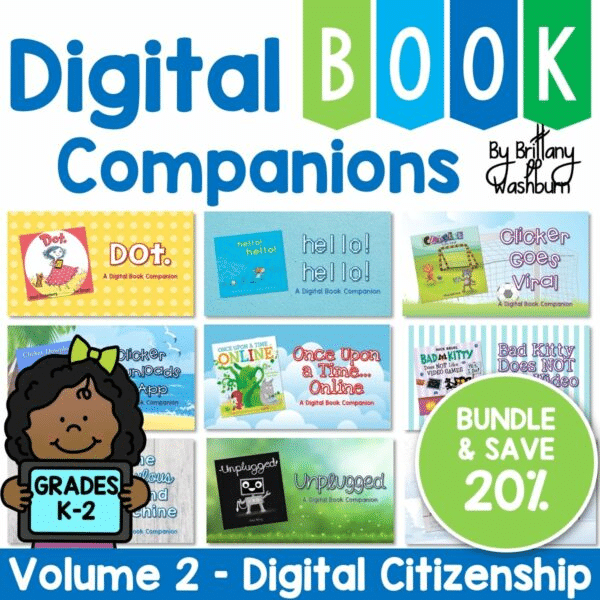
Digital Citizenship K-2 Digital Book Companions Bundle
Private and Personal Information eBook
Involve Parents and the Community
Educate not just the students but also their parents. Create a simple, informative handout about what digital citizenship is and how they can reinforce these concepts at home. Consider hosting a parent night where you can showcase what your class has learned and provide tips for keeping kids safe online.
Evaluation and Reflection
At the end of the unit, ask students to share what they’ve learned and how they can apply these lessons outside the classroom. Use simple assessment tools like drawings, sharing sessions, or digital stories to gauge their understanding.
Building a 1st-grade digital citizenship unit doesn’t have to be overwhelming. By providing relatable content, engaging activities, and strategies for parents, teachers can instill responsible online habits in their students early on. This foundation will serve them as they navigate the vast digital landscape in the years to come.