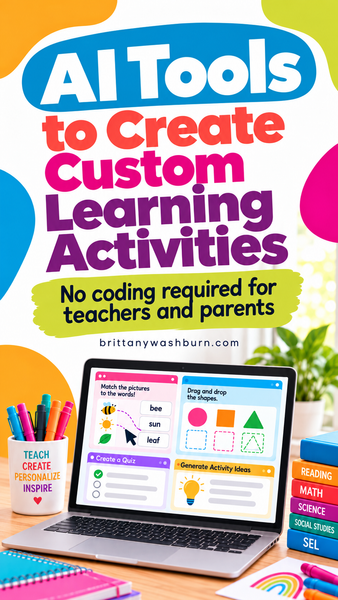
AI Tools to Create Custom Learning Activities (No Coding Required!)
Have you ever searched for the perfect digital learning activity, only to find that everything was almost what you needed?
Maybe the vocabulary is too advanced, the game doesn’t work well on your students’ devices, or you wish you could change just one part of an otherwise great activity.
What if you could simply describe the learning experience you have in mind and have AI build it for you?
That’s exactly what a growing number of AI tools are making possible!
Teachers and parents can now create their own interactive games, digital manipulatives, quizzes, simulations, and learning tools without needing to become programmers.
This approach is often called vibe coding, and it’s opening up some exciting possibilities for personalized learning.
Let’s explore the AI tools you can use to create custom digital learning activities, what makes each one different, and where to start if you’ve never written a line of code.
What Is Vibe Coding for Education?
Traditionally, creating an interactive digital activity required programming knowledge. You needed to understand languages like HTML, CSS, and JavaScript to make buttons work, check answers, move objects around the screen, or create an interactive game.
Vibe coding changes that process.
Instead of writing the code yourself, you describe what you want in everyday language and let AI generate it.
For example, you might type:
“Create a drag-and-drop game for second graders where students sort examples of hardware and software into two categories. Include colorful visuals, a short explanation after each answer, and a celebration screen when they finish.”
The AI generates a starting version of your game. Then you can continue the conversation:
- “Make the instructions easier for younger students.”
- “Add five more examples.”
- “Give students a hint after two incorrect attempts.”
- “Make the buttons bigger for touchscreen devices.”
- “Remove the timer and let students work at their own pace.”
You don’t need to know how to program those changes. You need to know what you want your students to experience.
And that’s a skill educators already have!
What Kinds of Learning Activities Can You Create with AI?
Before choosing a tool, think about what you want students to do.
AI coding is useful for much more than generating questions and answers. You can create activities that give students opportunities to explore, practice, make decisions, and receive feedback.
Here are some possibilities:
For early learners:
- Shape, color, and letter-matching games
- Number recognition and counting activities
- Interactive alphabet and vocabulary practice
- Digital sorting and sequencing activities
- Simple cause-and-effect games
For elementary students:
- Spelling and typing challenges
- Digital citizenship scenarios with choices and consequences
- Interactive science diagrams and simulations
- Fraction models and virtual math manipulatives
- Reading comprehension games with immediate feedback
- Digital escape rooms and problem-solving challenges
For older students:
- Historical timelines and interactive maps
- Virtual science experiments
- Coding logic puzzles
- Custom study tools and review games
- Interactive research and decision-making simulations
Parents can use the same tools to create activities around a child’s current interests. Imagine a preschool counting game featuring their favorite animals or a reading activity using vocabulary from a book they’re excited about!
The possibilities become much more interesting when you’re no longer limited to the content someone else has already created.
9 AI Tools for Creating Custom Digital Learning Activities
Some of these tools are particularly beginner-friendly, while others offer more advanced features for building entire educational apps.
You certainly don’t need to learn all of them! Think of this as a menu of possibilities.
1. ChatGPT: Create Custom Interactive Activities with AI Coding
Website: chatgpt.com
ChatGPT is one of my favorite places to start because it allows you to develop an activity through conversation.
You can describe your educational goal, ask ChatGPT to generate the HTML, CSS, and JavaScript needed to make it interactive, and continue refining the activity until it meets your needs.
It’s particularly useful when you want control over the actual learning experience.
Ideas to try:
- A keyboarding game that practices specific keys
- A self-checking vocabulary activity
- A drag-and-drop sorting challenge
- An interactive KWL chart
- A customizable spelling game
One advantage of generating a standalone HTML activity is that you can save the file and potentially host it on your own website or another supported platform. Students can then access the finished activity in a browser without necessarily needing an account with the AI service.
The important thing is that the AI doesn’t make all the instructional decisions for you. You determine the learning objectives, content, difficulty, and feedback.
Best for: Teachers who want customizable activities and more control over how their creations work.
2. Canva Code: Turn Your Ideas into Interactive Designs
Website: canva.com
If you already love Canva for creating classroom resources, Canva Code is worth exploring.
Canva Code lets you describe an interactive experience and have AI generate it within Canva’s design environment.
Instead of creating only static worksheets, presentations, or posters, you can build activities where students click, select, enter answers, and interact with content.
Ideas to try:
- Interactive matching games
- Digital vocabulary practice
- Self-checking quizzes
- Learning choice activities
- Interactive review games
One particularly appealing feature is the ability to combine AI-generated interactions with Canva’s visual design tools.
Teachers who are more comfortable with graphic design than traditional programming may find this a natural starting point.
Best for: Canva users who want to add interactivity to visually engaging learning materials.
3. Claude Artifacts: Build and Share Interactive Learning Tools
Website: claude.ai
Claude is another conversational AI assistant that can generate code, and its Artifacts feature is especially interesting for education.
Artifacts allow you to create interactive experiences that can be previewed and, when published, shared with others.
You can build activities and test their functionality while continuing to request changes through conversation.
Ideas to try:
- Interactive number lines
- Digital logic puzzles
- Virtual science manipulatives
- Choose-your-own-adventure stories
- Visual demonstrations of technology concepts
Claude is worth considering when you want to experiment with educational experiences that require more involved interactions.
Best for: Teachers and parents interested in custom simulations, problem-solving activities, and interactive visual tools.
4. Google Gemini Canvas: Create Learning Apps Through Conversation
Website: gemini.google.com
Google Gemini includes a Canvas workspace for creating and editing code, apps, and other content.
You can describe a learning activity, have Gemini generate a working version, and continue refining the result.
Gemini also offers AI-assisted study materials, including quizzes and flashcards.
Ideas to try:
- Math practice games
- Interactive science demonstrations
- Vocabulary review apps
- Digital flashcards
- Simple educational simulations
Gemini Canvas may be particularly appealing to educators who are already familiar with Google’s tools.
Best for: Teachers who want to experiment with AI coding and interactive study tools.
5. Rosebud AI: Create Educational Games from Prompts
Website: rosebud.ai
Rosebud AI focuses more specifically on game creation.
You can describe a game concept, and the platform helps generate playable experiences, including visuals and game mechanics.
This opens up some exciting opportunities for game-based learning.
Ideas to try:
- Educational adventure games
- Math puzzle challenges
- Story-based vocabulary games
- Digital scavenger hunts
- Games that teach sequencing and logic
For educators interested in using game design as part of the learning process, Rosebud could also provide opportunities to explore how interactive games are developed.
Best for: Game-based learning and educators interested in more immersive activities.
6. Replit Agent: Build More Advanced Educational Tools
Website: replit.com
Replit is a software development platform with AI-powered tools that can help you build and publish applications.
It’s a step beyond creating a single matching game or quiz.
With Replit Agent, you can describe a web application and let AI help generate the code, configure the project, and prepare it for publishing.
Ideas to try:
- A collection of themed educational games
- A custom typing practice website
- An interactive learning dashboard
- A digital portfolio tool
- A website containing multiple related learning activities
Replit offers more flexibility, but that also means there’s more to learn when building complicated projects.
Best for: Educators who want to create larger, reusable learning tools or explore more advanced AI coding.
7. Lovable: Build Custom Educational Web Apps
Website: lovable.dev
Lovable is an AI app-building platform designed to turn written descriptions into functional websites and applications.
Instead of creating one standalone game, you could work toward an entire learning environment with multiple pages and activities.
Ideas to try:
- A personalized learning practice website
- A collection of subject-specific mini-games
- An interactive reading practice app
- A custom educational resource library
For teachers or curriculum creators who have a very specific vision for a digital learning tool, Lovable offers an interesting way to explore that idea without starting from scratch with traditional programming.
Best for: Building more complete educational websites and applications.
8. Bolt.new: Create and Publish Custom Learning Apps
Website: bolt.new
Bolt.new is another platform that allows users to create websites and applications by describing what they want.
You can prompt the AI to build an app, preview the result, and request changes as you go.
Ideas to try:
- A multi-level math practice game
- An interactive vocabulary learning website
- A science simulation
- A digital classroom challenge with multiple stages
Like Lovable and Replit, Bolt.new may be more than you need for a quick classroom warm-up, but it’s worth exploring when you have a larger project in mind.
Best for: Educators who want to turn a bigger idea into a published learning experience.
9. Playlab: Build AI-Powered Learning Experiences for Education
Website: playlab.ai
Playlab stands out because it’s designed specifically around educational uses of AI.
Rather than focusing only on generating traditional games, Playlab helps educators create AI-powered applications grounded in their own instructional materials.
You can incorporate curriculum documents, rubrics, and other references to shape how the AI interacts with learners.
Ideas to try:
- Customized writing feedback tools
- Guided learning assistants
- Interactive research coaches
- Subject-specific tutoring experiences
- Practice activities that respond to student input
This is a different approach from building a traditional HTML game, but it highlights another direction that customized digital learning experiences are heading.
Best for: Educators interested in AI-powered guidance, tutoring, and responsive learning experiences.
Which AI Coding Tool Should Teachers Try First?
With so many choices, it’s easy to feel like you need to learn every new platform that appears.
You don’t!
If you’re just beginning, I recommend starting with ChatGPT or Canva Code.
Choose one small activity that would genuinely help your students. Something you already understand well from an instructional standpoint.
A simple vocabulary matching game is a great place to begin.
Once you’ve learned to describe the activity, test the results, and request changes, you’ll find that many of those same skills transfer to other AI coding platforms.
The tool matters, but the bigger skill is learning to communicate your instructional ideas clearly enough for AI to build them.
Try It Yourself: A Simple AI Coding Prompt for Teachers
Ready to experiment?
Copy this prompt into ChatGPT or adapt it for Canva Code:
Example prompt:
“Create an interactive vocabulary matching activity for third-grade students learning about computer parts. Include the terms monitor, keyboard, mouse, speakers, and printer. Students should match each term to its correct definition.
Use large, easy-to-read text, a clean and colorful design, and buttons suitable for a touchscreen. Give immediate, encouraging feedback after each answer and let students try again when they make a mistake.
Keep track of correct answers and show a completion message at the end. The activity should work in a modern web browser and should not require students to enter personal information.”
Once the AI builds the first version, try requesting a few adjustments.
Perhaps you’d like the vocabulary to be more challenging. Maybe you want to add pictures, change the feedback, or include a second round.
You can keep making changes until the activity better fits your students.
That’s the real advantage of vibe coding: you’re not stuck with the first version.
And remember, AI-generated code isn’t guaranteed to work perfectly. Test every interaction, verify the educational content, and check the activity on the kinds of devices your students actually use.
Want to Learn How to Create Your Own Digital Activities with AI?
If you’re excited by the possibilities but aren’t sure where to begin, I created a course specifically to help teachers get started.
In my Code Digital Activities with ChatGPT Course, I walk you through using ChatGPT to build your own interactive HTML activities, even if you’ve never written code before.
You’ll learn how to create and customize activities, troubleshoot problems, and prepare your finished projects for students to use.
The course includes step-by-step instruction, practical classroom examples, reusable prompts, and a bonus tutorial on using Canva Code to style your activities.
It’s designed to help you develop a skill you can use again and again, rather than simply copying a single project.
The course currently focuses on ChatGPT and Canva Code, so you can build a strong foundation before exploring the other tools in this list.
Explore the Vibe Coding Course for Teachers →
A Few Things to Remember Before Sharing AI-Created Activities with Students
Being able to generate an interactive activity is exciting, but there’s still an important quality-control step.
Before using an AI-created activity with children, consider:
- Accuracy: Are the questions, explanations, and answers correct?
- Developmental appropriateness: Can students read the instructions and navigate the activity independently?
- Accessibility: Does it work with a keyboard, on touchscreens, and for students with different accessibility needs?
- Privacy: Does the activity collect information, require accounts, or send data to an outside service?
- Sharing: Can students access the finished activity without encountering features or content that aren’t appropriate for their age?
For younger students especially, I recommend having the teacher or parent create and test the activity before children use it.
Also, different AI platforms have different publishing, sharing, commercial-use, and age requirements. Review those details before distributing activities to students.
The Future of Custom Digital Learning Activities
What excites me most about AI coding isn’t the novelty of creating a game with a prompt.
It’s the possibility of creating learning experiences that respond to what our students actually need.
Teachers have always adapted instruction. We change our examples, adjust our pacing, rewrite directions, and find different ways to explain a concept.
Now we have another way to make those adaptations.
Instead of spending hours searching for an activity that’s close enough, we can start imagining what the ideal activity would look like and work toward creating it ourselves.
That doesn’t mean we need to replace every premade resource or build everything from scratch. Sometimes an existing activity is exactly what we need!
But when it isn’t, it’s pretty amazing to have another option.
The next time you find yourself wishing a digital learning activity worked just a little differently, consider whether you could create your own with AI.
You might be surprised by what you can build.