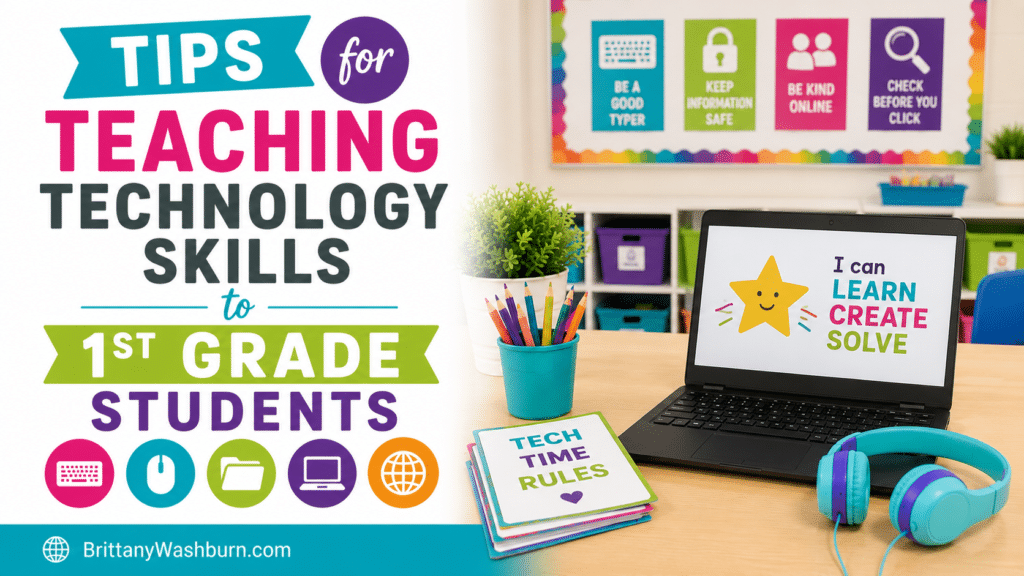
Tips for Teaching Technology Skills to 1st Grade Students
Equipping first-grade students with essential technology skills is more important than ever as young learners become increasingly immersed in a tech-driven world. Educators face the challenge of introducing these tools in a way that is both engaging and age-appropriate. We’ll offers practical tips for teaching technology skills to first graders, focusing on establishing a clear picture of core skills, creating a tech-friendly classroom environment, selecting suitable resources, and integrating technology into the curriculum. By fostering hands-on learning experiences and encouraging collaboration, teachers can unlock the potential of their students and prepare them for a future where digital literacy is paramount.
Understanding the Importance of Technology Skills in Early Education
The Role of Technology in Modern Learning
Technology can help students slice through complex problems, build creativity, and connect with the wider world. From interactive lessons that bring science to life to virtual field trips that whisk students away to the Great Wall of China, technology enhances the learning experience in ways we couldn’t have imagined just a few decades ago.
Benefits of Early Exposure to Tech Skills
Starting young with tech skills equips 1st graders with a strong foundation for future learning. It boosts problem-solving abilities, nurtures creativity, and prepares them for the tech-driven world that awaits. They’ll not only learn to navigate devices but will also develop confidence, critical thinking, and a can-do attitude that will serve them well beyond the classroom walls.
Identifying the Core Technology Skills to Teach 1st Graders
To identify the core technology skills to teach 1st graders, it is important to consider the following:
- Keyboarding and typing skills: Students should be able to identify letter/number keys, develop basic hand-eye coordination (mouse and keyboard), using two hands. Experiment with font and text, spell check, and making lists.
- Basic computer skills: This includes understanding the different parts of a computer and their functions, how to use a mouse and keyboard, and how to navigate through different software programs.
- Internet skills: Students should know how to use search engines effectively to find information, evaluate the credibility of sources, and understand how to stay safe online. Students can choose and use digital tools to share my ideas.
- Presentation skills: Students should be able to create and deliver engaging presentations using software such as Microsoft PowerPoint or Google Slides. Experiment with adding pictures, font and text, layering, and making lists.
- Basic coding and programming skills: Students can use technology to collect and look at data. Students should have an understanding of basic coding concepts such as sequencing, loops, and conditional statements. Students can break down big problems into smaller steps.
- Digital citizenship: Students should understand the ethical and social implications of technology use, including topics such as cyberbullying, digital privacy, and online etiquette.
By focusing on these core technology skills, educators can help 1st graders develop the necessary skills to become proficient technology users and prepare them for success in future academic and professional endeavors.
Creating a Tech-Friendly Classroom Environment
Setting Up Technology Stations
Set up different zones featuring tablets, computers, and interactive whiteboards, each with a specific focus—like coding games, digital storytelling, or math apps. Rotate the stations regularly to keep things fresh and exciting, and don’t forget to add some bean bags or cushions for a comfy, creative vibe.
Ensuring Safety and Accessibility
Creating a tech-friendly classroom involves more than just fancy gadgets; it’s about ensuring that all your little learners can access and use them safely. Establish clear guidelines for device usage—think hardware care policies —and teach kids how to navigate the internet safely with simple rules that even they can remember. Make sure your tech setup is accessible for all students, including those with unique educational needs, by providing assistive technologies or adaptive learning resources. A safe, inclusive environment can help them feel empowered, rather than overwhelmed.
Selecting Age-Appropriate Tools and Resources
Evaluating Software and Apps for First Graders
Look for apps that promote critical thinking, creativity, and collaboration while being engaging and fun. As a plus, always read reviews (from parents, teachers, etc.) to ensure the content is developmentally appropriate and safe.
Choosing Educational Games and Activities
Games and activities can transform learning into an adventure that students can’t resist. Select educational games that align with your curriculum, like math puzzles, spelling challenges, or science exploration games. Focus on interactive elements that encourage teamwork and communication. And remember, it’s all about balance—while tech is great, don’t forget to throw in some hands-on activities to keep those imaginations fired up.
Integrating Technology into the Curriculum
Linking Tech Skills with Core Subjects
Integrating tech skills into core subjects ensures that students don’t just learn how to use technology; they learn why it matters. At these young ages, teachers have a real chance to guide students beginning to use technology towards choosing meaningful applications for it. For instance, teach digital storytelling alongside language arts, can allow kids to create their own stories using apps. In math, you can let them use graphing tools to visualize their learning. These connections not only makes lessons more engaging but also highlight real-world applications of technology, making subjects come alive like never before!
Project-Based Learning with Technology
Project-based learning can be thought of like a grand finale—where all that knowledge comes together in a spectacular way. Encourage students to work on projects that pique their interest, whether that’s creating a digital mural, developing a simple game, or conducting an online research project. With guidance, they’ll learn not just how to use technology, but also how to collaborate and think critically.
Encouraging Hands-On Learning and Exploration
Interactive and Engaging Tech Activities
First graders are a bundle of energy and curiosity. To harness that, dive into interactive tech activities that make learning feel like play. Consider using educational apps or games designed for their age group. Think colorful, think fun, and most importantly, think about how these activities can capture their attention. Incorporate story-based games or coding robots that allow the kids to manipulate characters or solve challenges.
Promoting Problem-Solving Through Technology
Present students with simple challenges that require them to think critically and use technology as a tool. For example, ask them to create a digital presentation on their favorite animal—this encourages not just tech skills, but also creativity and logic! And when they hit a roadblock, guide them in troubleshooting rather than giving them the answer right away. After all, a little struggle can lead to big breakthroughs!
Fostering Collaboration and Communication Skills
Group Projects and Team-Based Learning
Set up small groups and assign them tasks that require them to use digital tools together—like making a group video, or designing a shared digital poster. The key is to encourage them to share ideas and communicate effectively.
Using Technology to Enhance Communication
Technology can also be a great way to boost communication skills. Introduce platforms that allow students to express their thoughts in writing, such as simple blogging sites or shared docs where they can write stories together. You can even have them use voice recorders to share their ideas verbally, honing both their speaking and listening skills.
Assessing Student Progress and Adapting Techniques
Methods for Evaluating Tech Skills
Utilize simple checklists or rubrics to evaluate tech skills, including creativity, collaboration, and basic navigation. Watching students engage with the technology during activities can give you insights into their understanding. Plus, a little informal assessment (like a quick game to see who can troubleshoot first) can make the process feel less daunting for both you and the students.
Adjusting Instruction Based on Student Needs
If a particular tech activity leaves some students bewildered, it might be time to regroup and simplify things. On the flip side, if certain kids are breezing through, consider offering them more challenging projects to keep them engaged. Flexibility is key—because let’s face it, tech is always evolving, and so should our teaching methods!
Engaging Parents and Caregivers in Technology Learning
Whether it’s through newsletters, school meetings, or a friendly chat during pick-up, let parents know that technology is not just a “nice-to-have” but a “need-to-have” in today’s world.
Providing Resources for Home Learning
Provide parents with resources like websites, apps, or printable guides that reinforce what students are learning in class. You can also suggest family tech projects that encourage collaboration at home, like creating a digital scrapbook or filmmaking a short video. By equipping caregivers with the right tools, you’re ensuring that technology skills continue to grow beyond the school walls!
Tech Teachers – You’ve Got This!
Teaching technology skills to first-grade students is a vital step in preparing them for a rapidly evolving world. By creating an engaging learning environment, utilizing age-appropriate tools, and encouraging collaboration, educators can instill young learners with a love for technology.
Recommended products
-
1st Grade Software Lessons Bundle | Computer Lab
Original price was: $36.00.$28.80Current price is: $28.80. -
1st Grade Technology Activities Bundle
Original price was: $130.50.$91.35Current price is: $91.35.