How to Build a 5th Grade Digital Citizenship Unit
Equipping 5th graders with the knowledge and skills to navigate online spaces responsibly is more crucial than ever. A well-structured digital citizenship unit empowers students to understand the implications of their online actions, promotes safe and respectful interaction, and fosters critical thinking about technology. We’ll provide a comprehensive guide for educators looking to create an engaging and effective digital citizenship curriculum that not only meets educational standards but also prepares young learners for a responsible digital future. From foundational concepts to practical activities and assessment strategies, we’ll help you build unit will inspire students to become conscientious digital citizens.
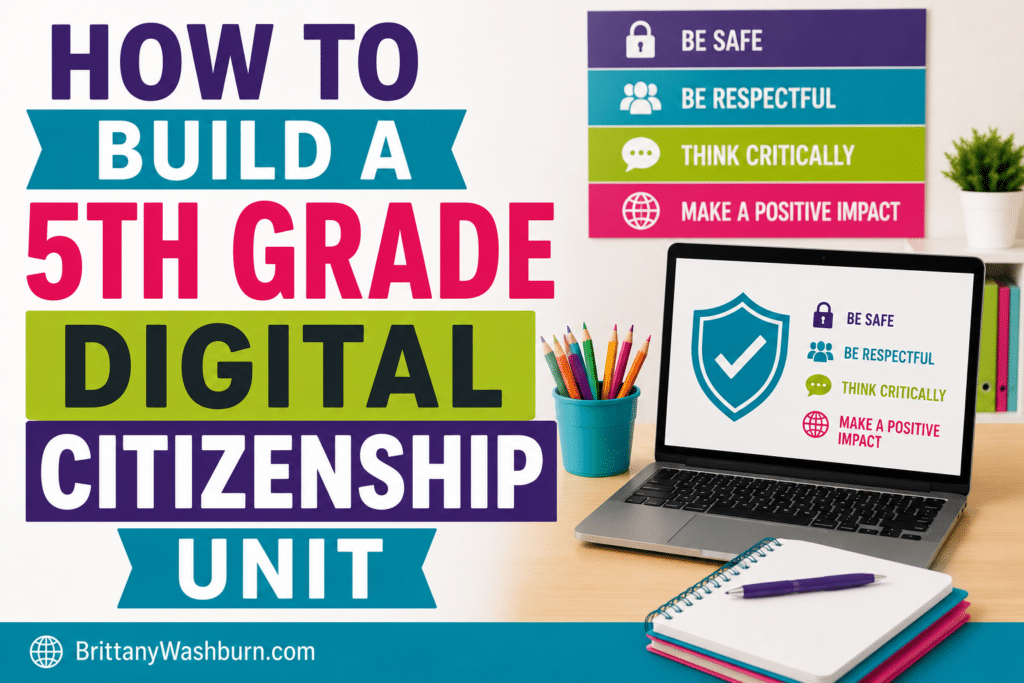
Understanding Digital Citizenship: Key Concepts for 5th Graders
Defining Digital Citizenship
Digital citizenship is all about teaching kids how to navigate the online world responsibly. 5th grade students are beginning to decide the kind of people they will become, and they need to understand that the digital realm is included in that persona. It’s the set of skills and knowledge that helps them use technology effectively, safely, and ethically.
The Importance of Digital Etiquette
Just like saying “please” and “thank you” in real life, digital etiquette is essential for online interactions. It’s about being polite, respectful, and considerate when communicating with others in the digital realm. Whether they’re typing a comment or sending an email, teaching kids how to maintain a positive digital presence will prepare them for future online relationships of all kinds.
Exploring Online Safety and Privacy
In a world where sharing selfies and status updates is the norm, understanding online safety and privacy is crucial. Students need to learn about protecting their personal information, recognizing phishing scams, and knowing what to do if they encounter inappropriate content. By instilling good habits now, we can help them navigate the internet like seasoned pros.
Establishing Learning Objectives for the Unit
Aligning with Educational Standards
When building a digital citizenship unit, aligning your objectives with educational standards ensures that what students learn is both relevant and valuable. Familiarize yourself with your local curriculum and integrate key concepts that meet these standards. Remember: The goal isn’t just to teach, but to empower them with knowledge that’s recognized and respected!
Setting Measurable Goals
To track progress and ensure that students are grasping the concepts, set measurable goals for their learning outcomes. Use clear, concise statements like “Students will be able to identify at least three online safety practices” or “Students will demonstrate respectful communication in digital discussions.” These will not only provide a roadmap for your unit but also give students a sense of accomplishment as they reach milestones along the way.
Designing Engaging Activities and Lessons
Interactive Lessons on Digital Footprints
A digital footprint is like the trail of crumbs you leave behind while browsing the internet. Make this concept interactive by having students create their own digital footprint maps, showcasing where their online activities are leading them. This fun and engaging lesson will help them understand the importance of managing their online identity.
Group Projects on Responsible Online Behavior
Group projects encourage collaboration and creativity, so why not have students work together to develop a presentation on responsible online behavior? They can create skits, videos, or posters that emphasize the dos and don’ts of the digital world. Plus, they’ll get the chance to flex their teamwork skills and showcase their unique perspectives on how to be safe and respectful online.
Case Studies and Real-Life Scenarios
Bring digital citizenship concepts to life by discussing real-life situations in the digital world. Present students with case studies that highlight challenges like cyberbullying or privacy breaches, and let them brainstorm solutions. This not only reinforces the lessons learned but also encourages critical thinking and empathy as they relate to their peers’ experiences.
Incorporating Technology Tools for Learning
Using Educational Apps and Websites
Integrate technology tools into your lessons to engage students and enhance their understanding of digital citizenship. Utilize educational apps and websites that focus on online safety, etiquette, and privacy. These resources can make learning fun and interactive, transforming digital citizenship lessons from mere lectures into captivating adventures.
Integrating Multimedia Resources
Don’t shy away from using multimedia resources to enrich your curriculum! Videos, podcasts, infographics, and interactive games can help convey complex ideas in an engaging way. By mixing up the learning formats, you can cater to different learning styles and keep the students excited about what they’re exploring in the digital world.
Brittany’s Own Digital Citizenship Resources for 5th Grade
5th Grade Digital Citizenship Activities
Digital Citizenship Grades 3-5 Digital Book Companions Bundle
Trapped in the Web Digital Breakout

Internet Safety Topics Digital Breakouts Bundle
Assessing Student Understanding and Growth
Creating Rubrics for Digital Citizenship Projects
When it comes to evaluating your students’ grasp on digital citizenship, a concise and clear rubric is your best friend. Think of it as a map that outlines expectations for performance, guiding students on their journey through the digital landscape. Focus on key concepts such as online safety, information literacy, and respectful communication then break down the categories into levels of achievement. Rubrics encourage students to take ownership of their learning while giving you the clarity you need to assess their progress effectively.
Formative vs. Summative Assessment Strategies
Formative assessments, like quizzes and reflective journals, are excellent for checking in during the unit. They’re your chance to gauge understanding and tweak instructions as needed. On the flip side, summative assessments—such as final projects or presentations—help you measure student comprehension after the unit wraps up. These take a snapshot of learning. Incorporate both types for a full picture and watch those digital citizens thrive!
Encouraging Parental Involvement and Support
Communicating Unit Objectives to Parents
Send out an engaging newsletter or hold a short informational workshop detailing the unit’s objectives. Make sure to use clear language and relatable examples so they don’t feel like they need a PhD in tech jargon to understand!
Suggestions for Home Activities
Encouraging parents to engage with their children’s digital citizenship education can be as simple as turning family time into a digital adventure. Suggest activities like setting up a family social media etiquette agreement or hosting a “screen-free” night where everyone shares their favorite non-digital hobbies. Encourage parents to have open discussions about online experiences, fostering an environment of collaboration and learning.
Resources and Materials for Educators
Books and Articles on Digital Citizenship
Grab your reading glasses! A trove of resources is at your fingertips. Books can offer a comprehensive guide on integrating digital citizenship into your curriculum. Articles from reputable sources like Edutopia or Common Sense Education also provide invaluable insights and practical strategies. Arm yourself with knowledge, and you’ll be all set to guide your students through the online world like a seasoned pro.
Online Courses and Workshops
Dive into online courses and workshops focusing on digital citizenship. Websites like Coursera and EdX offer courses tailored for educators looking to level up their skills. You’ll find everything from practical lesson plans to innovative assessment strategies.
Tips for Continuous Improvement and Adaptation
Collecting Feedback from Students and Parents
Feedback is your secret weapon in the quest for a stellar digital citizenship unit. Create anonymous surveys for students and parents to fill out—ask about what worked, what didn’t, and what could be improved. Use that feedback to tweak your approach, ensuring you’re hitting the right notes and making adjustments that keep the unit fresh and relevant.
Staying Updated on Digital Trends and Issues
To keep your unit relevant, make it a habit to stay updated on the latest trends and issues in technology and digital citizenship. Follow tech blogs, subscribe to newsletters, or even join online forums such as our Facebook group. Knowledge is power, and being in-the-know will empower you to equip your students with the skills they need to navigate the digital landscape confidently.
As we navigate an increasingly digital world, instilling strong digital citizenship skills in 5th graders is essential for their personal and academic success. By implementing these strategies and resources, educators can create a dynamic learning environment that encourages responsible online behavior and fosters critical thinking. Through continuous adaptation and engagement with parents and the community, we can ensure that our students are well-prepared to thrive.
Recommended products
-

5th Grade Digital Citizenship Activities
$6.00 -
5th Grade Software Lessons Bundle
Original price was: $36.00.$28.80Current price is: $28.80. -
5th Grade Technology Activities Bundle
Original price was: $266.00.$186.20Current price is: $186.20.