Comparing Popular 3D Printing Curriculums: Makers Empire and Tinkercad
As 3D printing continues to firmly occupy the educational landscape, two prominent platforms, Makers Empire and Tinkercad, have emerged as frontrunners in providing comprehensive curriculums for aspiring makers and educators. Each platform offers unique features, resources, and approaches to teaching 3D design and printing, catering to different age groups and skill levels. We’ll delve into a detailed comparison of Makers Empire and Tinkercad, exploring their curriculum structures, user experiences, integration with classroom learning, and community support. By examining these aspects, you can make informed choices about which platform best aligns with teaching goals and the needs of your students.
Overview of 3D Printing Education
The Importance of 3D Printing in Education
3D printing fosters creativity, problem-solving, and hands-on learning, making it an essential tool for today’s classrooms. Students can turn their wildest ideas into tangible objects, which definitely beats staring at a textbook. Plus, it nurtures skills like collaboration and critical thinking, preparing students for their future in whatever field they choose to enter.
Current Trends in 3D Printing Curriculum
Recently, there’s been a shift toward integrating design thinking, STEM (Science, Technology, Engineering, and Mathematics), and even art into the 3D printing curriculum. Schools are increasingly focusing on project-based learning, where students create real-world applications of their designs. With a surge in accessibility—thanks to user-friendly software—educators are embracing 3D printing as a crucial part of the modern curriculum.
We have 16 Tips for 3D Printing with your Students to help you along!
Introduction to Makers Empire
Features and Functionality
Makers Empire provides a suite of tools that allows users to design, modify, and print 3D models with ease. With features like an intuitive interface, a variety of templates, and a strong emphasis on creativity, it’s perfect for educators looking to inject some fun into their lessons. Plus, it offers a library of resources to support both teachers and students.
Target Audience and Age Groups
Primarily aimed at elementary and middle school students, it’s ideal for budding creators aged 5-14. It understands that kids need to play and experiment, so the engaging platform is tailored to encourage trial-and-error learning.
Pricing and Licensing Models
Makers Empire offers individual and school-wide licenses. They even have a subscription model that allows institutions to utilize the platform across various classes—making it a budget-friendly option for schools trying to sprinkle a little 3D magic into their curriculum.
Introduction to Tinkercad
Features and Functionality
Tinkercad is useful, versatile, and surprisingly easy to use! It offers a simple drag-and-drop interface that’s perfect for beginners. Users can create 3D designs, simulate electronics, and even code with blocks, making it a jack-of-all-trades in the educational space. With extensive online tutorials and resources available, Tinkercad ensures that users are never left in the dark.
Target Audience and Age Groups
Tinkercad caters to a slightly broader audience, ranging from kids as young as 6 to adults! It’s designed for anyone who wants to dip their toes into the world of 3D design, making it a hit for educators at all levels.
Pricing and Licensing Models
The cherry on top? Tinkercad is completely free! Yes, you read that right. Users can create accounts and start designing without a single penny spent. This makes it an attractive option for schools and individuals who want to explore 3D printing without financial commitment.
Curriculum Structure and Content Comparison
Lesson Plans and Project Ideas
When it comes to lesson plans, Makers Empire takes it with ready-to-use resources that engage students in project-based learning. From creating simple shapes to tackling complex design challenges, it offers a roadmap for educators. Tinkercad, while not as structured, does still provide a plethora of projects and challenges for learners to tackle on their own, encouraging creativity and exploration.
Skill Development Focus
Makers Empire leans towards fostering creativity and collaboration, focusing heavily on design thinking principles. Tinkercad, on the other hand, is all about developing technical skills, giving users the freedom to “tinker” with their designs. Both platforms have their strengths, depending on whether you want to prioritize creative problem-solving or technical proficiency.
Assessment and Feedback Mechanisms
Makers Empire offers built-in assessment tools that help teachers gauge student progress and provide constructive feedback along the way. Tinkercad lacks structured assessment features, focusing instead on self-guided learning. While both frameworks have their approach, Makers Empire provides a more comprehensive support system for educators looking to track their students’ growth and understanding in 3D design.
User Experience and Accessibility
User Interface and Navigation
When it comes to user interface, both Makers Empire and Tinkercad have their highlights.
Makers Empire sports a kid-friendly design, filled with colorful icons and playful animations that scream “fun!” at every click. Navigation is a breeze for younger users, with intuitive pathways to their projects.
Tinkercad, on the other hand, gives off a more minimalist, slightly techy feel. Its straightforward drag-and-drop functionalities make it easy to get started, but the lack of a snazzy aesthetic may not make it as exciting for the younger crowd.
Device Compatibility and Online Access
Tinkercad thrives in the browser-based world, compatible with just about any device that can connect to the internet. You can even tinker away on a tablet during a coffee shop visit, which is great for those who like to blend creativity with caffeine!
Makers Empire, while still accessible online, has a more focused approach towards tablets—particularly for schools outfitted with iPads.
So, if you’re planning to 3D print from a high-tech gaming rig, Tinkercad’s your buddy. But if you want a friendly tablet sidekick, don’t overlook Makers Empire.
Learning Curve and Support for Beginners
Both platforms cater to 3D printing newbies, but they do it in very different ways. Makers Empire’s learning curve is as gentle as a summer breeze, offering lots of guided activities and step-by-step lessons that keep beginners from feeling overwhelmed.
Tinkercad, while still beginner-friendly, assumes a bit of prior experience. That said, Tinkercad does provide plenty of resources for those willing to dive a little deeper.
Integration with Classroom Learning
Alignment with Educational Standards
Makers Empire hits the mark when it comes to aligning with educational standards, making it a strong contender for teachers looking to adhere to curriculum guidelines. With built-in assessments and lesson plans tied to various subject areas, it’s practically the poster child for educational integration.
Tinkercad, while versatile, leans more towards encouraging creativity and design thinking, which may not always align with strict educational standards but offers a fantastic way to supplement learning with real-world applications.
Collaboration and Group Projects
Makers Empire encourages teamwork through shared projects and classroom challenges, promoting an inclusive environment where students can collaborate and innovate together.
Tinkercad also has collaboration features, allowing multiple users to work on a design; however, it’s not as integrated into the learning environment as Makers Empire.
Teacher Training and Resources
On the teacher training front, Makers Empire takes the lead with comprehensive resources specifically aimed at helping educators get the hang of things. They provide workshops, webinars, and even an online community for educators to engage with and learn from each other. Tinkercad offers some resources, but they lean more towards user tutorials than comprehensive teacher training. If you’re a teacher diving into 3D printing for the first time, Makers Empire’s support will help ensure you don’t feel like you’re swimming against the current.
Support and Community Resources
Online Forums and Community Engagement
Makers Empire boasts a vibrant community where educators and students can share ideas, designs, and get feedback. Their forums are bustling with creativity and collaboration driven by a mutual love for 3D printing.
Tinkercad’s community is equally engaging but feels a bit more like wandering into a artists’ café where users share their individual projects and tips.
Tutorials and Learning Materials
When it comes to tutorials, Makers Empire has a little something for everyone, from step-by-step guides to project ideas that are perfect for classrooms. Tinkercad also has a healthy serving of tutorials, but they lean more towards the technical aspects of design rather than comprehensive support for educators. If you’re a teacher or a beginner who thrives on guidance, you might find Makers Empire’s extensive resources more comforting.
Teacher Recommendations
Makers Empire Tips
We’ve heard from teachers who have been using Makers Empire with K to 8 students as well as their advanced module for 9th and 10th. They’ve called it hands down by far the easiest, friendliest and coolest 3D design software out there.
- There are free built in learning challenges to get kids starred and also learn new concepts in design. Science and Math projects are available as well.
- For any design, all you need to do is use to scan code and you can view it and AR either on the screen or an augmented reality in your room.
- If you want to be able to connect students devices to the slicer device there is a learn at home plan for parents
Tinkercad Tips
Tinkercad also has good lessons! It is designed for users of all ages, with a core focus on learners in grades 3–12 (approximately ages 8 and up). While the platform is kidSAFE-certified and suitable for younger children, users under 13 (or the legal age in their country) require parent or teacher permission to create an account.
- Let younger kids draw a very simple (think coloring book – bold line against white paper) and turn it into a to a print file. This can be done with their names, snowflakes, bugs, a new hat for Cat In The Hat, musical instruments, keychains, bubble wands, or most anything else they can think of!
- For older students – keep it simple until they learn to manipulate to shapes in Tinkercad. It can be very frustrating trying to learn how to make shapes in 3D. Tell them that. It helps them know it’s normal!
- Teachers Pay Teachers has lessons with videos and slides for students to use to create and print. Many teachers also use Thingiverse for projects.
- Tinkercad hosts fun challenges you can get your classes excited about as well! Check out this past challenge for creating charms that go in Crocs.
Brittany’s Own Resources
3D Printing Lesson and 3 Leveled Tasks
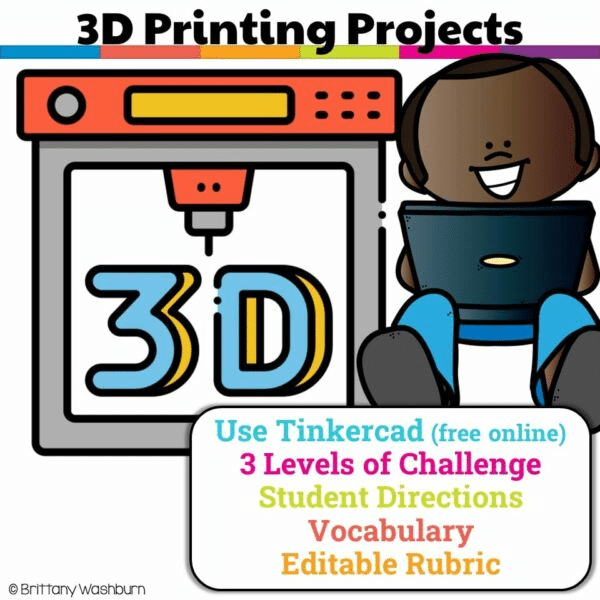
Have you been wanting to try 3D Printing with Tinkercad with your students but have no idea where to start? This starter kit has everything you need to teach your students how to use Tinkercad and provides 3 leveled prompts to practice their new skills. Great for beginners!
3D Printing Booklet
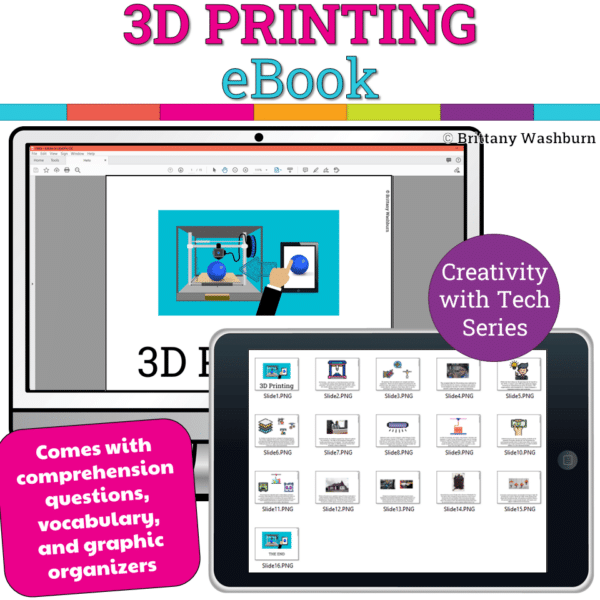
Introduce a lesson on 3D Printing technology with this eBook that goes over the machines and software involved in 3D Prints. Share the PDF with students for a paperless experience or print the nonfiction text out as a booklet.
Choosing the Right Curriculum for Your Needs
Key Differences
If you’re looking for a whimsical, user-friendly experience that’s well-integrated into classroom settings, Makers Empire shines bright. On the flip side, Tinkercad offers flexibility and an impressive range of capabilities, making it perfect for tech-savvy learners who want to explore more on their own.
Recommendations Based on Educational Goals
For classroom settings aimed at engaging younger students and adhering to educational standards, Makers Empire is probably the way to go. But for older students or those already familiar with 3D design concepts, Tinkercad provides an excellent platform to deepen their skills. Ultimately, it boils down to your specific goals.
Future Trends in 3D Printing Education
As 3D printing technology evolves, so too will the educational curriculums surrounding it. Expect to see an increase in AR/VR integration, more robust collaboration tools, and continued efforts to create personalized learning experiences that cater to individual student needs. Both Makers Empire and Tinkercad are likely to adapt, offering even more resources and features to keep up with the digital age, making the world of 3D printing accessible to all!
Both Makers Empire and Tinkercad offer valuable resources for teaching 3D printing, each with its own strengths and focus areas. The choice between the two ultimately depends on the specific needs of educators and their students, including factors like curriculum structure, user accessibility, and community support. By understanding the unique offerings of each platform, educators can select the best fit for their classrooms, paving the way for the next generation of makers and designers.