How to Make Your Own Mats & Accessories for Your Bots
Coding robots are becoming essential tools for teaching programming and robotics skills to learners of all ages. While many commercially available mats and accessories can enhance the coding experience, creating your own personalized versions can add a unique touch, foster creativity and even add in additional educational value. We will guide you through the process of making custom mats and accessories for your coding robots, providing you with ideas for materials and tips for personalization. Whether you’re an educator looking to enrich your classroom or a parent seeking to inspire learning at home, crafting these items can not only enhance the learning experience but also allow you to tailor the activities to suit specific educational goals.
Introduction to Educational Bots and Their Accessories
What Are Educational Bots?
Educational bots are like the sidekicks of the learning world. These programmable little marvels help students dive into the fascinating realms of coding, robotics, and problem-solving in a fun, engaging way. They can be anything from cute mini robots that dance around the classroom to complex machines that navigate through obstacle courses and complete tricky tasks. Essentially, they’re here to teach kids the magic of technology while they’re busy having fun!
Providing a Stable Surface
Now, here’s where mats come into play. A stable surface is essential for your educational bots to perform at their best. Mats help minimize distractions and provide a flat, consistent area for movement. Without a proper mat, your robotic pals might find themselves stumbling, crashing, or getting stuck, which can lead to frustration—yours and theirs! A solid mat ensures that your bots roll smoothly and stay focused on their educational tasks.
The Role of Mats and Accessories
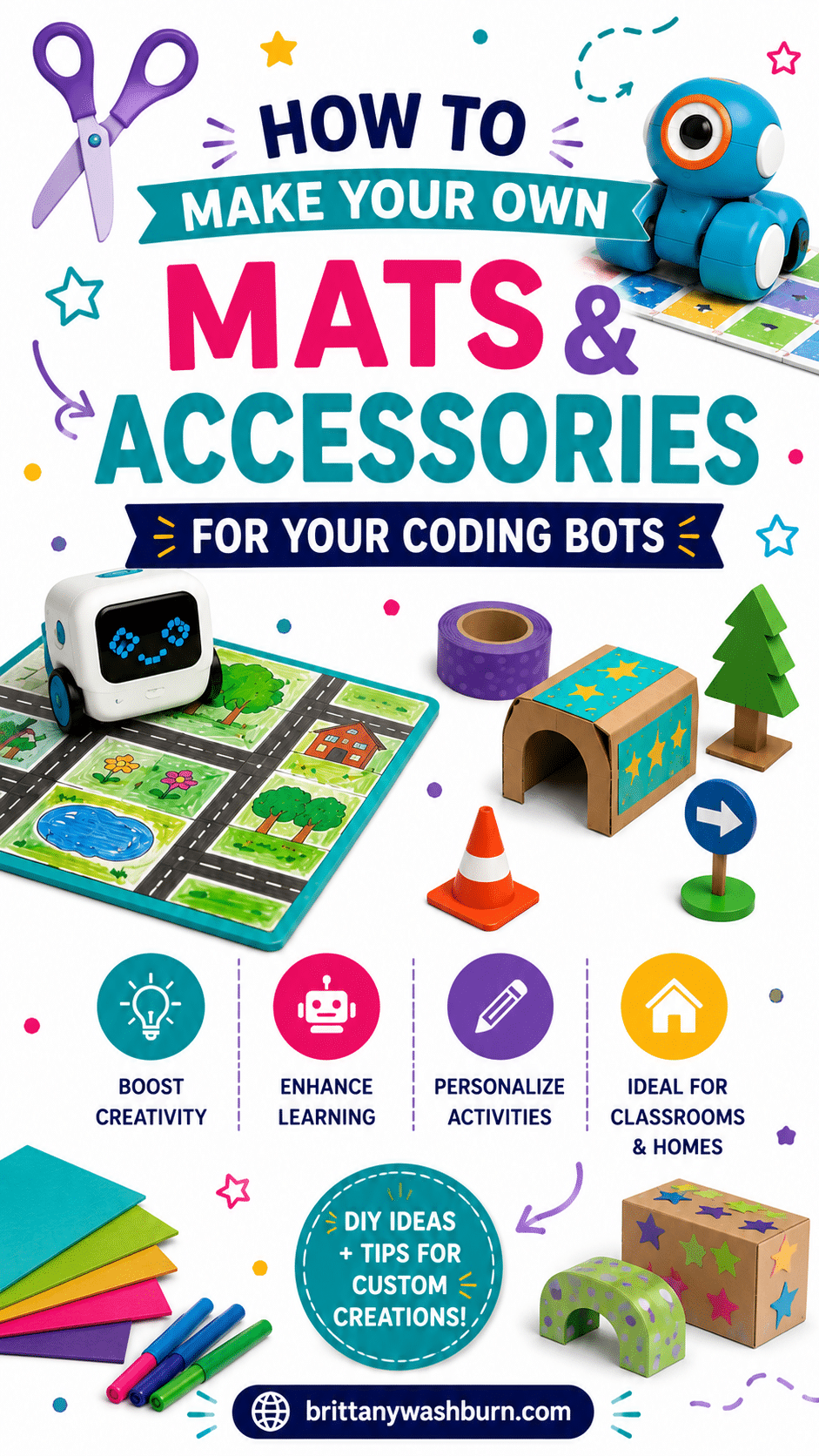
Mats provide a defined space for the bots to roam, learn, and show off their skills while accessories add an extra layer of creativity and functionality. Whether it’s maze-like patterns, roads for racing, different terrain obstacles for exploration, or snap-on tools for added functionality, these accessories enhance the learning experience, giving students a tangible way to apply their coding skills. For example, a mat designed like a city can encourage kids to use their bots to navigate traffic, follow rules, or even simulate a delivery system. The possibilities are endless, and with the right set up, your students’ imaginations can run wild (with bots in tow, of course).
Materials Needed for DIY Mats and Accessories
Basic Materials for Mats
Creating your own mats can be as simple as gathering some basic materials. You’ll need things like large sheets of felt or foam, poster board, or even old tablecloths that can be repurposed. These materials are easy to work with, durable, and can be cut into any shape your heart desires. Velcro or magnets make for easy assembly and versatility as well.
If you have a dedicated learning space, you can even just use trusty painter’s tape to place designs directly on your floor.
Tools Required for Construction
Time to bust out the toolbox!
Essential tools for constructing fabric mats include scissors for cutting, a ruler for measuring (because we all know how easy it is to eyeball and end up with lopsided creations), and perhaps a hot glue gun or double-sided tape for assembly.
For paper mats, printers and laminators are your best friends. Large scale ones are the dream, but you can use clear packing tape to connect smaller pieces as well.
Optional Decorative Elements
Now let’s talk pizzazz! Optional decorative elements can really make your mats stand out. Think washable markers for customizing designs, stickers for extra flair, or even fabric paint to add some personality. You can create vibrant landscapes, fun characters, or even educational prompts—your mat could become its own masterpiece that makes your teaching strategy as colorful as your students’ imaginations!
Designing Custom Mats for Coding Robots
Understanding the Requirements of Your Robot
Before you start doodling your dream mat, take a moment to understand your coding robot’s capabilities and requirements. Some robots might be programmed to follow lines, while others might need obstacles or checkered paths for navigation. Consider what they can do and how the mat can enhance their experiences—after all, it’s all about creating a playground where your robot can truly strut its stuff!
Methods for Mat Creation
Create mats in Google Slides, then print, cut, and glue onto bulletin board paper. Using 6 inch squares in Slides seems to be perfect for BeeBot mats!
Create it in Canva! Find a large format printer and then laminate them too for extra ease and durability.
A teacher from our Facebook Group has their older students (5th grade) choose a topic, find the images and make mats for younger levels.
You can also simply buy and print individual mats from different TPT sellers as well!
Incorporating Educational Elements into Your Design
Why not make learning in other subjects fun by blending education into your mat design? You could add numbers, letters, or even simple math problems to challenge the user along the way. Incorporate different colors to teach coding concepts like loops or conditionals, or create zones for specific coding tasks. Each section of the mat could represent a different challenge or theme that reinforces key lessons in an engaging way.
Finishing Touches and Quality Checks
Before you roll out the red carpet for your coding robot, give your mat a final inspection! Check for any loose ends, ensure all elements are firmly attached, and test the durability (because, let’s face it, robots and kids can both be a bit rough on materials). Add any last touches—and voila! Your custom mat is ready to rock the robot world.
Tips for Customizing Mats for Different Learning Environments
Adapting Mats for Various Age Groups
For younger audiences, use brightly colored mats with larger graphics and simpler instructions. For older students, you can introduce more complex patterns and themes that challenge their problem-solving skills. You may also want to keep a difficulty level above and below handy for students with diverse needs within the same classes!
Incorporating Thematic Designs
Infuse your mats with thematic designs that complement the lesson at hand. If you’re diving into a unit about the solar system, create a mat resembling space, complete with planet markers. For a geography lesson, why not craft a world map? Thematic designs not only make learning fun but also help reinforce concepts visually, making them stick.
Designing Accessories to Enhance Bot Functionality
Types of Accessories for Educational Bots
When it comes to jazzing up your educational bots, the sky’s the limit! You can create a variety of accessories that range from simple sensors to funky attachments. Think about adding color-coded blocks for coding challenges, or extra wheels for advanced mobility. How about clip-on cameras, holders for pencils, or scoop buckets? The key is to enhance their learning capabilities while keeping the fun factor high.
3D Printing Accessories for Your Bots
If you have access to a 3d printer, there are all kinds of things you can print for your bots! You can even print an entire robot with opensource files like those for Otto.
Learning Resources Code & Go Mouse:
Edison Bots:
Ozobots:
BeeBots:
Sphero Bolts:
Botley:
Mbots:
Interactive Elements for Engaging Learning
Incorporate interactive elements that make learning fun! Consider integrating sound modules for auditory feedback, or touch sensors that respond to student interactions. You can design LED light displays that change according to the bot’s actions. It is also possible to add color-coded tiles that represent different commands or sensors that react when your robot crosses certain boundaries. You could even create a mini obstacle course with ramps and tunnels. The more your bots can engage with students, the more excited the learners will be to participate.
Storage Solutions for Accessories
Let’s face it, nothing kills that coding robot groove like a tangled mess of wires and accessories. Create dedicated storage solutions to keep everything organized and easy to find. A simple tackle box or a repurposed shoebox can work wonders. Label your compartments for quick access, and you’ll spend less time searching for that elusive sensor and more time programming your robot to conquer the world (or at least the living room).
Tips for Personalizing and Customizing Your Accessories
Adding Personal Touches
Grab some paint, washi tape, stickers or 3D printed flair and let the creative juices flow. Let students choose designs as a reward, or choose which pre-decorated bot they want whenever possible! A little splash of color can make a world of difference and turn your coding workspace into an inspiring environment that sparks creativity. These little touches not only enhance the aesthetic but also make the coding journey feel more personal and relatable.
Maintenance and Care for Your DIY Mats and Accessories
Cleaning and Storage Best Practices
Keeping your mats and accessories in tip-top shape is essential for longevity. Regularly wipe down surfaces to prevent dust from disrupting your coding flow. For fabric mats, a gentle wash in cold water will keep things fresh—just avoid the dryer if you want to keep the shape intact. As for storage, treat your mats like precious artifacts—store them flat or rolled up to avoid creases. Your future self will thank you.
Repairing Worn or Damaged Items
Accidents happen, and sometimes your beloved coding accessories may take a hit. Don’t despair! A little bit of creativity can go a long way in repairs. Use fabric glue with fabric or tape on paper for rips, or patch them up with colorful patches or fun stickers that can become new obstacles or rewards for students to program bots to interact with.
Resources and Inspiration for Future Projects
Online Communities and Forums
Join the ranks of fellow robot enthusiasts by diving into online communities and forums! Websites like Reddit and specialized Facebook groups are treasure troves of ideas and tips. You’ll find DIY inspiration, troubleshoot problems, and might even discover your new best coding buddy. Plus, sharing your own projects can lead to invaluable feedback and even more creative ideas!
Books and Tutorials for Further Learning
Ready to take your coding game to the next level? Pick up some books or online tutorials that focus on robotics and DIY projects. There are plenty of resources out there that cater to all skill levels—from beginners to seasoned pros. You’ll not only enhance your technical skills but might also stumble across innovative accessory ideas that you never even thought possible.
Resource Sharing
Some libraries have special collections available for checkout, and those collections of special items may include bot accessories!
You may be able to plug into or even initiate an accessory sharing program within your school district.
Exploring Advanced Accessories and Customizations
Once you’ve mastered the basics, it’s time to take things up a notch. Why not explore robotics kits that let your students build their accessories? Or delve into programming custom software that enhances the bot’s capabilities? The journey doesn’t end here; the future is ripe with possibilities. Get ready to embark on the next big project, because with educational bots, the learning never stops!
Key Takeaways
Remember that with DIY mats and accessories for educational bots, the focus should always be on enhancing engagement and interaction. From thoughtful designs to troubleshooting tips, you now have a toolkit that transforms learning into an exciting adventure. You can also Check Out These Cool Robotics Kits for Kids if you find your class has gotten a taste for customizing robots.
Creating your own mats and accessories for coding robots is a rewarding endeavor that enhances both the educational experience and the joy of learning. You can craft unique and engaging materials that cater to your specific needs and those of your learners. With your personalized accessories, you can inspire a deeper understanding of robotics and programming, making learning both fun and effective. As you experiment with different designs and materials, remember that the possibilities are endless, and each project can lead to new learning opportunities. Embrace your creativity, experiment with different designs, and share your creations with the coding community!