Coding meets ELA instruction with VoCode! Integrate those robots you have (or turn students into robots) to complete these phonics coding challenges. 3 Options for the activities mean that you can use this with ANY movable Bots and ANY grade level of students. Be sure to check out the images!
This set includes Compound Words. Check out the images to see which ones are included.
Coding meets ELA instruction with VoCode! Integrate those robots you have (or turn students into robots) to complete these phonics coding challenges. 3 Options for the activities mean that you can use this with ANY movable Bots and ANY grade level of students. Be sure to check out the preview!
This set includes Diagraphs for ch, sh, and th. Check out the images to see which ones are included.
Coding meets science vocabulary instruction with VoCode! Integrate those robots you have (or turn students into robots) to complete these coding challenges. 3 Options for the activities mean that you can use this with ANY movable Bots and ANY grade level of students. Be sure to check out the images!
Coding meets science vocabulary instruction with VoCode! Integrate those robots you have (or turn students into robots) to complete these coding challenges. 3 Options for the activities mean that you can use this with ANY movable Bots and ANY grade level of students. Be sure to check out the images!
Coding meets science vocabulary instruction with VoCode! Integrate those robots you have (or turn students into robots) to complete these coding challenges. 3 Options for the activities mean that you can use this with ANY movable Bots and ANY grade level of students. Be sure to check out the images!
Coding meets math vocabulary instruction with VoCode! Integrate those robots you have (or turn students into robots) to complete these coding challenges. 3 Options for the activities mean that you can use this with ANY movable Bots and ANY grade level of students.
Coding meets math vocabulary instruction with VoCode! Integrate those robots you have (or turn students into robots) to complete these coding challenges. 3 Options for the activities mean that you can use this with ANY movable Bots and ANY grade level of students.
Coding meets math vocabulary instruction with VoCode! Integrate those robots you have (or turn students into robots) to complete these coding challenges. 3 Options for the activities mean that you can use this with ANY movable Bots and ANY grade level of students.
Coding meets vocabulary instruction with VoCode! Integrate those robots you have (or turn students into robots) to complete these coding challenges. 3 Options for the activities mean that you can use this with ANY movable Bots and ANY grade level of students. Be sure to check out the preview!
This set includes 14 Google Apps Icons. Check out page 5 of the preview to see which ones are included.
For those times when you have a 20-30 minute presentation slot and you need to teach a tech tool, this resource has your back. Description that gives background info and hooks your teachers, how to steps with screenshots, and ideas for use with elementary students. Everything you need to get your staff started with Paint.
$16.00Original price was: $16.00.$14.40Current price is: $14.40.
5th Grade Language Google Folder that includes 18 different interactive activity files, which I am calling a digital resource library. These are ideal for a paperless (or almost) classroom using Google or Microsoft. Access them any time, anywhere you have a wifi connection. The best part is that they also work downloaded as PowerPoint files!
$31.00Original price was: $31.00.$24.80Current price is: $24.80.
3rd Grade Language Standards Digital Resource Library is a Google Folder that includes 31 different interactive activity files. These are ideal for a paperless (or almost) classroom using Google or Microsoft.
3rd Grade READING and LANGUAGE Standards Digital Resource Library is a Google Folder that includes 46 different interactive activity files. These are ideal for a paperless (or almost) classroom using Google or Microsoft.
$36.80Original price was: $36.80.$29.44Current price is: $29.44.
3rd Grade READING and LANGUAGE Standards Digital Resource Library is a Google Folder that includes 46 different interactive activity files. These are ideal for a paperless (or almost) classroom using Google or Microsoft.
$5.00Original price was: $5.00.$3.00Current price is: $3.00.
Digital Mystery Pictures with a March Theme for Multiplication and Division Practice. Your students will love discovering what is hidden in the boxes after completing rigorous multi-digit multiplication and division problems.
$10.00Original price was: $10.00.$6.00Current price is: $6.00.
Digital Mystery Pictures with a Spring Theme for Multiplication and Division Practice. Your students will love discovering what is hidden in the boxes after completing rigorous multi-digit multiplication and division problems.
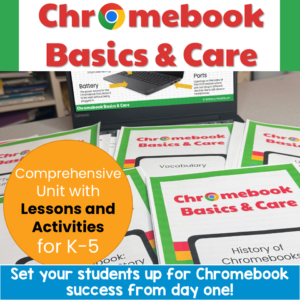
Set your students up for Chromebook success from day one! This complete Chromebook Basics & Care unit gives you everything you need to teach proper device use, care, and online safety. Perfect for 1:1 rollouts, back-to-school week, computer lab orientation, or sub plans.
With a 5-part suggested pacing guide, leveled stories and quizzes for differentiation, AND interactive Google Slides activities you can assign through Google Classroom, this unit works for your whole building.
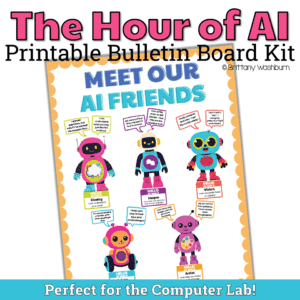
Create a tech-themed classroom environment that sparks curiosity and builds essential digital citizenship skills with this AI Friends Bulletin Board Kit. Designed specifically for the technology classroom, this engaging and educational classroom display features a set of friendly robot characters—each representing an AI-related concept.
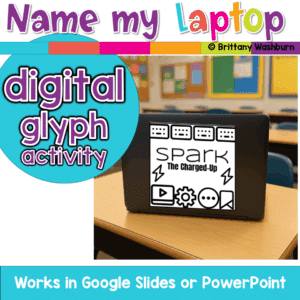
A fun back-to-school glyph activity where students create and name their laptop, Chromebook, iPad, or tablet! Includes digital templates for making personalized tech labels that teachers can print as stickers or use digitally.
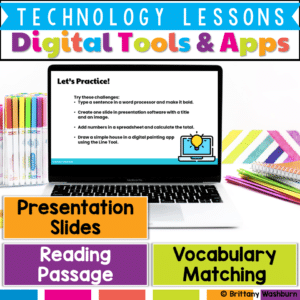
Help students build essential digital literacy skills with this no-prep Digital Tools & Apps Lesson! Students will explore word processors, spreadsheets, presentation software, and digital art applications through a structured lesson that includes pre-made materials and suggested classroom activities.
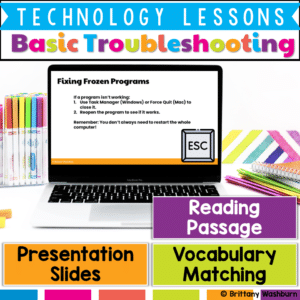
Empower students with essential computer troubleshooting skills through this engaging and interactive lesson! This resource provides pre-made instructional materials and a structured teacher guide to help students develop problem-solving strategies for common technology issues.
Empower your students to become safe and responsible digital citizens with this all-in-one internet safety lesson! Designed for elementary students, this engaging and interactive resource equips learners with the essential vocabulary, concepts, and strategies they need to protect their personal information, recognize safe websites, and respond to online challenges like cyberbullying and phishing.
$6.00Original price was: $6.00.$3.00Current price is: $3.00.
Reinforce your students’ understanding of cloud computing concepts with this engaging set of 24 review task cards! Designed for upper elementary and middle-grade students, this activity provides an excellent opportunity to revisit and apply knowledge about cloud storage, safe information sharing, and the benefits and challenges of using cloud-based tools. These task cards are ideal for consolidating learning after an introduction to cloud computing basics.
$6.00Original price was: $6.00.$3.00Current price is: $3.00.
Equip your students with essential time management skills using this engaging set of 24 Time Management with Digital Tools Task Cards! Designed for elementary and middle school students, this activity introduces practical, real-life strategies to stay organized and productive with the help of digital tools. Through these interactive task cards, students will explore digital calendars, to-do lists, reminders, and other time-saving technologies to help them balance schoolwork, personal tasks, and responsibilities.
Introduce your students to the world of coding with this engaging set of 24 task cards! Designed specifically for elementary and middle school learners, this activity covers fundamental coding concepts, such as sequences, loops, conditions, and events. These concepts are presented through a mix of conceptual questions and real-world coding examples, helping students build a solid foundation in computational thinking.
$7.00Original price was: $7.00.$3.50Current price is: $3.50.
Help students explore the world of operating systems and user interfaces with this set of 30 discussion prompts. Perfect for engaging elementary students in understanding how computers and devices work, these cards are ideal for sparking interactive conversations in the computer lab or classroom.
What’s Included:
30 printable discussion prompt cards (5 pages with 6 cards per page).
Each card features an open-ended question to inspire thoughtful discussions on operating systems, user interfaces, and how these concepts affect how we use technology.
3-page guide on how to use discussion prompts effectively with students.
Printable PDF format, ready to print, cut, and use for engaging discussions in your classroom.
$7.00Original price was: $7.00.$3.50Current price is: $3.50.
Spark curiosity and critical thinking in your classroom with these 30 History and Future of Technology discussion prompts. Designed to engage students in meaningful conversations about how technology has evolved and where it’s headed, these printable cards are perfect for the computer lab or classroom discussions!
What’s Included:
30 printable discussion prompt cards (5 pages with 6 cards per page).
Each card contains an open-ended question to prompt discussions about the history of technology, key inventions, and future technological innovations.
3-page guide with tips on how to use discussion prompts effectively with students in both small group and whole-class settings.
Printable PDF format, ready to print, cut, and use to inspire interactive and thought-provoking discussions.
$7.50Original price was: $7.50.$3.25Current price is: $3.25.
Ignite creativity and spark meaningful conversations about digital art, music, and storytelling with this set of 42 Digital Creativity discussion prompts. Perfect for encouraging young students to explore technology and express their ideas in the computer lab or classroom.
What’s Included:
42 printable discussion prompt cards (7 pages with 6 cards per page).
Each card features an open-ended question designed to inspire students to think critically about digital creativity, content creation, and responsible sharing online.
3-page guide on how to use discussion prompts effectively with students in both small group and whole-class settings.
Printable PDF format, ready to be printed, cut, and used for engaging class discussions.
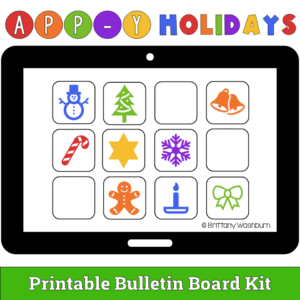
Show off your love of technology with an App-y Holidays bulletin board! In this kit, the header letters and a selection of “app” icons are provided plus you can have students use the blank app templates to draw their own. If you have limited bulletin board space, students can vote on which apps are added to the main display.
What is included?
Printable bulletin board header letters that spell out APP-Y HOLIDAYS in both color and black and white.
12 “app” icons to print and add to your bulletin board. These are not real apps but rather are holiday themed icons that are meant to represent apps.
Blank app templates students can use to draw their own apps. This makes a fun class activity.
Help students learn the connection and storage devices with some simple sorting, matching, and labeling activities. Great for the beginning of the year or whenever you do your storage devices unit.
$28.00Original price was: $28.00.$22.40Current price is: $22.40.
Introduce lessons on Technology Software with these eBooks that go over 9 different types of software. Share the PDF with students for a paperless experience or print the nonfiction text out as a booklet.
Introduce a lesson on Software with this eBook that teaches about spreadsheet software, including what it is and how we use it. Share the PDF with students for a paperless experience or print the nonfiction text out as a booklet.
Introduce a lesson on Software with this eBook that teaches about different types of software and how we use them. Share the PDF with students for a paperless experience or print the nonfiction text out as a booklet.
Introduce a lesson on Software with this eBook that teaches about different types of multimedia and how we use them. Share the PDF with students for a paperless experience or print the nonfiction text out as a booklet.
Introduce a lesson on Software with this eBook that teaches about different types of audio files and how we use them. Share the PDF with students for a paperless experience or print the nonfiction text out as a booklet.
Introduce a lesson on Software with this eBook that teaches about file sizes, how we name them, and how we use them. Share the PDF with students for a paperless experience or print the nonfiction text out as a booklet.
Try digital animation with your students with a simple and engaging Cinco de Mayo theme project! Students choose from background options and then add shapes, text, and clip art graphics to make a scene. Then they duplicate the slide and make a small change over and over (about 50 times) to animate the scene. Once the stop motion animation is complete students publish it to the web and can optionally make it into a GIF using a website tool.
Computer icons “game” that can be completed on any device. The interactive PDF has an Hot Dog theme, where students get to solve the puzzle with each correct answer. These 24 computer icons are a combination of web browser icons and mouse/trackpad icons. Interactive PDFs are easy to use and students can practice their tech skills from any device!
Computer icons “game” that can be completed on any device. The interactive PDF has an Hamburger theme, where students get to build a hamburger with each correct answer. These 24 computer icons are a combination of web browser icons and mouse/trackpad icons. Interactive PDFs are easy to use and students can practice their tech skills from any device!
You can have a beautiful, user-friendly, timeless class website with this Neutral Colors themed website design kit. I designed the kit with a technology teacher in mind, but any teacher could also benefit from having ready-made graphics. There are editable buttons and banner text to make it your own!
Solar System Virtual Classroom. Looking for supplemental technology activities for your Solar System Science unit? This set of digital activities has you covered regardless of what type of technology device(s) you have available. Use the trend of the Bitmoji Virtual Classroom to engage your students!
Virtual classroom activities are great for students to learn about and practice topics. It is also a great opportunity to work on tech skills like navigating websites and working between tabs in a browser.
STEM goes digital with these fun and engaging design challenges for May. 5 engineering design websites and 5 editable challenges perfect for grades 3 and up. If you are in a paperless classroom or 1:1 with laptops or Chromebooks then these are ideal for you, but can also be used during computer lab time or with the laptop cart.
Students are going to love discovering what Clothing themed design is hidden in the spreadsheet software mystery picture and you’ll love that they are practicing so many different skills. While students may be familiar with paper and pencil mystery pictures, it takes it to a whole new level to do it digitally. Students will really master the toolbar in Google Sheets or Microsoft Excel. The activity has them filling 100 cells in the table per design, making it a mastery activity.
$40.00Original price was: $40.00.$32.00Current price is: $32.00.
Coding meets ELA instruction with VoCode! Integrate those robots you have (or turn students into robots) to complete these fairy tale coding challenges. 3 Options for the activities mean that you can use this with ANY movable Bots and ANY grade level of students. Be sure to check out the images!
Coding meets ELA instruction with VoCode! Integrate those robots you have (or turn students into robots) to complete these fairy tale coding challenges. 3 Options for the activities mean that you can use this with ANY movable Bots and ANY grade level of students. Be sure to check out the images!
Coding meets Social Studies instruction with VoCode! Integrate those robots you have (or turn students into robots) to complete these phonics coding challenges. 3 Options for the activities mean that you can use this with ANY movable Bots and ANY grade level of students. Be sure to check out the images to see which ones are included!
Coding meets ELA instruction with VoCode! Integrate those robots you have (or turn students into robots) to complete these phonics coding challenges. 3 Options for the activities mean that you can use this with ANY movable Bots and ANY grade level of students. Be sure to check out the images!
This set includes Homophones. Check out the images to see which ones are included.
Coding meets science vocabulary instruction with VoCode! Integrate those robots you have (or turn students into robots) to complete these coding challenges. 3 Options for the activities mean that you can use this with ANY movable Bots and ANY grade level of students. Be sure to check out the images!
Coding meets science vocabulary instruction with VoCode! Integrate those robots you have (or turn students into robots) to complete these coding challenges. 3 Options for the activities mean that you can use this with ANY movable Bots and ANY grade level of students. Be sure to check out the images!







&url=https://brittanywashburn.com/product/unplugged-coding-fairy-tales-bundle-hour-of-code/&media=https://woo-bwecomm-storage.s3.amazonaws.com/wp-content/uploads/2022/01/19123905/Robot-Coding-ELA-Fairy-Tales-BUNDLE-1.png)


