Digital Click and Drag Mystery Pictures work on so many great technology skills. While students may be familiar with using 100s charts in their math lessons, it brings the skill to a whole new level to use them as mouse or trackpad practice. This set includes 5 February themed designs in 2 different levels for differentiation between grade levels k-5.
Students are going to love discovering what Back to School themed design is hidden in the hundreds chart mystery picture and you’ll love that they are practicing so many different skills. While students may be familiar with paper and pencil hundreds charts, it takes it to a whole new level to do it digitally. Students will really master the toolbar in whatever program you use. The activity has them filling 100 cells in a table per design, making it a mastery activity.
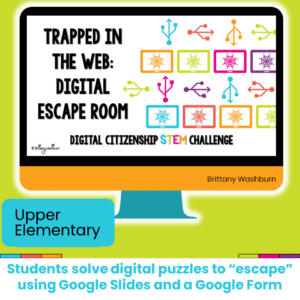
Using technology and problem solving skills, students decipher codes and complete activities to learn Coding Vocabulary on the topic of Bugging and Debugging. The activities are housed in a Google Slides file and students enter their codes into a locked Google Form. If you’ve been wanting to try an escape room or digital breakout with your students, this is a great place to start.
$49.50Original price was: $49.50.$39.60Current price is: $39.60.
273 I Can Statements for the 2016 ISTE Standards for Students. These are designed to match the Technology Themed Decor Classroom Set. Both portrait and landscape layouts are included as well as blank templates for you to make your own.
Students are going to love discovering what New Years themed design is hidden in the hundreds chart mystery picture and you’ll love that they are practicing so many different skills. While students may be familiar with paper and pencil hundreds charts, it takes it to a whole new level to do it digitally. Students will really master the toolbar in whatever program you use. The activity has them filling 100 cells in a table per design, making it a mastery activity.
$36.00Original price was: $36.00.$28.80Current price is: $28.80.
Spiral Review software lessons that teach presentation, word processing, and spreadsheet software over 3 sets of 12 sessions. The skills build on each other throughout each unit so it is important to do the lessons in order. The units cover topics that are engaging and meaningful for students.
Digital interactive slides for 2nd and 3rd grade students with a December theme. Timely Tech is designed to help your students build tech skills while incorporating monthly themed digital activities.
When I teach my students with monthly themed activities that bring in the other subject areas, I find that they are more engaged and empowered to learn. There is intentionally lots of repetition from month to month with these Timely Tech activities because students are building both tech and academic skills.
This resource works on so many great technology skills. While students may be familiar with using snap cubes (or counting blocks or whatever you call them) to make designs, it brings the skill to a whole new level to do it digitally. 10 School Theme designs in 4 different levels for differentiation between grade levels k-5.
$5.00Original price was: $5.00.$3.00Current price is: $3.00.
Digital Mystery Pictures with a Winter Theme for Multiplication and Division Practice. Your students will love discovering what is hidden in the boxes after completing rigorous multi-digit multiplication and division problems.
$5.00Original price was: $5.00.$3.00Current price is: $3.00.
Digital Mystery Pictures with a Christmas Holiday Theme for Multiplication and Division Practice. Your students will love discovering what is hidden in the boxes after completing rigorous multi-digit multiplication and division problems.
Even our youngest learners can master graphic design basics with digital design activities like this Recreate a Saint Patrick’s Day Scene challenge. Students will drag the provided clip art pieces into the work area and then resize and layer the pieces until it looks exactly like the model. I’ve provided 5 challenges that are increasingly more difficult and require more tech skills and perseverance.
Introduce a lesson on Online Research Skills with this eBook that goes over How to Evaluate a Web Page. In this booklet students learn what to look for on a web page to evaluate it for accuracy and trustworthiness. Share the PDF with students for a paperless experience or print the nonfiction text out as a booklet.
Students are going to love creating their own Build a Classroom Digital Glyph and you’re going to love all of the technology skills work they are getting. Digital Glyphs work on so many great technology skills. While students may be familiar with paper and pencil glyph activities, it takes it to a whole new level to do it digitally.
Digital Click and Drag Mystery Pictures work on so many great technology skills. While students may be familiar with using 100s charts in their math lessons, it brings the skill to a whole new level to use them as mouse or trackpad practice. This set includes 5 October themed designs in 2 different levels for differentiation between grade levels k-5.
Students are going to love discovering what Easter themed design is hidden in the spreadsheet software mystery picture and you’ll love that they are practicing so many different skills. While students may be familiar with paper and pencil mystery pictures, it takes it to a whole new level to do it digitally. Students will really master the toolbar in Google Sheets or Microsoft Excel. The activity has them filling 100 cells in the table per design, making it a mastery activity.
This resource works on so many great technology skills. While students may be familiar with using snap cubes (or counting blocks or whatever you call them) to make designs, it brings the skill to a whole new level to do it digitally. 10 Farm Theme designs in 4 different levels for differentiation between grade levels k-5.
$40.00Original price was: $40.00.$28.00Current price is: $28.00.
Digital pixel art works on so many great technology skills. While students may be familiar with using snap cubes (or counting blocks or whatever you call them) to make designs, it brings the skill to a whole new level to do it digitally. 10 Holidays included in 4 different levels for differentiation between grade levels k-5.
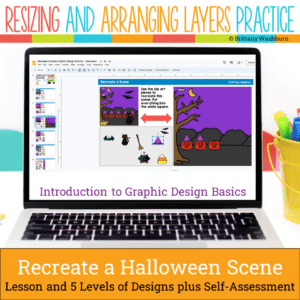
Even our youngest learners can master graphic design basics with digital design activities like this Recreate a Halloween Scene challenge. Students will drag the provided clip art pieces into the work area and then resize and layer the pieces until it looks exactly like the model. I’ve provided 5 challenges that are increasingly more difficult and require more tech skills and perseverance.
$52.99Original price was: $52.99.$37.09Current price is: $37.09.
Bundle of PreK activities to use in the computer lab (technology class). These activities don’t require a device so they’re perfect for the beginning of the year before students are developmentally ready to get on computers. Once you’ve introduced and practiced each station activity then students will be able to do them independently throughout the year. This makes for great sub plans and early finishers as needed.
Technology Integration made easy with Quick Tech! Help students master software programs with these quick tech digital activities! Perfect to reinforce software skills throughout the school year without wasting precious instructional time. The activities included are all ideal for kindergarten students in interest and complexity.
Help students master Online Research Skills with these quick tech printable and digital activities! Perfect to reinforce research skills throughout the school year without wasting precious instructional time. The activities included are all ideal for 3rd grade students in interest and complexity.
Introduce a lesson on Digital Citizenship with this eBook that goes over Passwords. In this booklet students learn about what passwords are and how to make a strong password.
Try digital animation with your students by allowing them to create their own Avatar Character! Students choose from background options and then add shapes, text, and clip art graphics to make a scene. Then they duplicate the slide and make a small change over and over (about 50 times) to animate the scene. Once the stop motion animation is complete students publish it to the web and can optionally make it into a GIF using a website tool.
14 digital interactive slides for grades K-1 students with a September theme. Timely Tech is designed to help your students build tech skills while incorporating monthly themed digital activities.
When I teach my students with monthly themed activities that bring in the other subject areas, I find that they are more engaged and empowered to learn.
Using technology and problem solving skills, students decipher codes and complete activities to learn Coding Vocabulary on the topic of Variables and Value.
Headers and/or labels provided for your common board display in your classroom. Date, topic, standard, learning goal, essential question, and check for understanding headers and labels. Bulletin board letters are also included that spell out “what we are studying now”.
Challenge your students during STEM or Computer Lab time to complete digital challenges in a digital breakout or escape room that focuses on digital citizenship concepts.
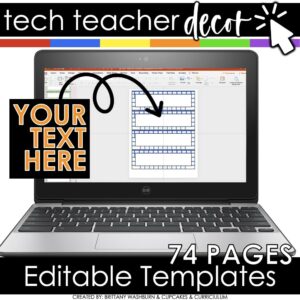
74 pages of editable labels and templates to go with the Technology Themed Decor Bundle. These labels are colorful and creative so you can decorate your computer lab, media center, or classroom while managing behavior and expectations. You can have an adorable and stylish classroom while still maintaining a highly academic environment!
$10.00Original price was: $10.00.$8.00Current price is: $8.00.
If you’ve been wanting to try Green Screen projects with your students, want it to be appropriate for elementary students, and want to integrate with content area topics, then this set of projects is for you! 30 Green Screen project prompts for the Green Screen by Do Ink App.
$15.00Original price was: $15.00.$12.00Current price is: $12.00.
Technology Integration made easy! Quick Tech Activities that are perfect for Kindergarten teachers to integrate technology without having to do any planning or prep!
Students are going to love creating their own Build a Farm Digital Glyph and you’re going to love all of the technology skills work they are getting. Digital Glyphs work on so many great technology skills. While students may be familiar with paper and pencil glyph activities, it takes it to a whole new level to do it digitally.
In this Build a Farm activity, students will be asked to work across slides in either Google Slides or PowerPoint, copy and paste between slides, resize pieces, layer pieces, group pieces, and save their finished work as an image file. All while completing an engaging get-to-know-you activity.
Digital activities for the book How to Code a Rollercoaster that are perfect for grades 3-5. 12 total digital activities that will help students expand their understanding of this great read aloud storybook. I designed this for technology teachers or media specialists so that you can read the same book to all 3 grade levels and then assign them different activities. You can read it again the next year with fresh activities for the next grade!
Learning keyboarding can be super boring and tedious for students. This set of 4 Birthday Themed text formatting activities aims to bring engagement and a sense of purpose to the practice of typing. Students will also (hopefully) have a sense of pride over the final outcome and an understanding of the learning objective.
Spiral Review software lessons that teach presentation, word processing, and spreadsheet software over 12 sessions. These will make a great addition to your technology curriculum. The skills build on each other throughout this unit so it is important to do the lessons in order. Weeks 1-12 include the topics of Back to school, school supplies, and ocean animals to make for engaging software lessons.
Using technology and problem solving skills, students decipher codes and complete activities to learn Coding Vocabulary on the topic of Events and Conditions.
Testing students in the tech lab comes with challenges! Time is always one of them, then paper, student accommodations, grading, and more. These Technology Assessments were designed to make your life easier, not harder. 9 level 3 assessments in both digital and print format as well as answer sheets to save paper.
Digital activities for the book The Magic School Bus Gets Programmed that are perfect for grades K-2. 12 total digital activities that will help students expand their understanding of this great read aloud storybook. I designed this for technology teachers so that you can read the same book to all 3 grade levels and then assign them different activities. You can read it again the next year with fresh activities for the next grade!
STEM goes digital with these fun and engaging design challenges. 10 apps and 90 challenges perfect for grades K-5. If you are in a paperless classroom or 1:1 with laptops or Chromebooks then these are ideal for you, but can also be used during tech lab time or with the iPad cart.
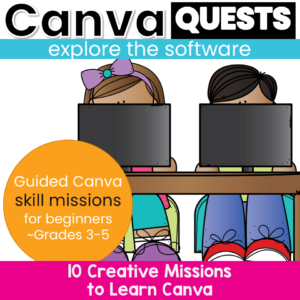
Canva Quests: Creative Missions to Learn About Canva. A Guided Canva Introduction for Upper Elementary & Middle School. Looking for a structured, student-friendly way to teach Canva, without overwhelming your students or yourself? Canva Quests is a guided, mission-based Canva lesson that walks students step by step through essential design and photo-editing tools. Instead of open-ended “just explore Canva” activities, students complete clear, focused missions that build confidence and real skill mastery.
This resource works beautifully as an introduction to Canva, a design fundamentals lesson, or a technology center or project-based activity.
Show off your love of technology with a Sending Bytes of Love Candy Hearts Valentine’s Day themed bulletin board! In this kit, the header letters and a selection of techy candy hearts are provided plus you can have students use the blank heart templates to draw their own. If you have limited bulletin board space, students can vote on which candy hearts are added to the main display.
Digital activities for the book Bad Kitty Does Not Like Video Games that are perfect for grades K-2. 12 total digital activities that will help students expand their understanding of this great read aloud storybook. I designed this for technology teachers or media specialists so that you can read the same book to all 3 grade levels and then assign them different activities. You can read it again the next year with fresh activities for the next grade!
Introduce a lesson on Online Research Skills with this eBook that goes over Search Engines. In this booklet students learn about how search engines work and how to use keywords to perform a search. Share the PDF with students for a paperless experience or print the nonfiction text out as a booklet.
Help your students master essential internet research skills with this set of 24 Internet Research Task Cards! Designed for upper elementary and middle grade students, these task cards provide engaging, hands-on practice in using search engines effectively, evaluating the reliability of online sources, and utilizing keywords to refine search results. Students will learn how to navigate the vast resources of the internet responsibly while developing critical thinking skills for identifying trustworthy and relevant information.