Using technology and problem solving skills, students decipher codes and complete activities to learn the internet safety topic of Permission to Post. The activities are housed in a Google Slides file and students enter their codes into a locked Google Form.
$21.00Original price was: $21.00.$14.00Current price is: $14.00.
Students create the content for this bulletin board set. The download includes a bulletin board and corresponding student activity for each of the 7 technology standards for students.
Students learn about popular keyboard shortcuts with a quick lesson and then commit them to memory with 5 color by keyboard shortcut worksheets. Perfect for an offline activity!
Are your students really struggling with how to get through a lesson in Google Classroom? This interactive lesson was designed for upper elementary students as a concrete way to learn the steps and procedures for completing their Google Classroom work.
Using technology and problem solving skills, students decipher codes and complete activities to learn the internet safety topic of Group Chats. The activities are housed in a Google Slides file and students enter their codes into a locked Google Form.
Students are going to love discovering what Halloween themed design is hidden in the spreadsheet software mystery picture and you’ll love that they are practicing so many different skills. While students may be familiar with paper and pencil mystery pictures, it takes it to a whole new level to do it digitally. Students will really master the toolbar in Google Sheets or Microsoft Excel. The activity has them filling 100 cells in the table per design, making it a mastery activity.
Coding Pixel art lessons and activities. This resource brings art and math into computer science because each activity results in creating pixel art and patterns. Students will learn three different ways to program or code throughout the activities. Perfect for problem solving or STEM time in the classroom.
Using technology and problem solving skills, students decipher codes and complete activities to learn the internet safety topic of privacy and security. This is a great activity to introduce students to the escape the classroom challenges, and it is fully digital! I’m calling it a digital breakout because students enter the final codes into a locked Google Form.
$5.00Original price was: $5.00.$4.00Current price is: $4.00.
Bring hands on learning into your computer science and technology education with Coding Quests board games.
This board game practices If/Then/Else language while students move their pirate characters through a path filled with obstacles. Can they get their treasure safely back to the port?
$21.00Original price was: $21.00.$16.80Current price is: $16.80.
Digital activities for the book 7 Technology Themed Picture Books that are perfect for grades K-2. Each digital book companion has 12 total digital activities that will help students expand their understanding of this great read aloud storybook. I designed this for technology teachers so that you can read the same book to all 3 grade levels and then assign them different activities. You can read it again the next year with fresh activities for the next grade!
PowerPoint Skills are valuable to all students, but can be tricky to teach with limited access to technology and time. This complete teaching unit makes it easy for the teacher and engaging for students. Designed for upper elementary/middle school students, (depending on background knowledge) this unit contains 14 instructional videos, 14 guided notes pages, and 14 activities for PPT skills that every student needs.
Digital sight word builders work on so many great technology skills including drag and drop, working with shapes, and finding letters on the keyboard. While students may be familiar with hands on block building activities, it takes it to a whole new level to do it digitally. 4 sets of 25 sight words.
TECHademics is a way to teach technology skills to our youngest learners while also working on academic content. This Kindergarten Math and ELA set for Fall has 12 different math and ELA skills while working on technology skills for the mouse and keyboard.
$50.00Original price was: $50.00.$42.50Current price is: $42.50.
Using technology and problem solving skills, students decipher codes and complete activities to learn the internet safety topics. The activities are housed in a Google Slides file and students enter their codes into a locked Google Form.
Teach students how to follow and decompose algorithms with these Build an Ice Cream digital activities. 2 types of digital activities ask students to follow an algorithm to put an Ice Cream together and then look at a pre-built ice cream and type their own algorithm for it.
Use these activities as a crash course to understanding what an algorithm is, how to write one, follow one, and decompose one. I even included printable posters and vocabulary cards.
$18.00Original price was: $18.00.$6.00Current price is: $6.00.
The goal of this kit is to provide everything you need to make your classroom ready for the Hour of Code event during computer science week. It includes vocab posters, pre and post assessments, encouraging quotes posters, choice boards with hour of code activities, editable parent letter, and bulletin board header letters.
$8.00Original price was: $8.00.$6.00Current price is: $6.00.
Challenge your students during STEM or Makerspace time to complete the Pixel Art Designs using whatever small motor materials you have on hand. 3 Levels of Design Cards mean that you can use this with ANY grade level of students. Tons of photos included and ideas for materials to use. Be sure to check out the images!
Students are going to love creating their own digital glyph fall scene and you’re going to love all of the technology skills work they are getting.
This resource works on so many great technology skills. While students may be familiar with paper and pencil glyph activities, it takes it to a whole new level to do it digitally.
They will be asked to work across slides in either Google Slides or PowerPoint, copy and paste between slides, resize pieces, layer pieces, group pieces, and save their finished work as an image file. All while completing an engaging get-to-know-you activity.
Students color 5 worksheets with icons that represent the different things we can do with a computer mouse (click, click and drag, right click, double click, etc.). Perfect for an offline activity!
Students are going to love creating their own Digital Glyph Winter Snowman Scene and you’re going to love all of the technology skills work they are getting. This resource works on so many great technology skills. While students may be familiar with paper and pencil glyph activities, it takes it to a whole new level to do it digitally.
Using technology and problem solving skills, students decipher codes and complete activities to learn about computer keyboards. The activities are housed in a Google Slides file and students enter their codes into a locked Google Form. If you’ve been wanting to try an escape room or digital breakout with your students, this is a great place to start.
TECHademics Keyboarding Digital Activities are web based, which makes them perfect for distance learning. This Keyboard practice set has 8 digital activity pages that help students become familiar with the keyboard. Students will get practice with the mouse or trackpad and keyboard. These digital keyboard activities are perfect for kindergarten and first grade students who need to learn the keyboard layout.
3 lessons for any beginner Google Slides user. Adding pictures, font and text, and slide layouts. By the end of the 3 lessons students should be able to open a blank Slides template and create something original.
Learning keyboarding can be super boring and tedious for students. This set of formatting activities aims to bring engagement and a sense of purpose to the practice of typing. By the time students finish all 11 U.S. Holidays they will have practiced each of the keyboard rows four times. Students will also (hopefully) have a sense of pride over the final outcome and an understanding of the learning objective.
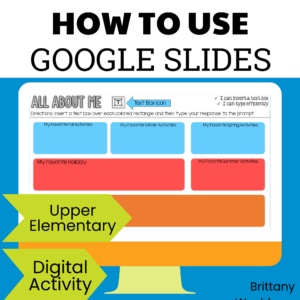
A crash course in how to use Google Slides. 9 Google Slides features and functions presented in an “All About Me EBook” perfect for upper elementary and middle school students.
5 lessons for any beginner Google Sheets user. By the end of the 5 lessons students should be able to open a blank Sheets template and create charts, graphs, and use formulas as well as manipulate the column and row sizes.
Stop Motion Animation goes Digital with this Halloween Digital Animation Project! Students choose from background options and then add shapes, text, and clip art graphics to make a scene. Then they duplicate the slide and make a small change over and over (about 50 times) to animate the scene. Once the stop motion animation is complete students publish it to the web and can optionally make it into a GIF using a website tool.
$180.00Original price was: $180.00.$126.00Current price is: $126.00.
180 Spiral Review technology lessons that teach presentation, word processing, and spreadsheet software over 36 sessions for each grade level. These will make a great addition to your technology curriculum for the computer lab. The skills build on each other throughout each unit so students really master the programs.
On each printable worksheet there are 3 keyboards for a total of 60 fill in the keyboards activities. There are 3 different keyboard layouts (PC, Chromebook, and Mac) so that students are exposed to different keyboard types. Great for exit ticket, sub activity, early finisher option, low-tech day, and the list goes on!
Introduce a lesson on computers with this eBook that goes over ways to take care of a computer, such as being careful touching and carrying it, keeping programs updated, and deleting unused files from time to time. Great for a warm up activity in the computer lab or classroom. Share the PDF with students for a paperless experience or print the nonfiction text out as a booklet.
Digital interactive slides for grades K-1 students with a February theme. Timely Tech is designed to help your students build tech skills while incorporating monthly themed digital activities.
When I teach my students with monthly themed activities that bring in the other subject areas, I find that they are more engaged and empowered to learn. There is intentionally lots of repetition from month to month with these Timely Tech activities because students are building both tech and academic skills.
TECHademics is a line of web based digital activities that aims to teach technology skills to our youngest learners while also working on academic content. Web based means that they work in any browser on any device! Nothing to download and no logins needed. It is the dream for distance learning and 1:1 classrooms.
Guided Projects that Teach several skills in Google Sheets are the ideal way to build technology literacy for our youngest students. This set of 5 projects show students functions, formulas, formatting, graphing, calculations, and so much more so that by the time they get through the final project they could do it independently.
This resource works on so many great technology skills. While students may be familiar with using snap cubes (or counting blocks or whatever you call them) to make designs, it brings the skill to a whole new level to do it digitally.
$31.00Original price was: $31.00.$26.00Current price is: $26.00.
Digital Activities to supplement the Common Sense Media Digital Citizenship Curriculum for grades K-5. Each grade level is in a separate google slides file.
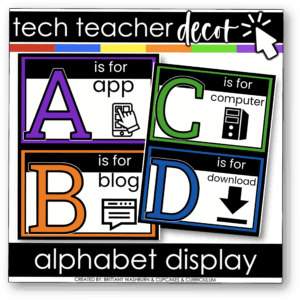
Brighten your computer lab or STEM classroom with this Technology Themed Alphabet Line! Each letter features a tech-related icon to connect literacy with digital skills. Includes full-page and half-page formats, updated student-friendly fonts, and timeless black, white, and bright colors. Perfect for alphabet lines, word wall headers, flashcards, and matching games.
Start your year off right with this bulletin board or display for keyboarding or typing. Learning targets from 5 WPM and 85% accuracy all the way up to 50 WPM and 100% accuracy so you and your students can see their progress.
Students are going to love discovering what Halloween themed design is hidden in the hundreds chart mystery picture and you’ll love that they are practicing so many different skills. While students may be familiar with paper and pencil hundreds charts, it takes it to a whole new level to do it digitally. Students will really master the toolbar in whatever program you use. The activity has them filling 100 cells in a table per design, making it a mastery activity.
Word Skills for Beginners. Do you need your students to master the basics of Microsoft Word so that they can use it independently? This set of lessons will get them there.
$24.00Original price was: $24.00.$19.20Current price is: $19.20.
Digital and Print Exit Ticket questions that are specific to the technology skills learned from grade K-5. 240+ questions and blank templates so that you can make your own. The printable version is 4 to a page to save on paper, and digital is in both PPT and Slides.
30 Google Slides to practice using the mouse or trackpad. 10 slides of each theme (fall, winter, and spring) to use as review all school year long. Students Drag and Drop (click and drag) the icon across the dotted line and drop it in the designated spot. Can be done with a mouse or trackpad for practice at any age level and with any device.
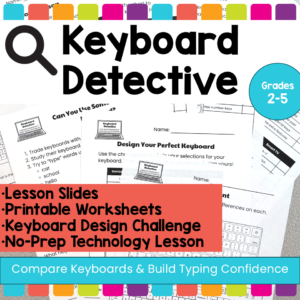
Help students build keyboard confidence with these no-prep keyboard activities that teach them to compare different keyboards, recognize the QWERTY layout, and understand how typing skills transfer across devices.
In this elementary technology lesson, students become Keyboard Detectives as they examine different types of keyboards, look for similarities and differences, and learn that keyboards may look different across laptops, desktops, Chromebooks, iPads, phones, and Smart TVs, but the important parts often stay in familiar places.
This resource is perfect for helping students understand that they do not have to relearn typing every time they use a new device. The lesson focuses on comparing keyboards, identifying key features, and building confidence with unfamiliar keyboard designs. The included teacher lesson plan is designed for 2nd–5th grade and includes student goals such as comparing keyboards, identifying similarities and differences, and using typing skills across devices.
Students use a POP It keyboard (or any available keyboard) and the provided work mat and task cards as a station activity. There are 6 sets of task cards included so you can keep using this as students age. Prep once and use forever!
$7.00Original price was: $7.00.$5.60Current price is: $5.60.
This winter will be so fun with the Snow Globe digital glyph and digital animation projects in one bundle! You can use both projects with the same students or have students do the digital glyph the first year and then the digital animation the next year. Ideal for computer lab teachers or upper elementary classroom teachers.
Students color 5 worksheets with icons that represent the different web browser icons (like home, favorites, search, close, menu, etc). Perfect for an offline activity!
Excel Skills for Beginners. Do you need your students to master the basics of Microsoft Excel so that they can use it independently? This set of lessons will get them there.