Coding meets Social Studies instruction with VoCode! Integrate those robots you have (or turn students into robots) to complete these phonics coding challenges. 3 Options for the activities mean that you can use this with ANY movable Bots and ANY grade level of students. Be sure to check out the images to see which ones are included!
Coding meets ELA instruction with VoCode! Integrate those robots you have (or turn students into robots) to complete these phonics coding challenges. 3 Options for the activities mean that you can use this with ANY movable Bots and ANY grade level of students. Be sure to check out the images!
This set includes Compound Words. Check out the images to see which ones are included.
Coding meets ELA instruction with VoCode! Integrate those robots you have (or turn students into robots) to complete these phonics coding challenges. 3 Options for the activities mean that you can use this with ANY movable Bots and ANY grade level of students. Be sure to check out the preview!
This set includes Diagraphs for ch, sh, and th. Check out the images to see which ones are included.
Coding meets science vocabulary instruction with VoCode! Integrate those robots you have (or turn students into robots) to complete these coding challenges. 3 Options for the activities mean that you can use this with ANY movable Bots and ANY grade level of students. Be sure to check out the images!
Coding meets science vocabulary instruction with VoCode! Integrate those robots you have (or turn students into robots) to complete these coding challenges. 3 Options for the activities mean that you can use this with ANY movable Bots and ANY grade level of students. Be sure to check out the images!
Coding meets science vocabulary instruction with VoCode! Integrate those robots you have (or turn students into robots) to complete these coding challenges. 3 Options for the activities mean that you can use this with ANY movable Bots and ANY grade level of students. Be sure to check out the images!
Coding meets math vocabulary instruction with VoCode! Integrate those robots you have (or turn students into robots) to complete these coding challenges. 3 Options for the activities mean that you can use this with ANY movable Bots and ANY grade level of students.
Coding meets math vocabulary instruction with VoCode! Integrate those robots you have (or turn students into robots) to complete these coding challenges. 3 Options for the activities mean that you can use this with ANY movable Bots and ANY grade level of students.
Coding meets math vocabulary instruction with VoCode! Integrate those robots you have (or turn students into robots) to complete these coding challenges. 3 Options for the activities mean that you can use this with ANY movable Bots and ANY grade level of students.
Coding meets vocabulary instruction with VoCode! Integrate those robots you have (or turn students into robots) to complete these coding challenges. 3 Options for the activities mean that you can use this with ANY movable Bots and ANY grade level of students. Be sure to check out the preview!
This set includes 14 Google Apps Icons. Check out page 5 of the preview to see which ones are included.
$31.00Original price was: $31.00.$24.80Current price is: $24.80.
3rd Grade Language Standards Digital Resource Library is a Google Folder that includes 31 different interactive activity files. These are ideal for a paperless (or almost) classroom using Google or Microsoft.
3rd Grade READING and LANGUAGE Standards Digital Resource Library is a Google Folder that includes 46 different interactive activity files. These are ideal for a paperless (or almost) classroom using Google or Microsoft.
$36.80Original price was: $36.80.$29.44Current price is: $29.44.
3rd Grade READING and LANGUAGE Standards Digital Resource Library is a Google Folder that includes 46 different interactive activity files. These are ideal for a paperless (or almost) classroom using Google or Microsoft.
$15.00Original price was: $15.00.$12.00Current price is: $12.00.
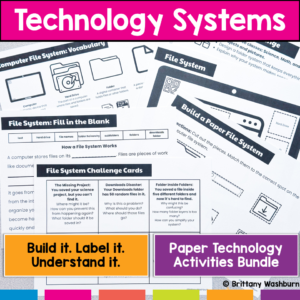
Stop trying to explain how technology works… and let students build it instead. This hands-on bundle includes 5 interactive activities that help students understand the systems behind everyday technology. Instead of memorizing vocabulary, students build, label, and explain how technology actually works.
From Wi-Fi to file organization to how data travels across the internet, these activities turn abstract concepts into clear, concrete learning experiences.
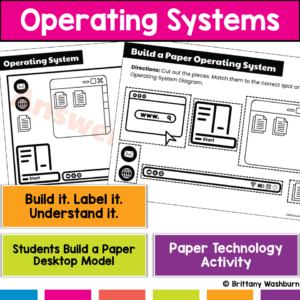
Students use computers every day…but most don’t actually understand what’s running them. This hands-on operating system activity helps students build and explore a computer desktop so they can understand how apps, files, and system tools work together.
Instead of just clicking around, students build a working model of a computer interface, making an abstract concept clear and easy to explain.
$22.25Original price was: $22.25.$17.80Current price is: $17.80.
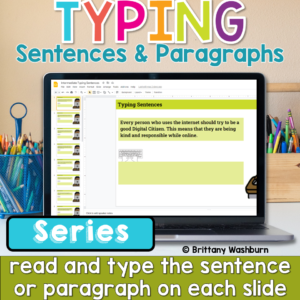
Help students build the keyboarding skills they need to write confidently on a computer with this Progressive Keyboarding Practice Bundle. This series is designed to guide students step-by-step from typing simple sentences to typing full paragraphs, helping them develop both typing fluency and confidence composing digitally.
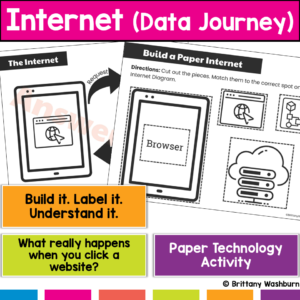
What actually happens when students type a website and hit enter? Most students don’t know, and that’s why this concept feels confusing. This hands-on internet activity helps students build and model how data travels across the internet, turning an invisible process into something they can see, touch, and explain. Students don’t just learn vocabulary, they build the internet’s data journey step by step.
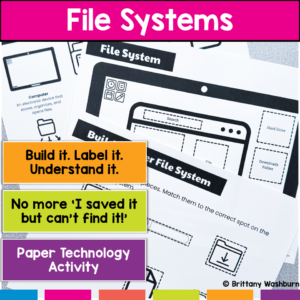
Are your students constantly saying, “I saved it… but I can’t find it!”? That’s not just forgetfulness—it’s a lack of understanding how files and folders actually work. This hands-on file system activity helps students build, label, and organize a computer file system so they can finally understand how digital organization works.
Instead of memorizing vocabulary, students create a visual model of a file system, making abstract concepts concrete and easy to apply.
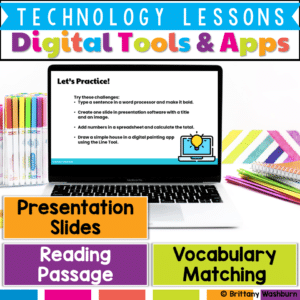
Help students build essential digital literacy skills with this no-prep Digital Tools & Apps Lesson! Students will explore word processors, spreadsheets, presentation software, and digital art applications through a structured lesson that includes pre-made materials and suggested classroom activities.
$7.00Original price was: $7.00.$3.50Current price is: $3.50.
Help students explore the world of operating systems and user interfaces with this set of 30 discussion prompts. Perfect for engaging elementary students in understanding how computers and devices work, these cards are ideal for sparking interactive conversations in the computer lab or classroom.
What’s Included:
30 printable discussion prompt cards (5 pages with 6 cards per page).
Each card features an open-ended question to inspire thoughtful discussions on operating systems, user interfaces, and how these concepts affect how we use technology.
3-page guide on how to use discussion prompts effectively with students.
Printable PDF format, ready to print, cut, and use for engaging discussions in your classroom.
$7.00Original price was: $7.00.$3.50Current price is: $3.50.
Spark curiosity and critical thinking in your classroom with these 30 History and Future of Technology discussion prompts. Designed to engage students in meaningful conversations about how technology has evolved and where it’s headed, these printable cards are perfect for the computer lab or classroom discussions!
What’s Included:
30 printable discussion prompt cards (5 pages with 6 cards per page).
Each card contains an open-ended question to prompt discussions about the history of technology, key inventions, and future technological innovations.
3-page guide with tips on how to use discussion prompts effectively with students in both small group and whole-class settings.
Printable PDF format, ready to print, cut, and use to inspire interactive and thought-provoking discussions.
$7.50Original price was: $7.50.$3.25Current price is: $3.25.
Ignite creativity and spark meaningful conversations about digital art, music, and storytelling with this set of 42 Digital Creativity discussion prompts. Perfect for encouraging young students to explore technology and express their ideas in the computer lab or classroom.
What’s Included:
42 printable discussion prompt cards (7 pages with 6 cards per page).
Each card features an open-ended question designed to inspire students to think critically about digital creativity, content creation, and responsible sharing online.
3-page guide on how to use discussion prompts effectively with students in both small group and whole-class settings.
Printable PDF format, ready to be printed, cut, and used for engaging class discussions.
Help students learn the connection and storage devices with some simple sorting, matching, and labeling activities. Great for the beginning of the year or whenever you do your storage devices unit.
$28.00Original price was: $28.00.$22.40Current price is: $22.40.
Introduce lessons on Technology Software with these eBooks that go over 9 different types of software. Share the PDF with students for a paperless experience or print the nonfiction text out as a booklet.
Introduce a lesson on Software with this eBook that teaches about spreadsheet software, including what it is and how we use it. Share the PDF with students for a paperless experience or print the nonfiction text out as a booklet.
Introduce a lesson on Software with this eBook that teaches about different types of software and how we use them. Share the PDF with students for a paperless experience or print the nonfiction text out as a booklet.
Introduce a lesson on Software with this eBook that teaches about different types of multimedia and how we use them. Share the PDF with students for a paperless experience or print the nonfiction text out as a booklet.
Introduce a lesson on Software with this eBook that teaches about different types of audio files and how we use them. Share the PDF with students for a paperless experience or print the nonfiction text out as a booklet.
Introduce a lesson on Software with this eBook that teaches about file sizes, how we name them, and how we use them. Share the PDF with students for a paperless experience or print the nonfiction text out as a booklet.
Try digital animation with your students with a simple and engaging Cinco de Mayo theme project! Students choose from background options and then add shapes, text, and clip art graphics to make a scene. Then they duplicate the slide and make a small change over and over (about 50 times) to animate the scene. Once the stop motion animation is complete students publish it to the web and can optionally make it into a GIF using a website tool.
Computer icons “game” that can be completed on any device. The interactive PDF has an Hot Dog theme, where students get to solve the puzzle with each correct answer. These 24 computer icons are a combination of web browser icons and mouse/trackpad icons. Interactive PDFs are easy to use and students can practice their tech skills from any device!
Computer icons “game” that can be completed on any device. The interactive PDF has an Hamburger theme, where students get to build a hamburger with each correct answer. These 24 computer icons are a combination of web browser icons and mouse/trackpad icons. Interactive PDFs are easy to use and students can practice their tech skills from any device!
Solar System Virtual Classroom. Looking for supplemental technology activities for your Solar System Science unit? This set of digital activities has you covered regardless of what type of technology device(s) you have available. Use the trend of the Bitmoji Virtual Classroom to engage your students!
Virtual classroom activities are great for students to learn about and practice topics. It is also a great opportunity to work on tech skills like navigating websites and working between tabs in a browser.
STEM goes digital with these fun and engaging design challenges for May. 5 engineering design websites and 5 editable challenges perfect for grades 3 and up. If you are in a paperless classroom or 1:1 with laptops or Chromebooks then these are ideal for you, but can also be used during computer lab time or with the laptop cart.
Students are going to love discovering what Clothing themed design is hidden in the spreadsheet software mystery picture and you’ll love that they are practicing so many different skills. While students may be familiar with paper and pencil mystery pictures, it takes it to a whole new level to do it digitally. Students will really master the toolbar in Google Sheets or Microsoft Excel. The activity has them filling 100 cells in the table per design, making it a mastery activity.
$40.00Original price was: $40.00.$32.00Current price is: $32.00.
Coding meets ELA instruction with VoCode! Integrate those robots you have (or turn students into robots) to complete these fairy tale coding challenges. 3 Options for the activities mean that you can use this with ANY movable Bots and ANY grade level of students. Be sure to check out the images!
Coding meets ELA instruction with VoCode! Integrate those robots you have (or turn students into robots) to complete these fairy tale coding challenges. 3 Options for the activities mean that you can use this with ANY movable Bots and ANY grade level of students. Be sure to check out the images!
Coding meets Social Studies instruction with VoCode! Integrate those robots you have (or turn students into robots) to complete these phonics coding challenges. 3 Options for the activities mean that you can use this with ANY movable Bots and ANY grade level of students. Be sure to check out the images to see which ones are included!
Coding meets ELA instruction with VoCode! Integrate those robots you have (or turn students into robots) to complete these phonics coding challenges. 3 Options for the activities mean that you can use this with ANY movable Bots and ANY grade level of students. Be sure to check out the images!
This set includes Homophones. Check out the images to see which ones are included.
Coding meets science vocabulary instruction with VoCode! Integrate those robots you have (or turn students into robots) to complete these coding challenges. 3 Options for the activities mean that you can use this with ANY movable Bots and ANY grade level of students. Be sure to check out the images!
Coding meets science vocabulary instruction with VoCode! Integrate those robots you have (or turn students into robots) to complete these coding challenges. 3 Options for the activities mean that you can use this with ANY movable Bots and ANY grade level of students. Be sure to check out the images!
Coding meets vocabulary instruction with VoCode! Integrate those robots you have (or turn students into robots) to complete these coding challenges. 3 Options for the activities mean that you can use this with ANY movable Bots and ANY grade level of students. Be sure to check out the preview!
This set includes 10+ MS Office Icons in 3 different styles. Check out page 5 of the preview to see which ones are included.
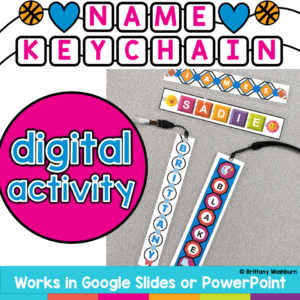
Create something students will actually want to keep while practicing essential Google Slides skills! In this Custom Name Charms Digital Design Activity, students use Google Slides to create a personalized name charm using shapes, colors, patterns, fonts, letters, and decorative icons. Along the way, they practice important digital design and computer skills such as moving, resizing, rotating, layering, formatting, and grouping objects.
Once the designs are finished, print them on cardstock and laminate them to create a bookmark, name tag, backpack tag, or keychain-style charm. Add a hole punch and string, ribbon, or key ring for an easy hands-on extension!
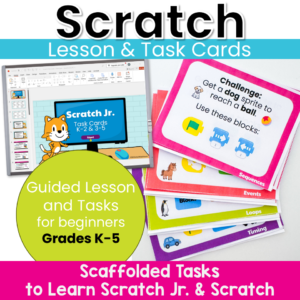
Move beyond step-by-step tutorials and help students become confident computational thinkers! These Scratch Jr. and Scratch Task Cards are designed to teach the foundational concepts of computer science through short, engaging coding challenges. Instead of simply copying a project, students learn to predict, test, debug, and improve their code while building a deep understanding of how programs work.
$22.00Original price was: $22.00.$17.60Current price is: $17.60.
Struggling with constant “It’s not working!” interruptions during your tech time? Tired of students relying on you for every small tech issue? This Technology Troubleshooting Unit Kit helps students build independence, problem-solving skills, and confidence when using technology so they can start solving simple issues on their own.
WHAT THIS RESOURCE IS
This is a complete, ready-to-teach unit designed to help students learn how to troubleshoot common technology problems in a structured, engaging way.
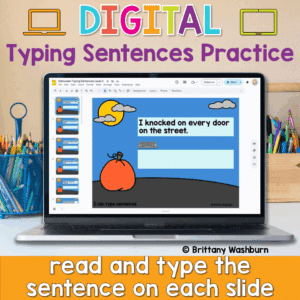
Looking for a fun and festive way to build typing fluency with your primary students? This Halloween-themed typing activity includes 40 digital slides, each featuring a short, age-appropriate sentence that students can type directly on the screen. Whether you’re working on keyboarding skills or want an engaging October tech activity, this resource is a spooktacular addition to your lesson plans!
💻 Designed for Google Slides or PowerPoint, students can complete this on any device with a keyboard—perfect for Chromebooks, desktops, or laptops.
$63.00Original price was: $63.00.$50.40Current price is: $50.40.
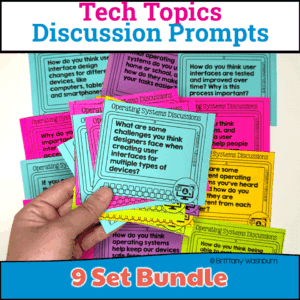
Spark meaningful conversations and build digital literacy with this ready-to-use bundle of Technology Discussion Prompts! Perfect for upper elementary and middle school students, these prompts encourage critical thinking, collaboration, and communication—key 21st-century skills.
This bundle includes 9 high-interest topics, each with engaging, open-ended discussion questions that are great for bell ringers, exit slips, morning meetings, small group work, or Socratic seminars. Whether you’re teaching in a computer lab, STEM classroom, or general tech class, these prompts help students connect real-world technology with their own experiences.
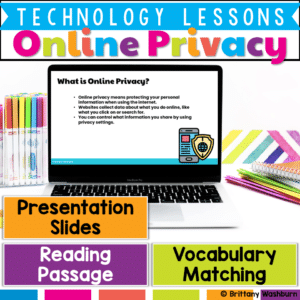
Teach upper elementary students how to stay safe online with this Online Privacy & Security lesson! Includes a reading passage, vocabulary, slides, and student response activities. Perfect for grades 3–5 digital citizenship and internet safety units.
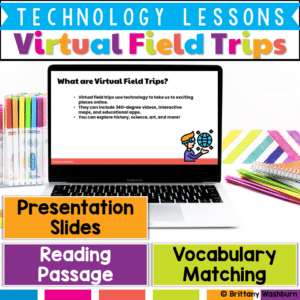
Take your students on an exciting journey without ever leaving the classroom! This Virtual Field Trips & Explorations Lesson introduces students to interactive maps, VR, and 360-degree videos, helping them understand how technology can bring learning to life.







&url=https://brittanywashburn.com/product/unplugged-coding-fairy-tales-bundle-hour-of-code/&media=https://woo-bwecomm-storage.s3.amazonaws.com/wp-content/uploads/2022/01/19123905/Robot-Coding-ELA-Fairy-Tales-BUNDLE-1.png)


