Showing all 47 resultsSorted by popularity

  • Mouse Practice Work Mats for Beginners to Pinterest (opens in a new window)
    Mouse Practice Work Mats for Beginners

    Mouse Practice Work Mats for Beginners

    $5.00

    53 pages of unplugged mouse practice! Students practice moving, clicking, and clicking and dragging on paper work mats before they even get on a computer. All you need to do is prep the work mats and grab some extra mice.

  • File Folder Keyboard Activities to Pinterest (opens in a new window)
    File Folder Keyboard Activities

    File Folder Keyboard Activities

    $3.00

    Students practice the alphabet by matching individual letter keys to their places on a keyboard in a file folder. There are 4 different keyboard layout options included as well as uppercase, lowercase, and beginning letter picture key pieces. Prep once and use forever!

    Save 20% with the Technology Back Up Plans set

  • Technology Themed Coloring Pages to Pinterest (opens in a new window)
    Technology Themed Coloring Pages

    Technology Themed Coloring Pages

    $4.00

    40 Technology designs for coloring pages. Ideal to cover grades K-5 with varying levels of detail and content. Make these as simple as a coloring page or as challenging as a labeling activity for students. Perfect to leave with a sub!

    Save 20% with the Technology Back Up Plans set

  • Alphabet Keyboard Practice to Pinterest (opens in a new window)
    Alphabet Keyboard Practice

    Alphabet Keyboard Practice

    $5.00

    Students practice the alphabet by matching individual letter keys to their places on a keyboard with this unique display. The keyboard prints across 4 pieces of paper (with optional individual keyboards included to extension). The letter keys have both upper and lowercase letters on them so that students can practice the alphabet.

  • Technology Color By Computers and Parts Printable Worksheets to Pinterest (opens in a new window)
    Technology Color By Computers and Parts Printable Worksheets

    Technology Color By Computers and Parts Printable Worksheets

    $3.00

    Students color 5 worksheets with icons that represent different types of computers and their parts. Perfect for an offline activity!

    Save 20% with the Technology Back Up Plans set

  • Keyboard Basics Digital Activities to Pinterest (opens in a new window)
    Keyboard Basics Digital Activities

    Keyboard Basics Digital Activities

    $3.00

    Keyboard basics for the beginner keyboarder. In 12 activity slides, students will learn where the letters and numbers are on the keyboard and which fingers to use for which letters on the keyboard. All color coded to help memorization and visualization. The best part is that these activities are paperless. They are made for Google Drive and can also be use with Microsoft OneDrive (directions in file). Any device that can access Google Slides can be used to complete these digital interactive activities.

    Save 30% with the Tech Back To School set

  • Trackpad Gestures Practice Work Mats to Pinterest (opens in a new window)
    Trackpad Gestures Practice Work Mats

    Trackpad Gestures Practice Work Mats

    $5.00

    40 pages of unplugged trackpad gesture practice! Students practice moving, clicking, swiping, scrolling, right-clicking, and clicking and dragging on paper work mats before they even get on a computer. Great for Chromebook users!

  • Digital Keyboard Practice Lowercase to Pinterest (opens in a new window)
    Digital Keyboard Practice Lowercase

    Digital Keyboard Practice Lowercase

    $3.00

    Digital Keyboard practice for the beginner keyboarder. In 25 activity slides, students will learn where the letters are on a lowercase (Chromebook) keyboard. The best part is that these activities are paperless. Any device that can access Google Slides or PowerPoint can be used to complete these digital interactive activities.

  • Mouse Practice Lessons for Laptops and Desktop Computers to Pinterest (opens in a new window)
    Mouse Practice Lessons for Laptops and Desktop Computers

    Mouse Practice Lessons for Laptops and Desktop Computers

    $6.50

    Do you need your students to be mouse or trackpad masters but don’t have time to plan the lessons? These 10 lessons progress through moving the mouse, clicking on things, click and drag, and double click. Your students will be engaged and you can just sit back and watch the learning happen.

  • Using a Mouse or Trackpad Booklet to Pinterest (opens in a new window)
    Using a Mouse or Trackpad Booklet

    Using a Mouse or Trackpad Booklet

    $3.00

    Introduce a lesson on using a computer mouse or trackpad with this eBook that goes over both because most students are exposed to both. Students learn the basic gestures for each. Great for a warm up activity in the computer lab or classroom. Share the PDF with students for a paperless experience or print the nonfiction text out as a booklet.

  • Build and Type Sight Words Digital Activity to Pinterest (opens in a new window)
    Build and Type Sight Words Digital Activity

    Build and Type Sight Words Digital Activity

    $4.00

    Digital sight word builders work on so many great technology skills including drag and drop, working with shapes, and finding letters on the keyboard. While students may be familiar with hands on block building activities, it takes it to a whole new level to do it digitally. 4 sets of 25 sight words.

  • Technology Color By App Icons Printables to Pinterest (opens in a new window)
    Technology Color By App Icons Printables

    Technology Color By App Icons Printables

    $3.00

    Students learn the icons that they will use on a tablet and then commit them to memory with a coloring page. Perfect for an offline activity!

    Save 20% with the Technology Back Up Plans set

  • Mouse and Trackpad Practice Slides to Pinterest (opens in a new window)
    Mouse and Trackpad Practice Slides

    Mouse and Trackpad Practice Slides

    $3.00

    30 Google Slides to practice using the mouse or trackpad. 10 slides of each theme (fall, winter, and spring) to use as review all school year long. Students Drag and Drop (click and drag) the icon across the dotted line and drop it in the designated spot. Can be done with a mouse or trackpad for practice at any age level and with any device.

  • POP It Keyboard Station Activities to Pinterest (opens in a new window)
    POP It Keyboard Station Activities

    POP It Keyboard Station Activities

    $4.00

    Students use a POP It keyboard (or any available keyboard) and the provided work mat and task cards as a station activity. There are 6 sets of task cards included so you can keep using this as students age. Prep once and use forever!

  • Label Computer Parts Digital Interactive Activities to Pinterest (opens in a new window)
    Label Computer Parts Digital Interactive Activities

    Label Computer Parts Digital Interactive Activities

    $3.00

    Help your students learn the parts of a desktop and laptop computer with guided instruction and independent click and drag activities. By the end of the lesson students will be able to label the screen, keyboard, processor, trackpad or mouse, headphones, and speakers. They will also be able to compare and contrast a laptop and desktop computer. The best part is that these activities are paperless. They are made for Google Drive and can also be use with Microsoft OneDrive (directions in file). Any device that can access Google Slides can be used to complete these digital interactive activities.

    Save 30% with the Tech Back To School set

  • Mouse or Trackpad Practice Virtual Classroom to Pinterest (opens in a new window)
    Mouse or Trackpad Practice Virtual Classroom

    Mouse or Trackpad Practice Virtual Classroom

    $6.50

    Do you need your students to be mouse or trackpad masters but don’t have time to plan the lessons? These 10 lessons progress through moving the mouse, clicking on things, click and drag, and double click.

  • Alphabet Letter Matching Digital Secret Picture Tile Puzzles to Pinterest (opens in a new window)
    Alphabet Letter Matching Digital Secret Picture Tile Puzzles

    Alphabet Letter Matching Digital Secret Picture Tile Puzzles

    $8.00

    Students can practice matching upper and lowercase letters by completing 4 sets of 10 engaging digital secret picture tile puzzles. These puzzles are great mouse or trackpad practice as well as being an opportunity to practice navigating a Google Slides or PowerPoint file.

    4 Themes Included:

    • School Supplies (back to school)
    • Halloween
    • Thanksgiving
    • Christmas
    • There are 10-11 slides of each theme. 2 have students match uppercase to lowercase and 2 have students match lowercase to uppercase.
  • Typing Program with Sight Words to Pinterest (opens in a new window)
    Typing Program with Sight Words

    Typing Program with Sight Words

    $14.00

    Learn the keyboard keys while practicing sight words with this typing program. 342 common sight words are included, as well as a video of directions for how to use your own lists. There are 14 Google Slides files which split the words into groups of 25. These are perfect for any students grades PreK-3rd or older students who are still working on the Dolch sight words list. There are 3 practice slides for each word. I consider this a mastery activity, meaning that there are no wrong answers because students keep working until they are correct.

  • Halloween Digital Phonics Click and Drag Practice to Pinterest (opens in a new window)
    Halloween Digital Phonics Click and Drag Practice

    Halloween Digital Phonics Click and Drag Practice

    $4.50

    Students can practice both academic and technology skills together with the right activities. These Halloween theme digital phonics activities work in Google Slides or as an interactive PowerPoint on any type of device that has these programs. There are 24 Halloween themed activity slides to help them practice click and drag and basic typing skills. Students will also navigate between slides in the software program.

  • Fall Themed Mouse Practice to Pinterest (opens in a new window)
    Fall Themed Mouse Practice

    Fall Themed Mouse Practice

    $5.00

    Review how to use a computer mouse using fall themed work mats. 53 pages of unplugged mouse practice plus 10 slides of digital drag and drop practice! Students practice moving, clicking, and clicking and dragging on paper work mats before they even get on a computer. All you need to do is prep the work mats and grab some extra mice. Then when they are ready, review the skills with the digital slides in PowerPoint or Google Slides.

  • Computer Parts Mobile Craftivity to Pinterest (opens in a new window)
    Computer Parts Mobile Craftivity

    Computer Parts Mobile Craftivity

    $3.00

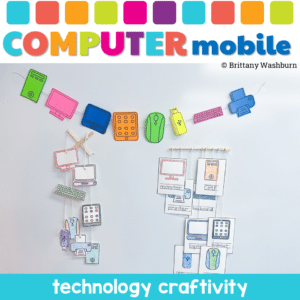
    Why Choose the Computer Parts Mobile Craftivity? This isn’t just another classroom activity. It’s a fusion of learning and creativity. Students won’t just learn about computer parts; they’ll experience them. They’ll touch, color, cut, and string, making the learning process immersive and fun. It’s not just about understanding computer components; it’s about expressing creativity and having a blast while doing it!

  • Thanksgiving Digital Phonics to Pinterest (opens in a new window)
    Thanksgiving Digital Phonics

    Thanksgiving Digital Phonics

    $4.50

    Students can practice both academic and technology skills together with the right activities. These Thanksgiving theme digital phonics activities work in Google Slides or as an interactive PowerPoint on any type of device that has these programs. There are 24 Thanksgiving themed activity slides to help them practice click and drag and basic typing skills. Students will also navigate between slides in the software program.

  • Christmas Digital Phonics Click and Drag Practice to Pinterest (opens in a new window)
    Christmas Digital Phonics Click and Drag Practice

    Christmas Digital Phonics Click and Drag Practice

    $4.50

    Students can practice both academic and technology skills together with the right activities. These Christmas theme digital phonics activities work in Google Slides or as an interactive PowerPoint on any type of device that has these programs. There are 24 Christmas themed activity slides to help them practice click and drag and basic typing skills. Students will also navigate between slides in the software program.

  • Fall Theme Digital Click and Drag Practice with Alphabet Activities to Pinterest (opens in a new window)
    Fall Theme Digital Click and Drag Practice with Alphabet Activities

    Fall Theme Digital Click and Drag Practice with Alphabet Activities

    $3.50

    Students can practice both academic and technology skills together with the right activities. These digital alphabet activities work in Google Slides or as an interactive PowerPoint on any type of device that has these programs. There are 18 fall themed activity slides to help them practice uppercase and lowercase letter matching, sorting vowels and consonants, sorting uppercase and lowercase letters, complete the word with the right vowel, make a real word with word families, and finding the word that is not like the others.

  • Alphabet Letter Matching Digital Secret Picture Tile Puzzles 2 to Pinterest (opens in a new window)
    Sale! Alphabet Letter Matching Digital Secret Picture Tile Puzzles 2

    Alphabet Letter Matching Digital Secret Picture Tile Puzzles 2

    Original price was: $10.00.Current price is: $8.00.

    Students can practice matching upper and lowercase letters by completing 4 sets of 10 engaging winter and spring holiday themed digital secret picture tile puzzles. These puzzles are great mouse or trackpad practice as well as being an opportunity to practice navigating a Google Slides or PowerPoint file.

  • Digital Letter and Number Building Activities to Pinterest (opens in a new window)
    Digital Letter and Number Building Activities

    Digital Letter and Number Building Activities

    $5.00

    72 slides of drag and drop activities to build letters and numbers using digital counting cubes. Uppercase and lowercase letters plus numbers 0-19 are included in this engaging and colorful computer lab activity. The activity is housed in google slides, which means it can be used on any type of device.

  • Animal Matching Digital Secret Picture Tile Puzzles to Pinterest (opens in a new window)
    Animal Matching Digital Secret Picture Tile Puzzles

    Animal Matching Digital Secret Picture Tile Puzzles

    $3.00

    These puzzles are great mouse or trackpad practice as well as being an opportunity to practice navigating a Google Slides or PowerPoint file. This set has 10 slides of Animal Matching. There are over 100 animals included from all different habitats. There is a Breakfast Foods theme on the secret pictures.

  • I Can Log In Kit to Pinterest (opens in a new window)
    I Can Log In Kit

    I Can Log In Kit

    $6.00

    Unlock the potential of your young students with the “I Can Log In Kit”! Designed specifically for elementary teachers and parents, this kit provides all the tools and resources needed to help children master the essential skill of logging into technology accounts. Say goodbye to log in struggles and hello to confident, tech-savvy students!

  • Build a Path Coding Concepts Worksheets to Pinterest (opens in a new window)
    Build a Path Coding Concepts Worksheets

    Build a Path Coding Concepts Worksheets

    $3.00

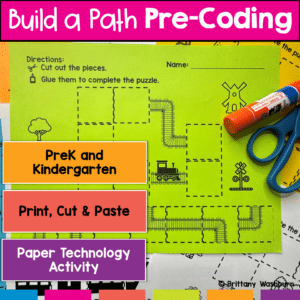
    Introducing the “Build a Path Coding Practice” worksheets – your go-to resource for introducing pre-coding concepts to PreK and Kindergarten students! Designed with young learners in mind, this set of engaging and interactive worksheets is perfect for teachers and homeschooling parents who want to lay a strong foundation for computational thinking, without needing any background in computer science.

  • TECHademics – Alphabet Practice Digital Activities to Pinterest (opens in a new window)
    Sale! TECHademics - Alphabet Practice Digital Activities

    TECHademics – Alphabet Practice Digital Activities

    Original price was: $26.00.Current price is: $13.00.

    TECHademics is a line of web based digital activities that aims to teach technology skills to our youngest learners while also working on academic content. Web based means that they work in any browser on any device! Nothing to download and no logins needed. It is the dream for distance learning and 1:1 classrooms.

  • Winter Digital Phonics Click and Drag Practice to Pinterest (opens in a new window)
    Winter Digital Phonics Click and Drag Practice

    Winter Digital Phonics Click and Drag Practice

    $4.50

    Students can practice both academic and technology skills together with the right activities. These Winter theme digital phonics activities work in Google Slides or as an interactive PowerPoint on any type of device that has these programs. There are 24 Winter themed activity slides to help them practice click and drag and basic typing skills. Students will also navigate between slides in the software program.

  • Valentine’s Day Digital Phonics Click and Drag Practice to Pinterest (opens in a new window)
    Valentine's Day Digital Phonics Click and Drag Practice

    Valentine’s Day Digital Phonics Click and Drag Practice

    $4.50

    Students can practice both academic and technology skills together with the right activities. These Valentine’s Day theme digital phonics activities work in Google Slides or as an interactive PowerPoint on any type of device that has these programs. There are 18 Valentine’s Day themed activity slides to help them practice click and drag and basic typing skills. Students will also navigate between slides in the software program.

  • Click and Drag Practice with Alphabet Activities to Pinterest (opens in a new window)
    Click and Drag Practice with Alphabet Activities

    Click and Drag Practice with Alphabet Activities

    $3.50

    Students can practice both academic and technology skills together with the right activities. These alphabet activities work in Google Slides or as an interactive PowerPoint on any type of device that has these programs. There are 17 activity slides to help them practice uppercase and lowercase letter matching, sorting vowels and consonants, sorting uppercase and lowercase letters, complete the word with the right vowel, make a real word with word families, and finding the word that is not like the others.

    Save 30% with the Tech Back To School set

  • Keyboard Collage Craftivity to Pinterest (opens in a new window)
    Keyboard Collage Craftivity

    Keyboard Collage Craftivity

    $3.00

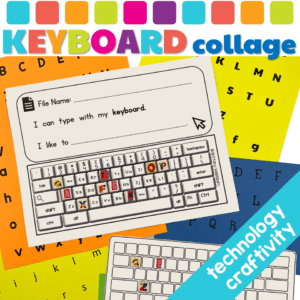
    Embark on a delightful, educational adventure with our Keyboard Collage Craftivity, meticulously crafted to transform the mundane task of keyboard familiarization into a joyous learning expedition. This resource is a treasure trove designed for students to explore, interact, and master the keyboard layout while nurturing their creativity and precision. It’s not just a learning resource; it’s an experience that paves the way for digital literacy in a fun and engaging manner.

  • Spring Digital Phonics Click and Drag Practice to Pinterest (opens in a new window)
    Spring Digital Phonics Click and Drag Practice

    Spring Digital Phonics Click and Drag Practice

    $4.50

    Students can practice both academic and technology skills together with the right activities. These spring theme digital phonics activities work in Google Slides or as an interactive PowerPoint on any type of device that has these programs. There are 18 spring themed activity slides to help them practice click and drag and basic typing skills. Students will also navigate between slides in the software program.

  • Saint Patrick’s Day Digital Phonics to Pinterest (opens in a new window)
    Saint Patrick's Day Digital Phonics

    Saint Patrick’s Day Digital Phonics

    $4.50

    Students can practice both academic and technology skills together with the right activities. These Saint Patrick’s Day theme digital phonics activities work in Google Slides or as an interactive PowerPoint on any type of device that has these programs. There are 18 St. Pat’s Day themed activity slides to help them practice click and drag and basic typing skills. Students will also navigate between slides in the software program.

  • PreK Technology Class Activities Bundle to Pinterest (opens in a new window)
    Sale! PreK Technology Class Activities Bundle

    PreK Technology Class Activities Bundle

    Original price was: $52.99.Current price is: $37.09.

    Bundle of PreK activities to use in the computer lab (technology class). These activities don’t require a device so they’re perfect for the beginning of the year before students are developmentally ready to get on computers. Once you’ve introduced and practiced each station activity then students will be able to do them independently throughout the year. This makes for great sub plans and early finishers as needed.

  • Color Matching 1 Digital Secret Picture Tile Puzzles to Pinterest (opens in a new window)
    Color Matching 1 Digital Secret Picture Tile Puzzles

    Color Matching 1 Digital Secret Picture Tile Puzzles

    $3.00

    Digital Secret Picture Tile Puzzles are great mouse or trackpad practice as well as being an opportunity to practice navigating a Google Slides or PowerPoint file. This set has 10 slides of Color Matching. There is an Awesome ’80s theme on the secret pictures to make it engaging.

  • Spring Themed Mouse Practice to Pinterest (opens in a new window)
    Spring Themed Mouse Practice

    Spring Themed Mouse Practice

    $5.00

    Review how to use a computer mouse using spring themed work mats. 53 pages of unplugged mouse practice plus 10 slides of digital drag and drop practice! Students practice moving, clicking, and clicking and dragging on paper work mats before they even get on a computer. All you need to do is prep the work mats and grab some extra mice. Then when they are ready, review the skills with the digital slides in PowerPoint or Google Slides.

  • Winter Themed Mouse Practice to Pinterest (opens in a new window)
    Winter Themed Mouse Practice

    Winter Themed Mouse Practice

    $5.00

    Review how to use a computer mouse using winter themed work mats. 53 pages of unplugged mouse practice plus 10 slides of digital drag and drop practice! Students practice moving, clicking, and clicking and dragging on paper work mats before they even get on a computer. All you need to do is prep the work mats and grab some extra mice. Then when they are ready, review the skills with the digital slides in PowerPoint or Google Slides.

  • iPad App Activities Tutorials and Task Cards to Pinterest (opens in a new window)
    Sale! iPad App Activities Tutorials and Task Cards

    iPad App Activities Tutorials and Task Cards

    Original price was: $12.00.Current price is: $6.00.
    If you have iPads to use with your students, want to introduce the default apps, and want students to practice using the apps independently, then this set of tutorials and task cards is for you!
     
    I often hear that teachers have a class set of iPads and aren’t allowed to add new apps to them. They then think the activities that can be done are very limited. These tutorials and task cards are here to show you all of the possibilities with these 6 default apps that come pre-installed on iPads.

  • Shape Matching Holidays Digital Secret Picture Tile Puzzles to Pinterest (opens in a new window)
    Sale! Shape Matching Holidays Digital Secret Picture Tile Puzzles

    Shape Matching Holidays Digital Secret Picture Tile Puzzles

    Original price was: $9.00.Current price is: $7.20.

    Students can practice matching shapes by completing 9 sets of 10 engaging holiday themed digital secret picture tile puzzles.

  • Color Matching 2 Digital Secret Picture Tile Puzzles to Pinterest (opens in a new window)
    Color Matching 2 Digital Secret Picture Tile Puzzles

    Color Matching 2 Digital Secret Picture Tile Puzzles

    $3.00

    Digital Secret Picture Tile Puzzles are great mouse or trackpad practice as well as being an opportunity to practice navigating a Google Slides or PowerPoint file. This set has 10 slides of Color Matching. There is a Movies theme on the secret pictures to make it engaging.

  • Kindergarten and First Grade Station Activities for the Computer Lab to Pinterest (opens in a new window)
    Sale! Kindergarten and First Grade Station Activities for the Computer Lab

    Kindergarten and First Grade Station Activities for the Computer Lab

    Original price was: $118.49.Current price is: $82.94.

    Bundle of activities that can be used as stations for Kindergarten and 1st Grade students in the computer lab.

  • UNPLUGGED CODING IN Social Studies – Fire Safety to Pinterest (opens in a new window)
    UNPLUGGED CODING IN Social Studies - Fire Safety

    UNPLUGGED CODING IN Social Studies – Fire Safety

    $4.00

    Coding meets Social Studies instruction with VoCode! Integrate those robots you have (or turn students into robots) to complete these Fire Safety coding challenges. 3 Options for the activities mean that you can use this with ANY movable Bots and ANY grade level of students. Be sure to check out the images to see which ones are included!

  • Digital Phonics Activities Bundle to Pinterest (opens in a new window)
    Sale! Digital Phonics Activities Bundle

    Digital Phonics Activities Bundle

    Original price was: $41.25.Current price is: $28.88.

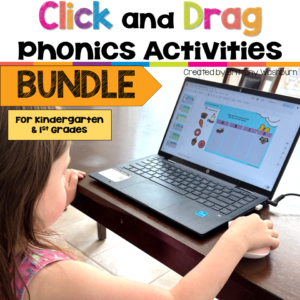
    Build phonics skills and beginning computer skills at the same time with this bundle of digital phonics activities for PreK, Kindergarten, and early elementary students. Each themed set gives students repeated practice with essential early literacy skills while also helping them develop mouse control, clicking, dragging, typing, and digital navigation skills. The activities are designed for use in Google Slides or PowerPoint and work well in the computer lab, technology class, literacy centers, intervention groups, or as independent digital practice.

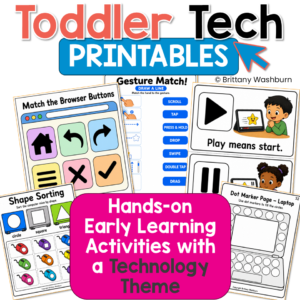
  • Technology Themed Toddler Printable Learning Centers & Task Boxes to Pinterest (opens in a new window)
    Sale! Technology Themed Toddler Printable Learning Centers & Task Boxes

    Technology Themed Toddler Printable Learning Centers & Task Boxes

    Original price was: $22.00.Current price is: $15.00.

    Bring a modern technology theme into toddler and preschool learning with this hands-on printable activity pack! If you also have a technology-loving toddler or preschooler in your life, this is for you! This Toddler Tech Printable Pack helps young learners practice early childhood skills using familiar technology visuals like laptops, computer mice, tablets, keyboards, screen buttons, UI icons, remote controls, and touchscreen gestures.

    This is a print-and-play early learning resource. Learners do not need to use a real device to complete the activities. Instead, they build foundational skills through matching, sorting, tracing, counting, vocabulary practice, cut-and-paste activities, task boxes, mini books, coloring pages, puzzles, and more.

    These activities are perfect for toddlers, preschoolers, Pre-K learners, homeschool preschool, morning bins, busy binders, task boxes, early childhood centers, speech therapy, occupational therapy, and parent-led learning at home.