$8.00Original price was: $8.00.$6.00Current price is: $6.00.
Technology Vocabulary Task Cards in both printable and digital formats. 30 Multiple Choice task cards with common technology vocabulary words. Recording sheet and answer key included. The digital version is played as an interactive presentation in Google Slides or PowerPoint.
$5.00Original price was: $5.00.$3.00Current price is: $3.00.
15 coded keyboard secret messages in 5 sets of 3 fun themes. Both printable and digital versions are included so you can choose the format that works best for you.
Students are going to love creating their own digital glyph fall scene and you’re going to love all of the technology skills work they are getting.
This resource works on so many great technology skills. While students may be familiar with paper and pencil glyph activities, it takes it to a whole new level to do it digitally.
They will be asked to work across slides in either Google Slides or PowerPoint, copy and paste between slides, resize pieces, layer pieces, group pieces, and save their finished work as an image file. All while completing an engaging get-to-know-you activity.
Students are going to love building their own Digital Characters and you’re going to love all of the technology skills work they are getting. Digital Glyphs work on so many great technology skills. While students may be familiar with paper and pencil glyph activities, it takes it to a whole new level to do it digitally.
In this Build a Character activity, students will be asked to work across slides in either Google Slides or PowerPoint, copy and paste between slides, resize pieces, layer pieces, group pieces, and save their finished work as an image file. All while completing an engaging get-to-know-you activity.
This Build a Character set is a beginner digital glyph activity. It is designed for primary grades students.
Even our youngest learners can master graphic design basics with digital design activities like this Recreate a Winter Train challenge. Students will drag the provided clip art pieces into the work area and then resize and layer the pieces until it looks exactly like the model. I’ve provided 5 challenges that are increasingly more difficult and require more tech skills and perseverance.
This resource includes:
Google Slides (or download as PowerPoint)
Background and Clip Art Graphics Included
5 Levels of Challenge
Optional Slide for students to design their own Winter Train
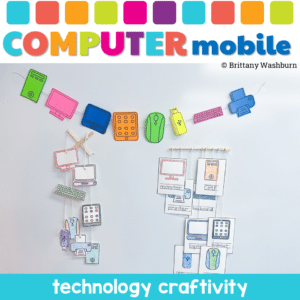
Why Choose the Computer Parts Mobile Craftivity? This isn’t just another classroom activity. It’s a fusion of learning and creativity. Students won’t just learn about computer parts; they’ll experience them. They’ll touch, color, cut, and string, making the learning process immersive and fun. It’s not just about understanding computer components; it’s about expressing creativity and having a blast while doing it!
Even our youngest learners can master graphic design basics with digital design activities like this Recreate a Fall Scene challenge. Students will drag the provided clip art pieces into the work area and then resize and layer the pieces until it looks exactly like the model. I’ve provided 5 challenges that are increasingly more difficult and require more tech skills and perseverance.
Even our youngest learners can master graphic design basics with digital design activities like this Recreate a Winter Scene challenge. Students will drag the provided clip art pieces into the work area and then resize and layer the pieces until it looks exactly like the model. I’ve provided 5 challenges that are increasingly more difficult and require more tech skills and perseverance.
$10.00Original price was: $10.00.$8.00Current price is: $8.00.
Have you been wanting to try 3D Printing with Tinkercad with your students but have no idea where to start? This starter kit has everything you need to teach your students how to use Tinkercad and provides 3 leveled prompts to practice their new skills. Great for beginners!
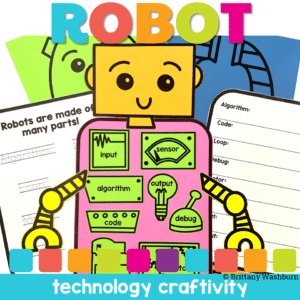
Why Choose Robot Parts Craftivity? It’s not just a craft; it’s a doorway to the world of robotics and coding. This activity offers students a tangible, creative experience, showing them how individual components can come together to form something unique. It’s a blend of learning and creativity, designed to ignite curiosity and passion for robotics and coding.
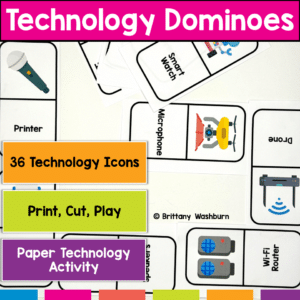
Get Ready to Level Up Your Computer Parts Unit with Tech Dominoes! If you’re looking for a fun and interactive way to reinforce your students’ tech knowledge, look no further. Introducing Tech Dominoes – the game that makes learning technology terms a blast! With printable paper domino cards, you can turn any class into an exciting tech adventure.
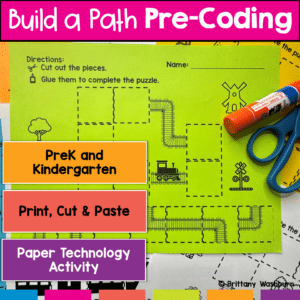
Introducing the “Build a Path Coding Practice” worksheets – your go-to resource for introducing pre-coding concepts to PreK and Kindergarten students! Designed with young learners in mind, this set of engaging and interactive worksheets is perfect for teachers and homeschooling parents who want to lay a strong foundation for computational thinking, without needing any background in computer science.
Students are going to love creating their own Digital Glyph Summer Scene and you’re going to love all of the technology skills work they are getting. This resource works on so many great technology skills. While students may be familiar with paper and pencil glyph activities, it takes it to a whole new level to do it digitally.
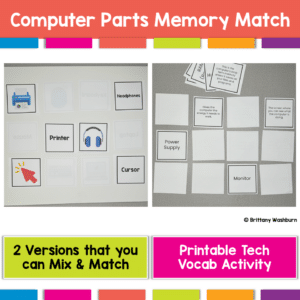
Get Ready to Level Up Your Computer Parts Unit with a Printable Memory Match Game! If you’re looking for a fun and interactive way to reinforce your students’ tech knowledge, look no further. Introducing Computer Parts Memory Match – the game that makes reviewing technology terms a blast! With 2 sets of printable computer parts cards, you can turn any class into an exciting tech adventure.
Even our youngest learners can master graphic design basics with digital design activities like this Recreate a Gingerbread House challenge. Students will drag the provided clip art pieces into the work area and then resize and layer the pieces until it looks exactly like the model. I’ve provided 5 challenges that are increasingly more difficult and require more tech skills and perseverance.
This resource includes:
Google Slides (or download as PowerPoint)
Background and Clip Art Graphics Included
5 Levels of Challenge
Optional Slide for students to design their own Gingerbread House
Unlock the potential of your young students with the “I Can Log In Kit”! Designed specifically for elementary teachers and parents, this kit provides all the tools and resources needed to help children master the essential skill of logging into technology accounts. Say goodbye to log in struggles and hello to confident, tech-savvy students!
Engage your tech lab students with Digital Keyboard Puzzles! This resource includes 21 digital puzzles housed in Google Slides with 2 levels of challenge for differentiation.
Are you looking for the perfect back to school low-prep way to get to know your technology class students? This fun Back to School All About Me laptop is perfect! Just print and color.
Also included is an end of year keepsake for your computer lab students. This fun end of year memory laptop is perfect for technology classes! Give your students the opportunity to remember their school year forever while staying on theme (technology). Guaranteed to keep students engaged!
Typing basic sentences makes great keyboarding practice for primary students. This is a set of 40 slides, each containing a short sentence for students to type. Any device that can access Google Slides or PowerPoint can be used to complete these digital interactive activities.
This is set 2 of this activity type. The sentences in set 2 are slightly longer, making it a great follow up to the first set for continued practice.
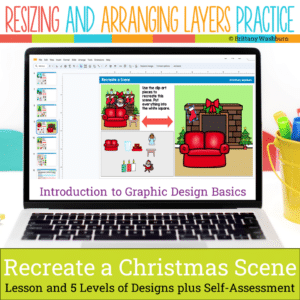
Even our youngest learners can master graphic design basics with digital design activities like this Recreate a Christmas Scene challenge. Students will drag the provided clip art pieces into the work area and then resize and layer the pieces until it looks exactly like the model. I’ve provided 5 challenges that are increasingly more difficult and require more tech skills and perseverance.
Help students learn the history and development of technology they use every day. Students learn about past and present technology and then practice with sorting, matching and labeling activities. Plan to read the definitions and timeline slides whole-group and then have students do the activity slides independently.
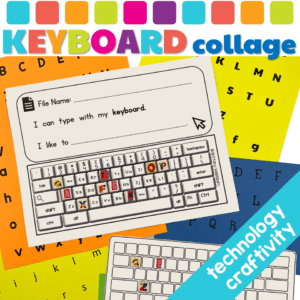
Embark on a delightful, educational adventure with our Keyboard Collage Craftivity, meticulously crafted to transform the mundane task of keyboard familiarization into a joyous learning expedition. This resource is a treasure trove designed for students to explore, interact, and master the keyboard layout while nurturing their creativity and precision. It’s not just a learning resource; it’s an experience that paves the way for digital literacy in a fun and engaging manner.
Even our youngest learners can master graphic design basics with digital design activities like this Recreate a Saint Patrick’s Day Scene challenge. Students will drag the provided clip art pieces into the work area and then resize and layer the pieces until it looks exactly like the model. I’ve provided 5 challenges that are increasingly more difficult and require more tech skills and perseverance.
Students are going to love creating their own Digital Glyph Spring Scene and you’re going to love all of the technology skills work they are getting. This resource works on so many great technology skills. While students may be familiar with paper and pencil glyph activities, it takes it to a whole new level to do it digitally.
$8.00Original price was: $8.00.$4.00Current price is: $4.00.
Transform your students’ understanding of computational thinking with the engaging and interactive Algorithms Mystery Builds activity! This activity is designed to help students practice following directions, learn computational thinking vocabulary, and develop mouse/cursor control. Perfect for classroom use or homeschooling environments!
Boost your students’ foundational tech skills with these engaging and interactive 14 Computer Basics Digital Activity Slides! Perfect for elementary classrooms, this resource covers desktop navigation, file management, internet browsing, and more—aligned with ISTE Standards for students.
What’s Included:
14 interactive digital activity slides designed for Google Slides or PowerPoint
Activities on key computer basics:
Identifying desktop icons
Organizing and naming files
Internet navigation
Proper shutdown procedures
Pre-made templates for teachers to facilitate the lesson with ease
Homework extension ideas for continued practice at home
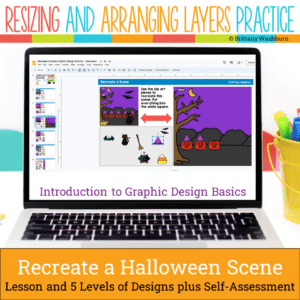
Even our youngest learners can master graphic design basics with digital design activities like this Recreate a Halloween Scene challenge. Students will drag the provided clip art pieces into the work area and then resize and layer the pieces until it looks exactly like the model. I’ve provided 5 challenges that are increasingly more difficult and require more tech skills and perseverance.
$10.00Original price was: $10.00.$8.00Current price is: $8.00.
If you’ve been wanting to try Green Screen projects with your students, want it to be appropriate for elementary students, and want to integrate with content area topics, then this set of projects is for you! 30 Green Screen project prompts for the Green Screen by Do Ink App.
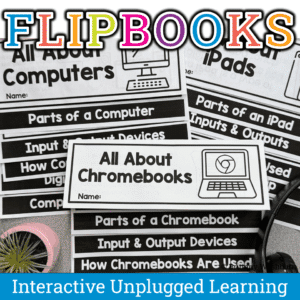
Introduce technology the fun way! These printable flipbooks help elementary students learn about iPads, computers, and Chromebooks through hands-on, interactive activities. Students explore tech vocabulary, parts of a device, input/output, and digital citizenship. Perfect for computer lab teachers and tech integration in grades 1–3.
$7.00Original price was: $7.00.$3.50Current price is: $3.50.
Equip your students with the problem-solving skills they need to navigate technology challenges with confidence. These 30 Technology Troubleshooting discussion prompts will engage students in thinking critically about how to solve common tech issues, making them tech-savvy and resourceful.
What’s Included:
A set of 30 thoughtfully designed printable cards featuring open-ended discussion prompts focused on Technology Troubleshooting for elementary students.
Each card presents a real-world tech scenario or question, encouraging students to think critically and collaboratively about how to resolve technology problems.
The cards are provided in PDF format, ready to print and use in your classroom.
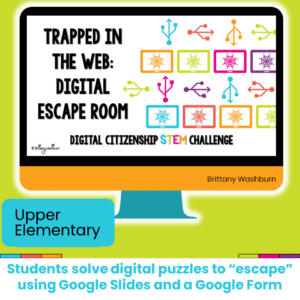
Challenge your students during STEM or Computer Lab time to complete digital challenges in a digital breakout or escape room that focuses on digital citizenship concepts.
$52.99Original price was: $52.99.$37.09Current price is: $37.09.
Bundle of PreK activities to use in the computer lab (technology class). These activities don’t require a device so they’re perfect for the beginning of the year before students are developmentally ready to get on computers. Once you’ve introduced and practiced each station activity then students will be able to do them independently throughout the year. This makes for great sub plans and early finishers as needed.
$28.50Original price was: $28.50.$22.80Current price is: $22.80.
Would you like students to work on technology skills while doing fun Valentine’s Day themed activities in the computer lab? Then this bundle is for you!
Build a Valentine’s Day Scene Digital Glyph Activity
Valentine’s Day Digital Animation Project
Valentine’s Day Digital Pixel Art
Valentine’s Day Sheets/Excel Digital Mystery Pictures
Valentine’s Day Digital Hundreds Charts Mystery Pictures
Valentine’s Day CVC Words Digital Puzzles
Valentine’s Day Digital Phonics Drag and Drop
Valentine’s Day Graphic Design Lesson and Activity
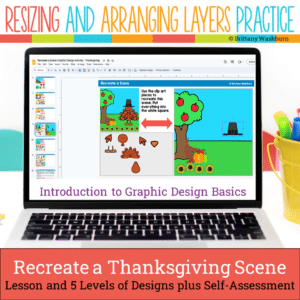
Even our youngest learners can master graphic design basics with digital design activities like this Recreate a Thanksgiving Scene challenge. Students will drag the provided clip art pieces into the work area and then resize and layer the pieces until it looks exactly like the model. I’ve provided 5 challenges that are increasingly more difficult and require more tech skills and perseverance.
Unlock the world of technology careers with a guided research project! Perfect for grades 4-6, this interactive digital download is designed to inspire young minds and develop vital research and presentation skills. Discover the exciting world of technology and set your students on a path to success with this Tech Careers Guided Research Project. 34 Tech Career Posters provided with all of the facts students need to complete their presentation.
$12.00Original price was: $12.00.$10.00Current price is: $10.00.
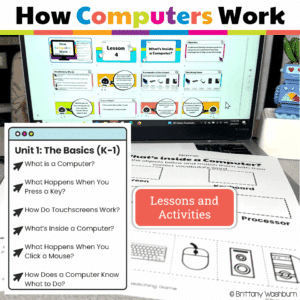
Your K–1 students will love learning how computers work with these interactive, hands-on lessons. From identifying parts of a computer to exploring touchscreens, keyboards, mice, and even beginner coding, this unit builds a strong foundation in digital literacy and responsible tech use—no extra prep required!
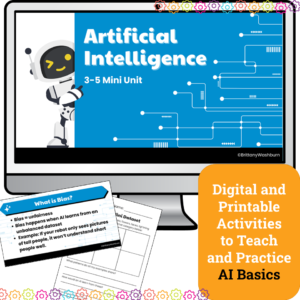
Introduce upper elementary students to artificial intelligence with this 4-lesson mini unit designed for grades 3–5. Students will explore how AI learns, practice prompt engineering, fact-check responses, and discuss fairness in AI systems. Includes lesson plans, editable slides, and vocabulary —perfect for computer lab, digital literacy, or Hour of AI activities.
Students create the content for this bulletin board set with a free Algorithm Art digital activity from code.org. The file comes with printable letters to use as a heading and accent pieces to make the display pop. Prep the letters and accent pieces, have the students complete the online activity, print out the finished student work, and set up the bulletin board.
What is included?
• Directions for student activity, which is on code.org
• 2 color options of letters for the header in both color and black and white.
• Accent icons in color and black and white to add to your design (optional).
Students learn about how RGB and Hex color coding works with a quick lesson and then 10 printable technology themed mystery picture worksheets. Perfect for an offline activity!
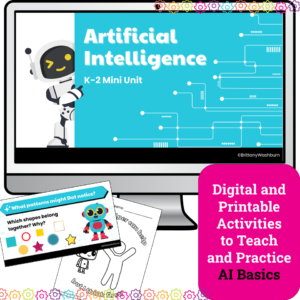
Introduce your youngest learners to the exciting world of Artificial Intelligence with this K–2 AI lesson pack, perfect for the Hour of AI, Hour of Code, or a digital literacy unit. Designed especially for primary classrooms, this unit breaks down complex concepts into engaging, hands-on lessons with no prior tech experience required.
Whether you’re a classroom teacher, tech specialist, or STEM teacher, this 4-lesson AI unit provides a gentle, age-appropriate introduction to how computers “learn,” recognize patterns, and make decisions — all using kid-friendly language and visuals.
What’s Included:
✅ 4 complete AI lessons with clear teacher guides and pacing
✅ Printable handouts and vocabulary visuals
✅ Companion Google Slides decks for modeling and instruction
$6.00Original price was: $6.00.$3.00Current price is: $3.00.
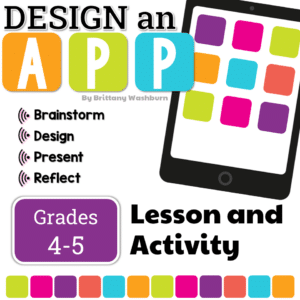
Students plan the build and design of an app with this engaging and comprehensive lesson plan! Perfect for educators looking to teach students app development and design skills. Suitable for various age groups, this lesson plan includes a teacher guide, digital files for students, and an optional presentation. Get started today and empower your students to become innovative designers!