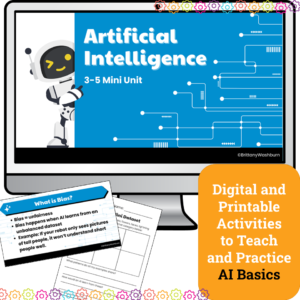
Introduce upper elementary students to artificial intelligence with this 4-lesson mini unit designed for grades 3–5. Students will explore how AI learns, practice prompt engineering, fact-check responses, and discuss fairness in AI systems. Includes lesson plans, editable slides, and vocabulary —perfect for computer lab, digital literacy, or Hour of AI activities.
$6.00Original price was: $6.00.$3.00Current price is: $3.00.
Students plan the build and design of an app with this engaging and comprehensive lesson plan! Perfect for educators looking to teach students app development and design skills. Suitable for various age groups, this lesson plan includes a teacher guide, digital files for students, and an optional presentation. Get started today and empower your students to become innovative designers!
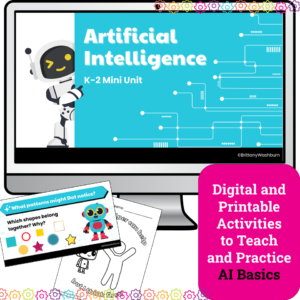
Introduce your youngest learners to the exciting world of Artificial Intelligence with this K–2 AI lesson pack, perfect for the Hour of AI, Hour of Code, or a digital literacy unit. Designed especially for primary classrooms, this unit breaks down complex concepts into engaging, hands-on lessons with no prior tech experience required.
Whether you’re a classroom teacher, tech specialist, or STEM teacher, this 4-lesson AI unit provides a gentle, age-appropriate introduction to how computers “learn,” recognize patterns, and make decisions — all using kid-friendly language and visuals.
What’s Included:
✅ 4 complete AI lessons with clear teacher guides and pacing
✅ Printable handouts and vocabulary visuals
✅ Companion Google Slides decks for modeling and instruction
Digital Click and Drag puzzles for 11 computer parts. This set has technology themed designs in 2 different levels for differentiation between grade levels k-5.
Students learn about how RGB and Hex color coding works with a quick lesson and then 10 printable technology themed mystery picture worksheets. Perfect for an offline activity!
Help your students master punctuation while improving their typing skills with this 40-slide digital resource! Designed to make punctuation practice engaging and effective, this activity guides students through typing sentences that incorporate essential punctuation marks—including commas, semicolons, colons, parentheses, dashes, quotation marks for dialogue, question marks, and exclamation marks.
Even our youngest learners can master graphic design basics with digital design activities like this Recreate a Summer Scene challenge. Students will drag the provided clip art pieces into the work area and then resize and layer the pieces until it looks exactly like the model. I’ve provided 5 challenges that are increasingly more difficult and require more tech skills and perseverance.
$6.00Original price was: $6.00.$3.00Current price is: $3.00.
Explore the fascinating ways technology shapes modern careers with this set of 24 task cards! Perfect as a review activity, these cards challenge students to think critically about how technology is used across a variety of professions—from healthcare to engineering, education to the arts. Designed to spark curiosity, this activity helps students make connections between technology skills and career opportunities, fostering awareness of how advancements in technology create new possibilities in the workforce.
$12.00Original price was: $12.00.$10.00Current price is: $10.00.
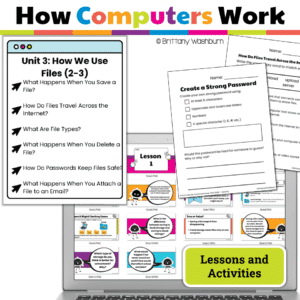
Teach young learners how computers organize, save, and print files! This engaging unit for Grades 2-3 breaks down complex tech concepts like file types, saving, cloud storage, printing, and memory into kid-friendly lessons. Includes print + Google Slides, interactive activities, and ISTE alignment—no prep needed!
$12.00Original price was: $12.00.$6.00Current price is: $6.00.
If you have iPads to use with your students, want to introduce the default apps, and want students to practice using the apps independently, then this set of tutorials and task cards is for you!
I often hear that teachers have a class set of iPads and aren’t allowed to add new apps to them. They then think the activities that can be done are very limited. These tutorials and task cards are here to show you all of the possibilities with these 6 default apps that come pre-installed on iPads.
$5.00Original price was: $5.00.$3.00Current price is: $3.00.
Digital Mystery Pictures with a April Theme for Multiplication and Division Practice. Your students will love discovering what is hidden in the boxes after completing rigorous multi-digit multiplication and division problems.
$32.50Original price was: $32.50.$26.00Current price is: $26.00.
Would you like students to work on technology skills while doing fun Saint Patrick’s Day themed activities in the computer lab? Then this bundle is for you!
Build a Saint Pat’s Day Scene Digital Glyph Activity
Saint Patrick’s Day Digital Animation Project
Saint Pat’s Day Digital Pixel Art
Saint Patrick’s Day Sheets/Excel Digital Mystery Pictures
Saint Pat’s Day Digital Hundreds Charts Mystery Pictures
Saint Patrick’s Day CVC Words Digital Puzzles
Saint Pat’s Day Digital Phonics Drag and Drop
Saint Patrick’s Day Graphic Design Lesson and Activity
$8.00Original price was: $8.00.$4.00Current price is: $4.00.
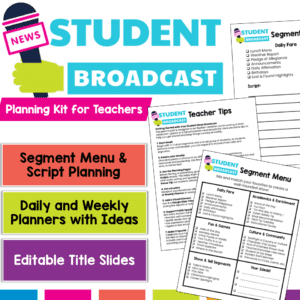
Empower your students to become confident communicators and classroom leaders with this Student News Broadcast Kit! Perfect for morning announcements, classroom news segments, or weekly wrap-ups, this resource gives students everything they need to plan, script, and deliver engaging broadcasts — all while practicing speaking and listening skills aligned with ELA standards.
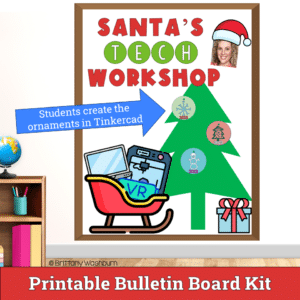
Unlock the world of creativity and technology with our Tinkercad Ornament Design Activity – a digital adventure that empowers students to bring their unique ornament designs to life in stunning 3D!
$12.00Original price was: $12.00.$9.60Current price is: $9.60.
Even our youngest learners can master graphic design basics with digital design activities like these seasonal Recreate a Scene challenges. Students will drag the provided clip art pieces into the work area and then resize and layer the pieces until it looks exactly like the model. I’ve provided 5 challenges for each season that are increasingly more difficult and require more tech skills and perseverance.
$6.00Original price was: $6.00.$3.00Current price is: $3.00.
Help students navigate the online world responsibly with this set of 24 Understanding Online Privacy Task Cards! Designed for elementary and middle-grade learners, this engaging resource introduces essential concepts of online privacy and empowers students to protect their personal information. By exploring topics like creating strong passwords, managing privacy settings, recognizing secure websites, and understanding website tracking, students will become more aware of how to stay safe online.
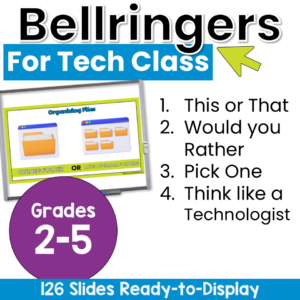
Start technology class with no-prep elementary technology warm-ups that get students thinking, choosing, explaining, and discussing from the moment they arrive! This collection of computer lab bell ringers includes more than 115 technology-themed questions and activities. Project one slide at the beginning or end of class to encourage meaningful conversation, build classroom community, activate prior knowledge, or fill a few extra minutes with purposeful learning.
Students will compare technology tools, share their preferences, consider responsible digital choices, and explore bigger questions about online safety and artificial intelligence. The variety of lighthearted choices and deeper critical-thinking prompts makes it easy to select an activity that fits your students, lesson, and available time.
$6.00Original price was: $6.00.$3.00Current price is: $3.00.
Help your students develop essential keyboarding skills with this set of 24 Keyboarding Skills Task Cards! Designed for elementary and middle grade learners, these task cards focus on building familiarity with keyboard functions, including correct finger placement, basic shortcuts, and the use of special keys. This hands-on activity emphasizes the importance of efficient typing techniques, setting students up for digital success in academic and future professional environments.
$7.00Original price was: $7.00.$3.50Current price is: $3.50.
Empower your students to navigate the digital world safely and confidently with these 30 Elementary Online Safety discussion prompts. Perfect for sparking thoughtful conversations, these printable cards will help your students understand and practice safe online habits.
What’s Included:
A set of 30 thoughtfully designed printable cards featuring open-ended discussion prompts focused on Online Safety for elementary students.
Each card presents a key question that encourages students to think critically about online behavior, privacy, and digital citizenship.
The cards are provided in PDF format, ready to print and use in your classroom.
$11.00Original price was: $11.00.$8.00Current price is: $8.00.
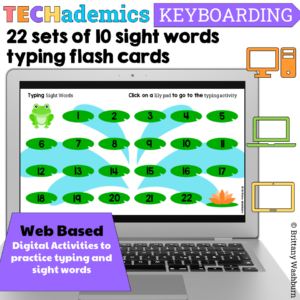
Leap Day can be celebrated in the computer lab with sight word typing digital flash cards! These digital keyboarding activities are web based, which makes them perfect for the computer lab or computer station. This Keyboard practice set has 22 sets of 10 dolch sight words for students to practice typing and sight words together.
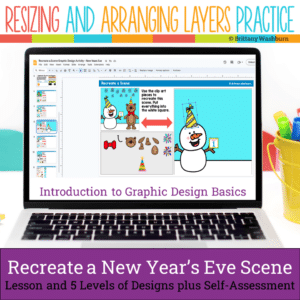
Even our youngest learners can master graphic design basics with digital design activities like this Recreate a New Year’s Eve Scene challenge. Students will drag the provided clip art pieces into the work area and then resize and layer the pieces until it looks exactly like the model. I’ve provided 5 challenges that are increasingly more difficult and require more tech skills and perseverance.
Students are going to love discovering what Clothing themed design is hidden in the hundreds chart mystery picture and you’ll love that they are practicing so many different skills. While students may be familiar with paper and pencil hundreds charts, it takes it to a whole new level to do it digitally. Students will really master the toolbar in whatever program you use. The activity has them filling 100 cells in a table per design, making it a mastery activity.
$6.50Original price was: $6.50.$3.25Current price is: $3.25.
Encourage students to explore software programs with this set of 24 discussion prompts. These printable cards are perfect for sparking meaningful conversations about how software works, the different types of software, and how we use them in everyday life. Ideal for the computer lab or classroom!
What’s Included:
24 printable discussion prompt cards (4 pages with 6 cards per page).
Each card features an open-ended question designed to get students thinking critically about software programs, from how they’re used to why they’re important.
3-page guide on how to use discussion prompts effectively with students.
Printable PDF format, ready to print, cut, and use for engaging class discussions.
$36.00Original price was: $36.00.$28.80Current price is: $28.80.
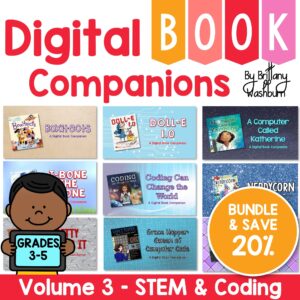
Digital Book Companion activities that perfectly complement 9 STEM and Coding themed picture books. Specifically designed for grades 3-5, each digital book companion offers a comprehensive set of 12 engaging activities that will enhance students’ understanding of these captivating read-aloud stories while also practicing tech skills.
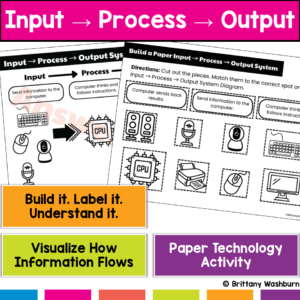
Every time students use a computer, this system is happening… but most students don’t understand it. This hands-on Input → Process → Output activity helps students build and explore the fundamental process behind all computer actions—turning an abstract concept into something they can see, touch, and explain.
Students don’t just learn what happens—they build the system that makes it happen.
Empower students with essential computer troubleshooting skills through this engaging and interactive lesson! This resource provides pre-made instructional materials and a structured teacher guide to help students develop problem-solving strategies for common technology issues.
$6.00Original price was: $6.00.$3.00Current price is: $3.00.
Help students navigate the exciting world of e-books and digital libraries with this set of 24 task cards! This engaging review activity guides students as they explore the benefits and unique features of digital reading resources. Students will revisit key concepts like how to locate and access e-books, responsibly use digital library collections, and compare the differences between digital and print reading.
Take your students on exciting journeys around the world—without ever leaving the classroom—with this set of 24 Virtual Field Trips & Exploration Task Cards! Perfect for elementary and middle grade learners, these task cards introduce students to the concept of virtual exploration through interactive maps, VR apps, and educational videos. They’ll discover famous landmarks, natural wonders, and cultural sites, all while developing essential digital navigation and critical thinking skills.
Help your students build a strong foundation in technology with this set of 24 Hardware Basics Task Cards! Designed for upper elementary and middle grade students, these task cards introduce students to the essential components of computer hardware, including the monitor, CPU, keyboard, and mouse. Through engaging questions and activities, students will learn the purpose of each part, distinguish between input and output devices, and explore different types of technology like tablets, laptops, desktops, and smartphones.
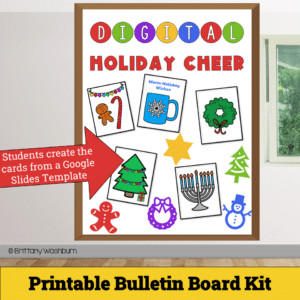
Get ready to spread joy and holiday spirit with our Digital Holiday Cheer – Printable Card Activity and Bulletin Board Kit! This delightful digital project empowers students to design and craft their very own personalized holiday cards, combining the magic of the season with essential digital skills.
$24.00Original price was: $24.00.$19.20Current price is: $19.20.
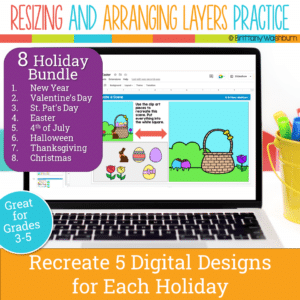
Even our youngest learners can master graphic design basics with digital design activities like these Holiday Scene challenges. For each holiday, students will drag the provided clip art pieces into the work area and then resize and layer the pieces until it looks exactly like the model. I’ve provided 5 challenges for each holiday that are increasingly more difficult and require more tech skills and perseverance.
Each holiday resource includes:
Google Slides (or download as PowerPoint)
Background and Clip Art Graphics Included
5 Levels of Challenge
Optional Slide for students to design their own holiday Scene
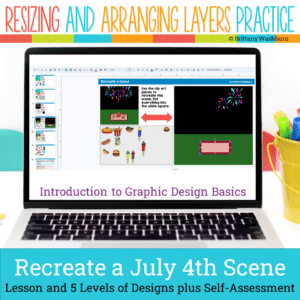
Even our youngest learners can master graphic design basics with digital design activities like this Recreate a 4th of July Scene challenge. Students will drag the provided clip art pieces into the work area and then resize and layer the pieces until it looks exactly like the model. I’ve provided 5 challenges that are increasingly more difficult and require more tech skills and perseverance.
$10.00Original price was: $10.00.$6.00Current price is: $6.00.
Digital Mystery Pictures with a Spring Theme for Multiplication and Division Practice. Your students will love discovering what is hidden in the boxes after completing rigorous multi-digit multiplication and division problems.
$15.00Original price was: $15.00.$12.00Current price is: $12.00.
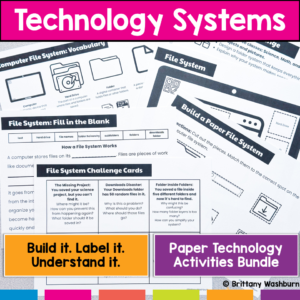
Stop trying to explain how technology works… and let students build it instead. This hands-on bundle includes 5 interactive activities that help students understand the systems behind everyday technology. Instead of memorizing vocabulary, students build, label, and explain how technology actually works.
From Wi-Fi to file organization to how data travels across the internet, these activities turn abstract concepts into clear, concrete learning experiences.
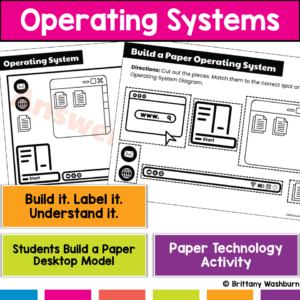
Students use computers every day…but most don’t actually understand what’s running them. This hands-on operating system activity helps students build and explore a computer desktop so they can understand how apps, files, and system tools work together.
Instead of just clicking around, students build a working model of a computer interface, making an abstract concept clear and easy to explain.
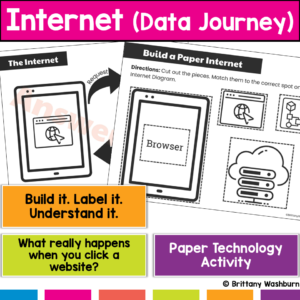
What actually happens when students type a website and hit enter? Most students don’t know, and that’s why this concept feels confusing. This hands-on internet activity helps students build and model how data travels across the internet, turning an invisible process into something they can see, touch, and explain. Students don’t just learn vocabulary, they build the internet’s data journey step by step.
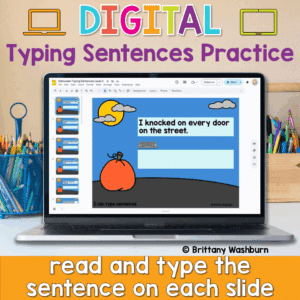
Looking for a fun and festive way to build typing fluency with your primary students? This Halloween-themed typing activity includes 40 digital slides, each featuring a short, age-appropriate sentence that students can type directly on the screen. Whether you’re working on keyboarding skills or want an engaging October tech activity, this resource is a spooktacular addition to your lesson plans!
💻 Designed for Google Slides or PowerPoint, students can complete this on any device with a keyboard—perfect for Chromebooks, desktops, or laptops.
$6.00Original price was: $6.00.$3.00Current price is: $3.00.
Reinforce your students’ understanding of cloud computing concepts with this engaging set of 24 review task cards! Designed for upper elementary and middle-grade students, this activity provides an excellent opportunity to revisit and apply knowledge about cloud storage, safe information sharing, and the benefits and challenges of using cloud-based tools. These task cards are ideal for consolidating learning after an introduction to cloud computing basics.
$6.00Original price was: $6.00.$3.00Current price is: $3.00.
Equip your students with essential time management skills using this engaging set of 24 Time Management with Digital Tools Task Cards! Designed for elementary and middle school students, this activity introduces practical, real-life strategies to stay organized and productive with the help of digital tools. Through these interactive task cards, students will explore digital calendars, to-do lists, reminders, and other time-saving technologies to help them balance schoolwork, personal tasks, and responsibilities.
$6.00Original price was: $6.00.$3.00Current price is: $3.00.
Introduce your students to the fascinating world of robotics with this set of 24 Basic Robotics Task Cards! Designed for elementary and middle-grade learners, this engaging resource guides students through the core concepts of robotics, including what robots are, how sensors work, and the basics of programming simple sequences. Through these task cards, students will explore the fundamental elements of robotics, such as understanding programming commands, the role of sensors, and solving problems using block-based coding platforms.
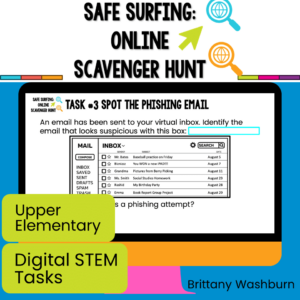
Equip your students with essential skills for responsible and effective digital communication with this set of 24 Digital Communication Task Cards! Designed for upper elementary and middle grade students, these task cards focus on the basics of writing professional emails, recognizing phishing scams, attaching files, and practicing respectful online communication. This activity will prepare students to navigate digital tools responsibly, whether for academic purposes or in their future professional lives.
$7.00Original price was: $7.00.$3.50Current price is: $3.50.
Help students explore the world of operating systems and user interfaces with this set of 30 discussion prompts. Perfect for engaging elementary students in understanding how computers and devices work, these cards are ideal for sparking interactive conversations in the computer lab or classroom.
What’s Included:
30 printable discussion prompt cards (5 pages with 6 cards per page).
Each card features an open-ended question to inspire thoughtful discussions on operating systems, user interfaces, and how these concepts affect how we use technology.
3-page guide on how to use discussion prompts effectively with students.
Printable PDF format, ready to print, cut, and use for engaging discussions in your classroom.
$7.00Original price was: $7.00.$3.50Current price is: $3.50.
Spark curiosity and critical thinking in your classroom with these 30 History and Future of Technology discussion prompts. Designed to engage students in meaningful conversations about how technology has evolved and where it’s headed, these printable cards are perfect for the computer lab or classroom discussions!
What’s Included:
30 printable discussion prompt cards (5 pages with 6 cards per page).
Each card contains an open-ended question to prompt discussions about the history of technology, key inventions, and future technological innovations.
3-page guide with tips on how to use discussion prompts effectively with students in both small group and whole-class settings.
Printable PDF format, ready to print, cut, and use to inspire interactive and thought-provoking discussions.
$7.50Original price was: $7.50.$3.25Current price is: $3.25.
Ignite creativity and spark meaningful conversations about digital art, music, and storytelling with this set of 42 Digital Creativity discussion prompts. Perfect for encouraging young students to explore technology and express their ideas in the computer lab or classroom.
What’s Included:
42 printable discussion prompt cards (7 pages with 6 cards per page).
Each card features an open-ended question designed to inspire students to think critically about digital creativity, content creation, and responsible sharing online.
3-page guide on how to use discussion prompts effectively with students in both small group and whole-class settings.
Printable PDF format, ready to be printed, cut, and used for engaging class discussions.