

Multimedia Booklet
$3.00Introduce a lesson on Software with this eBook that teaches about different types of multimedia and how we use them. Share the PDF with students for a paperless experience or print the nonfiction text out as a booklet.
Showing 1009–1056 of 1113 resultsSorted by popularity

Introduce a lesson on Software with this eBook that teaches about different types of multimedia and how we use them. Share the PDF with students for a paperless experience or print the nonfiction text out as a booklet.

Introduce a lesson on Software with this eBook that teaches about different types of audio files and how we use them. Share the PDF with students for a paperless experience or print the nonfiction text out as a booklet.

Introduce a lesson on Software with this eBook that teaches about file sizes, how we name them, and how we use them. Share the PDF with students for a paperless experience or print the nonfiction text out as a booklet.

Try digital animation with your students with a simple and engaging Cinco de Mayo theme project! Students choose from background options and then add shapes, text, and clip art graphics to make a scene. Then they duplicate the slide and make a small change over and over (about 50 times) to animate the scene. Once the stop motion animation is complete students publish it to the web and can optionally make it into a GIF using a website tool.

Computer icons “game” that can be completed on any device. The interactive PDF has an Hot Dog theme, where students get to solve the puzzle with each correct answer. These 24 computer icons are a combination of web browser icons and mouse/trackpad icons. Interactive PDFs are easy to use and students can practice their tech skills from any device!

Computer icons “game” that can be completed on any device. The interactive PDF has an Hamburger theme, where students get to build a hamburger with each correct answer. These 24 computer icons are a combination of web browser icons and mouse/trackpad icons. Interactive PDFs are easy to use and students can practice their tech skills from any device!

You can have a beautiful, user-friendly, timeless class website with this Neutral Colors themed website design kit. I designed the kit with a technology teacher in mind, but any teacher could also benefit from having ready-made graphics. There are editable buttons and banner text to make it your own!

Solar System Virtual Classroom. Looking for supplemental technology activities for your Solar System Science unit? This set of digital activities has you covered regardless of what type of technology device(s) you have available. Use the trend of the Bitmoji Virtual Classroom to engage your students!
Virtual classroom activities are great for students to learn about and practice topics. It is also a great opportunity to work on tech skills like navigating websites and working between tabs in a browser.

STEM goes digital with these fun and engaging design challenges for May. 5 engineering design websites and 5 editable challenges perfect for grades 3 and up. If you are in a paperless classroom or 1:1 with laptops or Chromebooks then these are ideal for you, but can also be used during computer lab time or with the laptop cart.
Save money by purchasing the Full Year Digital STEM Challenges.

Students are going to love discovering what Clothing themed design is hidden in the spreadsheet software mystery picture and you’ll love that they are practicing so many different skills. While students may be familiar with paper and pencil mystery pictures, it takes it to a whole new level to do it digitally. Students will really master the toolbar in Google Sheets or Microsoft Excel. The activity has them filling 100 cells in the table per design, making it a mastery activity.

Coding meets ELA instruction with VoCode! Integrate those robots you have (or turn students into robots) to complete these fairy tale coding challenges. 3 Options for the activities mean that you can use this with ANY movable Bots and ANY grade level of students. Be sure to check out the images!

Coding meets ELA instruction with VoCode! Integrate those robots you have (or turn students into robots) to complete these fairy tale coding challenges. 3 Options for the activities mean that you can use this with ANY movable Bots and ANY grade level of students. Be sure to check out the images!

Coding meets Social Studies instruction with VoCode! Integrate those robots you have (or turn students into robots) to complete these phonics coding challenges. 3 Options for the activities mean that you can use this with ANY movable Bots and ANY grade level of students. Be sure to check out the images to see which ones are included!

Coding meets ELA instruction with VoCode! Integrate those robots you have (or turn students into robots) to complete these phonics coding challenges. 3 Options for the activities mean that you can use this with ANY movable Bots and ANY grade level of students. Be sure to check out the images!
This set includes Homophones. Check out the images to see which ones are included.

Coding meets science vocabulary instruction with VoCode! Integrate those robots you have (or turn students into robots) to complete these coding challenges. 3 Options for the activities mean that you can use this with ANY movable Bots and ANY grade level of students. Be sure to check out the images!

Coding meets science vocabulary instruction with VoCode! Integrate those robots you have (or turn students into robots) to complete these coding challenges. 3 Options for the activities mean that you can use this with ANY movable Bots and ANY grade level of students. Be sure to check out the images!

Digital and Print Exit Ticket questions that are specific to the technology skills learned in 1st Grade. 43 questions and blank templates so that you can make your own. The printable version is 4 to a page to save on paper, and digital is in both PPT and Slides.

Coding meets vocabulary instruction with VoCode! Integrate those robots you have (or turn students into robots) to complete these coding challenges. 3 Options for the activities mean that you can use this with ANY movable Bots and ANY grade level of students. Be sure to check out the preview!
This set includes 10+ MS Office Icons in 3 different styles. Check out page 5 of the preview to see which ones are included.

Go paperless with these 4th grade reading digital activities for all of the 4th grade reading topics. The files are all organized in a resource library for you to access at your convenience. These are ideal for a paperless (or almost) classroom using Google or Microsoft.
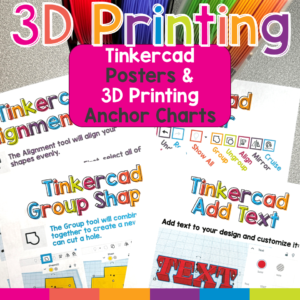
Make Tinkercad and 3D printing easier for elementary students with this colorful set of Tinkercad posters and 3D printing classroom anchor charts! These visual reference posters introduce essential Tinkercad tools, explain how to create printable 3D designs, and reinforce important 3D printer safety procedures.
Display the posters in your computer lab, STEM classroom, makerspace, library, or technology center so students can find the help they need without waiting for step-by-step assistance. Clear screenshots, simple explanations, and student-friendly graphics make unfamiliar 3D design concepts easier for young creators to understand.
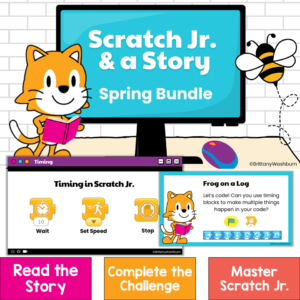
Bring coding into your spring read-alouds with four ready-to-teach Scratch Jr coding activities for kindergarten, first grade, and second grade!
ScratchJr & a Story: Spring Bundle combines elementary computer science, digital storytelling, and literacy. After listening to a beloved picture book, students use the ScratchJr app to code an animated scene inspired by the story.
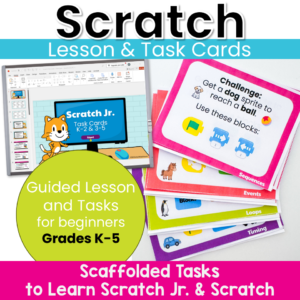
Move beyond step-by-step tutorials and help students become confident computational thinkers! These Scratch Jr. and Scratch Task Cards are designed to teach the foundational concepts of computer science through short, engaging coding challenges. Instead of simply copying a project, students learn to predict, test, debug, and improve their code while building a deep understanding of how programs work.
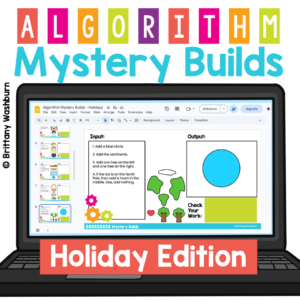
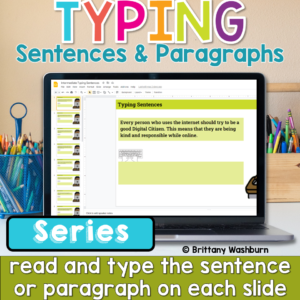
Help students build the keyboarding skills they need to write confidently on a computer with this Progressive Keyboarding Practice Bundle. This series is designed to guide students step-by-step from typing simple sentences to typing full paragraphs, helping them develop both typing fluency and confidence composing digitally.
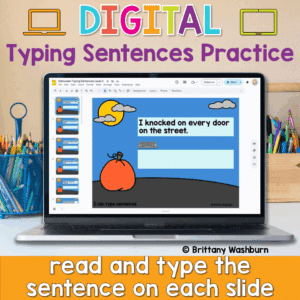
Looking for a fun and festive way to build typing fluency with your primary students? This Halloween-themed typing activity includes 40 digital slides, each featuring a short, age-appropriate sentence that students can type directly on the screen. Whether you’re working on keyboarding skills or want an engaging October tech activity, this resource is a spooktacular addition to your lesson plans!
💻 Designed for Google Slides or PowerPoint, students can complete this on any device with a keyboard—perfect for Chromebooks, desktops, or laptops.
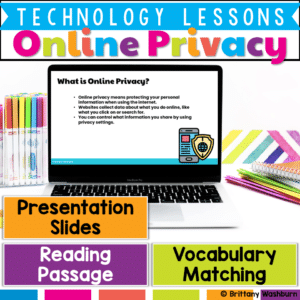
Teach upper elementary students how to stay safe online with this Online Privacy & Security lesson! Includes a reading passage, vocabulary, slides, and student response activities. Perfect for grades 3–5 digital citizenship and internet safety units.
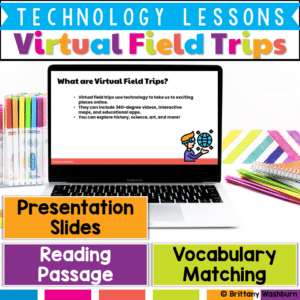
Take your students on an exciting journey without ever leaving the classroom! This Virtual Field Trips & Explorations Lesson introduces students to interactive maps, VR, and 360-degree videos, helping them understand how technology can bring learning to life.

Introduce your students to the fascinating world of robotics with this set of 24 Basic Robotics Task Cards! Designed for elementary and middle-grade learners, this engaging resource guides students through the core concepts of robotics, including what robots are, how sensors work, and the basics of programming simple sequences. Through these task cards, students will explore the fundamental elements of robotics, such as understanding programming commands, the role of sensors, and solving problems using block-based coding platforms.

Immerse your students in the exciting world of Augmented Reality (AR) and Virtual Reality (VR) with this set of 24 Interactive AR & VR Task Cards! Perfect for elementary and middle-grade learners, these task cards introduce students to the basic concepts of AR and VR, exploring how each technology works, their real-world applications, and the unique ways they can transform learning and exploration.

Empower your students with essential digital organization skills using this set of 24 Digital File Management Task Cards! Perfect for elementary and middle grade students, these task cards introduce the fundamentals of file management, helping students learn how to save, organize, rename, delete, and restore files. Through hands-on practice, students will build critical organizational skills that are invaluable for schoolwork, personal projects, and digital literacy.

Introduce your students to the world of digital art and animation with this engaging set of 24 Digital Art & Animation Task Cards! Perfect for elementary and middle grade learners, these task cards guide students through the basics of digital drawing, using layers, experimenting with digital brushes, and exploring simple animation techniques. Each task encourages hands-on practice and creativity, helping students build foundational skills in digital artistry and bring their ideas to life through movement.

Empower your students to become confident digital creators with this set of 24 Digital Tools & Apps Task Cards! Perfect for elementary and middle grade students, this activity introduces learners to essential software and applications, helping them build foundational digital skills. Each task card guides students through the basic functions of commonly used tools, such as word processors, presentation software, digital painting apps, and spreadsheets.

Inspire creativity and innovation in your students with these 24 Makerspace discussion prompts. Perfect for fostering hands-on learning and collaborative thinking, these printable cards will ignite your students’ imaginations and encourage them to explore, design, and create.
What’s Included:

Computer icons “game” that can be completed on any device. The interactive PDF has an Starlight Candy theme, where students get to collect starlight candies with each correct answer. These 24 computer icons are a combination of web browser icons and mouse/trackpad icons. Interactive PDFs are easy to use and students can practice their tech skills from any device!

Computer icons “game” that can be completed on any device. The interactive PDF has an Fairytale theme, where students get to build a castle with each correct answer. These 24 computer icons are a combination of web browser icons and mouse/trackpad icons. Interactive PDFs are easy to use and students can practice their tech skills from any device!

Computer icons “game” that can be completed on any device. The interactive PDF has an Fair theme, where students get to build the tent with each correct answer. These 24 computer icons are a combination of web browser icons and mouse/trackpad icons. Interactive PDFs are easy to use and students can practice their tech skills from any device!

Computer icons “game” that can be completed on any device. The interactive PDF has an Cotton Candy theme, where students get to make cotton candy with each correct answer. These 24 computer icons are a combination of web browser icons and mouse/trackpad icons. Interactive PDFs are easy to use and students can practice their tech skills from any device!

Computer icons “game” that can be completed on any device. The interactive PDF has an Chicken theme, where students get to help the baby chick get to its mother with each correct answer. These 24 computer icons are a combination of web browser icons and mouse/trackpad icons. Interactive PDFs are easy to use and students can practice their tech skills from any device!

Sound Science Virtual Classroom. Looking for supplemental technology activities for your Sound Science unit? This set of digital activities has you covered regardless of what type of technology device(s) you have available. Use the trend of the Bitmoji Virtual Classroom to engage your students!
Virtual classroom activities are great for students to learn about and practice topics. It is also a great opportunity to work on tech skills like navigating websites and working between tabs in a browser.

Teachers looking to integrate technology skills and content areas with love this review of PowerPoint/Google Slides skills for students with science topics. While these are simple research projects, the real goal of this activity is for students to put their notes into a Presentation template (using either Google Slides or PowerPoint) and make it look professional.

Teachers looking to integrate technology skills and content areas with love this review of PowerPoint/Google Slides skills for students with the topic of Muscles and Bones. While this is a simple research project, the real goal of this activity is for students to put their notes into a Presentation template (using either Google Slides or PowerPoint) and make it look professional.

Teachers looking to integrate technology skills and content areas with love this review of PowerPoint/Google Slides skills for students with the topic of Biomes and Ecosystem. While this is a simple research project, the real goal of this activity is for students to put their notes into a Presentation template (using either Google Slides or PowerPoint) and make it look professional.

Students are going to love discovering what themed design is hidden in the hundreds chart mystery picture and you’ll love that they are practicing so many different skills. While students may be familiar with paper and pencil hundreds charts, it takes it to a whole new level to do it digitally. Students will really master the toolbar in whatever program you use. The activity has them filling 100 cells in a table per design, making it a mastery activity.

Students are going to love discovering what Circus themed design is hidden in the hundreds chart mystery picture and you’ll love that they are practicing so many different skills. While students may be familiar with paper and pencil hundreds charts, it takes it to a whole new level to do it digitally. Students will really master the toolbar in whatever program you use. The activity has them filling 100 cells in a table per design, making it a mastery activity.

Coding meets ELA instruction with VoCode! Integrate those robots you have (or turn students into robots) to complete these fairy tale coding challenges. 3 Options for the activities mean that you can use this with ANY movable Bots and ANY grade level of students. Be sure to check out the images!
This set includes Beauty and the Beast. Check out the images to see which ones are included.

Coding meets Social Studies instruction with VoCode! Integrate those robots you have (or turn students into robots) to complete these phonics coding challenges. 3 Options for the activities mean that you can use this with ANY movable Bots and ANY grade level of students. Be sure to check out the images!
What do you need help with today?
Browse by Tech Topic:


&url=https://brittanywashburn.com/product/unplugged-coding-fairy-tales-bundle-hour-of-code/&media=https://woo-bwecomm-storage.s3.amazonaws.com/wp-content/uploads/2022/01/19123905/Robot-Coding-ELA-Fairy-Tales-BUNDLE-1.png)


%20&%20Virtual%20Reality%20(VR)%20Printable%20Task%20Cards&url=https://brittanywashburn.com/product/augmented-reality-ar-virtual-reality-vr-printable-task-cards/&media=https://brittanywashburn.com/wp-content/uploads/2024/11/AR-and-VR-task-cards-1.png)


