Digital activities for the book Goodnight Selfie that are perfect for grades K-2. 12 total digital activities that will help students expand their understanding of this great read aloud storybook. I designed this for technology teachers or media specialists so that you can read the same book to all 3 grade levels and then assign them different activities. You can read it again the next year with fresh activities for the next grade!
Teachers looking to integrate technology skills and content areas with love this review of PowerPoint/Google Slides skills for students with the topic of Light Waves. While this is a simple research project, the real goal of this activity is for students to put their notes into a Presentation template (using either Google Slides or PowerPoint) and make it look professional.
Spiral Review technology lessons for 1st grade that teach presentation, word processing, and spreadsheet software over 12 sessions. These will make a great addition to your technology curriculum for the computer lab. The skills build on each other throughout this unit so it is important to do the lessons in order. Weeks 25-36 are all on the topic of the Keyboards and Typing so students can take a deep dive into the content and the tech skills.
Spiral Review technology lessons that teach presentation, word processing, and spreadsheet software over 12 sessions. These will make a great addition to your technology curriculum for the computer lab. The skills build on each other throughout this unit so it is important to do the lessons in order. Weeks 13-24 are all on the topic of the Breakfast Foods around the World so students can take a deep dive into the content and the tech skills.
Students are going to love discovering what Monsters themed design is hidden in the spreadsheet software mystery picture and you’ll love that they are practicing so many different skills. While students may be familiar with paper and pencil mystery pictures, it takes it to a whole new level to do it digitally. Students will really master the toolbar in Google Sheets or Microsoft Excel. The activity has them filling 100 cells in the table per design, making it a mastery activity.
Students are going to love discovering what Food themed design is hidden in the spreadsheet software mystery picture and you’ll love that they are practicing so many different skills. While students may be familiar with paper and pencil mystery pictures, it takes it to a whole new level to do it digitally. Students will really master the toolbar in Google Sheets or Microsoft Excel. The activity has them filling 100 cells in the table per design, making it a mastery activity.
Coding meets ELA instruction with VoCode! Integrate those robots you have (or turn students into robots) to complete these fairy tale coding challenges. 3 Options for the activities mean that you can use this with ANY movable Bots and ANY grade level of students. Be sure to check out the images!
Coding meets ELA instruction with VoCode! Integrate those robots you have (or turn students into robots) to complete these fairy tale coding challenges. 3 Options for the activities mean that you can use this with ANY movable Bots and ANY grade level of students. Be sure to check out the images!
Coding meets ELA instruction with VoCode! Integrate those robots you have (or turn students into robots) to complete these phonics coding challenges. 3 Options for the activities mean that you can use this with ANY movable Bots and ANY grade level of students. Be sure to check out the images!
This set includes Prefixes and Suffixes. Check out the images to see which ones are included.
Coding meets math vocabulary instruction with VoCode! Integrate those robots you have (or turn students into robots) to complete these coding challenges. 3 Options for the activities mean that you can use this with ANY movable Bots and ANY grade level of students.
For those times when you have a 20-30 minute presentation slot and you need to teach a tech tool, this resource has your back. Description that gives background info and hooks your teachers, how to steps with screenshots, and ideas for use with elementary students. Everything you need to get your staff started with Buncee.
$8.00Original price was: $8.00.$7.00Current price is: $7.00.
Learn the keyboard keys while mastering 5th grade science vocabulary. Science words are included from earth, life, and physical science as well as general science words. I have also included video of directions for how to use your own lists. There are 8 Google Slides files which split the words into groups of 20. There are 4 practice slides for each word.
$27.20Original price was: $27.20.$24.48Current price is: $24.48.
5th Grade ELA (Language and Reading) Google Folder that includes 34 different interactive activity files, which I am calling a digital resource library. These are ideal for a paperless (or almost) classroom using Google or Microsoft. Access them any time, anywhere you have a wifi connection. The best part is that they also work downloaded as PowerPoint files!
$5.00Original price was: $5.00.$3.00Current price is: $3.00.
Digital Mystery Pictures with a May Theme for Multiplication and Division Practice. Your students will love discovering what is hidden in the boxes after completing rigorous multi-digit multiplication and division problems.
$5.00Original price was: $5.00.$3.00Current price is: $3.00.
Digital Mystery Pictures with a Camping Theme for Multiplication and Division Practice. Your students will love discovering what is hidden in the boxes after completing rigorous multi-digit multiplication and division problems.
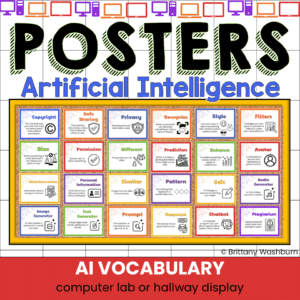
Bring clarity, confidence, and excitement to your technology lessons with this AI Vocabulary Posters Set—the perfect visual support for introducing artificial intelligence to elementary students. These kid-friendly posters break down complex tech terms into simple, meaningful definitions that young learners can understand.
Each poster includes:
✔ A bold, easy-to-read vocabulary word
✔ A simple elementary-appropriate definition
✔ Clean, classroom-friendly design
✔ Consistent formatting for a unified tech-themed display
Whether you teach a computer lab, a STEM rotation, digital citizenship lessons, or the Hour of AI (formerly Hour of Code), these posters help students build the foundational language they need to talk about and work with AI tools.
$12.00Original price was: $12.00.$10.00Current price is: $10.00.
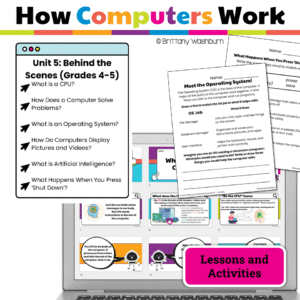
Teach students how computer systems work with this elementary tech unit on hardware and information flow. Includes 6 lessons, Google Slides, and digital activities.
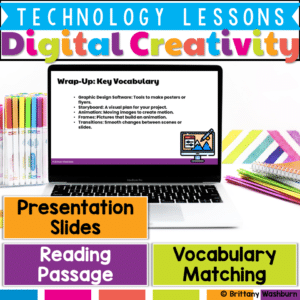
Help students explore their creative potential with this Digital Creativity Lesson, designed to introduce the fundamentals of digital design, video creation, and animation. With engaging activities and real-world applications, this lesson will teach students how to use digital tools effectively to create posters, videos, and animations.
$6.00Original price was: $6.00.$3.00Current price is: $3.00.
Help students navigate the exciting world of e-books and digital libraries with this set of 24 task cards! This engaging review activity guides students as they explore the benefits and unique features of digital reading resources. Students will revisit key concepts like how to locate and access e-books, responsibly use digital library collections, and compare the differences between digital and print reading.
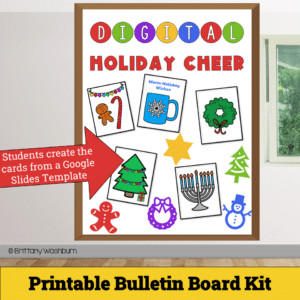
Get ready to spread joy and holiday spirit with our Digital Holiday Cheer – Printable Card Activity and Bulletin Board Kit! This delightful digital project empowers students to design and craft their very own personalized holiday cards, combining the magic of the season with essential digital skills.
$36.00Original price was: $36.00.$28.80Current price is: $28.80.
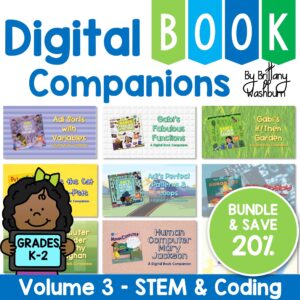
Digital Book Companion activities that perfectly complement 9 STEM and Coding themed picture books. Specifically designed for grades K-2, each digital book companion offers a comprehensive set of 12 engaging activities that will enhance students’ understanding of these captivating read-aloud stories while also practicing tech skills.
$24.00Original price was: $24.00.$19.20Current price is: $19.20.
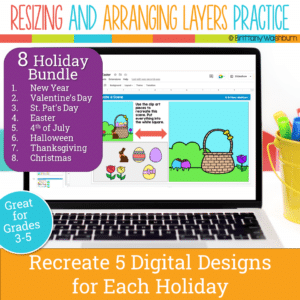
Even our youngest learners can master graphic design basics with digital design activities like these Holiday Scene challenges. For each holiday, students will drag the provided clip art pieces into the work area and then resize and layer the pieces until it looks exactly like the model. I’ve provided 5 challenges for each holiday that are increasingly more difficult and require more tech skills and perseverance.
Each holiday resource includes:
Google Slides (or download as PowerPoint)
Background and Clip Art Graphics Included
5 Levels of Challenge
Optional Slide for students to design their own holiday Scene
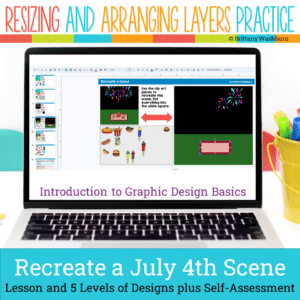
Even our youngest learners can master graphic design basics with digital design activities like this Recreate a 4th of July Scene challenge. Students will drag the provided clip art pieces into the work area and then resize and layer the pieces until it looks exactly like the model. I’ve provided 5 challenges that are increasingly more difficult and require more tech skills and perseverance.
Digital activities for the book Gabi’s Fabulous Functions that are perfect for grades K-2. 12 total digital activities that will help students expand their understanding of this great read aloud storybook. I designed this for technology teachers or media specialists so that you can read the same book to all 3 grade levels and then assign them different activities. You can read it again the next year with fresh activities for the next grade!
Digital activities for the book Adi Sorts with Variables that are perfect for grades K-2. 12 total digital activities that will help students expand their understanding of this great read aloud storybook. I designed this for technology teachers or media specialists so that you can read the same book to all 3 grade levels and then assign them different activities. You can read it again the next year with fresh activities for the next grade!
Introduce a lesson on Software with this eBook that teaches about presentation software, including what it is and how we use it. Share the PDF with students for a paperless experience or print the nonfiction text out as a booklet.
Introduce a lesson on Software with this eBook that teaches about word processing software, including what it is and how we use it. Share the PDF with students for a paperless experience or print the nonfiction text out as a booklet.
Introduce a lesson on creativity in technology with this eBook that teaches about the history and development of Bluetooth. Share the PDF with students for a paperless experience or print the nonfiction text out as a booklet.
Introduce a lesson on creativity in technology with this eBook that teaches about the history and development of Video Games. Share the PDF with students for a paperless experience or print the nonfiction text out as a booklet.
Introduce a lesson on Software with these 2 eBooks that teach what fonts are and how we use them. Share the PDF with students for a paperless experience or print the nonfiction text out as a booklet.
Introduce a lesson on Cell Phones with this eBook that teaches about the history and development of Cell Phones. Share the PDF with students for a paperless experience or print the nonfiction text out as a booklet.
Computer icons “game” that can be completed on any device. The interactive PDF has an Popcorn theme, where students get to build a bucket of popcorn with each correct answer. These 24 computer icons are a combination of web browser icons and mouse/trackpad icons. Interactive PDFs are easy to use and students can practice their tech skills from any device!
Computer icons “game” that can be completed on any device. The interactive PDF has an Colored Pencils theme, where students get to fill the box with colored pencils with each correct answer. These 24 computer icons are a combination of web browser icons and mouse/trackpad icons. Interactive PDFs are easy to use and students can practice their tech skills from any device!
$45.00Original price was: $45.00.$36.00Current price is: $36.00.
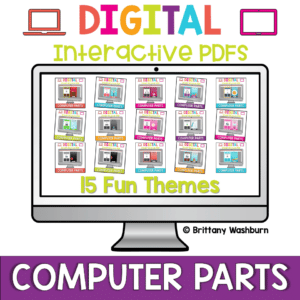
Computer parts “games” that can be completed on any device. Interactive PDFs are easy to use and students can practice their tech skills from any device! This set has a total of 15 themes.
Computer parts “game” that can be completed on any device. The interactive PDF has an Jellybean theme, where students get to collect jellybeans with each correct answer. Interactive PDFs are easy to use and students can practice their tech skills from any device!
Computer parts “game” that can be completed on any device. The interactive PDF has an Crayon theme, where students get to collect crayons with each correct answer. Interactive PDFs are easy to use and students can practice their tech skills from any device!
Computer parts “game” that can be completed on any device. The interactive PDF has an Button theme, where students get to collect buttons with each correct answer. Interactive PDFs are easy to use and students can practice their tech skills from any device!
Computer parts “game” that can be completed on any device. The interactive PDF has an Bug theme, where students get to buid a bug with each correct answer. Interactive PDFs are easy to use and students can practice their tech skills from any device!
Computer parts “game” that can be completed on any device. The interactive PDF has an Blossom theme, where students get to build a bouquet of flowers with each correct answer. Interactive PDFs are easy to use and students can practice their tech skills from any device!
You can have a beautiful, user-friendly, timeless class website with this blue green themed website design kit. I designed the kit with a technology teacher in mind, but any teacher could also benefit from having ready-made graphics. There are editable buttons and banner text to make it your own!
$20.00Original price was: $20.00.$16.00Current price is: $16.00.
Coding meets social studies vocabulary instruction with VoCode! Integrate those robots you have (or turn students into robots) to complete these coding challenges. 3 Options for the activities mean that you can use this with ANY movable Bots and ANY grade level of students.
Spiral Review technology lessons that teach presentation, word processing, and spreadsheet software over 12 sessions. These will make a great addition to your technology curriculum for the computer lab. The skills build on each other throughout this unit so it is important to do the lessons in order. Weeks 25-36 are all on the topic of the Trees, so students can take a deep dive into the content and the tech skills.
Students are going to love discovering what Fitness themed design is hidden in the hundreds chart mystery picture and you’ll love that they are practicing so many different skills. While students may be familiar with paper and pencil hundreds charts, it takes it to a whole new level to do it digitally. Students will really master the toolbar in whatever program you use. The activity has them filling 100 cells in a table per design, making it a mastery activity.
Students are going to love discovering what Detectives themed design is hidden in the hundreds chart mystery picture and you’ll love that they are practicing so many different skills. While students may be familiar with paper and pencil hundreds charts, it takes it to a whole new level to do it digitally. Students will really master the toolbar in whatever program you use. The activity has them filling 100 cells in a table per design, making it a mastery activity.
Coding meets ELA instruction with VoCode! Integrate those robots you have (or turn students into robots) to complete these fairy tale coding challenges. 3 Options for the activities mean that you can use this with ANY movable Bots and ANY grade level of students. Be sure to check out the images!
Coding meets ELA instruction with VoCode! Integrate those robots you have (or turn students into robots) to complete these fairy tale coding challenges. 3 Options for the activities mean that you can use this with ANY movable Bots and ANY grade level of students. Be sure to check out the images!
Coding meets Social Studies instruction with VoCode! Integrate those robots you have (or turn students into robots) to complete these phonics coding challenges. 3 Options for the activities mean that you can use this with ANY movable Bots and ANY grade level of students. Be sure to check out the images to see which ones are included!