Teachers looking to integrate technology skills and content areas with love this review of PowerPoint/Google Slides skills for students with the topic of Light Waves. While this is a simple research project, the real goal of this activity is for students to put their notes into a Presentation template (using either Google Slides or PowerPoint) and make it look professional.
Coding meets ELA instruction with VoCode! Integrate those robots you have (or turn students into robots) to complete these phonics coding challenges. 3 Options for the activities mean that you can use this with ANY movable Bots and ANY grade level of students. Be sure to check out the images!
This set includes Prefixes and Suffixes. Check out the images to see which ones are included.
Coding meets math vocabulary instruction with VoCode! Integrate those robots you have (or turn students into robots) to complete these coding challenges. 3 Options for the activities mean that you can use this with ANY movable Bots and ANY grade level of students.
$8.00Original price was: $8.00.$7.00Current price is: $7.00.
Learn the keyboard keys while mastering 5th grade science vocabulary. Science words are included from earth, life, and physical science as well as general science words. I have also included video of directions for how to use your own lists. There are 8 Google Slides files which split the words into groups of 20. There are 4 practice slides for each word.
$27.20Original price was: $27.20.$24.48Current price is: $24.48.
5th Grade ELA (Language and Reading) Google Folder that includes 34 different interactive activity files, which I am calling a digital resource library. These are ideal for a paperless (or almost) classroom using Google or Microsoft. Access them any time, anywhere you have a wifi connection. The best part is that they also work downloaded as PowerPoint files!
$5.00Original price was: $5.00.$3.00Current price is: $3.00.
Digital Mystery Pictures with a May Theme for Multiplication and Division Practice. Your students will love discovering what is hidden in the boxes after completing rigorous multi-digit multiplication and division problems.
$5.00Original price was: $5.00.$3.00Current price is: $3.00.
Digital Mystery Pictures with a Camping Theme for Multiplication and Division Practice. Your students will love discovering what is hidden in the boxes after completing rigorous multi-digit multiplication and division problems.
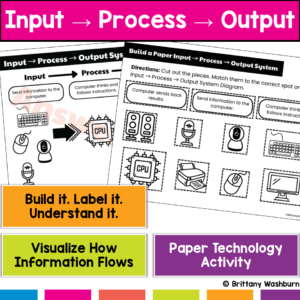
Every time students use a computer, this system is happening… but most students don’t understand it. This hands-on Input → Process → Output activity helps students build and explore the fundamental process behind all computer actions—turning an abstract concept into something they can see, touch, and explain.
Students don’t just learn what happens—they build the system that makes it happen.
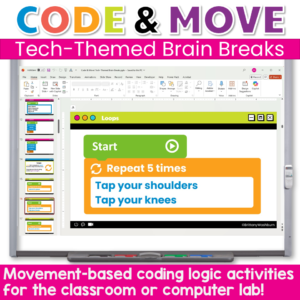
Give your students a chance to reset their brains and reinforce coding concepts with these engaging, no-prep brain breaks designed especially for computer labs and STEM classrooms! Code & Move! offers a fun and purposeful way to incorporate structured movement during class time. Ideal for transition moments, screen breaks, or just getting the wiggles out in a meaningful way.
Each brain break is tied to a coding logic concept, (like sequences, loops, or conditionals) but the primary goal is simple: get students moving, refocused, and ready to learn.
$60.00Original price was: $60.00.$48.00Current price is: $48.00.
Give your students the tools to understand, explore, and thrive in a digital world—all while making your tech lessons easier to plan and more fun to teach.
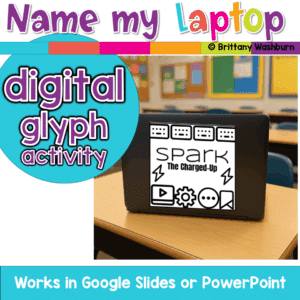
A fun back-to-school glyph activity where students create and name their laptop, Chromebook, iPad, or tablet! Includes digital templates for making personalized tech labels that teachers can print as stickers or use digitally.
Help students explore their creative potential with this Digital Creativity Lesson, designed to introduce the fundamentals of digital design, video creation, and animation. With engaging activities and real-world applications, this lesson will teach students how to use digital tools effectively to create posters, videos, and animations.
Empower students with essential computer troubleshooting skills through this engaging and interactive lesson! This resource provides pre-made instructional materials and a structured teacher guide to help students develop problem-solving strategies for common technology issues.
$6.00Original price was: $6.00.$3.00Current price is: $3.00.
Help students navigate the exciting world of e-books and digital libraries with this set of 24 task cards! This engaging review activity guides students as they explore the benefits and unique features of digital reading resources. Students will revisit key concepts like how to locate and access e-books, responsibly use digital library collections, and compare the differences between digital and print reading.
Take your students on exciting journeys around the world—without ever leaving the classroom—with this set of 24 Virtual Field Trips & Exploration Task Cards! Perfect for elementary and middle grade learners, these task cards introduce students to the concept of virtual exploration through interactive maps, VR apps, and educational videos. They’ll discover famous landmarks, natural wonders, and cultural sites, all while developing essential digital navigation and critical thinking skills.
Help your students build a strong foundation in technology with this set of 24 Hardware Basics Task Cards! Designed for upper elementary and middle grade students, these task cards introduce students to the essential components of computer hardware, including the monitor, CPU, keyboard, and mouse. Through engaging questions and activities, students will learn the purpose of each part, distinguish between input and output devices, and explore different types of technology like tablets, laptops, desktops, and smartphones.
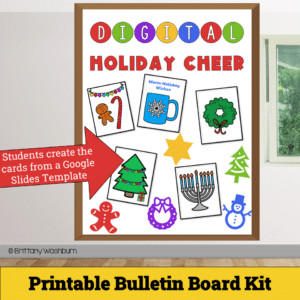
Get ready to spread joy and holiday spirit with our Digital Holiday Cheer – Printable Card Activity and Bulletin Board Kit! This delightful digital project empowers students to design and craft their very own personalized holiday cards, combining the magic of the season with essential digital skills.
$24.00Original price was: $24.00.$19.20Current price is: $19.20.
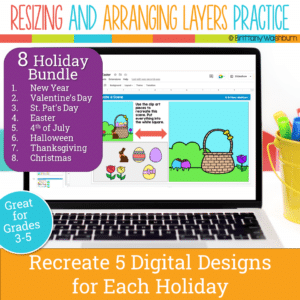
Even our youngest learners can master graphic design basics with digital design activities like these Holiday Scene challenges. For each holiday, students will drag the provided clip art pieces into the work area and then resize and layer the pieces until it looks exactly like the model. I’ve provided 5 challenges for each holiday that are increasingly more difficult and require more tech skills and perseverance.
Each holiday resource includes:
Google Slides (or download as PowerPoint)
Background and Clip Art Graphics Included
5 Levels of Challenge
Optional Slide for students to design their own holiday Scene
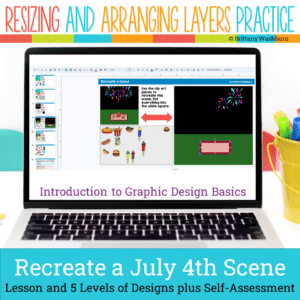
Even our youngest learners can master graphic design basics with digital design activities like this Recreate a 4th of July Scene challenge. Students will drag the provided clip art pieces into the work area and then resize and layer the pieces until it looks exactly like the model. I’ve provided 5 challenges that are increasingly more difficult and require more tech skills and perseverance.
Introduce a lesson on Software with this eBook that teaches about presentation software, including what it is and how we use it. Share the PDF with students for a paperless experience or print the nonfiction text out as a booklet.
Introduce a lesson on Software with this eBook that teaches about word processing software, including what it is and how we use it. Share the PDF with students for a paperless experience or print the nonfiction text out as a booklet.
Introduce a lesson on creativity in technology with this eBook that teaches about the history and development of Bluetooth. Share the PDF with students for a paperless experience or print the nonfiction text out as a booklet.
Introduce a lesson on creativity in technology with this eBook that teaches about the history and development of Video Games. Share the PDF with students for a paperless experience or print the nonfiction text out as a booklet.
Introduce a lesson on Cell Phones with this eBook that teaches about the history and development of Cell Phones. Share the PDF with students for a paperless experience or print the nonfiction text out as a booklet.
Coding meets Social Studies instruction with VoCode! Integrate those robots you have (or turn students into robots) to complete these phonics coding challenges. 3 Options for the activities mean that you can use this with ANY movable Bots and ANY grade level of students. Be sure to check out the images to see which ones are included!
Coding meets ELA instruction with VoCode! Integrate those robots you have (or turn students into robots) to complete these phonics coding challenges. 3 Options for the activities mean that you can use this with ANY movable Bots and ANY grade level of students. Be sure to check out the images!
This set includes Compound Words. Check out the images to see which ones are included.
Coding meets ELA instruction with VoCode! Integrate those robots you have (or turn students into robots) to complete these phonics coding challenges. 3 Options for the activities mean that you can use this with ANY movable Bots and ANY grade level of students. Be sure to check out the preview!
This set includes Diagraphs for ch, sh, and th. Check out the images to see which ones are included.
Coding meets science vocabulary instruction with VoCode! Integrate those robots you have (or turn students into robots) to complete these coding challenges. 3 Options for the activities mean that you can use this with ANY movable Bots and ANY grade level of students. Be sure to check out the images!
Coding meets science vocabulary instruction with VoCode! Integrate those robots you have (or turn students into robots) to complete these coding challenges. 3 Options for the activities mean that you can use this with ANY movable Bots and ANY grade level of students. Be sure to check out the images!
Coding meets science vocabulary instruction with VoCode! Integrate those robots you have (or turn students into robots) to complete these coding challenges. 3 Options for the activities mean that you can use this with ANY movable Bots and ANY grade level of students. Be sure to check out the images!
Coding meets vocabulary instruction with VoCode! Integrate those robots you have (or turn students into robots) to complete these coding challenges. 3 Options for the activities mean that you can use this with ANY movable Bots and ANY grade level of students. Be sure to check out the preview!
This set includes 14 Google Apps Icons. Check out page 5 of the preview to see which ones are included.
$16.00Original price was: $16.00.$14.40Current price is: $14.40.
5th Grade Language Google Folder that includes 18 different interactive activity files, which I am calling a digital resource library. These are ideal for a paperless (or almost) classroom using Google or Microsoft. Access them any time, anywhere you have a wifi connection. The best part is that they also work downloaded as PowerPoint files!
$5.00Original price was: $5.00.$3.00Current price is: $3.00.
Digital Mystery Pictures with a March Theme for Multiplication and Division Practice. Your students will love discovering what is hidden in the boxes after completing rigorous multi-digit multiplication and division problems.
$10.00Original price was: $10.00.$6.00Current price is: $6.00.
Digital Mystery Pictures with a Spring Theme for Multiplication and Division Practice. Your students will love discovering what is hidden in the boxes after completing rigorous multi-digit multiplication and division problems.
$15.00Original price was: $15.00.$12.00Current price is: $12.00.
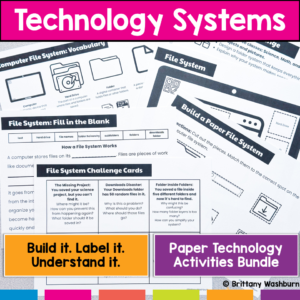
Stop trying to explain how technology works… and let students build it instead. This hands-on bundle includes 5 interactive activities that help students understand the systems behind everyday technology. Instead of memorizing vocabulary, students build, label, and explain how technology actually works.
From Wi-Fi to file organization to how data travels across the internet, these activities turn abstract concepts into clear, concrete learning experiences.
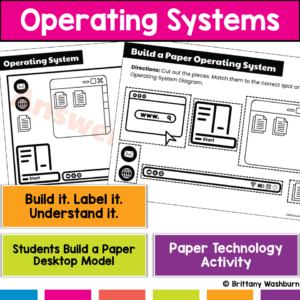
Students use computers every day…but most don’t actually understand what’s running them. This hands-on operating system activity helps students build and explore a computer desktop so they can understand how apps, files, and system tools work together.
Instead of just clicking around, students build a working model of a computer interface, making an abstract concept clear and easy to explain.
$22.25Original price was: $22.25.$17.80Current price is: $17.80.
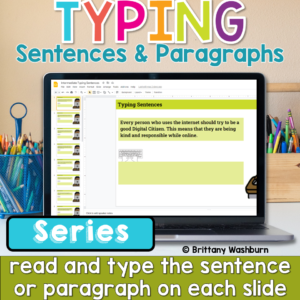
Help students build the keyboarding skills they need to write confidently on a computer with this Progressive Keyboarding Practice Bundle. This series is designed to guide students step-by-step from typing simple sentences to typing full paragraphs, helping them develop both typing fluency and confidence composing digitally.
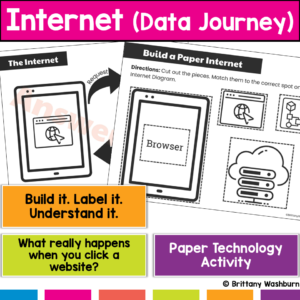
What actually happens when students type a website and hit enter? Most students don’t know, and that’s why this concept feels confusing. This hands-on internet activity helps students build and model how data travels across the internet, turning an invisible process into something they can see, touch, and explain. Students don’t just learn vocabulary, they build the internet’s data journey step by step.
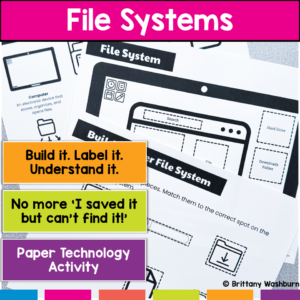
Are your students constantly saying, “I saved it… but I can’t find it!”? That’s not just forgetfulness—it’s a lack of understanding how files and folders actually work. This hands-on file system activity helps students build, label, and organize a computer file system so they can finally understand how digital organization works.
Instead of memorizing vocabulary, students create a visual model of a file system, making abstract concepts concrete and easy to apply.
$45.00Original price was: $45.00.$30.00Current price is: $30.00.
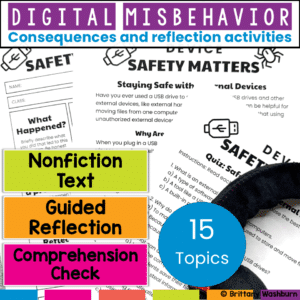
Teach digital responsibility and redirect tech misbehavior with this restorative reflection bundle. Includes nonfiction reading, reflection sheets, comprehension checks, and bonus digital tools! Build digital citizenship skills while addressing tech misbehavior—without taking devices away.
This bundle includes 15 complete reflection activities designed to help students understand and take responsibility for their actions in the computer lab or any tech-integrated classroom.
Help students build essential digital literacy skills with this no-prep Digital Tools & Apps Lesson! Students will explore word processors, spreadsheets, presentation software, and digital art applications through a structured lesson that includes pre-made materials and suggested classroom activities.
$6.00Original price was: $6.00.$3.00Current price is: $3.00.
Reinforce your students’ understanding of cloud computing concepts with this engaging set of 24 review task cards! Designed for upper elementary and middle-grade students, this activity provides an excellent opportunity to revisit and apply knowledge about cloud storage, safe information sharing, and the benefits and challenges of using cloud-based tools. These task cards are ideal for consolidating learning after an introduction to cloud computing basics.
$6.00Original price was: $6.00.$3.00Current price is: $3.00.
Equip your students with essential time management skills using this engaging set of 24 Time Management with Digital Tools Task Cards! Designed for elementary and middle school students, this activity introduces practical, real-life strategies to stay organized and productive with the help of digital tools. Through these interactive task cards, students will explore digital calendars, to-do lists, reminders, and other time-saving technologies to help them balance schoolwork, personal tasks, and responsibilities.
Equip your students with essential skills for responsible and effective digital communication with this set of 24 Digital Communication Task Cards! Designed for upper elementary and middle grade students, these task cards focus on the basics of writing professional emails, recognizing phishing scams, attaching files, and practicing respectful online communication. This activity will prepare students to navigate digital tools responsibly, whether for academic purposes or in their future professional lives.
Introduce your students to the world of coding with this engaging set of 24 task cards! Designed specifically for elementary and middle school learners, this activity covers fundamental coding concepts, such as sequences, loops, conditions, and events. These concepts are presented through a mix of conceptual questions and real-world coding examples, helping students build a solid foundation in computational thinking.
$7.00Original price was: $7.00.$3.50Current price is: $3.50.
Help students explore the world of operating systems and user interfaces with this set of 30 discussion prompts. Perfect for engaging elementary students in understanding how computers and devices work, these cards are ideal for sparking interactive conversations in the computer lab or classroom.
What’s Included:
30 printable discussion prompt cards (5 pages with 6 cards per page).
Each card features an open-ended question to inspire thoughtful discussions on operating systems, user interfaces, and how these concepts affect how we use technology.
3-page guide on how to use discussion prompts effectively with students.
Printable PDF format, ready to print, cut, and use for engaging discussions in your classroom.
$7.00Original price was: $7.00.$3.50Current price is: $3.50.
Spark curiosity and critical thinking in your classroom with these 30 History and Future of Technology discussion prompts. Designed to engage students in meaningful conversations about how technology has evolved and where it’s headed, these printable cards are perfect for the computer lab or classroom discussions!
What’s Included:
30 printable discussion prompt cards (5 pages with 6 cards per page).
Each card contains an open-ended question to prompt discussions about the history of technology, key inventions, and future technological innovations.
3-page guide with tips on how to use discussion prompts effectively with students in both small group and whole-class settings.
Printable PDF format, ready to print, cut, and use to inspire interactive and thought-provoking discussions.