


✅ Shop with Confidence
- 🔒 Secure Checkout – Your payment is safe and protected.
- ⭐ Quality Guaranteed – Store credit refunds if something isn’t right.
- 🎉 Earn Rewards – Get points for every dollar spent & redeem as store credit!
👉 Add to Cart and start using this resource today
File Folder Keyboard Activities
$3.00
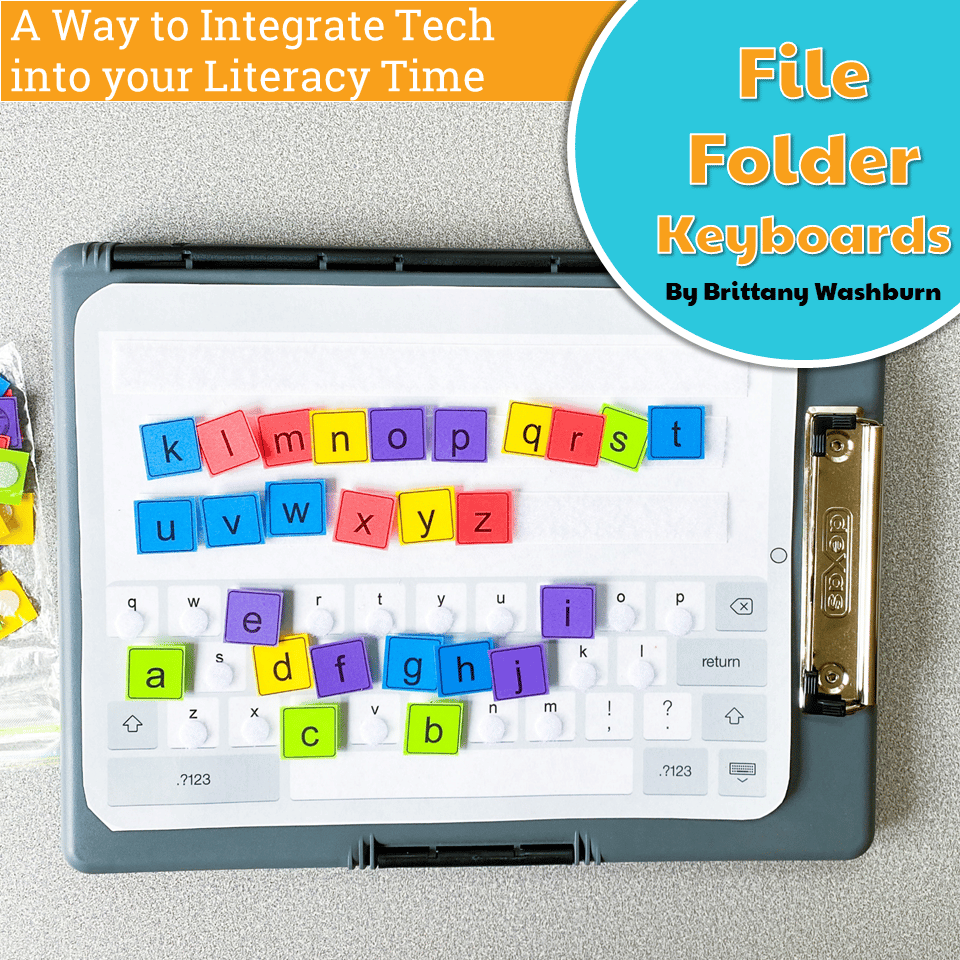
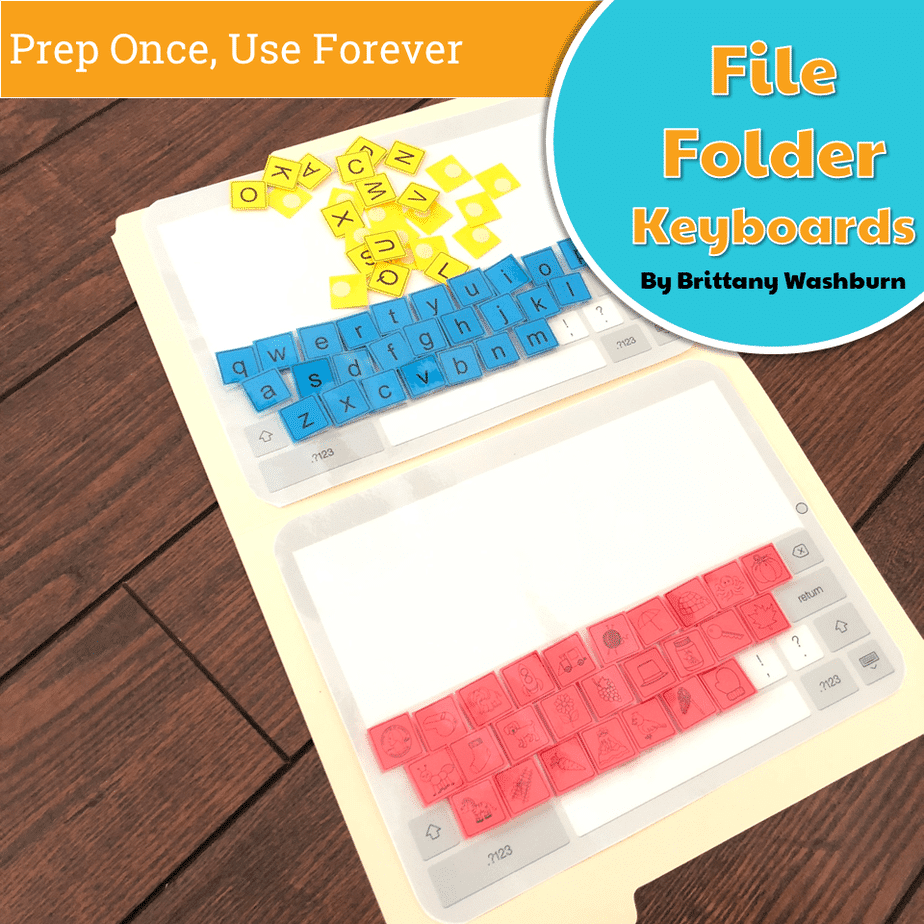
Students practice the alphabet by matching individual letter keys to their places on a keyboard in a file folder. There are 4 different keyboard layout options included as well as uppercase, lowercase, and beginning letter picture key pieces. Prep once and use forever!
You may also like…
-
Sale!

K-5 Technology Activities Bundle
Original price was: $728.74.$510.12Current price is: $510.12. -
Sale!

File Folder Keyboard Activities
$3.00
Description
Students practice the alphabet by matching individual letter keys to their places on a keyboard in a file folder. There are 4 different keyboard layout options included as well as uppercase, lowercase, and beginning letter picture key pieces. Prep once and use forever!
Save 20% with the Technology Back Up Plans set
What is included in this File Folder Keyboard Activities PDF:
- 4 Keyboard layout options. PC, Chromebook, Mac, and Tablet.
- Each keyboard layout is given in uppercase and lowercase.
- 3 Letter options. Uppercase, Lowercase, and Beginning letter pictures.
- Picture instructions to guide assembly, but the end result can be very flexible to meet your needs.
Materials needed:
- Cardstock and colored paper recommend
- File folders
- Laminator or ability to laminate
- Velcro dots or pieces and strips
Ideas for Use:
- Word work station for students learning to match letters. Ideal for a classroom that has technology and students will eventually be expected to find the letters on a keyboard.
- This would make a great activity to introduce the keyboard layout to kindergarten and first grade students. If you make multiple sets, you could do a racing activity to see who can put the keyboard together the fastest.
- Print all 8 keyboard mats and use them as stations around the classroom. Print and prep the key pieces in the different fonts and make them available at each station for multi-use matching. Students can do it as many times as you have time for.
- Extension ideas include printing 2 copies of the whole keyboard mats to include the special keys and numbers for older students who are ready for the challenge. Keep them available in your room for early finishers or days when you don’t have access to devices.
Product Terms:
Copyright © Brittany Washburn 2018. Purchasing this file entitles you to ONE classroom use. You may use this with multiple classes but may not share with any other teachers. Copying for more than one teacher, classroom, department, school, or school system is prohibited. This product may not be distributed or displayed digitally for public view. Failure to comply is a copyright infringement and a violation of the Digital Millennium Copyright Act (DMCA). Clipart and elements found in this PDF are copyrighted and cannot be extracted and used outside of this file without permission or license. If multiple licenses are needed for use my more than one teacher or in more than one computer lab, additional licenses are discounted.
Connect with other Technology Teachers:
If you’re interested in connecting with other technology teachers, check out the Technology Teacher Tribe Group on Facebook.
Connect with me on social media!
Additional information
| Resource Type | Centers/Stations |
|---|---|
| Format |
6 reviews for File Folder Keyboard Activities
You must be logged in to post a review.
Videos
What teachers said on TPT
Rated 4.9 out of 5 by 159 teachers on Teachers Pay Teachers.
“I used this as a center activity in my STEAM Lab for my 2nd graders who were practicing logging on to their Chromebooks for the first time ever. I had my students look for the letters they needed and then move them over to the keyboard. They loved this activity and it kept their little hands busy! I look forward to using it later this year with my 1st graders to help them practice finding the letters in their name on a keyboard.”
— Mathematically E., TPT review
“This resource requires a lot of prep to get ready for students to use. I actually asked my son to help me with cutting out the keys. It was time consuming. The resource also requires a lot of velcro. With all that being said, I think these file folder keyboards are going to be wonderful to use with students. They are a great idea, and I thank Brittany for creating this resource.”
— Sherry M., TPT review
“I purchased this right before our school did Kindergarten round-up for families thinking about sending their child to our school next school year. I am so glad I found this as I will used this at the beginning of each school year with my Kindergarten students and review with my first graders.”
— Marsha W., TPT review
You may be interested in…
-

1st Grade Software Lessons Bundle | Computer Lab
Add to cartOriginal price was: $36.00.$28.80Current price is: $28.80. -

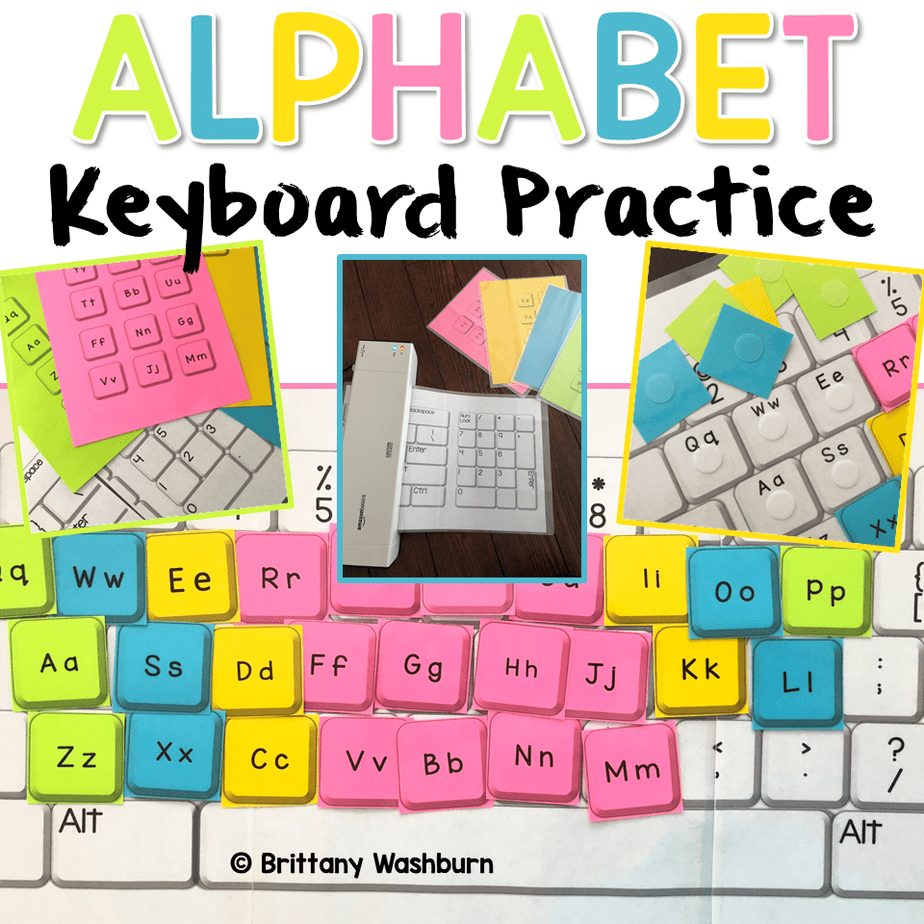
Alphabet Keyboard Practice
Add to cart$5.00 -
Build and Type Sight Words Digital Activity
Add to cart$4.00


Related Products
-
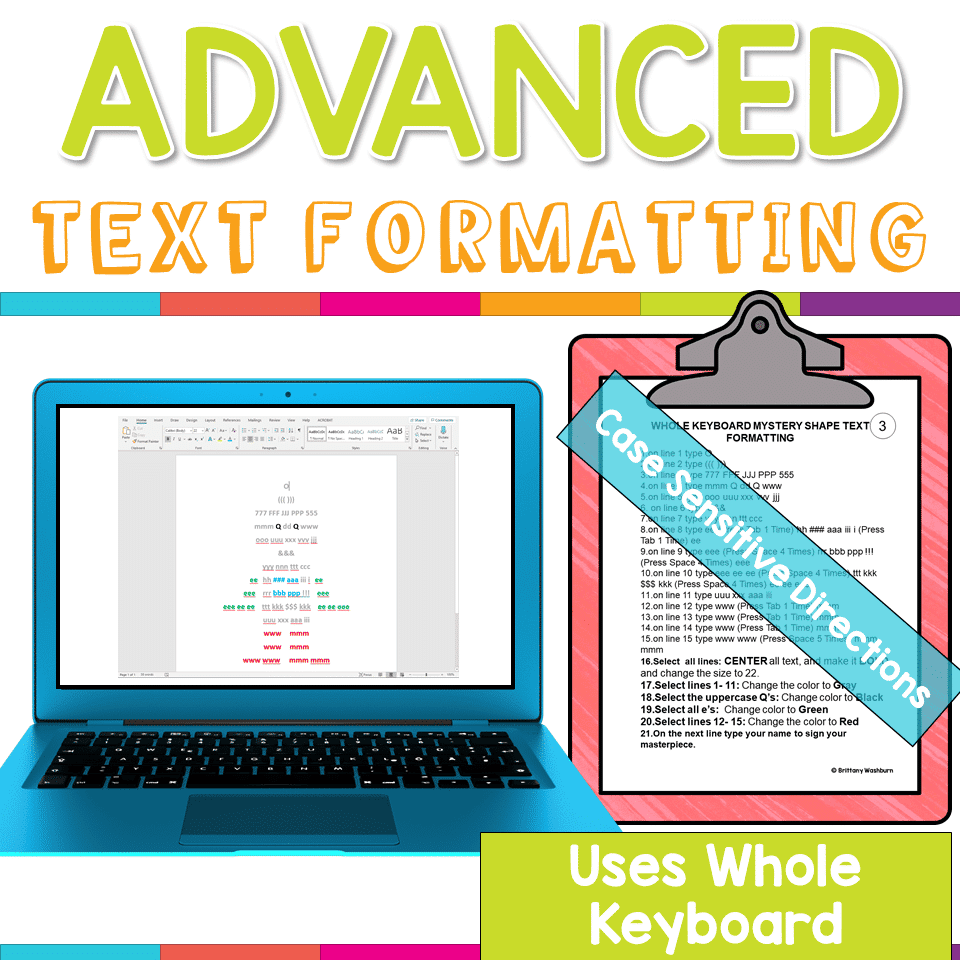
Advanced Keyboarding Text Formatting Activities
Add to cart$7.00 -
Alphabet Keyboard Practice
Add to cart$5.00 -
Basic Robotics Printable Task Cards
Add to cartOriginal price was: $6.00.$3.00Current price is: $3.00. -
Basic Troubleshooting Printable Task Cards
Add to cart$6.00



You didn’t become a tech teacher to spend your weekends building lessons from scratch. I’m Brittany, a technology curriculum specialist with 1,000+ ISTE-aligned resources designed specifically for K–8 computer lab teachers.
My ready-made digital and printable resources cover everything from digital citizenship and coding fundamentals to multimedia creation and computer essentials, so your planning is handled and your students stay engaged.
Every resource is built to align with ISTE Standards, save you time, and actually work in a computer lab setting, because I’ve taught in one myself.
Browse my bestsellers, or explore by grade level or topic to find exactly what you need.


Kristine D. (verified owner) –
I LOVE that this incorporates both technology skills as well as literacy skills! My student think its fun and different.
Kimberly S. (verified owner) –
I am so excited to use this! I prepared the folders and will begin to use them in class. It’s a great way to include the youngest students in computer technology.
Amanda K. (verified owner) –
My kids LOVED this activity! We started out with the capital letters, but I look forward to moving on and using mixed case, especially with my kinders as they become more familiar with the alphabet.
Donetta C. (verified owner) –
All of your resources are amazing! As much as teaching technology is hands-on, we all know that there are days that we need to unplug. These activities are perfect!
Kathleen H. (verified owner) –
We used these as a review game and a race to see who could make the keyboard the fastest. My littles loved it. We had so much fun.
Sandra Ridley (verified owner) –
The best part of this resource is there are materials to fit different types of keyboards such as: PC, iPad and Chromebook Keyboards.