Students are going to love discovering what ocean themed design is hidden in the hundreds chart mystery picture and you’ll love that they are practicing so many different skills. While students may be familiar with paper and pencil hundreds charts, it takes it to a whole new level to do it digitally. Students will really master the toolbar in whatever program you use. The activity has them filling 100 cells in a table per design, making it a mastery activity.
This resource works on so many great technology skills. While students may be familiar with using snap cubes (or counting blocks or whatever you call them) to make designs, it brings the skill to a whole new level to do it digitally. 10 Easter designs in 4 different levels for differentiation between grade levels k-5.
This resource works on so many great technology skills. While students may be familiar with using snap cubes (or counting blocks or whatever you call them) to make designs, it brings the skill to a whole new level to do it digitally. 10 Ocean Theme designs in 4 different levels for differentiation between grade levels k-5.
$92.25Original price was: $92.25.$45.00Current price is: $45.00.
Planning your keyboarding units for grades K-5 just got easier! This is a bundle of typing resources that includes everything you need to facilitate keyboarding practice and progress.
Students are going to love creating their own Build a Gingerbread Scene Digital Glyph and you’re going to love all of the technology skills work they are getting. Digital Glyphs work on so many great technology skills. While students may be familiar with paper and pencil glyph activities, it takes it to a whole new level to do it digitally.
In this Build a Gingerbread Scene activity, students will be asked to work across slides in either Google Slides or PowerPoint, copy and paste between slides, resize pieces, layer pieces, group pieces, and save their finished work as an image file. All while completing an engaging get-to-know-you activity.
Learning keyboarding can be super boring and tedious for students. This set of 4 Bugs Themed text formatting activities aims to bring engagement and a sense of purpose to the practice of typing. Students will also (hopefully) have a sense of pride over the final outcome and an understanding of the learning objective.
Digital Click and Drag Mystery Pictures work on so many great technology skills. While students may be familiar with using 100s charts in their math lessons, it brings the skill to a whole new level to use them as mouse or trackpad practice. This set includes 5 November/Thanksgiving themed designs in 2 different levels for differentiation between grade levels k-5.
Teach students how to save a file in a way they will never forget.
Have you given up on having your students save files on school computers because they never remember the steps to follow? I was so frustrated that they would “forget” how to save every single time, even after showing them again and again. I came up with a way to teach them that makes them so much more independent when using the school computers!
$18.00Original price was: $18.00.$12.00Current price is: $12.00.
Timely Tech is designed to help your students build tech skills while incorporating monthly themed digital activities.
When I teach my students with monthly themed activities that bring in the other subject areas, I find that they are more engaged and empowered to learn.
Help students learn the history and development of technology they use every day. Students learn about past and present technology and then practice with sorting, matching and labeling activities. Plan to read the definitions and timeline slides whole-group and then have students do the activity slides independently.
$99.00Original price was: $99.00.$83.00Current price is: $83.00.
14 Digital Interactive resources that work on tech skills bundled together to save you money. Your students will need google accounts to use these activities. A shared google account works for the primary grades activities.
Digital activities for the book Webster’s Friend that are perfect for grades K-2. 12 total digital activities that will help students expand their understanding of this great read aloud storybook. I designed this for technology teachers or media specialists so that you can read the same book to all 3 grade levels and then assign them different activities. You can read it again the next year with fresh activities for the next grade!
$8.00Original price was: $8.00.$4.00Current price is: $4.00.
Transform your students’ understanding of computational thinking with the engaging and interactive Algorithms Mystery Builds activity! This activity is designed to help students practice following directions, learn computational thinking vocabulary, and develop mouse/cursor control. Perfect for classroom use or homeschooling environments!
26 letters and numbers 0-9 coded in Binary to give students a decoding challenge while also practicing academics! They are broken up into 6 sets of 6 digital flash cards which students access via a clickable PDF to take them to the web pages. After each letter or number, students click check to see if they got it right or wrong. Students type the letter or number into the field. It is not case-sensitive, making this a great activity for primary grades.
Digital Spring Themed Coding Activities for your grades 2-5 students. These are fully digital and can be used through Google Slides or PowerPoint. Let your students learn about computer languages in a fun and engaging way. These activities are independent click and go lessons on binary, coding, and problem solving. Perfect for the ISTE standard Computational Thinking. They would even be great for your STEM time in class or your Maker Space during the Hour of Code!
TECHademics is a way to teach technology skills to our youngest learners while also working on academic content. This 2nd Grade Math and ELA set for Fall has 12 different math and ELA skills while working on technology skills for the mouse and keyboard.
Digital Click and Drag Mystery Pictures work on so many great technology skills. While students may be familiar with using 100s charts in their math lessons, it brings the skill to a whole new level to use them as mouse or trackpad practice. This set includes 5 December/Christmas themed designs in 2 different levels for differentiation between grade levels k-5.
Students are going to love discovering what Easter themed design is hidden in the hundreds chart mystery picture and you’ll love that they are practicing so many different skills. While students may be familiar with paper and pencil hundreds charts, it takes it to a whole new level to do it digitally. Students will really master the toolbar in whatever program you use. The activity has them filling 100 cells in a table per design, making it a mastery activity.
Students can learn and memorize the parts of a computer by completing 10 engaging digital secret picture tile puzzles. These puzzles are great mouse or trackpad practice as well as being an opportunity to practice navigating a Google Slides or PowerPoint file.
Learning keyboarding can be super boring and tedious for students. This set of 4 Candy Themed text formatting activities aims to bring engagement and a sense of purpose to the practice of typing. Students will also (hopefully) have a sense of pride over the final outcome and an understanding of the learning objective.
This resource works on so many great technology skills. While students may be familiar with using snap cubes (or counting blocks or whatever you call them) to make designs, it brings the skill to a whole new level to do it digitally. 10 Pet Shop Theme designs in 4 different levels for differentiation between grade levels k-5.
Students are going to love discovering what Back to School themed design is hidden in the spreadsheet software mystery picture and you’ll love that they are practicing so many different skills. While students may be familiar with paper and pencil mystery pictures, it takes it to a whole new level to do it digitally. Students will really master the toolbar in Google Sheets or Microsoft Excel. The activity has them filling 100 cells in the table per design, making it a mastery activity.
Students are going to love creating their own Digital Glyph Spring Scene and you’re going to love all of the technology skills work they are getting. This resource works on so many great technology skills. While students may be familiar with paper and pencil glyph activities, it takes it to a whole new level to do it digitally.
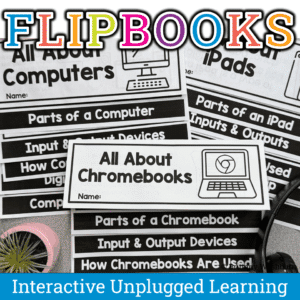
Introduce technology the fun way! These printable flipbooks help elementary students learn about iPads, computers, and Chromebooks through hands-on, interactive activities. Students explore tech vocabulary, parts of a device, input/output, and digital citizenship. Perfect for computer lab teachers and tech integration in grades 1–3.
Boost your students’ foundational tech skills with these engaging and interactive 14 Computer Basics Digital Activity Slides! Perfect for elementary classrooms, this resource covers desktop navigation, file management, internet browsing, and more—aligned with ISTE Standards for students.
What’s Included:
14 interactive digital activity slides designed for Google Slides or PowerPoint
Activities on key computer basics:
Identifying desktop icons
Organizing and naming files
Internet navigation
Proper shutdown procedures
Pre-made templates for teachers to facilitate the lesson with ease
Homework extension ideas for continued practice at home
$7.00Original price was: $7.00.$3.50Current price is: $3.50.
Equip your students with the problem-solving skills they need to navigate technology challenges with confidence. These 30 Technology Troubleshooting discussion prompts will engage students in thinking critically about how to solve common tech issues, making them tech-savvy and resourceful.
What’s Included:
A set of 30 thoughtfully designed printable cards featuring open-ended discussion prompts focused on Technology Troubleshooting for elementary students.
Each card presents a real-world tech scenario or question, encouraging students to think critically and collaboratively about how to resolve technology problems.
The cards are provided in PDF format, ready to print and use in your classroom.
Digital Click and Drag Mystery Pictures work on so many great technology skills. While students may be familiar with using 100s charts in their math lessons, it brings the skill to a whole new level to use them as mouse or trackpad practice. This set includes 5 February themed designs in 2 different levels for differentiation between grade levels k-5.
Students are going to love discovering what Back to School themed design is hidden in the hundreds chart mystery picture and you’ll love that they are practicing so many different skills. While students may be familiar with paper and pencil hundreds charts, it takes it to a whole new level to do it digitally. Students will really master the toolbar in whatever program you use. The activity has them filling 100 cells in a table per design, making it a mastery activity.
$49.50Original price was: $49.50.$39.60Current price is: $39.60.
273 I Can Statements for the 2016 ISTE Standards for Students. These are designed to match the Technology Themed Decor Classroom Set. Both portrait and landscape layouts are included as well as blank templates for you to make your own.
Students are going to love discovering what New Years themed design is hidden in the hundreds chart mystery picture and you’ll love that they are practicing so many different skills. While students may be familiar with paper and pencil hundreds charts, it takes it to a whole new level to do it digitally. Students will really master the toolbar in whatever program you use. The activity has them filling 100 cells in a table per design, making it a mastery activity.
Digital interactive slides for 2nd and 3rd grade students with a December theme. Timely Tech is designed to help your students build tech skills while incorporating monthly themed digital activities.
When I teach my students with monthly themed activities that bring in the other subject areas, I find that they are more engaged and empowered to learn. There is intentionally lots of repetition from month to month with these Timely Tech activities because students are building both tech and academic skills.
This resource works on so many great technology skills. While students may be familiar with using snap cubes (or counting blocks or whatever you call them) to make designs, it brings the skill to a whole new level to do it digitally. 10 School Theme designs in 4 different levels for differentiation between grade levels k-5.
Students are going to love creating their own Build a Classroom Digital Glyph and you’re going to love all of the technology skills work they are getting. Digital Glyphs work on so many great technology skills. While students may be familiar with paper and pencil glyph activities, it takes it to a whole new level to do it digitally.
Students are going to love discovering what Easter themed design is hidden in the spreadsheet software mystery picture and you’ll love that they are practicing so many different skills. While students may be familiar with paper and pencil mystery pictures, it takes it to a whole new level to do it digitally. Students will really master the toolbar in Google Sheets or Microsoft Excel. The activity has them filling 100 cells in the table per design, making it a mastery activity.
$40.00Original price was: $40.00.$28.00Current price is: $28.00.
Digital pixel art works on so many great technology skills. While students may be familiar with using snap cubes (or counting blocks or whatever you call them) to make designs, it brings the skill to a whole new level to do it digitally. 10 Holidays included in 4 different levels for differentiation between grade levels k-5.
Digital Click and Drag Mystery Pictures work on so many great technology skills. While students may be familiar with using 100s charts in their math lessons, it brings the skill to a whole new level to use them as mouse or trackpad practice. This set includes 5 October themed designs in 2 different levels for differentiation between grade levels k-5.
This resource works on so many great technology skills. While students may be familiar with using snap cubes (or counting blocks or whatever you call them) to make designs, it brings the skill to a whole new level to do it digitally. 10 Farm Theme designs in 4 different levels for differentiation between grade levels k-5.
$10.00Original price was: $10.00.$8.00Current price is: $8.00.
If you’ve been wanting to try Green Screen projects with your students, want it to be appropriate for elementary students, and want to integrate with content area topics, then this set of projects is for you! 30 Green Screen project prompts for the Green Screen by Do Ink App.
Students are going to love creating their own Build a Farm Digital Glyph and you’re going to love all of the technology skills work they are getting. Digital Glyphs work on so many great technology skills. While students may be familiar with paper and pencil glyph activities, it takes it to a whole new level to do it digitally.
In this Build a Farm activity, students will be asked to work across slides in either Google Slides or PowerPoint, copy and paste between slides, resize pieces, layer pieces, group pieces, and save their finished work as an image file. All while completing an engaging get-to-know-you activity.
Learning keyboarding can be super boring and tedious for students. This set of 4 Birthday Themed text formatting activities aims to bring engagement and a sense of purpose to the practice of typing. Students will also (hopefully) have a sense of pride over the final outcome and an understanding of the learning objective.
Digital activities for the book The Magic School Bus Gets Programmed that are perfect for grades K-2. 12 total digital activities that will help students expand their understanding of this great read aloud storybook. I designed this for technology teachers so that you can read the same book to all 3 grade levels and then assign them different activities. You can read it again the next year with fresh activities for the next grade!