Digital coloring pages work on so many great technology skills at the same time. While students are all familiar with paper and pencil coloring activities, it takes it to a whole new level to do it digitally. With these rooms in a house theme designs, students will master working with layered shapes and the fill tool. Coloring in individual shapes in each design requires precision and patience.
Since we are all stuck at home, I thought it might be fun for students to digitally color the rooms in a house. This set is just a little bit different than the previous ones because there are background shapes and letters to color in.
Students are going to love discovering what Farm themed design is hidden in the spreadsheet software mystery picture and you’ll love that they are practicing so many different skills. While students may be familiar with paper and pencil mystery pictures, it takes it to a whole new level to do it digitally. Students will really master the toolbar in Google Sheets or Microsoft Excel. The activity has them filling 100 cells in the table per design, making it a mastery activity.
Students are going to love discovering what Monsters themed design is hidden in the hundreds chart mystery picture and you’ll love that they are practicing so many different skills. While students may be familiar with paper and pencil hundreds charts, it takes it to a whole new level to do it digitally. Students will really master the toolbar in whatever program you use. The activity has them filling 100 cells in a table per design, making it a mastery activity.
Students are going to love discovering what Clothing themed design is hidden in the hundreds chart mystery picture and you’ll love that they are practicing so many different skills. While students may be familiar with paper and pencil hundreds charts, it takes it to a whole new level to do it digitally. Students will really master the toolbar in whatever program you use. The activity has them filling 100 cells in a table per design, making it a mastery activity.
Coding meets ELA instruction with VoCode! Integrate those robots you have (or turn students into robots) to complete these fairy tale coding challenges. 3 Options for the activities mean that you can use this with ANY movable Bots and ANY grade level of students. Be sure to check out the images!
Coding meets Social Studies instruction with VoCode! Integrate those robots you have (or turn students into robots) to complete these Fire Safety coding challenges. 3 Options for the activities mean that you can use this with ANY movable Bots and ANY grade level of students. Be sure to check out the images to see which ones are included!
Coding meets science vocabulary instruction with VoCode! Integrate those robots you have (or turn students into robots) to complete these coding challenges. 3 Options for the activities mean that you can use this with ANY movable Bots and ANY grade level of students. Be sure to check out the images!
Coding meets math vocabulary instruction with VoCode! Integrate those robots you have (or turn students into robots) to complete these coding challenges. 3 Options for the activities mean that you can use this with ANY movable Bots and ANY grade level of students.
This resource works on so many great technology skills. While students may be familiar with using snap cubes (or counting blocks or whatever you call them) to make designs, it brings the skill to a whole new level to do it digitally. 10 4th of July designs in 4 different levels for differentiation between grade levels k-5.
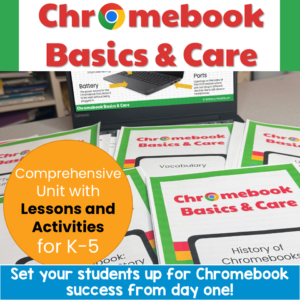
Set your students up for Chromebook success from day one! This complete Chromebook Basics & Care unit gives you everything you need to teach proper device use, care, and online safety. Perfect for 1:1 rollouts, back-to-school week, computer lab orientation, or sub plans.
With a 5-part suggested pacing guide, leveled stories and quizzes for differentiation, AND interactive Google Slides activities you can assign through Google Classroom, this unit works for your whole building.
$6.50Original price was: $6.50.$3.25Current price is: $3.25.
Encourage students to explore software programs with this set of 24 discussion prompts. These printable cards are perfect for sparking meaningful conversations about how software works, the different types of software, and how we use them in everyday life. Ideal for the computer lab or classroom!
What’s Included:
24 printable discussion prompt cards (4 pages with 6 cards per page).
Each card features an open-ended question designed to get students thinking critically about software programs, from how they’re used to why they’re important.
3-page guide on how to use discussion prompts effectively with students.
Printable PDF format, ready to print, cut, and use for engaging class discussions.
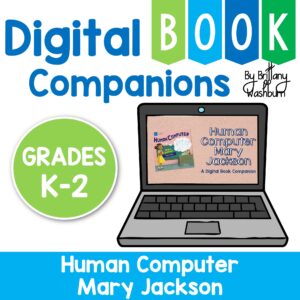
Digital activities for the book Human Computer: Mary Jackson, Engineer that are perfect for grades K-2. 12 total digital activities that will help students expand their understanding of this great read aloud storybook. I designed this for technology teachers or media specialists so that you can read the same book to all 3 grade levels and then assign them different activities. You can read it again the next year with fresh activities for the next grade!
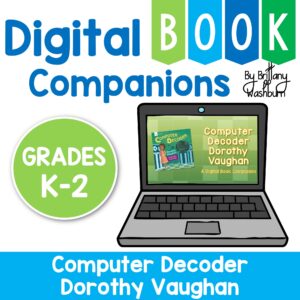
Digital activities for the book Computer Decoder Dorothy Vaughan that are perfect for grades K-2. 12 total digital activities that will help students expand their understanding of this great read aloud storybook. I designed this for technology teachers or media specialists so that you can read the same book to all 3 grade levels and then assign them different activities. You can read it again the next year with fresh activities for the next grade!
$56.00Original price was: $56.00.$44.80Current price is: $44.80.
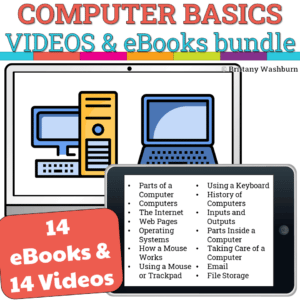
This is a bundle of the eBooks and Videos for Computer Basics booklets. 14 PDF eBooks, 14 .mp4 files of me reading the eBooks (screencasts), and 14 sets of comprehension questions and graphic organizers.
$48.00Original price was: $48.00.$38.40Current price is: $38.40.
Introduce lessons on technology topics with these eBooks. Share the PDF with students for a paperless experience or print the nonfiction text out as a booklet.
Introduce a lesson on creativity in technology with this eBook that teaches about the history and development of Radio Technology. Share the PDF with students for a paperless experience or print the nonfiction text out as a booklet.
Introduce a lesson on creativity in technology with this eBook that teaches about the history and development of Radar Technology. Share the PDF with students for a paperless experience or print the nonfiction text out as a booklet.
Introduce a lesson on creativity in technology with this eBook that teaches about the history and development of Flash Drive Technology. Share the PDF with students for a paperless experience or print the nonfiction text out as a booklet.
Introduce a lesson on creativity in technology with this eBook that teaches about the history and development of Green Screen Technology. Share the PDF with students for a paperless experience or print the nonfiction text out as a booklet.
$358.00Original price was: $358.00.$286.40Current price is: $286.40.
Introduce lessons on technology topics with these eBooks. Share the PDF with students for a paperless experience or print the nonfiction text out as a booklet.
Introduce a lesson on Software with this eBook that teaches about different types of image files and how we use them. Share the PDF with students for a paperless experience or print the nonfiction text out as a booklet.
Introduce a lesson on Software with these 2 eBooks that teach what fonts are and how we use them. Share the PDF with students for a paperless experience or print the nonfiction text out as a booklet.
Computer parts “game” that can be completed on any device. The interactive PDF has an Butterfly theme, where students get to help the butterfly fly to the flower with each correct answer. Interactive PDFs are easy to use and students can practice their tech skills from any device!
Digital activities for the book Goodnight Selfie that are perfect for grades K-2. 12 total digital activities that will help students expand their understanding of this great read aloud storybook. I designed this for technology teachers or media specialists so that you can read the same book to all 3 grade levels and then assign them different activities. You can read it again the next year with fresh activities for the next grade!
Spiral Review technology lessons that teach presentation, word processing, and spreadsheet software over 12 sessions. These will make a great addition to your technology curriculum for the computer lab. The skills build on each other throughout this unit so it is important to do the lessons in order. Weeks 13-24 are all on the topic of the Breakfast Foods around the World so students can take a deep dive into the content and the tech skills.
Students are going to love discovering what Monsters themed design is hidden in the spreadsheet software mystery picture and you’ll love that they are practicing so many different skills. While students may be familiar with paper and pencil mystery pictures, it takes it to a whole new level to do it digitally. Students will really master the toolbar in Google Sheets or Microsoft Excel. The activity has them filling 100 cells in the table per design, making it a mastery activity.
Students are going to love discovering what Food themed design is hidden in the spreadsheet software mystery picture and you’ll love that they are practicing so many different skills. While students may be familiar with paper and pencil mystery pictures, it takes it to a whole new level to do it digitally. Students will really master the toolbar in Google Sheets or Microsoft Excel. The activity has them filling 100 cells in the table per design, making it a mastery activity.
Coding meets ELA instruction with VoCode! Integrate those robots you have (or turn students into robots) to complete these fairy tale coding challenges. 3 Options for the activities mean that you can use this with ANY movable Bots and ANY grade level of students. Be sure to check out the images!
Coding meets ELA instruction with VoCode! Integrate those robots you have (or turn students into robots) to complete these fairy tale coding challenges. 3 Options for the activities mean that you can use this with ANY movable Bots and ANY grade level of students. Be sure to check out the images!
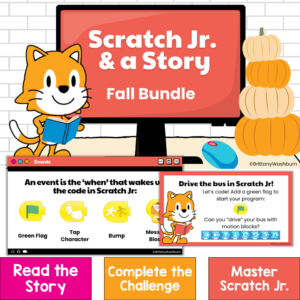
Bring coding into your fall read-alouds with three ready-to-teach Scratch Jr coding activities for kindergarten, first grade, and second grade! Scratch Jr. & a Story: Fall Bundle combines elementary computer science, digital storytelling, and literacy. After listening to a beloved picture book, students use the Scratch Jr app to code an animated scene inspired by the story.
Instead of practicing coding blocks in isolation, students use sequencing, events, movement, timing, testing, and debugging to solve a meaningful challenge. Visual student directions and instructional videos make each project approachable for young coders—even if they are still learning how to use Scratch Jr.
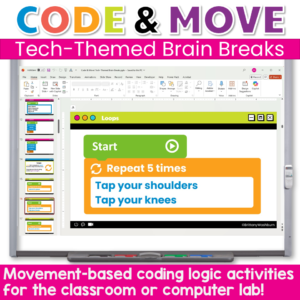
Give your students a chance to reset their brains and reinforce coding concepts with these engaging, no-prep brain breaks designed especially for computer labs and STEM classrooms! Code & Move! offers a fun and purposeful way to incorporate structured movement during class time. Ideal for transition moments, screen breaks, or just getting the wiggles out in a meaningful way.
Each brain break is tied to a coding logic concept, (like sequences, loops, or conditionals) but the primary goal is simple: get students moving, refocused, and ready to learn.
$60.00Original price was: $60.00.$48.00Current price is: $48.00.
Give your students the tools to understand, explore, and thrive in a digital world—all while making your tech lessons easier to plan and more fun to teach.
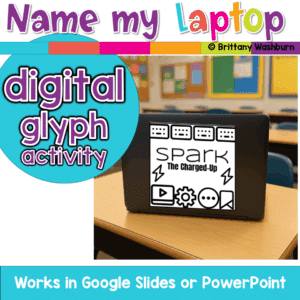
A fun back-to-school glyph activity where students create and name their laptop, Chromebook, iPad, or tablet! Includes digital templates for making personalized tech labels that teachers can print as stickers or use digitally.
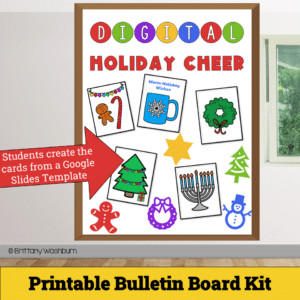
Get ready to spread joy and holiday spirit with our Digital Holiday Cheer – Printable Card Activity and Bulletin Board Kit! This delightful digital project empowers students to design and craft their very own personalized holiday cards, combining the magic of the season with essential digital skills.
$36.00Original price was: $36.00.$28.80Current price is: $28.80.
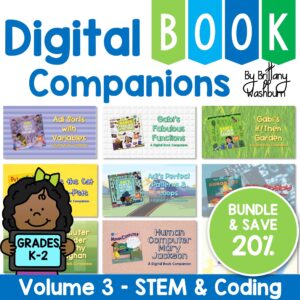
Digital Book Companion activities that perfectly complement 9 STEM and Coding themed picture books. Specifically designed for grades K-2, each digital book companion offers a comprehensive set of 12 engaging activities that will enhance students’ understanding of these captivating read-aloud stories while also practicing tech skills.
Digital activities for the book Gabi’s Fabulous Functions that are perfect for grades K-2. 12 total digital activities that will help students expand their understanding of this great read aloud storybook. I designed this for technology teachers or media specialists so that you can read the same book to all 3 grade levels and then assign them different activities. You can read it again the next year with fresh activities for the next grade!
Digital activities for the book Adi Sorts with Variables that are perfect for grades K-2. 12 total digital activities that will help students expand their understanding of this great read aloud storybook. I designed this for technology teachers or media specialists so that you can read the same book to all 3 grade levels and then assign them different activities. You can read it again the next year with fresh activities for the next grade!
Introduce a lesson on Software with this eBook that teaches about presentation software, including what it is and how we use it. Share the PDF with students for a paperless experience or print the nonfiction text out as a booklet.
Introduce a lesson on Software with this eBook that teaches about word processing software, including what it is and how we use it. Share the PDF with students for a paperless experience or print the nonfiction text out as a booklet.
Introduce a lesson on creativity in technology with this eBook that teaches about the history and development of Bluetooth. Share the PDF with students for a paperless experience or print the nonfiction text out as a booklet.
Introduce a lesson on creativity in technology with this eBook that teaches about the history and development of Video Games. Share the PDF with students for a paperless experience or print the nonfiction text out as a booklet.
Introduce a lesson on Cell Phones with this eBook that teaches about the history and development of Cell Phones. Share the PDF with students for a paperless experience or print the nonfiction text out as a booklet.
Computer icons “game” that can be completed on any device. The interactive PDF has an Popcorn theme, where students get to build a bucket of popcorn with each correct answer. These 24 computer icons are a combination of web browser icons and mouse/trackpad icons. Interactive PDFs are easy to use and students can practice their tech skills from any device!
Computer icons “game” that can be completed on any device. The interactive PDF has an Colored Pencils theme, where students get to fill the box with colored pencils with each correct answer. These 24 computer icons are a combination of web browser icons and mouse/trackpad icons. Interactive PDFs are easy to use and students can practice their tech skills from any device!
$45.00Original price was: $45.00.$36.00Current price is: $36.00.
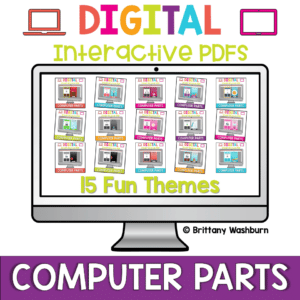
Computer parts “games” that can be completed on any device. Interactive PDFs are easy to use and students can practice their tech skills from any device! This set has a total of 15 themes.
Computer parts “game” that can be completed on any device. The interactive PDF has an Jellybean theme, where students get to collect jellybeans with each correct answer. Interactive PDFs are easy to use and students can practice their tech skills from any device!
Computer parts “game” that can be completed on any device. The interactive PDF has an Crayon theme, where students get to collect crayons with each correct answer. Interactive PDFs are easy to use and students can practice their tech skills from any device!