Digital Click and Drag Mystery Pictures work on so many great technology skills. While students may be familiar with using 100s charts in their math lessons, it brings the skill to a whole new level to use them as mouse or trackpad practice. This set includes 5 October themed designs in 2 different levels for differentiation between grade levels k-5.
This resource works on so many great technology skills. While students may be familiar with using snap cubes (or counting blocks or whatever you call them) to make designs, it brings the skill to a whole new level to do it digitally. 10 Farm Theme designs in 4 different levels for differentiation between grade levels k-5.
14 digital interactive slides for grades K-1 students with a September theme. Timely Tech is designed to help your students build tech skills while incorporating monthly themed digital activities.
When I teach my students with monthly themed activities that bring in the other subject areas, I find that they are more engaged and empowered to learn.
Digital activities for the book The Magic School Bus Gets Programmed that are perfect for grades K-2. 12 total digital activities that will help students expand their understanding of this great read aloud storybook. I designed this for technology teachers so that you can read the same book to all 3 grade levels and then assign them different activities. You can read it again the next year with fresh activities for the next grade!
STEM goes digital with these fun and engaging design challenges. 10 apps and 90 challenges perfect for grades K-5. If you are in a paperless classroom or 1:1 with laptops or Chromebooks then these are ideal for you, but can also be used during tech lab time or with the iPad cart.
Digital activities for the book Bad Kitty Does Not Like Video Games that are perfect for grades K-2. 12 total digital activities that will help students expand their understanding of this great read aloud storybook. I designed this for technology teachers or media specialists so that you can read the same book to all 3 grade levels and then assign them different activities. You can read it again the next year with fresh activities for the next grade!
Digital activities for the book Unplugged that are perfect for grades K-2. 12 total digital activities that will help students expand their understanding of this great read aloud storybook. I designed this for technology teachers or media specialists so that you can read the same book to all 3 grade levels and then assign them different activities. You can read it again the next year with fresh activities for the next grade!
Digital activities for the book Once Upon a Time Online that are perfect for grades K-2. 12 total digital activities that will help students expand their understanding of this great read aloud storybook. I designed this for technology teachers or media specialists so that you can read the same book to all 3 grade levels and then assign them different activities. You can read it again the next year with fresh activities for the next grade!
Digital Click and Drag Mystery Pictures work on so many great technology skills. While students may be familiar with using 100s charts in their math lessons, it brings the skill to a whole new level to use them as mouse or trackpad practice. This set includes 5 January themed designs in 2 different levels for differentiation between grade levels k-5.
Students are going to love discovering what Cinco de Mayo themed design is hidden in the hundreds chart mystery picture and you’ll love that they are practicing so many different skills. While students may be familiar with paper and pencil hundreds charts, it takes it to a whole new level to do it digitally. Students will really master the toolbar in whatever program you use. The activity has them filling 100 cells in a table per design, making it a mastery activity.
This resource works on so many great technology skills. While students may be familiar with using 100s charts to make designs, it brings the skill to a whole new level to do it digitally. 12 Technology themed designs in 2 different levels for differentiation between grade levels k-5.
Digital activities for the book Goodnight iPad that are perfect for grades K-2. 12 total digital activities that will help students expand their understanding of this great read aloud storybook. I designed this for technology teachers so that you can read the same book to all 3 grade levels and then assign them different activities. You can read it again the next year with fresh activities for the next grade!
$12.00Original price was: $12.00.$10.00Current price is: $10.00.
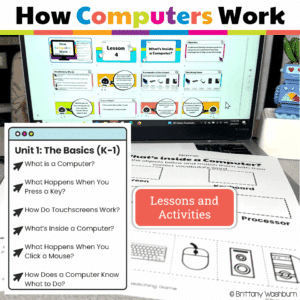
Your K–1 students will love learning how computers work with these interactive, hands-on lessons. From identifying parts of a computer to exploring touchscreens, keyboards, mice, and even beginner coding, this unit builds a strong foundation in digital literacy and responsible tech use—no extra prep required!
Digital Secret Picture Tile Puzzles are great mouse or trackpad practice as well as being an opportunity to practice navigating a Google Slides or PowerPoint file. This set has 10 slides of CVC word building and typing practice. There is a New Year’s theme on the secret pictures to make it engaging.
Students are going to love discovering what New Years themed design is hidden in the spreadsheet software mystery picture and you’ll love that they are practicing so many different skills. While students may be familiar with paper and pencil mystery pictures, it takes it to a whole new level to do it digitally. Students will really master the toolbar in Google Sheets or Microsoft Excel. The activity has them filling 100 cells in the table per design, making it a mastery activity.
Students are going to love discovering what Ocean themed design is hidden in the spreadsheet software mystery picture and you’ll love that they are practicing so many different skills. While students may be familiar with paper and pencil mystery pictures, it takes it to a whole new level to do it digitally. Students will really master the toolbar in Google Sheets or Microsoft Excel. The activity has them filling 100 cells in the table per design, making it a mastery activity.
This resource works on so many great technology skills. While students may be familiar with using snap cubes (or counting blocks or whatever you call them) to make designs, it brings the skill to a whole new level to do it digitally. 10 Monsters Theme designs in 4 different levels for differentiation between grade levels k-5.
$28.50Original price was: $28.50.$22.80Current price is: $22.80.
Would you like students to work on technology skills while doing fun Valentine’s Day themed activities in the computer lab? Then this bundle is for you!
Build a Valentine’s Day Scene Digital Glyph Activity
Valentine’s Day Digital Animation Project
Valentine’s Day Digital Pixel Art
Valentine’s Day Sheets/Excel Digital Mystery Pictures
Valentine’s Day Digital Hundreds Charts Mystery Pictures
Valentine’s Day CVC Words Digital Puzzles
Valentine’s Day Digital Phonics Drag and Drop
Valentine’s Day Graphic Design Lesson and Activity
This resource works on so many great technology skills. While students may be familiar with using snap cubes (or counting blocks or whatever you call them) to make designs, it brings the skill to a whole new level to do it digitally. 10 Sweet Treats Theme designs in 4 different levels for differentiation between grade levels k-5.
Digital activities for the book When Charlie McButton Lost Power that are perfect for grades K-2. 12 total digital activities that will help students expand their understanding of this great read aloud storybook. I designed this for technology teachers so that you can read the same book to all 3 grade levels and then assign them different activities. You can read it again the next year with fresh activities for the next grade!
Introducing the ultimate tech skills awards certificates set! 30 unique awards for students who excel in technology skills. With catchy award names like Code Wizard, Digital Explorer, and Social Media Star, you can recognize and celebrate the achievements of your tech-savvy students in a fun and creative way.
Each award comes with a brief description of the skills or behaviors required to earn it, making it easy for you to choose the right award for each student.
Computer parts “game” that can be completed on any device. The interactive PDF has an Bounce House theme, where students get to build a bounce house with each correct answer. Interactive PDFs are easy to use and students can practice their tech skills from any device!
Students can learn and memorize the cursor icons by completing 10 engaging digital secret picture tile puzzles. These puzzles are great mouse or trackpad practice as well as being an opportunity to practice navigating a Google Slides or PowerPoint file.
Digital Click and Drag Mystery Pictures work on so many great technology skills. While students may be familiar with using 100s charts in their math lessons, it brings the skill to a whole new level to use them as mouse or trackpad practice. This set includes 5 May themed designs in 2 different levels for differentiation between grade levels k-5.
$12.00Original price was: $12.00.$10.00Current price is: $10.00.
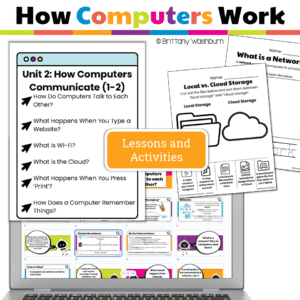
This engaging unit for Grades 1–2 teaches how computers connect, talk, print, save, and store—through easy-to-understand lessons, interactive Google Slides, and hands-on activities. It’s everything you need to build foundational digital literacy and meet ISTE Standards—no prep required!
Help your students understand the invisible world of networks, Wi-Fi, and the internet with this engaging How Computers Communicate unit! Designed for Grades 1–2 technology lessons or the elementary computer lab, this resource combines teacher-friendly PDFs with student-ready Google Slides presentations and built-in interactive practice activities to make digital concepts clear, fun, and age-appropriate.
Digital activities for the book Dot. that are perfect for grades K-2. 12 total digital activities that will help students expand their understanding of this great read aloud storybook. I designed this for technology teachers or media specialists so that you can read the same book to all 3 grade levels and then assign them different activities. You can read it again the next year with fresh activities for the next grade!
Technology integration made easy with Quick Tech! Help students master Computer Basics with these quick tech printable and digital activities! Perfect to reinforce computer vocabulary throughout the school year without wasting precious instructional time. The activities included are all ideal for 1st grade students in interest and complexity.
Digital Click and Drag Mystery Pictures work on so many great technology skills. While students may be familiar with using 100s charts in their math lessons, it brings the skill to a whole new level to use them as mouse or trackpad practice. This set includes 5 April themed designs in 2 different levels for differentiation between grade levels k-5.
This resource works on so many great technology skills. While students may be familiar with using snap cubes (or counting blocks or whatever you call them) to make designs, it brings the skill to a whole new level to do it digitally. 10 Weather Theme designs in 4 different levels for differentiation between grade levels k-5.
This resource works on so many great technology skills. While students may be familiar with using snap cubes (or counting blocks or whatever you call them) to make designs, it brings the skill to a whole new level to do it digitally. 10 Circus Theme designs in 4 different levels for differentiation between grade levels k-5.
Coding meets vocabulary instruction with VoCode! Integrate those robots you have (or turn students into robots) to complete these coding challenges. 3 Options for the activities mean that you can use this with ANY movable Bots and ANY grade level of students. Be sure to check out the images!
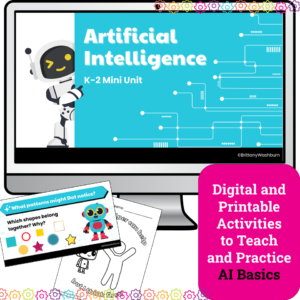
Introduce your youngest learners to the exciting world of Artificial Intelligence with this K–2 AI lesson pack, perfect for the Hour of AI, Hour of Code, or a digital literacy unit. Designed especially for primary classrooms, this unit breaks down complex concepts into engaging, hands-on lessons with no prior tech experience required.
Whether you’re a classroom teacher, tech specialist, or STEM teacher, this 4-lesson AI unit provides a gentle, age-appropriate introduction to how computers “learn,” recognize patterns, and make decisions — all using kid-friendly language and visuals.
What’s Included:
✅ 4 complete AI lessons with clear teacher guides and pacing
✅ Printable handouts and vocabulary visuals
✅ Companion Google Slides decks for modeling and instruction
Digital activities for the book hello! hello! that are perfect for grades K-2. 12 total digital activities that will help students expand their understanding of this great read aloud storybook. I designed this for technology teachers or media specialists so that you can read the same book to all 3 grade levels and then assign them different activities. You can read it again the next year with fresh activities for the next grade!
Help students learn the cursor and browser icons with some simple matching and labeling activities. Great for the beginning of the year or whenever you do your mouse/trackpad and browser navigation lessons.
Students label a browser, match icons to their names, and label icons
Technology Integration made easy with Quick Tech! Keyboarding can be fun with these quick tech printable and digital activities! Perfect to reinforce typing skills throughout the school year without wasting precious instructional time. The activities included are all ideal for 1st grade students in interest and complexity.
Easter Digital CVC word practice slides for Google Slides or PowerPoint. This set has 10 slides of CVC word building and typing practice. There is an Easter theme on the secret pictures to make it engaging.
Digital Click and Drag Mystery Pictures work on so many great technology skills. While students may be familiar with using 100s charts in their math lessons, it brings the skill to a whole new level to use them as mouse or trackpad practice. This set includes 5 March themed designs in 2 different levels for differentiation between grade levels k-5.
Digital Click and Drag Mystery Pictures work on so many great technology skills. While students may be familiar with using 100s charts in their math lessons, it brings the skill to a whole new level to use them as mouse or trackpad practice. This set includes 5 August/Summer themed designs in 2 different levels for differentiation between grade levels k-5.
This resource works on so many great technology skills. While students may be familiar with using snap cubes (or counting blocks or whatever you call them) to make designs, it brings the skill to a whole new level to do it digitally. 10 Space Theme designs in 4 different levels for differentiation between grade levels k-5.
Digital activities for the book Clicker Downloads an App that are perfect for grades K-2. 12 total digital activities that will help students expand their understanding of this great read aloud storybook. I designed this for technology teachers or media specialists so that you can read the same book to all 3 grade levels and then assign them different activities. You can read it again the next year with fresh activities for the next grade!
Digital activities for the book Clicker Goes Viral that are perfect for grades K-2. 12 total digital activities that will help students expand their understanding of this great read aloud storybook. I designed this for technology teachers or media specialists so that you can read the same book to all 3 grade levels and then assign them different activities. You can read it again the next year with fresh activities for the next grade!
Digital Click and Drag puzzles for 11 computer parts. This set has technology themed designs in 2 different levels for differentiation between grade levels k-5.
School Digital CVC word practice slides for Google Slides or PowerPoint. This set has 10 slides of CVC word building and typing practice. There is an School theme on the secret pictures to make it engaging.
Digital Secret Picture Tile Puzzles are great mouse or trackpad practice as well as being an opportunity to practice navigating a Google Slides or PowerPoint file.
Computer parts “game” that can be completed on any device. The interactive PDF has an Cupcake theme, where students get to stack cupcakes with each correct answer. Interactive PDFs are easy to use and students can practice their tech skills from any device!
Digital Secret Picture Tile Puzzles are great mouse or trackpad practice as well as being an opportunity to practice navigating a Google Slides or PowerPoint file. This set has 10 slides of Color Matching. There is an Awesome ’80s theme on the secret pictures to make it engaging.
Review how to use a computer mouse using spring themed work mats. 53 pages of unplugged mouse practice plus 10 slides of digital drag and drop practice! Students practice moving, clicking, and clicking and dragging on paper work mats before they even get on a computer. All you need to do is prep the work mats and grab some extra mice. Then when they are ready, review the skills with the digital slides in PowerPoint or Google Slides.
Students are going to love discovering what Independence Day themed design is hidden in the hundreds chart mystery picture and you’ll love that they are practicing so many different skills. While students may be familiar with paper and pencil hundreds charts, it takes it to a whole new level to do it digitally. Students will really master the toolbar in whatever program you use. The activity has them filling 100 cells in a table per design, making it a mastery activity.