$20.00Original price was: $20.00.$16.00Current price is: $16.00.
Coding meets social studies vocabulary instruction with VoCode! Integrate those robots you have (or turn students into robots) to complete these coding challenges. 3 Options for the activities mean that you can use this with ANY movable Bots and ANY grade level of students.
Students are going to love discovering what Fitness themed design is hidden in the hundreds chart mystery picture and you’ll love that they are practicing so many different skills. While students may be familiar with paper and pencil hundreds charts, it takes it to a whole new level to do it digitally. Students will really master the toolbar in whatever program you use. The activity has them filling 100 cells in a table per design, making it a mastery activity.
Students are going to love discovering what Detectives themed design is hidden in the hundreds chart mystery picture and you’ll love that they are practicing so many different skills. While students may be familiar with paper and pencil hundreds charts, it takes it to a whole new level to do it digitally. Students will really master the toolbar in whatever program you use. The activity has them filling 100 cells in a table per design, making it a mastery activity.
Coding meets ELA instruction with VoCode! Integrate those robots you have (or turn students into robots) to complete these fairy tale coding challenges. 3 Options for the activities mean that you can use this with ANY movable Bots and ANY grade level of students. Be sure to check out the images!
Coding meets ELA instruction with VoCode! Integrate those robots you have (or turn students into robots) to complete these fairy tale coding challenges. 3 Options for the activities mean that you can use this with ANY movable Bots and ANY grade level of students. Be sure to check out the images!
Coding meets Social Studies instruction with VoCode! Integrate those robots you have (or turn students into robots) to complete these phonics coding challenges. 3 Options for the activities mean that you can use this with ANY movable Bots and ANY grade level of students. Be sure to check out the images to see which ones are included!
Coding meets science vocabulary instruction with VoCode! Integrate those robots you have (or turn students into robots) to complete these coding challenges. 3 Options for the activities mean that you can use this with ANY movable Bots and ANY grade level of students. Be sure to check out the images!
Coding meets science vocabulary instruction with VoCode! Integrate those robots you have (or turn students into robots) to complete these coding challenges. 3 Options for the activities mean that you can use this with ANY movable Bots and ANY grade level of students. Be sure to check out the images!
Coding meets math vocabulary instruction with VoCode! Integrate those robots you have (or turn students into robots) to complete these coding challenges. 3 Options for the activities mean that you can use this with ANY movable Bots and ANY grade level of students.
Coding meets math vocabulary instruction with VoCode! Integrate those robots you have (or turn students into robots) to complete these coding challenges. 3 Options for the activities mean that you can use this with ANY movable Bots and ANY grade level of students.
Coding meets math vocabulary instruction with VoCode! Integrate those robots you have (or turn students into robots) to complete these coding challenges. 3 Options for the activities mean that you can use this with ANY movable Bots and ANY grade level of students.
Coding meets vocabulary instruction with VoCode! Integrate those robots you have (or turn students into robots) to complete these coding challenges. 3 Options for the activities mean that you can use this with ANY movable Bots and ANY grade level of students. Be sure to check out the preview!
This set includes 14 Google Apps Icons. Check out page 5 of the preview to see which ones are included.
$51.49Original price was: $51.49.$40.50Current price is: $40.50.
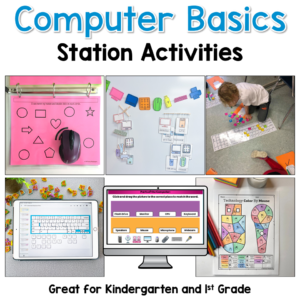
Looking for an engaging way to teach foundational computer skills in your computer lab or classroom? This Computer Basics Activities Bundle includes printable and digital lessons that help beginning technology students learn the essential skills they need before using computers independently.
$22.25Original price was: $22.25.$17.80Current price is: $17.80.
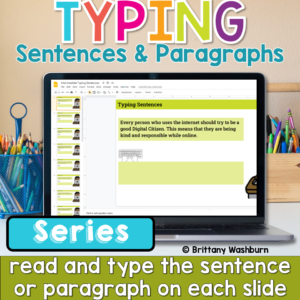
Help students build the keyboarding skills they need to write confidently on a computer with this Progressive Keyboarding Practice Bundle. This series is designed to guide students step-by-step from typing simple sentences to typing full paragraphs, helping them develop both typing fluency and confidence composing digitally.
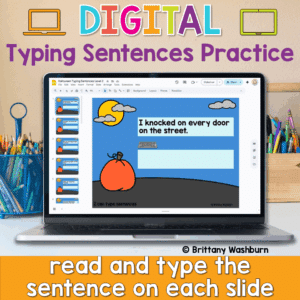
Looking for a fun and festive way to build typing fluency with your primary students? This Halloween-themed typing activity includes 40 digital slides, each featuring a short, age-appropriate sentence that students can type directly on the screen. Whether you’re working on keyboarding skills or want an engaging October tech activity, this resource is a spooktacular addition to your lesson plans!
💻 Designed for Google Slides or PowerPoint, students can complete this on any device with a keyboard—perfect for Chromebooks, desktops, or laptops.
Students are going to love discovering what Clothing themed design is hidden in the spreadsheet software mystery picture and you’ll love that they are practicing so many different skills. While students may be familiar with paper and pencil mystery pictures, it takes it to a whole new level to do it digitally. Students will really master the toolbar in Google Sheets or Microsoft Excel. The activity has them filling 100 cells in the table per design, making it a mastery activity.
$40.00Original price was: $40.00.$32.00Current price is: $32.00.
Coding meets ELA instruction with VoCode! Integrate those robots you have (or turn students into robots) to complete these fairy tale coding challenges. 3 Options for the activities mean that you can use this with ANY movable Bots and ANY grade level of students. Be sure to check out the images!
Coding meets ELA instruction with VoCode! Integrate those robots you have (or turn students into robots) to complete these fairy tale coding challenges. 3 Options for the activities mean that you can use this with ANY movable Bots and ANY grade level of students. Be sure to check out the images!
Coding meets Social Studies instruction with VoCode! Integrate those robots you have (or turn students into robots) to complete these phonics coding challenges. 3 Options for the activities mean that you can use this with ANY movable Bots and ANY grade level of students. Be sure to check out the images to see which ones are included!
Coding meets science vocabulary instruction with VoCode! Integrate those robots you have (or turn students into robots) to complete these coding challenges. 3 Options for the activities mean that you can use this with ANY movable Bots and ANY grade level of students. Be sure to check out the images!
Digital and Print Exit Ticket questions that are specific to the technology skills learned in 1st Grade. 43 questions and blank templates so that you can make your own. The printable version is 4 to a page to save on paper, and digital is in both PPT and Slides.
Coding meets vocabulary instruction with VoCode! Integrate those robots you have (or turn students into robots) to complete these coding challenges. 3 Options for the activities mean that you can use this with ANY movable Bots and ANY grade level of students. Be sure to check out the preview!
This set includes 10+ MS Office Icons in 3 different styles. Check out page 5 of the preview to see which ones are included.
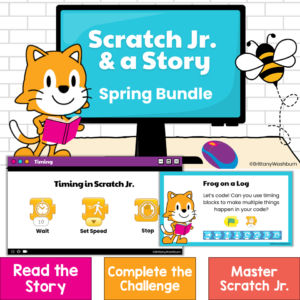
Bring coding into your spring read-alouds with four ready-to-teach Scratch Jr coding activities for kindergarten, first grade, and second grade!
ScratchJr & a Story: Spring Bundle combines elementary computer science, digital storytelling, and literacy. After listening to a beloved picture book, students use the ScratchJr app to code an animated scene inspired by the story.
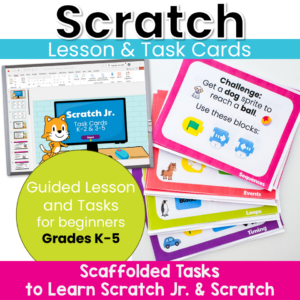
Move beyond step-by-step tutorials and help students become confident computational thinkers! These Scratch Jr. and Scratch Task Cards are designed to teach the foundational concepts of computer science through short, engaging coding challenges. Instead of simply copying a project, students learn to predict, test, debug, and improve their code while building a deep understanding of how programs work.
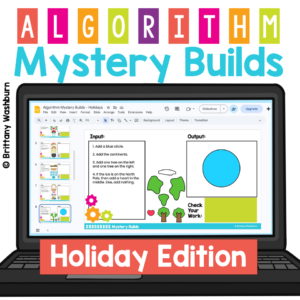
Make teaching algorithms FUN, visual, and seasonal with these engaging Holiday Algorithm Mystery Builds! If your students struggle to understand algorithms, sequencing, and if/then/else logic, this hands-on digital activity turns abstract concepts into something they can see and build—without frustration.
Transform your students’ understanding of computational thinking with the engaging and interactive Algorithms Mystery Builds activity! This activity is designed to help students practice following directions, learn computational thinking vocabulary, and develop mouse/cursor control. Perfect for classroom use or homeschooling environments!
$27.00Original price was: $27.00.$21.60Current price is: $21.60.
Students are going to love discovering what themed design is hidden in the hundreds chart mystery picture and you’ll love that they are practicing so many different skills. While students may be familiar with paper and pencil hundreds charts, it takes it to a whole new level to do it digitally. Students will really master the toolbar in whatever program you use. The activity has them filling 100 cells in a table per design, making it a mastery activity.
Students are going to love discovering what Circus themed design is hidden in the hundreds chart mystery picture and you’ll love that they are practicing so many different skills. While students may be familiar with paper and pencil hundreds charts, it takes it to a whole new level to do it digitally. Students will really master the toolbar in whatever program you use. The activity has them filling 100 cells in a table per design, making it a mastery activity.
Coding meets ELA instruction with VoCode! Integrate those robots you have (or turn students into robots) to complete these fairy tale coding challenges. 3 Options for the activities mean that you can use this with ANY movable Bots and ANY grade level of students. Be sure to check out the images!
This set includes Beauty and the Beast. Check out the images to see which ones are included.
Coding meets science vocabulary instruction with VoCode! Integrate those robots you have (or turn students into robots) to complete these coding challenges. 3 Options for the activities mean that you can use this with ANY movable Bots and ANY grade level of students. Be sure to check out the images!
Coding meets science vocabulary instruction with VoCode! Integrate those robots you have (or turn students into robots) to complete these coding challenges. 3 Options for the activities mean that you can use this with ANY movable Bots and ANY grade level of students. Be sure to check out the images!
Coding meets math vocabulary instruction with VoCode! Integrate those robots you have (or turn students into robots) to complete these coding challenges. 3 Options for the activities mean that you can use this with ANY movable Bots and ANY grade level of students.
Coding meets math vocabulary instruction with VoCode! Integrate those robots you have (or turn students into robots) to complete these coding challenges. 3 Options for the activities mean that you can use this with ANY movable Bots and ANY grade level of students.
$41.50Original price was: $41.50.$28.88Current price is: $28.88.
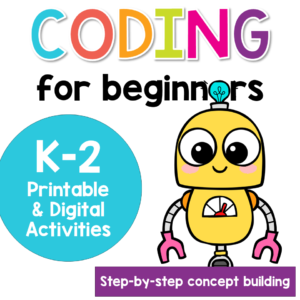
This Coding Activities for Beginners Unit helps K–2 students build real computer science skills through hands-on, engaging activities that make abstract concepts simple and meaningful. Includes printable and digital (Google Slides) activities covering algorithms, conditionals, directional coding, and binary code.
$41.25Original price was: $41.25.$28.88Current price is: $28.88.
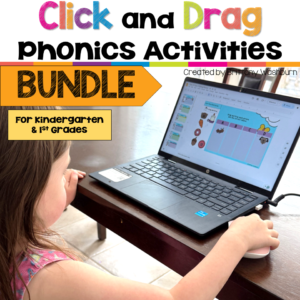
Build phonics skills and beginning computer skills at the same time with this bundle of digital phonics activities for PreK, Kindergarten, and early elementary students. Each themed set gives students repeated practice with essential early literacy skills while also helping them develop mouse control, clicking, dragging, typing, and digital navigation skills. The activities are designed for use in Google Slides or PowerPoint and work well in the computer lab, technology class, literacy centers, intervention groups, or as independent digital practice.
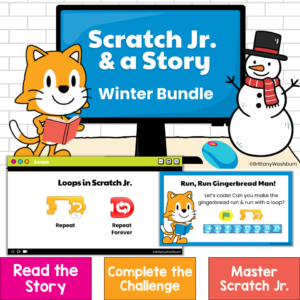
Bring coding into your winter read-alouds with three ready-to-teach Scratch Jr coding activities for kindergarten, first grade, and second grade! Scratch Jr. & a Story: Winter Bundle combines elementary computer science, digital storytelling, and literacy. After listening to a beloved picture book, students use the Scratch Jr app to code an animated scene inspired by the story.
$5.00Original price was: $5.00.$4.00Current price is: $4.00.
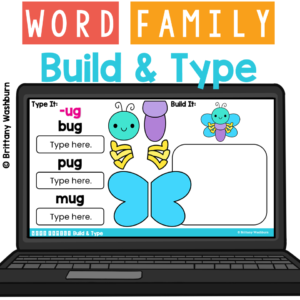
Engage your little learners with CVC word Typing and Mouse Control Practice! This digital activity is designed to help students practice typing skills, reinforce letter recognition & word families, and develop mouse/cursor control as students build a character for 20 word families and type 3 words from the word family with the keyboard. Perfect for classroom use or homeschooling environments!
$6.00Original price was: $6.00.$4.00Current price is: $4.00.
Digital Pixel Art works on so many great technology skills. While students may be familiar with using snap cubes (or counting blocks or whatever you call them) to make designs, it brings the skill to a whole new level to do it digitally. 10 Hanukkah designs in 4 different levels for differentiation between grade levels k-5.
Students are going to love discovering what Detectives themed design is hidden in the spreadsheet software mystery picture and you’ll love that they are practicing so many different skills. While students may be familiar with paper and pencil mystery pictures, it takes it to a whole new level to do it digitally. Students will really master the toolbar in Google Sheets or Microsoft Excel. The activity has them filling 100 cells in the table per design, making it a mastery activity.
Students are going to love discovering what Fitness themed design is hidden in the spreadsheet software mystery picture and you’ll love that they are practicing so many different skills. While students may be familiar with paper and pencil mystery pictures, it takes it to a whole new level to do it digitally. Students will really master the toolbar in Google Sheets or Microsoft Excel. The activity has them filling 100 cells in the table per design, making it a mastery activity.
Students are going to love discovering what Construction themed design is hidden in the spreadsheet software mystery picture and you’ll love that they are practicing so many different skills. While students may be familiar with paper and pencil mystery pictures, it takes it to a whole new level to do it digitally. Students will really master the toolbar in Google Sheets or Microsoft Excel. The activity has them filling 100 cells in the table per design, making it a mastery activity.
Students are going to love discovering what Circus themed design is hidden in the spreadsheet software mystery picture and you’ll love that they are practicing so many different skills. While students may be familiar with paper and pencil mystery pictures, it takes it to a whole new level to do it digitally. Students will really master the toolbar in Google Sheets or Microsoft Excel. The activity has them filling 100 cells in the table per design, making it a mastery activity.
Coding meets ELA instruction with VoCode! Integrate those robots you have (or turn students into robots) to complete these fairy tale coding challenges. 3 Options for the activities mean that you can use this with ANY movable Bots and ANY grade level of students. Be sure to check out the images!
This set includes The Little Mermaid. Check out the images to see which ones are included.
Coding meets ELA instruction with VoCode! Integrate those robots you have (or turn students into robots) to complete these fairy tale coding challenges. 3 Options for the activities mean that you can use this with ANY movable Bots and ANY grade level of students. Be sure to check out the images!
This set includes Sleeping Beauty. Check out the images to see which ones are included.
Coding meets science vocabulary instruction with VoCode! Integrate those robots you have (or turn students into robots) to complete these coding challenges. 3 Options for the activities mean that you can use this with ANY movable Bots and ANY grade level of students. Be sure to check out the images!
Coding meets science vocabulary instruction with VoCode! Integrate those robots you have (or turn students into robots) to complete these coding challenges. 3 Options for the activities mean that you can use this with ANY movable Bots and ANY grade level of students. Be sure to check out the images!
Coding meets science vocabulary instruction with VoCode! Integrate those robots you have (or turn students into robots) to complete these coding challenges. 3 Options for the activities mean that you can use this with ANY movable Bots and ANY grade level of students. Be sure to check out the images!
Coding meets math vocabulary instruction with VoCode! Integrate those robots you have (or turn students into robots) to complete these coding challenges. 3 Options for the activities mean that you can use this with ANY movable Bots and ANY grade level of students. Be sure to check out the images!