

Technology Color By Directional Coding Icons Printables
$3.00Students learn the icons that are common in directional coding activities and then commit them to memory with a coloring page. Perfect for an offline activity!
Showing 145–192 of 1105 resultsSorted by popularity

Students learn the icons that are common in directional coding activities and then commit them to memory with a coloring page. Perfect for an offline activity!

Teach students how to follow and decompose algorithms with these Build a Monster digital activities. 2 types of digital activities ask students to follow an algorithm to put a Monster together and then look at a pre-built Monster and type their own algorithm for it.

Do you need your students to go more in depth with Microsoft Excel so that they can use it independently? This project will get them there.

Learning keyboarding can be super boring and tedious for students. This set of 4 Summer Themed text formatting activities aims to bring engagement and a sense of purpose to the practice of typing. Students will also (hopefully) have a sense of pride over the final outcome and an understanding of the learning objective.

Coloring pages for technology class where students fill in sections of the picture based on the Retro Tech key. Perfect for an offline activity!

Help your students learn the parts of a desktop and laptop computer with guided instruction and independent click and drag activities. By the end of the lesson students will be able to label the screen, keyboard, processor, trackpad or mouse, headphones, and speakers. They will also be able to compare and contrast a laptop and desktop computer. The best part is that these activities are paperless. They are made for Google Drive and can also be use with Microsoft OneDrive (directions in file). Any device that can access Google Slides can be used to complete these digital interactive activities.

Teach students how to follow and decompose algorithms with these Build a Pizza digital activities. 2 types of digital activities ask students to follow an algorithm to put a Pizza together and then look at a pre-built Pizza and type their own algorithm for it.
Use these activities as a lesson on understanding what an algorithm is, how to write one, follow one, and decompose one. I even included printable posters and vocabulary cards.

Students learn the icons that they will use in a word processing program and then commit them to memory with a coloring page. Perfect for an offline activity!
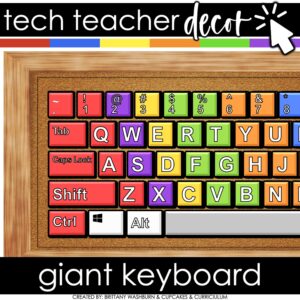
This Giant Keyboard Display is colorful and creative so you can decorate your computer lab, media center, or classroom while inspiring your students to do their best work. It also includes practice pages with both color and black and white options. You can have an adorable and stylish classroom while still maintaining a highly academic environment!

Students are going to love creating their own Digital Glyph Valentine’s Day Scene and you’re going to love all of the technology skills work they are getting. This resource works on so many great technology skills. While students may be familiar with paper and pencil glyph activities, it takes it to a whole new level to do it digitally.

Digital interactive slides for grades K-1 students with a December theme. Timely Tech is designed to help your students build tech skills while incorporating monthly themed digital activities.
When I teach my students with monthly themed activities that bring in the other subject areas, I find that they are more engaged and empowered to learn. There is intentionally lots of repetition from month to month with these Timely Tech activities because students are building both tech and academic skills.

Introduce a lesson on computers with this eBook that goes over 12 parts of a computer, including both outside and inside components. Great for a warm up activity in the computer lab or classroom. Share the PDF with students for a paperless experience or print the nonfiction text out as a booklet.
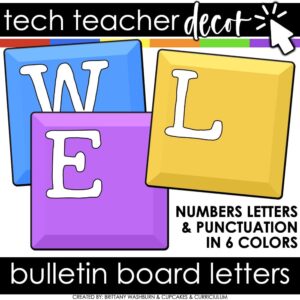
You can have an adorable and stylish classroom while still maintaining a highly academic environment! This set of Technology Themed Bulletin Board Letters is colorful and creative so you can decorate your computer lab, media center, or classroom bulletin boards.

Start your year off right with this bulletin board or display. 77 technology/computer parts with labels. Just print and set up!

Do you need your students to be mouse or trackpad masters but don’t have time to plan the lessons? These 10 lessons progress through moving the mouse, clicking on things, click and drag, and double click.

15 digital interactive slides for grades K-1 students with a November theme. Timely Tech is designed to help your students build tech skills while incorporating monthly themed digital activities.
When I teach my students with monthly themed activities that bring in the other subject areas, I find that they are more engaged and empowered to learn.

STEM goes digital with these fun and engaging design challenges. 10 websites and 90 challenges perfect for grades 2 and up. The virtual manipulatives work on any device and in any browser so this activity is perfect for distance learning and in the classroom.

Teachers looking to integrate technology skills and content areas with love this review of PowerPoint/Google Slides skills for students with the topic of Christmas Around the World. While this is a simple research project, the real goal of this activity is for students to put their notes into a Presentation template (using either Google Slides or PowerPoint) and make it look professional.

Sorting Matrix Digital Activities to teach If/Then/Else coding language (Conditionals). Everything you need to teach students about conditionals and let them practice using the terminology. This resource includes 12 digital slides with moveable pieces that works in Google Slides or PowerPoint. This set has fine motor building materials including building blocks, play dough, pattern blocks, and counters – without the mess!

Digital interactive slides for grades K-1 students with a Back to School theme. Timely Tech is designed to help your students build tech skills while incorporating monthly themed digital activities.
When I teach my students with monthly themed activities that bring in the other subject areas, I find that they are more engaged and empowered to learn. There is intentionally lots of repetition from month to month with these Timely Tech activities because students are building both tech and academic skills.

Introduce a lesson on how email works with this eBook that goes over what email is, how it compares to traditional main, and how we send and receive email messages. Includes brief email etiquette. Great for a warm up activity in the computer lab or classroom. Share the PDF with students for a paperless experience or print the nonfiction text out as a booklet.

Students are going to love discovering what Christmas themed design is hidden in the hundreds chart mystery picture and you’ll love that they are practicing so many different skills. While students may be familiar with paper and pencil hundreds charts, it takes it to a whole new level to do it digitally. Students will really master the toolbar in whatever program you use. The activity has them filling 100 cells in a table per design, making it a mastery activity.

Digital interactive slides for grades K-1 students with a May theme. Timely Tech is designed to help your students build tech skills while incorporating monthly themed digital activities.
When I teach my students with monthly themed activities that bring in the other subject areas, I find that they are more engaged and empowered to learn. There is intentionally lots of repetition from month to month with these Timely Tech activities because students are building both tech and academic skills.

Using technology and problem solving skills, students decipher codes and complete activities to learn the Online Research Skills topic of Avoiding Plagiarism. The activities are housed in a Google Slides file and students enter their codes into a locked Google Form.

This resource works on so many great technology skills. While students may be familiar with using snap cubes (or counting blocks or whatever you call them) to make designs, it brings the skill to a whole new level to do it digitally. 10 Valentine’s Day designs in 4 different levels for differentiation between grade levels k-5.

Introduce a lesson on keyboarding with this eBook that goes over how a keyboard works and how we use them, including an introduction to Home Row keys and learning to type. Great for a warm up activity in the computer lab or classroom. Share the PDF with students for a paperless experience or print the nonfiction text out as a booklet.


Students use a POP It keyboard (or any available keyboard) and the provided work mat and task cards as a station activity. There are 6 sets of task cards included so you can keep using this as students age. Prep once and use forever!

Students can practice matching upper and lowercase letters by completing 4 sets of 10 engaging digital secret picture tile puzzles. These puzzles are great mouse or trackpad practice as well as being an opportunity to practice navigating a Google Slides or PowerPoint file.
4 Themes Included:

Do you need your students to master Google Slides, Google Docs, Google Sheets, and Google Classroom so that they can complete assignments efficiently? This bundle has everything your upper elementary students need to become pros at Google Apps.

This resource works on so many great technology skills. While students may be familiar with using snap cubes (or counting blocks or whatever you call them) to make designs, it brings the skill to a whole new level to do it digitally. 10 Construction Theme designs in 4 different levels for differentiation between grade levels k-5.

Coding meets vocabulary instruction with VoCode! Integrate those robots you have (or turn students into robots) to complete these coding challenges. 3 Options for the activities mean that you can use this with ANY movable Bots and ANY grade level of students. Be sure to check out the images!

This complete unit has 10 reading passages, vocab cards, a multiple choice assessment, and 40 digital activity slides for internet safety and digital citizenship topics. It is ideal for computer lab teachers to use during tech class as you can choose which topics to complete with each grade level.

Coding meets vocabulary instruction with VoCode! Integrate those robots you have (or turn students into robots) to complete these coding challenges. 3 Options for the activities mean that you can use this with ANY movable Bots and ANY grade level of students. Be sure to check out the preview!
This set includes Parts Inside a Computer. Check out page 5 of the preview to see which ones are included.

This complete unit has 9 reading passages, vocab cards, a multiple choice assessment, and 36 digital activity slides for online research topics. It is ideal for computer lab teachers to use during tech class as you can choose which topics to complete with each grade level.

Learn the keyboard keys while practicing technology vocabulary terms with this typing program. Over 200 vocabulary terms are included, as well as a video of directions for how to use your own lists. There are 13 Google Slides files which split the words into groups of 20. . There are 4 practice slides for each word.
This full resource is included in Technology Lessons Plans and Activities Grades K-5 Bundle so please do not purchase both.

3 Halloween themed Keyboard shortcuts “games” that can be completed on any device. There are 12 keyboard shortcuts included and these 12 are repeated throughout the 3 games. This gives students an opportunity to master them. There is a 1 page poster included for you to use to introduce the keyboard shortcuts if your students are new to them.

Students are going to love discovering what Thanksgiving themed design is hidden in the spreadsheet software mystery pictures and you’ll love that they are practicing so many different skills. While students may be familiar with paper and pencil mystery pictures, it takes it to a whole new level to do it digitally. Students will really master the toolbar in Google Sheets or Microsoft Excel. The activity has them filling 100 cells in the table per design, making it a mastery activity.

Using technology and problem solving skills, students decipher codes and complete activities to learn the Online Research Skills topic of Evaluating a Web Page. The activities are housed in a Google Slides file and students enter their codes into a locked Google Form.

Fall themed activities for primary students. These activities are paperless and engaging! There are so many ways to use these activities that they will become a staple in your classroom.
-Use as a whole class activity on an interactive whiteboard
-Use as your computer station and watch students go through the activities independently!
-Use as an activity during your computer lab time

Teach students how to follow and decompose algorithms with these Build a Burger digital activities. 2 types of digital activities ask students to follow an algorithm to put a Burger together and then look at a pre-built Burger and type their own algorithm for it.
Use these activities as a lesson on understanding what an algorithm is, how to write one, follow one, and decompose one. I even included printable posters and vocabulary cards.

Students put together a digital computer in 4 click and drag activities. They learn how to put icons on a desktop, where the hardware components go inside of a computer, they label the browser icons, and they put a keyboard together. There are differentiated options to meet the needs of your students.
This activity is provided in PowerPoint. You can upload it into your Google Drive and it will open with Slides.

5 Word Processing modules for the Intermediate skills. Most appropriate for students in grades 3-5 or students who have had an introduction to Word Processing. For each skill, there are 2 templates. 1 will open in MS Word, and 1 will open in Google Docs. To use the Google Docs version, your students will need to have Google accounts. The tasks for the assignment are the same whether students are using Word or Docs.
These projects were made out of a desire to guide students to eventually work independently in software programs. They are design to build technology literacy through repetition and engaging project prompts.
Save 20% with the Master Google Apps set
Do not buy this if you own 5th Grade Technology Lesson Plans and Activities

Digital interactive slides for 2nd and 3rd grade students with a March theme. Timely Tech is designed to help your students build tech skills while incorporating monthly themed digital activities.
When I teach my students with monthly themed activities that bring in the other subject areas, I find that they are more engaged and empowered to learn. There is intentionally lots of repetition from month to month with these Timely Tech activities because students are building both tech and academic skills.

15 Word Processing modules for the Intermediate skills. Most appropriate for students in grades 3-5 or students who have had an introduction to Word Processing. For each skill, there are 2 templates. 1 will open in MS Word, and 1 will open in Google Docs. To use the Google Docs version, your students will need to have Google accounts. The tasks for the assignment are the same whether students are using Word or Docs.
These projects were made out of a desire to guide students to eventually work independently in software programs. They are design to build technology literacy through repetition and engaging project prompts.

Hold your students accountable for navigating a computer independently with this Cursor Symbols bulletin board or display. Stylish yet academic posters, with letters to use as a heading. Just print and set up!

This holiday season will be so fun with the Ugly Sweater digital glyph and digital animation projects in one bundle! You can use both projects with the same students or have students do the digital glyph the first year and then the digital animation the next year. Ideal for computer lab teachers or upper elementary classroom teachers.
The clip art pieces can be used for many December events and holidays like Hanukkah, Kwanzaa, Christmas, Solstice, and New Year. You can add more customized options for your students if needed.

Learn how to Make and Sell Digital Activities from your own Wordpress site!
What do you need help with today?
Browse by Tech Topic:


