Computer icons “game” that can be completed on any device. The interactive PDF has an Popcorn theme, where students get to build a bucket of popcorn with each correct answer. These 24 computer icons are a combination of web browser icons and mouse/trackpad icons. Interactive PDFs are easy to use and students can practice their tech skills from any device!
Computer icons “game” that can be completed on any device. The interactive PDF has an Colored Pencils theme, where students get to fill the box with colored pencils with each correct answer. These 24 computer icons are a combination of web browser icons and mouse/trackpad icons. Interactive PDFs are easy to use and students can practice their tech skills from any device!
$45.00Original price was: $45.00.$36.00Current price is: $36.00.
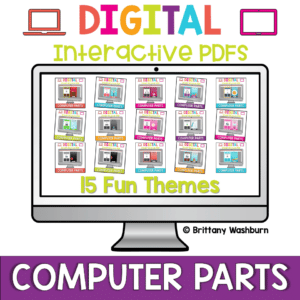
Computer parts “games” that can be completed on any device. Interactive PDFs are easy to use and students can practice their tech skills from any device! This set has a total of 15 themes.
Computer parts “game” that can be completed on any device. The interactive PDF has an Jellybean theme, where students get to collect jellybeans with each correct answer. Interactive PDFs are easy to use and students can practice their tech skills from any device!
Computer parts “game” that can be completed on any device. The interactive PDF has an Crayon theme, where students get to collect crayons with each correct answer. Interactive PDFs are easy to use and students can practice their tech skills from any device!
Computer parts “game” that can be completed on any device. The interactive PDF has an Button theme, where students get to collect buttons with each correct answer. Interactive PDFs are easy to use and students can practice their tech skills from any device!
Computer parts “game” that can be completed on any device. The interactive PDF has an Bug theme, where students get to buid a bug with each correct answer. Interactive PDFs are easy to use and students can practice their tech skills from any device!
Computer parts “game” that can be completed on any device. The interactive PDF has an Blossom theme, where students get to build a bouquet of flowers with each correct answer. Interactive PDFs are easy to use and students can practice their tech skills from any device!
You can have a beautiful, user-friendly, timeless class website with this blue green themed website design kit. I designed the kit with a technology teacher in mind, but any teacher could also benefit from having ready-made graphics. There are editable buttons and banner text to make it your own!
$20.00Original price was: $20.00.$16.00Current price is: $16.00.
Coding meets social studies vocabulary instruction with VoCode! Integrate those robots you have (or turn students into robots) to complete these coding challenges. 3 Options for the activities mean that you can use this with ANY movable Bots and ANY grade level of students.
Spiral Review technology lessons that teach presentation, word processing, and spreadsheet software over 12 sessions. These will make a great addition to your technology curriculum for the computer lab. The skills build on each other throughout this unit so it is important to do the lessons in order. Weeks 25-36 are all on the topic of the Trees, so students can take a deep dive into the content and the tech skills.
Students are going to love discovering what Fitness themed design is hidden in the hundreds chart mystery picture and you’ll love that they are practicing so many different skills. While students may be familiar with paper and pencil hundreds charts, it takes it to a whole new level to do it digitally. Students will really master the toolbar in whatever program you use. The activity has them filling 100 cells in a table per design, making it a mastery activity.
Students are going to love discovering what Detectives themed design is hidden in the hundreds chart mystery picture and you’ll love that they are practicing so many different skills. While students may be familiar with paper and pencil hundreds charts, it takes it to a whole new level to do it digitally. Students will really master the toolbar in whatever program you use. The activity has them filling 100 cells in a table per design, making it a mastery activity.
Coding meets ELA instruction with VoCode! Integrate those robots you have (or turn students into robots) to complete these fairy tale coding challenges. 3 Options for the activities mean that you can use this with ANY movable Bots and ANY grade level of students. Be sure to check out the images!
Coding meets ELA instruction with VoCode! Integrate those robots you have (or turn students into robots) to complete these fairy tale coding challenges. 3 Options for the activities mean that you can use this with ANY movable Bots and ANY grade level of students. Be sure to check out the images!
Coding meets Social Studies instruction with VoCode! Integrate those robots you have (or turn students into robots) to complete these phonics coding challenges. 3 Options for the activities mean that you can use this with ANY movable Bots and ANY grade level of students. Be sure to check out the images to see which ones are included!
Coding meets ELA instruction with VoCode! Integrate those robots you have (or turn students into robots) to complete these phonics coding challenges. 3 Options for the activities mean that you can use this with ANY movable Bots and ANY grade level of students. Be sure to check out the images!
This set includes Compound Words. Check out the images to see which ones are included.
Coding meets ELA instruction with VoCode! Integrate those robots you have (or turn students into robots) to complete these phonics coding challenges. 3 Options for the activities mean that you can use this with ANY movable Bots and ANY grade level of students. Be sure to check out the preview!
This set includes Diagraphs for ch, sh, and th. Check out the images to see which ones are included.
Coding meets science vocabulary instruction with VoCode! Integrate those robots you have (or turn students into robots) to complete these coding challenges. 3 Options for the activities mean that you can use this with ANY movable Bots and ANY grade level of students. Be sure to check out the images!
Coding meets science vocabulary instruction with VoCode! Integrate those robots you have (or turn students into robots) to complete these coding challenges. 3 Options for the activities mean that you can use this with ANY movable Bots and ANY grade level of students. Be sure to check out the images!
Coding meets science vocabulary instruction with VoCode! Integrate those robots you have (or turn students into robots) to complete these coding challenges. 3 Options for the activities mean that you can use this with ANY movable Bots and ANY grade level of students. Be sure to check out the images!
Coding meets math vocabulary instruction with VoCode! Integrate those robots you have (or turn students into robots) to complete these coding challenges. 3 Options for the activities mean that you can use this with ANY movable Bots and ANY grade level of students.
Coding meets math vocabulary instruction with VoCode! Integrate those robots you have (or turn students into robots) to complete these coding challenges. 3 Options for the activities mean that you can use this with ANY movable Bots and ANY grade level of students.
Coding meets math vocabulary instruction with VoCode! Integrate those robots you have (or turn students into robots) to complete these coding challenges. 3 Options for the activities mean that you can use this with ANY movable Bots and ANY grade level of students.
Coding meets vocabulary instruction with VoCode! Integrate those robots you have (or turn students into robots) to complete these coding challenges. 3 Options for the activities mean that you can use this with ANY movable Bots and ANY grade level of students. Be sure to check out the preview!
This set includes 14 Google Apps Icons. Check out page 5 of the preview to see which ones are included.
For those times when you have a 20-30 minute presentation slot and you need to teach a tech tool, this resource has your back. Description that gives background info and hooks your teachers, how to steps with screenshots, and ideas for use with elementary students. Everything you need to get your staff started with Paint.
$16.00Original price was: $16.00.$14.40Current price is: $14.40.
5th Grade Language Google Folder that includes 18 different interactive activity files, which I am calling a digital resource library. These are ideal for a paperless (or almost) classroom using Google or Microsoft. Access them any time, anywhere you have a wifi connection. The best part is that they also work downloaded as PowerPoint files!
$31.00Original price was: $31.00.$24.80Current price is: $24.80.
3rd Grade Language Standards Digital Resource Library is a Google Folder that includes 31 different interactive activity files. These are ideal for a paperless (or almost) classroom using Google or Microsoft.
3rd Grade READING and LANGUAGE Standards Digital Resource Library is a Google Folder that includes 46 different interactive activity files. These are ideal for a paperless (or almost) classroom using Google or Microsoft.
$36.80Original price was: $36.80.$29.44Current price is: $29.44.
3rd Grade READING and LANGUAGE Standards Digital Resource Library is a Google Folder that includes 46 different interactive activity files. These are ideal for a paperless (or almost) classroom using Google or Microsoft.
$5.00Original price was: $5.00.$3.00Current price is: $3.00.
Digital Mystery Pictures with a March Theme for Multiplication and Division Practice. Your students will love discovering what is hidden in the boxes after completing rigorous multi-digit multiplication and division problems.
$10.00Original price was: $10.00.$6.00Current price is: $6.00.
Digital Mystery Pictures with a Spring Theme for Multiplication and Division Practice. Your students will love discovering what is hidden in the boxes after completing rigorous multi-digit multiplication and division problems.
$15.00Original price was: $15.00.$12.00Current price is: $12.00.
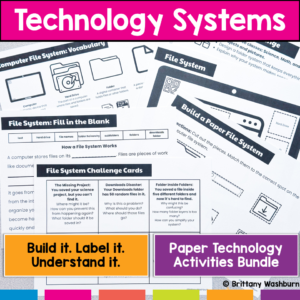
Stop trying to explain how technology works… and let students build it instead. This hands-on bundle includes 5 interactive activities that help students understand the systems behind everyday technology. Instead of memorizing vocabulary, students build, label, and explain how technology actually works.
From Wi-Fi to file organization to how data travels across the internet, these activities turn abstract concepts into clear, concrete learning experiences.
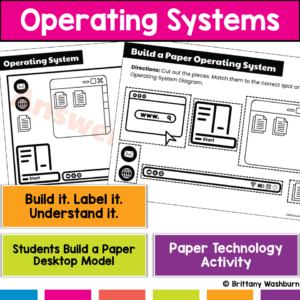
Students use computers every day…but most don’t actually understand what’s running them. This hands-on operating system activity helps students build and explore a computer desktop so they can understand how apps, files, and system tools work together.
Instead of just clicking around, students build a working model of a computer interface, making an abstract concept clear and easy to explain.
$22.25Original price was: $22.25.$17.80Current price is: $17.80.
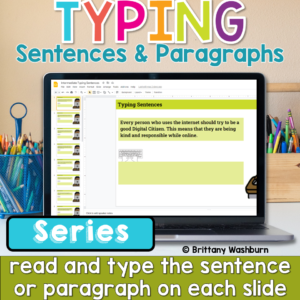
Help students build the keyboarding skills they need to write confidently on a computer with this Progressive Keyboarding Practice Bundle. This series is designed to guide students step-by-step from typing simple sentences to typing full paragraphs, helping them develop both typing fluency and confidence composing digitally.
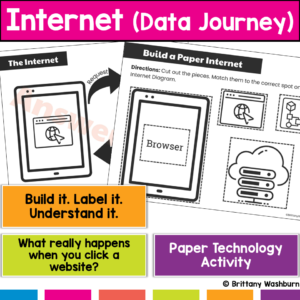
What actually happens when students type a website and hit enter? Most students don’t know, and that’s why this concept feels confusing. This hands-on internet activity helps students build and model how data travels across the internet, turning an invisible process into something they can see, touch, and explain. Students don’t just learn vocabulary, they build the internet’s data journey step by step.
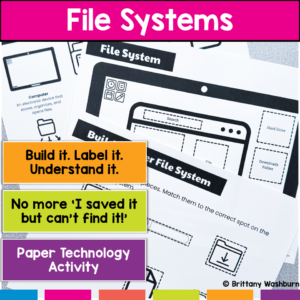
Are your students constantly saying, “I saved it… but I can’t find it!”? That’s not just forgetfulness—it’s a lack of understanding how files and folders actually work. This hands-on file system activity helps students build, label, and organize a computer file system so they can finally understand how digital organization works.
Instead of memorizing vocabulary, students create a visual model of a file system, making abstract concepts concrete and easy to apply.
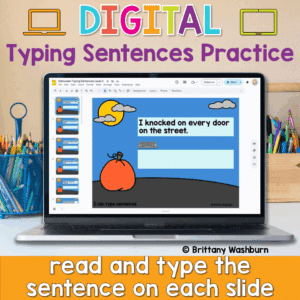
Looking for a fun and festive way to build typing fluency with your primary students? This Halloween-themed typing activity includes 40 digital slides, each featuring a short, age-appropriate sentence that students can type directly on the screen. Whether you’re working on keyboarding skills or want an engaging October tech activity, this resource is a spooktacular addition to your lesson plans!
💻 Designed for Google Slides or PowerPoint, students can complete this on any device with a keyboard—perfect for Chromebooks, desktops, or laptops.
$45.00Original price was: $45.00.$30.00Current price is: $30.00.
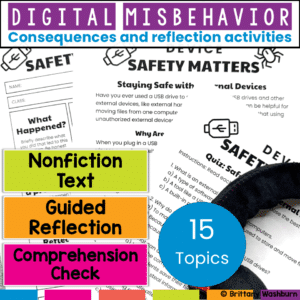
Teach digital responsibility and redirect tech misbehavior with this restorative reflection bundle. Includes nonfiction reading, reflection sheets, comprehension checks, and bonus digital tools! Build digital citizenship skills while addressing tech misbehavior—without taking devices away.
This bundle includes 15 complete reflection activities designed to help students understand and take responsibility for their actions in the computer lab or any tech-integrated classroom.
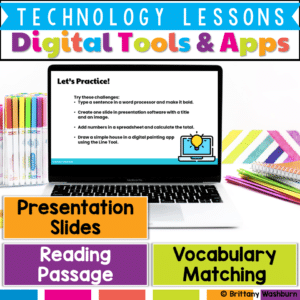
Help students build essential digital literacy skills with this no-prep Digital Tools & Apps Lesson! Students will explore word processors, spreadsheets, presentation software, and digital art applications through a structured lesson that includes pre-made materials and suggested classroom activities.
$6.00Original price was: $6.00.$3.00Current price is: $3.00.
Reinforce your students’ understanding of cloud computing concepts with this engaging set of 24 review task cards! Designed for upper elementary and middle-grade students, this activity provides an excellent opportunity to revisit and apply knowledge about cloud storage, safe information sharing, and the benefits and challenges of using cloud-based tools. These task cards are ideal for consolidating learning after an introduction to cloud computing basics.
$6.00Original price was: $6.00.$3.00Current price is: $3.00.
Equip your students with essential time management skills using this engaging set of 24 Time Management with Digital Tools Task Cards! Designed for elementary and middle school students, this activity introduces practical, real-life strategies to stay organized and productive with the help of digital tools. Through these interactive task cards, students will explore digital calendars, to-do lists, reminders, and other time-saving technologies to help them balance schoolwork, personal tasks, and responsibilities.
Equip your students with essential skills for responsible and effective digital communication with this set of 24 Digital Communication Task Cards! Designed for upper elementary and middle grade students, these task cards focus on the basics of writing professional emails, recognizing phishing scams, attaching files, and practicing respectful online communication. This activity will prepare students to navigate digital tools responsibly, whether for academic purposes or in their future professional lives.
Introduce your students to the world of coding with this engaging set of 24 task cards! Designed specifically for elementary and middle school learners, this activity covers fundamental coding concepts, such as sequences, loops, conditions, and events. These concepts are presented through a mix of conceptual questions and real-world coding examples, helping students build a solid foundation in computational thinking.
$7.00Original price was: $7.00.$3.50Current price is: $3.50.
Help students explore the world of operating systems and user interfaces with this set of 30 discussion prompts. Perfect for engaging elementary students in understanding how computers and devices work, these cards are ideal for sparking interactive conversations in the computer lab or classroom.
What’s Included:
30 printable discussion prompt cards (5 pages with 6 cards per page).
Each card features an open-ended question to inspire thoughtful discussions on operating systems, user interfaces, and how these concepts affect how we use technology.
3-page guide on how to use discussion prompts effectively with students.
Printable PDF format, ready to print, cut, and use for engaging discussions in your classroom.
$7.00Original price was: $7.00.$3.50Current price is: $3.50.
Spark curiosity and critical thinking in your classroom with these 30 History and Future of Technology discussion prompts. Designed to engage students in meaningful conversations about how technology has evolved and where it’s headed, these printable cards are perfect for the computer lab or classroom discussions!
What’s Included:
30 printable discussion prompt cards (5 pages with 6 cards per page).
Each card contains an open-ended question to prompt discussions about the history of technology, key inventions, and future technological innovations.
3-page guide with tips on how to use discussion prompts effectively with students in both small group and whole-class settings.
Printable PDF format, ready to print, cut, and use to inspire interactive and thought-provoking discussions.
$7.50Original price was: $7.50.$3.25Current price is: $3.25.
Ignite creativity and spark meaningful conversations about digital art, music, and storytelling with this set of 42 Digital Creativity discussion prompts. Perfect for encouraging young students to explore technology and express their ideas in the computer lab or classroom.
What’s Included:
42 printable discussion prompt cards (7 pages with 6 cards per page).
Each card features an open-ended question designed to inspire students to think critically about digital creativity, content creation, and responsible sharing online.
3-page guide on how to use discussion prompts effectively with students in both small group and whole-class settings.
Printable PDF format, ready to be printed, cut, and used for engaging class discussions.
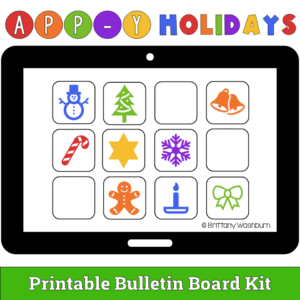
Show off your love of technology with an App-y Holidays bulletin board! In this kit, the header letters and a selection of “app” icons are provided plus you can have students use the blank app templates to draw their own. If you have limited bulletin board space, students can vote on which apps are added to the main display.
What is included?
Printable bulletin board header letters that spell out APP-Y HOLIDAYS in both color and black and white.
12 “app” icons to print and add to your bulletin board. These are not real apps but rather are holiday themed icons that are meant to represent apps.
Blank app templates students can use to draw their own apps. This makes a fun class activity.
Help students learn the connection and storage devices with some simple sorting, matching, and labeling activities. Great for the beginning of the year or whenever you do your storage devices unit.