Digital coloring pages work on so many great technology skills at the same time. While students are all familiar with paper and pencil coloring activities, it takes it to a whole new level to do it digitally. With these nature and animal theme designs, students will master working with layered shapes and the fill tool. Coloring in individual shapes in each design requires precision and patience.
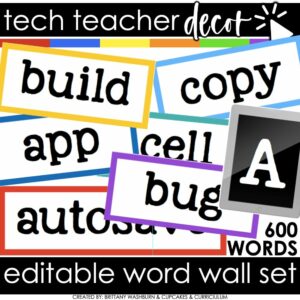
Bring tech terms to life in your classroom with these Technology Vocabulary Word Wall Cards! This colorful, editable set includes hundreds of ready-to-use vocabulary cards, category headers, and an editable file so you can create your own. Perfect for computer labs, STEM rooms, media centers, or any classroom teaching digital literacy.
Organized by topics like Coding, Internet Safety, STEM, Computer Basics, G Suite, 3D Printing, iOS, and AR/QR, these cards make it easy for students to reference and spell technology terms correctly. Print, laminate, and reuse year after year for a stylish and functional word wall.
Teach students about computer science with digital sorting activities for Conditionals. 2 types of digital activities ask students to act like a computer to sort items based on a condition and then take a look at a set of items and create their own condition before they sort.
Use these activities as a lesson on understanding what conditions are in computer science. Digital poster and vocabulary cards included.
Introduce a lesson on how digital storage works with this eBook that goes over flash drives, external hard drives, and cloud storage options. Great for a warm up activity in the computer lab or classroom. Share the PDF with students for a paperless experience or print the nonfiction text out as a booklet.
This resource works on so many great technology skills. While students may be familiar with using snap cubes (or counting blocks or whatever you call them) to make designs, it brings the skill to a whole new level to do it digitally. 10 Earth Day designs in 4 different levels for differentiation between grade levels k-5.
3 Christmas Digital Keyboard shortcuts “games” that can be completed on any device. There are 12 keyboard shortcuts included and these 12 are repeated throughout the 3 games. This gives students an opportunity to master them. There is a 1 page poster included for you to use to introduce the keyboard shortcuts if your students are new to them.
Students are going to love discovering what St Patrick’s Day themed design is hidden in the spreadsheet software mystery picture and you’ll love that they are practicing so many different skills. While students may be familiar with paper and pencil mystery pictures, it takes it to a whole new level to do it digitally. Students will really master the toolbar in Google Sheets or Microsoft Excel. The activity has them filling 100 cells in the table per design, making it a mastery activity.
Students are going to love creating their own Digital Glyph Summer Scene and you’re going to love all of the technology skills work they are getting. This resource works on so many great technology skills. While students may be familiar with paper and pencil glyph activities, it takes it to a whole new level to do it digitally.
Engage your tech lab students with Digital Keyboard Puzzles! This resource includes 21 digital puzzles housed in Google Slides with 2 levels of challenge for differentiation.
Try digital animation with your students by allowing them to create their own Fall themed scenes! Students choose from background options and then add shapes, text, and clip art graphics to make a scene. Then they duplicate the slide and make a small change over and over (about 50 times) to animate the scene. Once the stop motion animation is complete students publish it to the web and can optionally make it into a GIF using a website tool.
$18.00Original price was: $18.00.$12.00Current price is: $12.00.
Timely Tech is designed to help your students build tech skills while incorporating monthly themed digital activities. When I teach my students with monthly themed activities that bring in the other subject areas, I find that they are more engaged and empowered to learn. This set includes Back to School themed activities that work regardless of which month you go back to school.
Even our youngest learners can master graphic design basics with digital design activities like this Recreate a Valentine’s Day Scene challenge. Students will drag the provided clip art pieces into the work area and then resize and layer the pieces until it looks exactly like the model. I’ve provided 5 challenges that are increasingly more difficult and require more tech skills and perseverance.
Try digital animation with your students with a simple and engaging Easter Egg project! Students choose from background options and then add shapes and clip art graphics to make a scene. Then they duplicate the slide and make a small change over and over (about 50 times) to animate the scene. Once the stop motion animation is complete students publish it to the web and can optionally make it into a GIF using a website tool.
$18.00Original price was: $18.00.$12.00Current price is: $12.00.
Timely Tech is designed to help your students build tech skills while incorporating monthly themed digital activities. When I teach my students with monthly themed activities that bring in the other subject areas, I find that they are more engaged and empowered to learn. This set includes October themed activities
Even our youngest learners can master graphic design basics with digital design activities like this Recreate a Gingerbread House challenge. Students will drag the provided clip art pieces into the work area and then resize and layer the pieces until it looks exactly like the model. I’ve provided 5 challenges that are increasingly more difficult and require more tech skills and perseverance.
This resource includes:
Google Slides (or download as PowerPoint)
Background and Clip Art Graphics Included
5 Levels of Challenge
Optional Slide for students to design their own Gingerbread House
$42.00Original price was: $42.00.$33.60Current price is: $33.60.
Introduce lessons on computer basics with these eBooks. Great for a warm up activity in the computer lab or classroom. Share the PDF with students for a paperless experience or print the nonfiction text out as a booklet.
Students can learn and memorize the keyboard shortcuts by completing 10 engaging secret picture tile puzzles. These puzzles are great mouse or trackpad practice as well as being an opportunity to practice navigating a Google Slides or PowerPoint file.
This resource works on so many great technology skills. While students may be familiar with using snap cubes (or counting blocks or whatever you call them) to make designs, it brings the skill to a whole new level to do it digitally. 10 Superhero Theme designs in 4 different levels for differentiation between grade levels k-5.
$54.00Original price was: $54.00.$38.25Current price is: $38.25.
9 Digital Breakouts for the Online Research Skills topics most relevant to upper elementary and middle school students. By the end of completing these challenges, students will be ready to dig into online research confidently.
Try digital animation with your students with a simple and engaging Spring theme project! Students choose from background options and then add shapes and clip art graphics to make a scene. Then they duplicate the slide and make a small change over and over (about 50 times) to animate the scene. Once the stop motion animation is complete students publish it to the web and can optionally make it into a GIF using a website tool.
Keyboard shortcuts “game” that can be completed on any device. The interactive PDF has a Crayrons theme, where students get to collect crayons with each correct answer. Interactive PDFs are easy to use and students can practice their tech skills from any device!
Students are going to love creating their own Digital Glyph Saint Patrick’s Day Scene and you’re going to love all of the technology skills work they are getting. Digital Glyphs work on so many great technology skills. While students may be familiar with paper and pencil glyph activities, it takes it to a whole new level to do it digitally.
Students can learn and memorize the web browser icons by completing 10 engaging digital secret picture tile puzzles. These puzzles are great mouse or trackpad practice as well as being an opportunity to practice navigating a Google Slides or PowerPoint file.
Typing basic sentences makes great keyboarding practice for elementary students. This is a set of 20 slides, each containing a few digital citizenship themed sentences for students to type. Any device that can access Google Slides or PowerPoint can be used to complete these digital interactive activities.
Teach students about computer science with digital sorting activities for Conditionals. 2 types of digital activities ask students to act like a computer to sort items based on a condition and then take a look at a set of items and create their own condition before they sort. This set has Foods and Drinks to sort in different ways.
Use these activities as a lesson on understanding what conditions are in computer science. Digital poster and vocabulary cards included.
$18.00Original price was: $18.00.$12.00Current price is: $12.00.
Timely Tech is designed to help your students build tech skills while incorporating monthly themed digital activities. When I teach my students with monthly themed activities that bring in the other subject areas, I find that they are more engaged and empowered to learn. This is a set of 23 February Themed Technology Activities for grades K-5.
Are you looking for the perfect back to school low-prep way to get to know your technology class students? This fun Back to School All About Me laptop is perfect! Just print and color.
Also included is an end of year keepsake for your computer lab students. This fun end of year memory laptop is perfect for technology classes! Give your students the opportunity to remember their school year forever while staying on theme (technology). Guaranteed to keep students engaged!
Students are going to love creating their own Build a Zoo Digital Glyph and you’re going to love all of the technology skills work they are getting. Digital Glyphs work on so many great technology skills. While students may be familiar with paper and pencil glyph activities, it takes it to a whole new level to do it digitally.
In this Build a Zoo activity, students will be asked to work across slides in either Google Slides or PowerPoint, copy and paste between slides, resize pieces, layer pieces, group pieces, and save their finished work as an image file. All while completing an engaging get-to-know-you activity.
Learning keyboarding can be super boring and tedious for students. This set of 4 Transportation Themed text formatting activities aims to bring engagement and a sense of purpose to the practice of typing. Students will also (hopefully) have a sense of pride over the final outcome and an understanding of the learning objective.
Students are going to love creating their own Digital Glyph Apple Orchard Scene and you’re going to love all of the technology skills work they are getting. This resource works on so many great technology skills. While students may be familiar with paper and pencil glyph activities, it takes it to a whole new level to do it digitally.
This is an editable file of a QR code worksheet for students to review technology vocabulary words. Includes the student worksheet, directions, and answer key for teachers.
Do your student’s parents ever ask about what standards are used and what units are taught in technology class? Do they ask for a list of safe websites to use at home? If yes, then this resource is for you!
This flipbook is editable so you can add your own standards, grade level overviews and units, and resources for students to use at home.
Students are going to love designing their own Digital Cards for Mother’s Day and Father’s Day and you’re going to love all of the technology skills work they are getting. Digital Glyphs work on so many great technology skills. While students may be familiar with paper and pencil glyph activities, it takes it to a whole new level to do it digitally.
Learning keyboarding can be super boring and tedious for students. This set of 4 School Themed text formatting activities aims to bring engagement and a sense of purpose to the practice of typing. Students will also (hopefully) have a sense of pride over the final outcome and an understanding of the learning objective.
This resource works on so many great technology skills. While students may be familiar with using snap cubes (or counting blocks or whatever you call them) to make designs, it brings the skill to a whole new level to do it digitally. 10 Easter designs in 4 different levels for differentiation between grade levels k-5.
Computer Skills Task Cards. Use these task cards as essential questions to guide your student’s learning and/or as an assessment tool. They are ideal for intermediate grades students. Each card was designed to guide a lesson using the MS Office suite of products. All of the lessons could be done in MS PPT as an introduction and then students can transfer their knowledge to the other MS Office products like Word and Excel.
Digital activities for the book If you Give a Mouse an iPhone that are perfect for grades 3-5. 12 total digital activities that will help students expand their understanding of this great read aloud storybook. I designed this for technology teachers so that you can read the same book to all 3 grade levels and then assign them different activities. You can read it again the next year with fresh activities for the next grade!
This resource works on so many great technology skills. While students may be familiar with using snap cubes (or counting blocks or whatever you call them) to make designs, it brings the skill to a whole new level to do it digitally. 10 Ocean Theme designs in 4 different levels for differentiation between grade levels k-5.
$92.25Original price was: $92.25.$45.00Current price is: $45.00.
Planning your keyboarding units for grades K-5 just got easier! This is a bundle of typing resources that includes everything you need to facilitate keyboarding practice and progress.
Introduce a lesson on Online Research Skills with this eBook that goes over Citing Sources. In this booklet students learn about citing sources and giving credit to authors of creative works. Share the PDF with students for a paperless experience or print the nonfiction text out as a booklet.
Students are going to love creating their own Build a Gingerbread Scene Digital Glyph and you’re going to love all of the technology skills work they are getting. Digital Glyphs work on so many great technology skills. While students may be familiar with paper and pencil glyph activities, it takes it to a whole new level to do it digitally.
In this Build a Gingerbread Scene activity, students will be asked to work across slides in either Google Slides or PowerPoint, copy and paste between slides, resize pieces, layer pieces, group pieces, and save their finished work as an image file. All while completing an engaging get-to-know-you activity.