10 projects for Christmas Around the World for students to practice creating presentations in either Google Slides or PowerPoint. There are 2 levels included for differentiation. The facts are the same, but the requirements for the presentation change between the levels.
Digital interactive slides for 2nd and 3rd grade students with a February theme. Timely Tech is designed to help your students build tech skills while incorporating monthly themed digital activities.
When I teach my students with monthly themed activities that bring in the other subject areas, I find that they are more engaged and empowered to learn. There is intentionally lots of repetition from month to month with these Timely Tech activities because students are building both tech and academic skills.
Using technology and problem solving skills, students decipher codes and complete activities to learn the Online Research Skills topic of Search Engines. The activities are housed in a Google Slides file and students enter their codes into a locked Google Form.
Using technology and problem solving skills, students decipher codes to help save Max from cyberspace. This is a great activity to introduce students to the escape the classroom challenges, and it is fully digital! I’m calling it a digital breakout because students enter the final codes into a locked Google Form to see if they save Max.
Teach students how to follow and decompose algorithms with these Build a Sandwich digital activities. 2 types of digital activities ask students to follow an algorithm to put a Sandwich together and then look at a pre-built Sandwich and type their own algorithm for it.
Use these activities as a lesson on understanding what an algorithm is, how to write one, follow one, and decompose one. I even included printable posters and vocabulary cards.
Even our youngest learners can master graphic design basics with digital design activities like this Recreate a Winter Train challenge. Students will drag the provided clip art pieces into the work area and then resize and layer the pieces until it looks exactly like the model. I’ve provided 5 challenges that are increasingly more difficult and require more tech skills and perseverance.
This resource includes:
Google Slides (or download as PowerPoint)
Background and Clip Art Graphics Included
5 Levels of Challenge
Optional Slide for students to design their own Winter Train
Students are going to love discovering what Valentine’s Day themed design is hidden in the spreadsheet software mystery picture and you’ll love that they are practicing so many different skills. While students may be familiar with paper and pencil mystery pictures, it takes it to a whole new level to do it digitally. Students will really master the toolbar in Google Sheets or Microsoft Excel. The activity has them filling 100 cells in the table per design, making it a mastery activity.
Hold your students accountable for navigating a web browser independently with this Web Browser Icons bulletin board or display. Stylish yet academic posters, with letters to use as a heading. Just print and set up!
Students color 5 worksheets with icons that represent the different things we can do with a trackpad (click, click and drag, right click, double click, scroll, swipe, etc.). Perfect for an offline activity!
$18.00Original price was: $18.00.$12.00Current price is: $12.00.
Timely Tech is designed to help your students build tech skills while incorporating monthly themed digital activities.
When I teach my students with monthly themed activities that bring in the other subject areas, I find that they are more engaged and empowered to learn.
Digital interactive slides for 2nd and 3rd grade students with a October theme. Timely Tech is designed to help your students build tech skills while incorporating monthly themed digital activities.
When I teach my students with monthly themed activities that bring in the other subject areas, I find that they are more engaged and empowered to learn. There is intentionally lots of repetition from month to month with these Timely Tech activities because students are building both tech and academic skills.
5 Word Processing modules for the Intermediate skills. Most appropriate for students in grades 3-5 or students who have had an introduction to Word Processing. For each skill, there are 2 templates. 1 will open in MS Word, and 1 will open in Google Docs. To use the Google Docs version, your students will need to have Google accounts. The tasks for the assignment are the same whether students are using Word or Docs.
These projects were made out of a desire to guide students to eventually work independently in software programs. They are design to build technology literacy through repetition and engaging project prompts.
Using technology and problem solving skills, students decipher codes and complete activities to learn the Online Research Skills topic of Advanced Search. The activities are housed in a Google Slides file and students enter their codes into a locked Google Form.
Even our youngest learners can master graphic design basics with digital design activities like this Recreate a Fall Scene challenge. Students will drag the provided clip art pieces into the work area and then resize and layer the pieces until it looks exactly like the model. I’ve provided 5 challenges that are increasingly more difficult and require more tech skills and perseverance.
Introduce a lesson on how the Internet works with this eBook that goes over how the internet started, how it works, and how we use it. Great for a warm up activity in the computer lab or classroom. Share the PDF with students for a paperless experience or print the nonfiction text out as a booklet.
Using technology and problem solving skills, students decipher codes and complete activities to learn the Online Research Skills topic of Taking Notes (Putting Information Together). The activities are housed in a Google Slides file and students enter their codes into a locked Google Form.
Using technology and problem solving skills, students decipher codes and complete activities to learn the Online Research Skills topic of Copyright Rules. The activities are housed in a Google Slides file and students enter their codes into a locked Google Form.
Using technology and problem solving skills, students decipher codes and complete activities to learn the Online Research Skills topic of How to Read a Webpage. The activities are housed in a Google Slides file and students enter their codes into a locked Google Form.
28 Essential Questions- one for each sub-standard of the International Society for Technology Education Standards for Students. Ideal for helping to inspire technology-infused project based learning in your classroom. As of 7/16/16 these have been fully updated for the 2016 ISTE Standards for Students.
Timely Tech is designed to help your students build tech skills while incorporating monthly themed digital activities. This is a mini unit of 16 digital activities with a winter sports theme. *Not endorsed by the Winter Olympics*
Introduce a lesson on how to read web pages with this eBook that goes over what a web page is and the parts of a web page. Great for a warm up activity in the computer lab or classroom. Share the PDF with students for a paperless experience or print the nonfiction text out as a booklet.
Introduce a lesson on computers parts with this eBook that goes over the parts inside a computer. Great for a warm up activity in the computer lab or classroom. Share the PDF with students for a paperless experience or print the nonfiction text out as a booklet.
$29.50Original price was: $29.50.$23.60Current price is: $23.60.
Teach students how to follow and decompose algorithms with these Code Builder digital activities. 2 types of digital activities ask students to follow an algorithm to put a design together and then look at a pre-built design and type their own algorithm for it.
Use these activities as a lesson on understanding what an algorithm is, how to write one, follow one, and decompose one. I even included printable posters and vocabulary cards.
Using technology and problem solving skills, students decipher codes and complete activities to learn the Online Research Skills topic of Ads in Search Results and Sponsored Content. The activities are housed in a Google Slides file and students enter their codes into a locked Google Form.
Sorting Matrix Digital and Print Activities to teach If/Then/Else coding language (Conditionals). Everything you need to teach students about conditionals and let them practice using the terminology. This resource includes 12 digital slides with moveable pieces and 12 printable activity mats meant to be used with velcro.
Using technology and problem solving skills, students decipher codes and complete activities to learn the Online Research Skills topic of Judging Online Information. The activities are housed in a Google Slides file and students enter their codes into a locked Google Form.
Digital interactive slides for 2nd and 3rd grade students with a April theme. Timely Tech is designed to help your students build tech skills while incorporating monthly themed digital activities.
When I teach my students with monthly themed activities that bring in the other subject areas, I find that they are more engaged and empowered to learn. There is intentionally lots of repetition from month to month with these Timely Tech activities because students are building both tech and academic skills.
Digital interactive slides for 2nd and 3rd grade students with a January theme. Timely Tech is designed to help your students build tech skills while incorporating monthly themed digital activities.
When I teach my students with monthly themed activities that bring in the other subject areas, I find that they are more engaged and empowered to learn. There is intentionally lots of repetition from month to month with these Timely Tech activities because students are building both tech and academic skills.
Even our youngest learners can master graphic design basics with digital design activities like this Recreate a Winter Scene challenge. Students will drag the provided clip art pieces into the work area and then resize and layer the pieces until it looks exactly like the model. I’ve provided 5 challenges that are increasingly more difficult and require more tech skills and perseverance.
This resource works on so many great technology skills. While students may be familiar with using pattern blocks to make designs, it brings the skill to a whole new level to do it digitally. Each slide has only 1 of each pattern block. This means students need to manipulate the pattern blocks in order to fit them over the design on the mat.
Introduce a lesson on using a computer mouse or trackpad with this eBook that goes over how a mouse and trackpad work. Starting with the ball-style mouse, then learning about the optical mouse, then on to trackpads and other types of inputs.
11 digital interactive slides for 2nd and 3rd grade students with a November theme. Timely Tech is designed to help your students build tech skills while incorporating monthly themed digital activities.
When I teach my students with monthly themed activities that bring in the other subject areas, I find that they are more engaged and empowered to learn.
$16.00Original price was: $16.00.$12.80Current price is: $12.80.
These Coding Activities are perfect for your grades 2-5 students. These are fully digital and can be used through Google Slides or PowerPoint. Let your students learn about computer languages in a fun and engaging way. These activities are independent click and go lessons on binary, coding, and problem solving. Perfect for the ISTE standard Computational Thinking. They would even be great for your STEM time in class or your Maker Space during the Hour of Code!
Coding meets vocabulary instruction with VoCode! Integrate those robots you have (or turn students into robots) to complete these coding challenges. 3 Options for the activities mean that you can use this with ANY movable Bots and ANY grade level of students. Be sure to check out the images!
$170.50Original price was: $170.50.$119.35Current price is: $119.35.
This full-year bundle gives you everything you need to teach core technology skills to your 3rd grade students with ease. Aligned to ISTE Standards and designed to support growing independence, these lessons help students gain confidence with tools they’ll use throughout school and beyond.
Includes a mix of digital + printable activities and a clear pacing guide—so you always know what to teach next.
$8.99Original price was: $8.99.$7.50Current price is: $7.50.
Avatar Character digital glyph and digital animation projects in one bundle. You can use both projects with the same students or have students do the digital glyph the first year and then the digital animation the next year. Ideal for computer lab teachers or upper elementary classroom teachers.
$18.00Original price was: $18.00.$12.00Current price is: $12.00.
Timely Tech is designed to help your students build tech skills while incorporating monthly themed digital activities. When I teach my students with monthly themed activities that bring in the other subject areas, I find that they are more engaged and empowered to learn. This is a set of 23 January Themed Technology Activities for grades K-5.
Here is an idea of how you might separate these activities by grade levels:
K/1: Beginning sounds, Spelling CVC Words, Counting Dice, Before and After Numbers
2/3: Make new words, ABC order, Pixel Art, January words search, Shapes Snowman
4/5: Decoding, Editing spelling errors, New Year Goals, IF/THEN/ELSE, Coding, Multimedia poster, Digital Snow Flakes
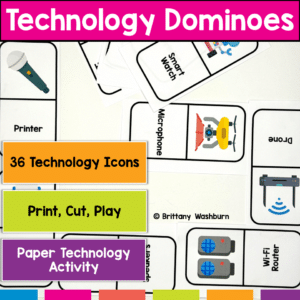
Get Ready to Level Up Your Computer Parts Unit with Tech Dominoes! If you’re looking for a fun and interactive way to reinforce your students’ tech knowledge, look no further. Introducing Tech Dominoes – the game that makes learning technology terms a blast! With printable paper domino cards, you can turn any class into an exciting tech adventure.
Introduce a lesson on operating systems with this eBook that goes over what operating systems are and the three most popular operating systems. There are also pages about mobile and chrome OS. Great for a warm up activity in the computer lab or classroom. Share the PDF with students for a paperless experience or print the nonfiction text out as a booklet.
Students are going to love creating their own Digital Glyph Easter Scene and you’re going to love all of the technology skills work they are getting. Digital Glyphs work on so many great technology skills. While students may be familiar with paper and pencil glyph activities, it takes it to a whole new level to do it digitally.
This resource works on so many great technology skills. While students may be familiar with using snap cubes (or counting blocks or whatever you call them) to make designs, it brings the skill to a whole new level to do it digitally. 10 Cinco de Mayo designs in 4 different levels for differentiation between grade levels k-5.
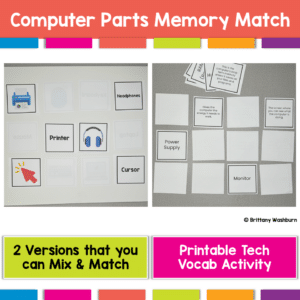
Get Ready to Level Up Your Computer Parts Unit with a Printable Memory Match Game! If you’re looking for a fun and interactive way to reinforce your students’ tech knowledge, look no further. Introducing Computer Parts Memory Match – the game that makes reviewing technology terms a blast! With 2 sets of printable computer parts cards, you can turn any class into an exciting tech adventure.
Digital activities for the book But I Read It on the Internet that are perfect for grades 3-5. 12 total digital activities that will help students expand their understanding of this great read aloud storybook. I designed this for technology teachers so that you can read the same book to all 3 grade levels and then assign them different activities. You can read it again the next year with fresh activities for the next grade!
$10.00Original price was: $10.00.$8.00Current price is: $8.00.
Have you been wanting to try 3D Printing with Tinkercad with your students but have no idea where to start? This starter kit has everything you need to teach your students how to use Tinkercad and provides 3 leveled prompts to practice their new skills. Great for beginners!
$728.74Original price was: $728.74.$510.12Current price is: $510.12.
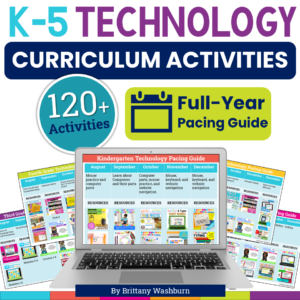
Tired of planning tech lessons from scratch? This K–5 Technology Curriculum Activities Bundle takes the pressure off with 120+ ready-to-use lessons covering computer skills, internet safety, keyboarding, coding, and more. Aligned to ISTE Standards and perfect for busy elementary tech teachers who want structure without the stress.
Digital activities for the book The Technology Tail that are perfect for grades 3-5. 12 total digital activities that will help students expand their understanding of this great read aloud storybook. I designed this for technology teachers or media specialists so that you can read the same book to all 3 grade levels and then assign them different activities. You can read it again the next year with fresh activities for the next grade!