Introduce a lesson on Digital Citizenship with this eBook that goes over Private and Personal Information. In this booklet students learn about private and personal information and what not to share online. Share the PDF with students for a paperless experience or print the nonfiction text out as a booklet.
Introduce a lesson on Online Research Skills with this eBook that goes over How to take notes on a topic. In this booklet students learn strategies for taking notes, including writing down the source and synthesizing the information into something new. Share the PDF with students for a paperless experience or print the nonfiction text out as a booklet.
Introduce a lesson on the history of technology with this eBook that goes over the career of Tim Berners-Lee, who developed the World Wide Web as a way to share information across the Internet. Great for a warm up activity in the computer lab or classroom. Share the PDF with students for a paperless experience or print the nonfiction text out as a booklet.
Keyboard shortcuts “game” that can be completed on any device. The interactive PDF has an Breakfast theme, where students get to build a breakfast with each correct answer. Interactive PDFs are easy to use and students can practice their tech skills from any device!
Students are going to love creating their own Build a Carnival Digital Glyph and you’re going to love all of the technology skills work they are getting. Digital Glyphs work on so many great technology skills. While students may be familiar with paper and pencil glyph activities, it takes it to a whole new level to do it digitally.
In this Build a Carnival activity, students will be asked to work across slides in either Google Slides or PowerPoint, copy and paste between slides, resize pieces, layer pieces, group pieces, and save their finished work as an image file. All while completing an engaging get-to-know-you activity.
STEM goes digital with these fun and engaging design challenges for November. 5 engineering design websites and 5 editable challenges perfect for grades 3 and up. If you are in a paperless classroom or 1:1 with laptops or Chromebooks then these are ideal for you, but can also be used during computer lab time or with the laptop cart.
Digital Click and Drag Mystery Pictures work on so many great technology skills. While students may be familiar with using 100s charts in their math lessons, it brings the skill to a whole new level to use them as mouse or trackpad practice. This set includes 5 May themed designs in 2 different levels for differentiation between grade levels k-5.
$36.00Original price was: $36.00.$28.80Current price is: $28.80.
Spiral Review technology lessons that teach presentation, word processing, and spreadsheet software for 2nd grade over 36 sessions. These will make a great addition to your technology curriculum for the computer lab. The skills build on each other throughout this unit so it is important to do the lessons in order. Each set of 12 weeks are all on the same topic, so students can take a deep dive into the content and the tech skills.
Learning keyboarding can be super boring and tedious for students. This set of 4 Earth Day Themed text formatting activities aims to bring engagement and a sense of purpose to the practice of typing. Students will also (hopefully) have a sense of pride over the final outcome and an understanding of the learning objective.
9 digital interactive slides for 2nd and 3rd grade students with a September theme. Timely Tech is designed to help your students build tech skills while incorporating monthly themed digital activities.
When I teach my students with monthly themed activities that bring in the other subject areas, I find that they are more engaged and empowered to learn.
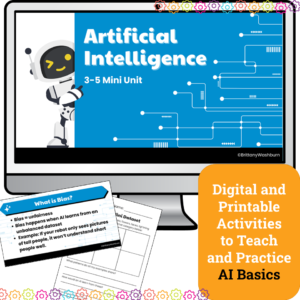
Introduce upper elementary students to artificial intelligence with this 4-lesson mini unit designed for grades 3–5. Students will explore how AI learns, practice prompt engineering, fact-check responses, and discuss fairness in AI systems. Includes lesson plans, editable slides, and vocabulary —perfect for computer lab, digital literacy, or Hour of AI activities.
Help your students master essential internet research skills with this set of 24 Internet Research Task Cards! Designed for upper elementary and middle grade students, these task cards provide engaging, hands-on practice in using search engines effectively, evaluating the reliability of online sources, and utilizing keywords to refine search results. Students will learn how to navigate the vast resources of the internet responsibly while developing critical thinking skills for identifying trustworthy and relevant information.
$68.50Original price was: $68.50.$61.65Current price is: $61.65.
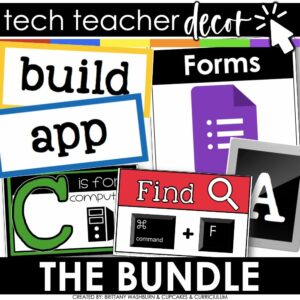
A bundle of technology themed decor for your classroom means you can have an adorable and stylish classroom while still maintaining a highly academic environment! Perfect for any technology lab, media center, or classroom grades K-8.
Teach and review online research skills strategies with this set of 25 posters that can be used as a bulletin board or display. Stylish yet academic posters, with both color and black and white options. Just print and set up!
$6.00Original price was: $6.00.$3.00Current price is: $3.00.
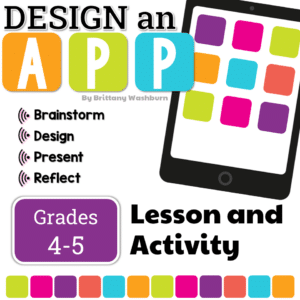
Students plan the build and design of an app with this engaging and comprehensive lesson plan! Perfect for educators looking to teach students app development and design skills. Suitable for various age groups, this lesson plan includes a teacher guide, digital files for students, and an optional presentation. Get started today and empower your students to become innovative designers!
Digital activities for the book Troll Stinks that are perfect for grades 3-5. 12 total digital activities that will help students expand their understanding of this great read aloud storybook. I designed this for technology teachers or media specialists so that you can read the same book to all 3 grade levels and then assign them different activities. You can read it again the next year with fresh activities for the next grade!
Digital activities for the book Dot. that are perfect for grades K-2. 12 total digital activities that will help students expand their understanding of this great read aloud storybook. I designed this for technology teachers or media specialists so that you can read the same book to all 3 grade levels and then assign them different activities. You can read it again the next year with fresh activities for the next grade!
The beginning of the year in the computer lab comes with so many tasks that it can be easy to get overwhelmed or forget something important. This set of checklists and to do lists are completely editable and will hopefully help you feel in control of your back to school tasks.
Students are going to love creating their own Donut Digital Glyph as a way to talk about Test Prep and Stress, and you’re going to love all of the technology skills work they are getting. Digital Glyphs work on so many great technology skills. While students may be familiar with paper and pencil glyph activities, it takes it to a whole new level to do it digitally.
Technology integration made easy with Quick Tech! Help students master Computer Basics with these quick tech printable and digital activities! Perfect to reinforce computer vocabulary throughout the school year without wasting precious instructional time. The activities included are all ideal for 2nd grade students in interest and complexity.
Technology Integration made easy with Quick Tech! Computer science can be simple and engaging with these quick tech printable and digital activities! Perfect to reinforce coding skills throughout the school year without wasting precious instructional time. The activities included are all ideal for 2nd grade students in interest and complexity.
Introduce a lesson on Digital Citizenship with this eBook that goes over social media. In this booklet students learn about what social media is, the minimum age requirement, and about privacy settings. Share the PDF with students for a paperless experience or print the nonfiction text out as a booklet.
Introduce a lesson on the history of technology with this eBook that goes over the life of Alan Turing, known for his work in decoding cyphers and creating the first test for artificial intelligence. Great for a warm up activity in the computer lab or classroom. Share the PDF with students for a paperless experience or print the nonfiction text out as a booklet.
Computer parts “game” that can be completed on any device. The interactive PDF has an Bounce House theme, where students get to build a bounce house with each correct answer. Interactive PDFs are easy to use and students can practice their tech skills from any device!
Students can learn and memorize the cursor icons by completing 10 engaging digital secret picture tile puzzles. These puzzles are great mouse or trackpad practice as well as being an opportunity to practice navigating a Google Slides or PowerPoint file.
Teachers looking to integrate technology skills and content areas with love this review of PowerPoint/Google Slides skills for students with the topic of Plants. While this is a simple research project, the real goal of this activity is for students to put their notes into a Presentation template (using either Google Slides or PowerPoint) and make it look professional.
Presentation Projects for Rocks and Minerals for students to practice creating presentations in either Google Slides or PowerPoint. There are 2 levels included for differentiation. The facts are the same, but the requirements for the presentation change between the levels.
Digital Click and Drag Mystery Pictures work on so many great technology skills. While students may be familiar with using 100s charts in their math lessons, it brings the skill to a whole new level to use them as mouse or trackpad practice. This set includes 5 April themed designs in 2 different levels for differentiation between grade levels k-5.
Learning keyboarding can be super boring and tedious for students. This set of 4 Clothes Themed text formatting activities aims to bring engagement and a sense of purpose to the practice of typing. Students will also (hopefully) have a sense of pride over the final outcome and an understanding of the learning objective.
Spiral Review technology lessons that teach presentation, word processing, and spreadsheet software over 12 sessions. These will make a great addition to your technology curriculum for the computer lab. The skills build on each other throughout this unit so it is important to do the lessons in order. Weeks 25-36 are all on the topic of the science of color so students can take a deep dive into the content and the tech skills.
Spiral Review technology lessons that teach presentation, word processing, and spreadsheet software over 12 sessions. These will make a great addition to your technology curriculum for the computer lab. The skills build on each other throughout this unit so it is important to do the lessons in order. Weeks 13-24 are all on the topic of space and planets so students can take a deep dive into the content and the tech skills.
This resource works on so many great technology skills. While students may be familiar with using snap cubes (or counting blocks or whatever you call them) to make designs, it brings the skill to a whole new level to do it digitally. 10 Weather Theme designs in 4 different levels for differentiation between grade levels k-5.
Digital interactive slides for 2nd and 3rd grade students with a May theme. Timely Tech is designed to help your students build tech skills while incorporating monthly themed digital activities.
When I teach my students with monthly themed activities that bring in the other subject areas, I find that they are more engaged and empowered to learn. There is intentionally lots of repetition from month to month with these Timely Tech activities because students are building both tech and academic skills.
For those times when you have a 20-30 minute presentation slot and you need to teach a tech tool, this resource has your back. Description that gives background info and hooks your teachers, how to steps with screenshots, and ideas for use with elementary students. Everything you need to get your staff started with Google Drawing.
This version of PowerPoint Skills for Beginners requires students to have some experience saving and locating saved files. Each lesson progresses sequentially so the students will be working in the same file on the different skills. Ideal for 2nd or 3rd grade students who have been exposed to how to get back to a file they started.
Digital Summer Themed Coding Activities for your grades 2-5 students. These are fully digital and can be used through Google Slides or PowerPoint. Let your students learn about computer languages in a fun and engaging way. These activities are independent click and go lessons on binary, coding, and problem solving. Perfect for the ISTE standard Computational Thinking. They would even be great for your STEM time in class or your Maker Space during the Hour of Code!
Digital activities for the book hello! hello! that are perfect for grades K-2. 12 total digital activities that will help students expand their understanding of this great read aloud storybook. I designed this for technology teachers or media specialists so that you can read the same book to all 3 grade levels and then assign them different activities. You can read it again the next year with fresh activities for the next grade!
Digital activities for the book #Goldilocks that are perfect for grades 3-5. 12 total digital activities that will help students expand their understanding of this great read aloud storybook. I designed this for technology teachers or media specialists so that you can read the same book to all 3 grade levels and then assign them different activities. You can read it again the next year with fresh activities for the next grade!
Students learn about how RGB and Hex color coding works with a quick lesson and then 10 printable technology themed mystery picture worksheets. Perfect for an offline activity!
Technology integration made easy with Quick Tech! Help students master Computer Basics with these quick tech printable and digital activities! Perfect to reinforce computer vocabulary throughout the school year without wasting precious instructional time. The activities included are all ideal for 1st grade students in interest and complexity.
$36.00Original price was: $36.00.$28.80Current price is: $28.80.
Introduce lessons on Online Research Skills with this eBook series. In these booklets students learn strategies to find the right information and how to avoid plagiarism. Share the PDF with students for a paperless experience or print the nonfiction text out as a booklet.
Keyboard shortcuts “game” that can be completed on any device. The interactive PDF has an Gumball theme, where students get to fill the gumball machine with each correct answer. Interactive PDFs are easy to use and students can practice their tech skills from any device!
Keyboard shortcuts “game” that can be completed on any device. The interactive PDF has an Bug theme, where students get to build bugs with each correct answer. Interactive PDFs are easy to use and students can practice their tech skills from any device!
Easter Digital CVC word practice slides for Google Slides or PowerPoint. This set has 10 slides of CVC word building and typing practice. There is an Easter theme on the secret pictures to make it engaging.
Digital activities for the book But It’s Just a Game that are perfect for grades 3-5. 12 total digital activities that will help students expand their understanding of this great read aloud storybook. I designed this for technology teachers or media specialists so that you can read the same book to all 3 grade levels and then assign them different activities. You can read it again the next year with fresh activities for the next grade!
STEM goes digital with these fun and engaging design challenges for February. 5 engineering design websites and 5 editable challenges perfect for grades 3 and up. If you are in a paperless classroom or 1:1 with laptops or Chromebooks then these are ideal for you, but can also be used during computer lab time or with the laptop cart.
Presentation Projects for Plants for students to practice creating presentations in either Google Slides or PowerPoint. There are 2 levels included for differentiation. The facts are the same, but the requirements for the presentation change between the levels.