Earth Day review for your intermediate students. 10 paperless interactive activities. Use with a tablet, laptop, computer, anything that can access Google Slides. Fun Earth Day learning resources with practice in:
Vocabulary
ABC order
Web Quest
Acrostic Poem
Cause and Effect
Sorts
Creative Writing
With this resource you will receive a link to a file to be shared with your students in Google Classroom.
Digital activities for the book Chicken Clicking that are perfect for grades 3-5. 12 total digital activities that will help students expand their understanding of this great read aloud storybook. I designed this for technology teachers or media specialists so that you can read the same book to all 3 grade levels and then assign them different activities. You can read it again the next year with fresh activities for the next grade!
Introduce a lesson on Online Research Skills with this eBook that goes over Plagiarism. In this booklet students learn about plagiarism and how to avoid it by citing sources. Share the PDF with students for a paperless experience or print the nonfiction text out as a booklet.
Introduce a lesson on Online Research Skills with this eBook that goes over the Search Results page. In this booklet students learn about how to narrow down search results with advanced search strategies. Share the PDF with students for a paperless experience or print the nonfiction text out as a booklet.
Introduce a lesson on Online Research Skills with this eBook that goes over Ads in Search. In this booklet students learn about sponsored content and how to tell if a search result is a paid advertisement. Share the PDF with students for a paperless experience or print the nonfiction text out as a booklet.
Digital activities for the book How to Code a Sandcastle that are perfect for grades 3-5. 12 total digital activities that will help students expand their understanding of this great read aloud storybook. I designed this for technology teachers or media specialists so that you can read the same book to all 3 grade levels and then assign them different activities. You can read it again the next year with fresh activities for the next grade!
Students are going to love discovering what New Years themed design is hidden in the spreadsheet software mystery picture and you’ll love that they are practicing so many different skills. While students may be familiar with paper and pencil mystery pictures, it takes it to a whole new level to do it digitally. Students will really master the toolbar in Google Sheets or Microsoft Excel. The activity has them filling 100 cells in the table per design, making it a mastery activity.
This resource works on so many great technology skills. While students may be familiar with using snap cubes (or counting blocks or whatever you call them) to make designs, it brings the skill to a whole new level to do it digitally. 10 Monsters Theme designs in 4 different levels for differentiation between grade levels k-5.
Equip your students with essential problem-solving skills in technology with this set of 24 Basic Troubleshooting Task Cards! Perfect for elementary and middle grade learners, these task cards introduce students to common troubleshooting techniques, from managing unresponsive programs to checking internet connections and adjusting volume settings. Through hands-on activities, students will gain the confidence to resolve basic technical issues independently, building a foundation in digital literacy and responsible device use.
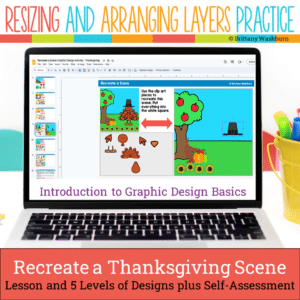
Even our youngest learners can master graphic design basics with digital design activities like this Recreate a Thanksgiving Scene challenge. Students will drag the provided clip art pieces into the work area and then resize and layer the pieces until it looks exactly like the model. I’ve provided 5 challenges that are increasingly more difficult and require more tech skills and perseverance.
Unlock the world of technology careers with a guided research project! Perfect for grades 4-6, this interactive digital download is designed to inspire young minds and develop vital research and presentation skills. Discover the exciting world of technology and set your students on a path to success with this Tech Careers Guided Research Project. 34 Tech Career Posters provided with all of the facts students need to complete their presentation.
$28.50Original price was: $28.50.$22.80Current price is: $22.80.
Would you like students to work on technology skills while doing fun Valentine’s Day themed activities in the computer lab? Then this bundle is for you!
Build a Valentine’s Day Scene Digital Glyph Activity
Valentine’s Day Digital Animation Project
Valentine’s Day Digital Pixel Art
Valentine’s Day Sheets/Excel Digital Mystery Pictures
Valentine’s Day Digital Hundreds Charts Mystery Pictures
Valentine’s Day CVC Words Digital Puzzles
Valentine’s Day Digital Phonics Drag and Drop
Valentine’s Day Graphic Design Lesson and Activity
Help students master Online Research Skills with these quick tech printable and digital activities! Perfect to reinforce research skills throughout the school year without wasting precious instructional time. The activities included are all ideal for 5th grade students in interest and complexity.
Introduce a lesson on Online Research Skills with this eBook that goes over Copyright. In this booklet students learn strategies what intellectual property is, how a person can copyright it, and about licenses for using or sharing copyrighted materials. Share the PDF with students for a paperless experience or print the nonfiction text out as a booklet.
Introduce a lesson on Online Research Skills with this eBook that goes over How to Read a Web Page. In this booklet students learn about the main parts of a web page and how to skim over the distractions to read them. Share the PDF with students for a paperless experience or print the nonfiction text out as a booklet.
Students are going to love creating their own Build a Carnival Digital Glyph and you’re going to love all of the technology skills work they are getting. Digital Glyphs work on so many great technology skills. While students may be familiar with paper and pencil glyph activities, it takes it to a whole new level to do it digitally.
In this Build a Carnival activity, students will be asked to work across slides in either Google Slides or PowerPoint, copy and paste between slides, resize pieces, layer pieces, group pieces, and save their finished work as an image file. All while completing an engaging get-to-know-you activity.
STEM goes digital with these fun and engaging design challenges for January. 5 engineering design websites and 5 editable challenges perfect for grades 3 and up. If you are in a paperless classroom or 1:1 with laptops or Chromebooks then these are ideal for you, but can also be used during computer lab time or with the laptop cart.
$108.00Original price was: $108.00.$92.00Current price is: $92.00.
Spiral Review technology lessons that teach presentation, word processing, and spreadsheet software over 36 sessions for each grade level. These will make a great addition to your technology curriculum for the computer lab. The skills build on each other throughout this unit so it is important to do the lessons in order.
This resource works on so many great technology skills. While students may be familiar with using snap cubes (or counting blocks or whatever you call them) to make designs, it brings the skill to a whole new level to do it digitally. 10 Sweet Treats Theme designs in 4 different levels for differentiation between grade levels k-5.
$40.00Original price was: $40.00.$34.00Current price is: $34.00.
Using technology and problem solving skills, students decipher codes and complete activities to learn Coding Vocabulary that they will use in any coding program.
Using technology and problem solving skills, students decipher codes and complete activities to learn Coding Vocabulary on the topic of Decomposing (breaking problems into smaller parts).
$5.00Original price was: $5.00.$3.00Current price is: $3.00.
Digital Mystery Pictures with a Fall Theme for Multiplication and Division Practice. Your students will love discovering what is hidden in the boxes after completing rigorous multi-digit multiplication and division problems.
Introducing the ultimate tech skills awards certificates set! 30 unique awards for students who excel in technology skills. With catchy award names like Code Wizard, Digital Explorer, and Social Media Star, you can recognize and celebrate the achievements of your tech-savvy students in a fun and creative way.
Each award comes with a brief description of the skills or behaviors required to earn it, making it easy for you to choose the right award for each student.
Stop Motion Animation goes Digital with this Football Digital Animation Project! Students add the provided graphics to make the Football scene. Then they duplicate the slide and make a small change over and over (about 25 times) to animate the scene. Once the stop motion animation is complete students publish it to the web and can optionally make it into a GIF using a website tool.
Introduce a lesson on Digital Citizenship with this eBook that goes over Private and Personal Information. In this booklet students learn about private and personal information and what not to share online. Share the PDF with students for a paperless experience or print the nonfiction text out as a booklet.
Introduce a lesson on Online Research Skills with this eBook that goes over How to take notes on a topic. In this booklet students learn strategies for taking notes, including writing down the source and synthesizing the information into something new. Share the PDF with students for a paperless experience or print the nonfiction text out as a booklet.
Try digital animation with your students with a simple and engaging Earth Day theme project! Students choose from background options and then add shapes and clip art graphics to make a scene. Then they duplicate the slide and make a small change over and over (about 50 times) to animate the scene. Once the stop motion animation is complete students publish it to the web and can optionally make it into a GIF using a website tool.
Introduce a lesson on computer coding with this eBook that goes over the life of Ada Lovelace, known for her work in computer programming. The eBook includes her contributions to the Analytical Engine and future programming languages. Great for a warm up activity in the computer lab or classroom. Share the PDF with students for a paperless experience or print the nonfiction text out as a booklet.
Presentation Projects for States of Matter for students to practice creating presentations in either Google Slides or PowerPoint. There are 2 levels included for differentiation. The facts are the same, but the requirements for the presentation change between the levels.
STEM goes digital with these fun and engaging design challenges for September. 5 engineering design websites and 5 editable challenges perfect for grades 3 and up. If you are in a paperless classroom or 1:1 with laptops or Chromebooks then these are ideal for you, but can also be used during computer lab time or with the laptop cart.
Presentation Projects for Moon Phases for students to practice creating presentations in either Google Slides or PowerPoint. There are 2 levels included for differentiation. The facts are the same, but the requirements for the presentation change between the levels.
Teachers looking to integrate technology skills and content areas with love this review of PowerPoint/Google Slides skills for students with the topic of Rocks and Minerals. While this is a simple research project, the real goal of this activity is for students to put their notes into a Presentation template (using either Google Slides or PowerPoint) and make it look professional.
Learning keyboarding can be super boring and tedious for students. This set of 4 Earth Day Themed text formatting activities aims to bring engagement and a sense of purpose to the practice of typing. Students will also (hopefully) have a sense of pride over the final outcome and an understanding of the learning objective.
Digital interactive slides for 4th and 5th grade students with a April theme. Timely Tech is designed to help your students build tech skills while incorporating monthly themed digital activities.
When I teach my students with monthly themed activities that bring in the other subject areas, I find that they are more engaged and empowered to learn. There is intentionally lots of repetition from month to month with these Timely Tech activities because students are building both tech and academic skills.
$7.50Original price was: $7.50.$3.75Current price is: $3.75.
Spark curiosity and ignite conversations about the exciting world of technology with these 42 Coding, Robotics, and AI discussion prompts. Perfect for engaging students in meaningful dialogue, these printable cards will bring STEM topics to life in your classroom.
Students create the content for this bulletin board set with a free Algorithm Art digital activity from code.org. The file comes with printable letters to use as a heading and accent pieces to make the display pop. Prep the letters and accent pieces, have the students complete the online activity, print out the finished student work, and set up the bulletin board.
What is included?
• Directions for student activity, which is on code.org
• 2 color options of letters for the header in both color and black and white.
• Accent icons in color and black and white to add to your design (optional).
Digital activities for the book Nerdy Birdy Tweets that are perfect for grades 3-5. 12 total digital activities that will help students expand their understanding of this great read aloud storybook. I designed this for technology teachers or media specialists so that you can read the same book to all 3 grade levels and then assign them different activities. You can read it again the next year with fresh activities for the next grade!
Introduce a lesson on the history of technology with this eBook that goes over the career of Tim Berners-Lee, who developed the World Wide Web as a way to share information across the Internet. Great for a warm up activity in the computer lab or classroom. Share the PDF with students for a paperless experience or print the nonfiction text out as a booklet.
Keyboard shortcuts “game” that can be completed on any device. The interactive PDF has an Breakfast theme, where students get to build a breakfast with each correct answer. Interactive PDFs are easy to use and students can practice their tech skills from any device!
STEM goes digital with these fun and engaging design challenges for November. 5 engineering design websites and 5 editable challenges perfect for grades 3 and up. If you are in a paperless classroom or 1:1 with laptops or Chromebooks then these are ideal for you, but can also be used during computer lab time or with the laptop cart.
Digital Click and Drag Mystery Pictures work on so many great technology skills. While students may be familiar with using 100s charts in their math lessons, it brings the skill to a whole new level to use them as mouse or trackpad practice. This set includes 5 May themed designs in 2 different levels for differentiation between grade levels k-5.
Learning keyboarding can be super boring and tedious for students. This set of 4 Clothes Themed text formatting activities aims to bring engagement and a sense of purpose to the practice of typing. Students will also (hopefully) have a sense of pride over the final outcome and an understanding of the learning objective.
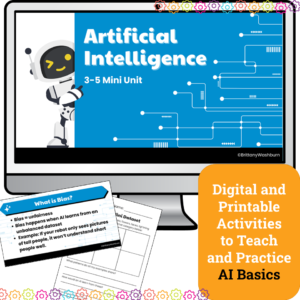
Introduce upper elementary students to artificial intelligence with this 4-lesson mini unit designed for grades 3–5. Students will explore how AI learns, practice prompt engineering, fact-check responses, and discuss fairness in AI systems. Includes lesson plans, editable slides, and vocabulary —perfect for computer lab, digital literacy, or Hour of AI activities.
$7.00Original price was: $7.00.$3.50Current price is: $3.50.
Help your students become savvy digital researchers with these 30 Online Research discussion prompts. Perfect for guiding thoughtful conversations, these printable cards will teach students how to navigate the internet effectively and responsibly.
What’s Included:
A set of 30 carefully crafted printable cards featuring open-ended discussion prompts focused on Online and Internet Research skills for elementary students.
Each card presents a key question designed to encourage critical thinking about how to search for, evaluate, and use online information responsibly.
The cards are provided in PDF format, ready to print and use in your classroom.
$6.00Original price was: $6.00.$3.00Current price is: $3.00.
Students plan the build and design of an app with this engaging and comprehensive lesson plan! Perfect for educators looking to teach students app development and design skills. Suitable for various age groups, this lesson plan includes a teacher guide, digital files for students, and an optional presentation. Get started today and empower your students to become innovative designers!