$6.50Original price was: $6.50.$3.25Current price is: $3.25.
Inspire creativity and innovation in your students with these 24 Makerspace discussion prompts. Perfect for fostering hands-on learning and collaborative thinking, these printable cards will ignite your students’ imaginations and encourage them to explore, design, and create.
What’s Included:
A set of 24 creatively designed printable cards featuring open-ended discussion prompts focused on Makerspace activities for elementary students.
Each card presents a question or challenge designed to encourage students to think critically and creatively about making, building, and designing.
The cards are provided in PDF format, ready to print and use in your classroom or Makerspace.
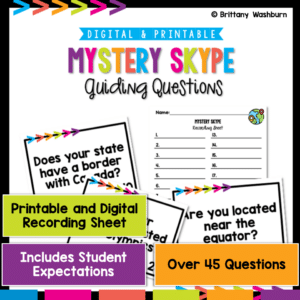
Embark on a global learning journey with Mystery Skype! This engaging activity is designed to connect classrooms worldwide, fostering cultural understanding and digital citizenship. Perfect for enhancing global awareness and communication skills in a fun, interactive way.
Mystery Skype is an educational game where students use Skype (or other video conferencing tools) to connect with another classroom somewhere else in the world. The goal is for each class to guess the location of the other by asking questions. There are two versions – one for a global Mystery Skype and one specific to the United States. Pick the question set that best matches the location of your Mystery Skype.
Computer icons “game” that can be completed on any device. The interactive PDF has an Starlight Candy theme, where students get to collect starlight candies with each correct answer. These 24 computer icons are a combination of web browser icons and mouse/trackpad icons. Interactive PDFs are easy to use and students can practice their tech skills from any device!
Computer icons “game” that can be completed on any device. The interactive PDF has an Fairytale theme, where students get to build a castle with each correct answer. These 24 computer icons are a combination of web browser icons and mouse/trackpad icons. Interactive PDFs are easy to use and students can practice their tech skills from any device!
Computer icons “game” that can be completed on any device. The interactive PDF has an Fair theme, where students get to build the tent with each correct answer. These 24 computer icons are a combination of web browser icons and mouse/trackpad icons. Interactive PDFs are easy to use and students can practice their tech skills from any device!
Computer icons “game” that can be completed on any device. The interactive PDF has an Cotton Candy theme, where students get to make cotton candy with each correct answer. These 24 computer icons are a combination of web browser icons and mouse/trackpad icons. Interactive PDFs are easy to use and students can practice their tech skills from any device!
Computer icons “game” that can be completed on any device. The interactive PDF has an Chicken theme, where students get to help the baby chick get to its mother with each correct answer. These 24 computer icons are a combination of web browser icons and mouse/trackpad icons. Interactive PDFs are easy to use and students can practice their tech skills from any device!
$30.00Original price was: $30.00.$24.00Current price is: $24.00.
Teachers looking to integrate technology skills and content areas with love this review of PowerPoint/Google Slides skills for students with science topics. While these are simple research projects, the real goal of this activity is for students to put their notes into a Presentation template (using either Google Slides or PowerPoint) and make it look professional.
Teachers looking to integrate technology skills and content areas with love this review of PowerPoint/Google Slides skills for students with the topic of Muscles and Bones. While this is a simple research project, the real goal of this activity is for students to put their notes into a Presentation template (using either Google Slides or PowerPoint) and make it look professional.
Teachers looking to integrate technology skills and content areas with love this review of PowerPoint/Google Slides skills for students with the topic of Biomes and Ecosystem. While this is a simple research project, the real goal of this activity is for students to put their notes into a Presentation template (using either Google Slides or PowerPoint) and make it look professional.
Coding meets ELA instruction with VoCode! Integrate those robots you have (or turn students into robots) to complete these fairy tale coding challenges. 3 Options for the activities mean that you can use this with ANY movable Bots and ANY grade level of students. Be sure to check out the images!
This set includes Beauty and the Beast. Check out the images to see which ones are included.
Coding meets Social Studies instruction with VoCode! Integrate those robots you have (or turn students into robots) to complete these phonics coding challenges. 3 Options for the activities mean that you can use this with ANY movable Bots and ANY grade level of students. Be sure to check out the images!
Coding meets science vocabulary instruction with VoCode! Integrate those robots you have (or turn students into robots) to complete these coding challenges. 3 Options for the activities mean that you can use this with ANY movable Bots and ANY grade level of students. Be sure to check out the images!
Coding meets science vocabulary instruction with VoCode! Integrate those robots you have (or turn students into robots) to complete these coding challenges. 3 Options for the activities mean that you can use this with ANY movable Bots and ANY grade level of students. Be sure to check out the images!
Coding meets science vocabulary instruction with VoCode! Integrate those robots you have (or turn students into robots) to complete these coding challenges. 3 Options for the activities mean that you can use this with ANY movable Bots and ANY grade level of students. Be sure to check out the images!
Coding meets math vocabulary instruction with VoCode! Integrate those robots you have (or turn students into robots) to complete these coding challenges. 3 Options for the activities mean that you can use this with ANY movable Bots and ANY grade level of students.
Coding meets math vocabulary instruction with VoCode! Integrate those robots you have (or turn students into robots) to complete these coding challenges. 3 Options for the activities mean that you can use this with ANY movable Bots and ANY grade level of students.
$12.00Original price was: $12.00.$6.00Current price is: $6.00.
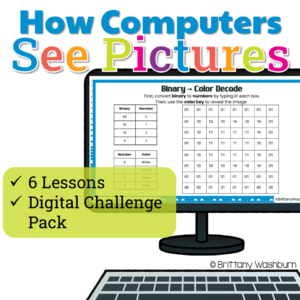
How do computers turn 0s and 1s into colorful pictures? Help students discover the science behind digital images with this engaging Pixel Art, Binary Code, and Image Coding Unit!
This hands-on computer science resource takes students beyond simply coloring pixel grids. Through guided lessons, mystery picture puzzles, binary decoding activities, and creative coding challenges, students explore how computers use pixels, numbers, binary code, and compression to represent digital images.
Designed for upper elementary technology and computer science classes (grades 3–6), this unit makes abstract computing concepts visual, approachable, and fun!
$22.00Original price was: $22.00.$17.60Current price is: $17.60.
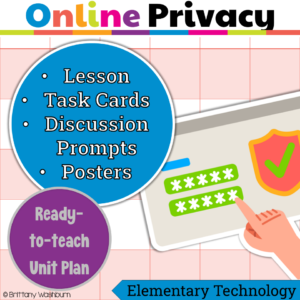
Need a meaningful way to teach internet safety and online privacy, not just surface-level rules? Struggling to help students understand why protecting personal information online actually matters? This Digital Citizenship Unit Kit gives you everything you need to teach online safety and privacy in a clear, engaging, and age-appropriate way, without planning from scratch.
$16.00Original price was: $16.00.$12.80Current price is: $12.80.
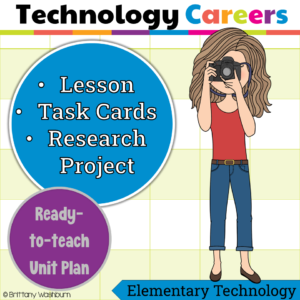
Want your students to see how technology connects to real-world careers? Looking for a meaningful way to introduce tech jobs beyond just “coding”? This Technology Careers Unit Kit gives you everything you need to teach students about real technology careers while guiding them through a structured, engaging research project.
This is a complete, ready-to-teach unit designed to help students explore technology careers, understand real-world applications, and connect their interests to future opportunities.
$100.00Original price was: $100.00.$80.00Current price is: $80.00.
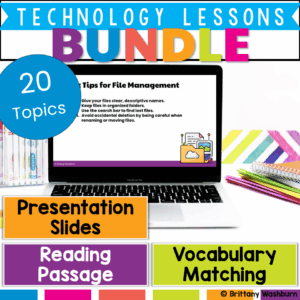
Engage your students with real-world technology lessons that build 21st-century skills! This comprehensive bundle includes 20 ready-to-teach lessons, each designed to introduce key technology concepts through reading, vocabulary, interactive slides, and discussion. Whether you’re teaching in a computer lab, library, STEM classroom, or integrated tech block, this bundle gives you the tools to confidently lead engaging, standards-aligned instruction.
Each lesson includes a teacher guide, editable presentation slides, reading passage, vocabulary matching sheet, and student response activities, making planning a breeze and learning purposeful.
$120.00Original price was: $120.00.$96.00Current price is: $96.00.
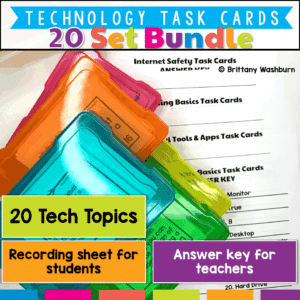
Looking for an engaging, time-saving way to teach essential technology and digital literacy skills? This Printable Technology Task Card Bundle includes 20 sets of ready-to-use task cards covering everything from Augmented Reality to Time Management—all at a 20% discount!
Designed for upper elementary and middle school students, these task cards are perfect for review, stations, fast finishers, or technology centers. Each set includes a mix of multiple-choice, short answer, and scenario-based questions that get students thinking critically about the digital world.
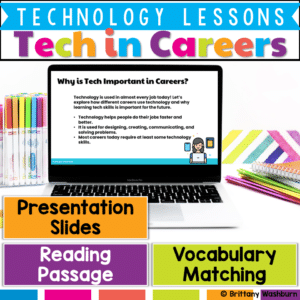
Prepare your students for the future with this engaging and ready-to-use Technology in Careers lesson! This resource introduces learners to how technology is used across a wide variety of jobs—from artists and doctors to engineers and game designers. Perfect for upper elementary students, this lesson builds digital literacy, career awareness, and critical thinking skills in a fun and interactive way.
Through vocabulary-building, reading comprehension, and creative discussions, students will gain a deeper understanding of how technology impacts modern careers and how it might shape their own futures.
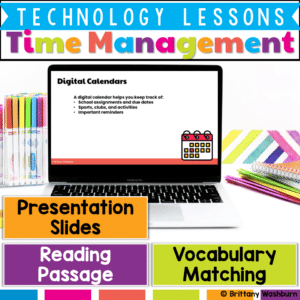
Help your students take control of their time with this engaging, no-prep Time Management with Digital Tools lesson! Designed for upper elementary learners, this resource introduces the importance of time management and explores how digital tools—like calendars, reminders, and task lists—can help students stay organized and reduce stress.
Students will build essential digital literacy and executive functioning skills through vocabulary, a reading passage, interactive discussions, and optional practice tasks like creating a schedule or using a digital calendar.
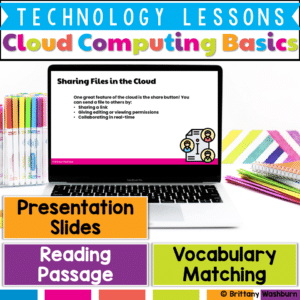
Introduce your students to one of the most important concepts in modern technology with this Cloud Computing Basics lesson! This beginner-friendly resource is designed to help elementary learners understand how cloud computing works, why it’s useful, and how it connects to their daily digital experiences. Students will build essential vocabulary, explore real-world examples, and reflect on the benefits and challenges of using the cloud—all in an engaging, age-appropriate format.
What’s Included in This Resource:
✅ Cloud Computing Vocabulary List – Student-friendly terms like server, sync, and cloud storage ✅ Reading Passage – Informative and accessible text explaining the basics of cloud computing ✅ Presentation Slides – Visual slides with built-in discussion questions and real-life connections ✅ Student Handouts – Worksheets or digital response sheets for comprehension and review
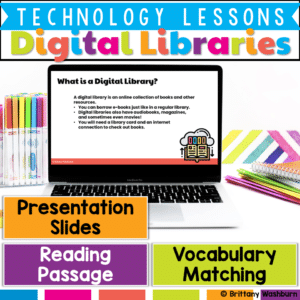
Help your students confidently navigate the world of digital reading with this E-Books and Digital Libraries Lesson! Designed to support digital literacy skills, this engaging resource teaches what e-books and digital libraries are, how they work, and how they compare to traditional print books. Students will build vocabulary, strengthen comprehension, and reflect on the benefits of digital resources.
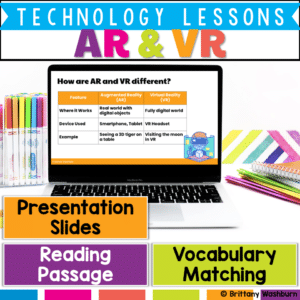
Take your students on a futuristic learning journey with this Augmented Reality (AR) and Virtual Reality (VR) Lesson! This engaging resource teaches the key differences between AR and VR, introduces relevant vocabulary, and explores how these technologies enhance learning experiences.
What’s Included in This Resource:
✅ Vocabulary List – Essential AR & VR terms with definitions
✅ Reading Passage – Informational text on how AR and VR work and their impact on learning
✅ Presentation Slides – Visual explanations with discussion prompts
✅ Student Handouts – Printable or digital worksheets for comprehension and reflection
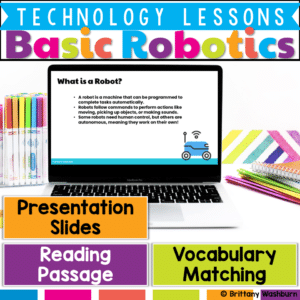
Get your students excited about robotics and automation with this engaging, beginner-friendly lesson! This Basic Robotics Lesson introduces key vocabulary, robot functions, and real-world applications, making complex concepts easy to understand.
$6.00Original price was: $6.00.$4.00Current price is: $4.00.
Digital Pixel Art works on so many great technology skills. While students may be familiar with using snap cubes (or counting blocks or whatever you call them) to make designs, it brings the skill to a whole new level to do it digitally. 10 Hanukkah designs in 4 different levels for differentiation between grade levels k-5.
$45.00Original price was: $45.00.$36.00Current price is: $36.00.
Computer icons “games” that can be completed on any device. The interactive PDF bundle has 15 fun themes for any time of the school year. Each theme includes 24 computer icons that are a combination of web browser icons and mouse/trackpad icons. The icons are the same in each theme but in different orders.
Computer icons “game” that can be completed on any device. The interactive PDF has an Cupcake theme, where students get to stack cupcakes with each correct answer. These 24 computer icons are a combination of web browser icons and mouse/trackpad icons. Interactive PDFs are easy to use and students can practice their tech skills from any device!
Computer icons “game” that can be completed on any device. The interactive PDF has an Record theme, where students get to build a juke box with each correct answer. These 24 computer icons are a combination of web browser icons and mouse/trackpad icons. Interactive PDFs are easy to use and students can practice their tech skills from any device!
Computer icons “game” that can be completed on any device. The interactive PDF has an Hawaii theme, where students get to stack Tiki Masks with each correct answer. These 24 computer icons are a combination of web browser icons and mouse/trackpad icons. Interactive PDFs are easy to use and students can practice their tech skills from any device!
Changes in Matter Virtual Classroom. Looking for supplemental technology activities for your Changes in Matter Science unit? This set of digital activities has you covered regardless of what type of technology device(s) you have available. Use the trend of the Bitmoji Virtual Classroom to engage your students!
Virtual classroom activities are great for students to learn about and practice topics. It is also a great opportunity to work on tech skills like navigating websites and working between tabs in a browser.
Earth Materials Virtual Classroom. Looking for supplemental technology activities for your Earth Materials Science unit? This set of digital activities has you covered regardless of what type of technology device(s) you have available. Use the trend of the Bitmoji Virtual Classroom to engage your students!
Virtual classroom activities are great for students to learn about and practice topics. It is also a great opportunity to work on tech skills like navigating websites and working between tabs in a browser.
Spiral Review technology lessons that teach presentation, word processing, and spreadsheet software over 12 sessions. These will make a great addition to your technology curriculum for the computer lab. The skills build on each other throughout this unit so it is important to do the lessons in order. Weeks 13-24 are all on the topic of the Candy and how it is made, so students can take a deep dive into the content and the tech skills.
Students are going to love discovering what Detectives themed design is hidden in the spreadsheet software mystery picture and you’ll love that they are practicing so many different skills. While students may be familiar with paper and pencil mystery pictures, it takes it to a whole new level to do it digitally. Students will really master the toolbar in Google Sheets or Microsoft Excel. The activity has them filling 100 cells in the table per design, making it a mastery activity.
Students are going to love discovering what Fitness themed design is hidden in the spreadsheet software mystery picture and you’ll love that they are practicing so many different skills. While students may be familiar with paper and pencil mystery pictures, it takes it to a whole new level to do it digitally. Students will really master the toolbar in Google Sheets or Microsoft Excel. The activity has them filling 100 cells in the table per design, making it a mastery activity.
Students are going to love discovering what Construction themed design is hidden in the spreadsheet software mystery picture and you’ll love that they are practicing so many different skills. While students may be familiar with paper and pencil mystery pictures, it takes it to a whole new level to do it digitally. Students will really master the toolbar in Google Sheets or Microsoft Excel. The activity has them filling 100 cells in the table per design, making it a mastery activity.
Students are going to love discovering what Circus themed design is hidden in the spreadsheet software mystery picture and you’ll love that they are practicing so many different skills. While students may be familiar with paper and pencil mystery pictures, it takes it to a whole new level to do it digitally. Students will really master the toolbar in Google Sheets or Microsoft Excel. The activity has them filling 100 cells in the table per design, making it a mastery activity.
Coding meets ELA instruction with VoCode! Integrate those robots you have (or turn students into robots) to complete these fairy tale coding challenges. 3 Options for the activities mean that you can use this with ANY movable Bots and ANY grade level of students. Be sure to check out the images!
This set includes The Little Mermaid. Check out the images to see which ones are included.
Coding meets ELA instruction with VoCode! Integrate those robots you have (or turn students into robots) to complete these fairy tale coding challenges. 3 Options for the activities mean that you can use this with ANY movable Bots and ANY grade level of students. Be sure to check out the images!
This set includes Sleeping Beauty. Check out the images to see which ones are included.
$24.00Original price was: $24.00.$15.00Current price is: $15.00.
Coding meets ELA instruction with VoCode! Integrate those robots you have (or turn students into robots) to complete these 9 Popular Fables coding challenges. 3 Options for the activities mean that you can use this with ANY movable Bots and ANY grade level of students.
Coding meets science vocabulary instruction with VoCode! Integrate those robots you have (or turn students into robots) to complete these coding challenges. 3 Options for the activities mean that you can use this with ANY movable Bots and ANY grade level of students. Be sure to check out the images!
Coding meets science vocabulary instruction with VoCode! Integrate those robots you have (or turn students into robots) to complete these coding challenges. 3 Options for the activities mean that you can use this with ANY movable Bots and ANY grade level of students. Be sure to check out the images!
Coding meets science vocabulary instruction with VoCode! Integrate those robots you have (or turn students into robots) to complete these coding challenges. 3 Options for the activities mean that you can use this with ANY movable Bots and ANY grade level of students. Be sure to check out the images!
Coding meets science vocabulary instruction with VoCode! Integrate those robots you have (or turn students into robots) to complete these coding challenges. 3 Options for the activities mean that you can use this with ANY movable Bots and ANY grade level of students. Be sure to check out the images!
Coding meets math vocabulary instruction with VoCode! Integrate those robots you have (or turn students into robots) to complete these coding challenges. 3 Options for the activities mean that you can use this with ANY movable Bots and ANY grade level of students. Be sure to check out the images!