

Excel Skills Project – Candy Store
$3.00Do you need your students to go more in depth with Microsoft Excel so that they can use it independently? This project will get them there.
Showing 49–96 of 229 resultsSorted by popularity

Do you need your students to go more in depth with Microsoft Excel so that they can use it independently? This project will get them there.

Learning keyboarding can be super boring and tedious for students. This set of 4 Summer Themed text formatting activities aims to bring engagement and a sense of purpose to the practice of typing. Students will also (hopefully) have a sense of pride over the final outcome and an understanding of the learning objective.

STEM goes digital with these fun and engaging design challenges. 10 websites and 90 challenges perfect for grades 2 and up. The virtual manipulatives work on any device and in any browser so this activity is perfect for distance learning and in the classroom.

Teachers looking to integrate technology skills and content areas with love this review of PowerPoint/Google Slides skills for students with the topic of Christmas Around the World. While this is a simple research project, the real goal of this activity is for students to put their notes into a Presentation template (using either Google Slides or PowerPoint) and make it look professional.

Using technology and problem solving skills, students decipher codes and complete activities to learn the Online Research Skills topic of Avoiding Plagiarism. The activities are housed in a Google Slides file and students enter their codes into a locked Google Form.

Do you need your students to master Google Slides, Google Docs, Google Sheets, and Google Classroom so that they can complete assignments efficiently? This bundle has everything your upper elementary students need to become pros at Google Apps.


This complete unit has 10 reading passages, vocab cards, a multiple choice assessment, and 40 digital activity slides for internet safety and digital citizenship topics. It is ideal for computer lab teachers to use during tech class as you can choose which topics to complete with each grade level.

Learn the keyboard keys while practicing technology vocabulary terms with this typing program. Over 200 vocabulary terms are included, as well as a video of directions for how to use your own lists. There are 13 Google Slides files which split the words into groups of 20. . There are 4 practice slides for each word.
This full resource is included in Technology Lessons Plans and Activities Grades K-5 Bundle so please do not purchase both.

Using technology and problem solving skills, students decipher codes and complete activities to learn the Online Research Skills topic of Evaluating a Web Page. The activities are housed in a Google Slides file and students enter their codes into a locked Google Form.

This complete unit has 9 reading passages, vocab cards, a multiple choice assessment, and 36 digital activity slides for online research topics. It is ideal for computer lab teachers to use during tech class as you can choose which topics to complete with each grade level.

Bring hands-on learning into your computer science and technology education with Coding Quests games. This board game practices If/Then/Else language while students move their Reindeer characters through a path filled with obstacles. Can they get their gifts delivered and make it back to the North Pole Safely on Christmas Night?

This holiday season will be so fun with the Ugly Sweater digital glyph and digital animation projects in one bundle! You can use both projects with the same students or have students do the digital glyph the first year and then the digital animation the next year. Ideal for computer lab teachers or upper elementary classroom teachers.
The clip art pieces can be used for many December events and holidays like Hanukkah, Kwanzaa, Christmas, Solstice, and New Year. You can add more customized options for your students if needed.

Over 180 Posters of I Can Statements for the ISTE® Technology Standards for Students. Both full page and half page posters are included as well as PDF and PNG options for printing. This is the K-2 and 3-5 sets combined into one download for K-5.

Test Taking Vocabulary is such an important thing to review with students before the test. Use these digital question stems on your interactive whiteboard as a daily writing warm up, or as an individual project on laptops or tablets to help your students learn what is expected from each of these critical words.
Words included: Describe, Identify, Explain, Infer, Develop, Evaluate, Compare and Contrast, Justify, Outline, Summarize, Predict, Interpret, Evidence, Analyze, Define, Illustrate.

120 sight words and spelling words coded in Binary to give students a decoding challenge. They are broken up into 12 sets of 10 digital flash cards which students access via a clickable PDF to take them to the web pages. After each word, students click check to see if they got it right or wrong.

Try digital animation with your students with a simple and engaging Summer theme project! Students choose from background options and then add shapes, text, and clip art graphics to make a scene. Then they duplicate the slide and make a small change over and over (about 50 times) to animate the scene. Once the stop motion animation is complete students publish it to the web and can optionally make it into a GIF using a website tool.

Learning keyboarding can be super boring and tedious for students. This set of Seasons Themed text formatting activities aims to bring engagement and a sense of purpose to the practice of typing. Students will also (hopefully) have a sense of pride over the final outcome and an understanding of the learning objective.

Test Taking Vocabulary is such an important thing to review with students before the test. Use these task cards at your writing station or for homework to help your students learn what is expected from each of these critical words.
Words included: Describe, Identify, Explain, Infer, Develop, Evaluate, Compare and Contrast, Justify, Outline, Summarize, Predict, Interpret, Evidence, Analyze, Define, Illustrate.

Using technology and problem solving skills, students decipher codes and complete activities to learn the Online Research Skills topic of Search Engines. The activities are housed in a Google Slides file and students enter their codes into a locked Google Form.


Even our youngest learners can master graphic design basics with digital design activities like this Recreate a Fall Scene challenge. Students will drag the provided clip art pieces into the work area and then resize and layer the pieces until it looks exactly like the model. I’ve provided 5 challenges that are increasingly more difficult and require more tech skills and perseverance.

Using technology and problem solving skills, students decipher codes and complete activities to learn the Online Research Skills topic of Advanced Search. The activities are housed in a Google Slides file and students enter their codes into a locked Google Form.

Using technology and problem solving skills, students decipher codes and complete activities to learn the Online Research Skills topic of Taking Notes (Putting Information Together). The activities are housed in a Google Slides file and students enter their codes into a locked Google Form.

Using technology and problem solving skills, students decipher codes and complete activities to learn the Online Research Skills topic of Copyright Rules. The activities are housed in a Google Slides file and students enter their codes into a locked Google Form.

Using technology and problem solving skills, students decipher codes and complete activities to learn the Online Research Skills topic of How to Read a Webpage. The activities are housed in a Google Slides file and students enter their codes into a locked Google Form.

28 Essential Questions- one for each sub-standard of the International Society for Technology Education Standards for Students. Ideal for helping to inspire technology-infused project based learning in your classroom. As of 7/16/16 these have been fully updated for the 2016 ISTE Standards for Students.

Using technology and problem solving skills, students decipher codes and complete activities to learn the Online Research Skills topic of Ads in Search Results and Sponsored Content. The activities are housed in a Google Slides file and students enter their codes into a locked Google Form.

Using technology and problem solving skills, students decipher codes and complete activities to learn the Online Research Skills topic of Judging Online Information. The activities are housed in a Google Slides file and students enter their codes into a locked Google Form.

Even our youngest learners can master graphic design basics with digital design activities like this Recreate a Winter Scene challenge. Students will drag the provided clip art pieces into the work area and then resize and layer the pieces until it looks exactly like the model. I’ve provided 5 challenges that are increasingly more difficult and require more tech skills and perseverance.

Avatar Character digital glyph and digital animation projects in one bundle. You can use both projects with the same students or have students do the digital glyph the first year and then the digital animation the next year. Ideal for computer lab teachers or upper elementary classroom teachers.

93 I Can Statements for the 2016 ISTE Standards for Students. These are designed to match the Technology Themed Decor Classroom Set. Both portrait and landscape layouts are included as well as blank templates for you to make your own.

Have you been wanting to try 3D Printing with Tinkercad with your students but have no idea where to start? This starter kit has everything you need to teach your students how to use Tinkercad and provides 3 leveled prompts to practice their new skills. Great for beginners!
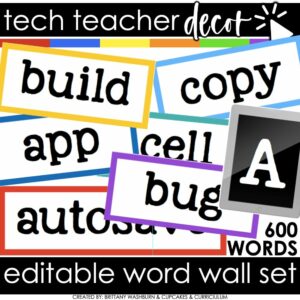
Bring tech terms to life in your classroom with these Technology Vocabulary Word Wall Cards! This colorful, editable set includes hundreds of ready-to-use vocabulary cards, category headers, and an editable file so you can create your own. Perfect for computer labs, STEM rooms, media centers, or any classroom teaching digital literacy.
Organized by topics like Coding, Internet Safety, STEM, Computer Basics, G Suite, 3D Printing, iOS, and AR/QR, these cards make it easy for students to reference and spell technology terms correctly. Print, laminate, and reuse year after year for a stylish and functional word wall.

Try digital animation with your students by allowing them to create their own Fall themed scenes! Students choose from background options and then add shapes, text, and clip art graphics to make a scene. Then they duplicate the slide and make a small change over and over (about 50 times) to animate the scene. Once the stop motion animation is complete students publish it to the web and can optionally make it into a GIF using a website tool.


Even our youngest learners can master graphic design basics with digital design activities like this Recreate a Valentine’s Day Scene challenge. Students will drag the provided clip art pieces into the work area and then resize and layer the pieces until it looks exactly like the model. I’ve provided 5 challenges that are increasingly more difficult and require more tech skills and perseverance.

Try digital animation with your students with a simple and engaging Easter Egg project! Students choose from background options and then add shapes and clip art graphics to make a scene. Then they duplicate the slide and make a small change over and over (about 50 times) to animate the scene. Once the stop motion animation is complete students publish it to the web and can optionally make it into a GIF using a website tool.


9 Digital Breakouts for the Online Research Skills topics most relevant to upper elementary and middle school students. By the end of completing these challenges, students will be ready to dig into online research confidently.

Stop Motion Animation goes Digital with this Valentine’s Day Digital Animation Project! Students add the provided graphics to make the Valentine’s Day scene. Then they duplicate the slide and make a small change over and over (about 20 times) to animate the scene. Once the stop motion animation is complete students publish it to the web and can optionally make it into a GIF using a website tool.

Try digital animation with your students with a simple and engaging Spring theme project! Students choose from background options and then add shapes and clip art graphics to make a scene. Then they duplicate the slide and make a small change over and over (about 50 times) to animate the scene. Once the stop motion animation is complete students publish it to the web and can optionally make it into a GIF using a website tool.

Using technology and problem solving skills, students decipher codes and complete activities to learn Coding Vocabulary on the topic of Algorithms.

Learning keyboarding can be super boring and tedious for students. This set of 4 Transportation Themed text formatting activities aims to bring engagement and a sense of purpose to the practice of typing. Students will also (hopefully) have a sense of pride over the final outcome and an understanding of the learning objective.

Students are going to love designing their own Digital Cards for Mother’s Day and Father’s Day and you’re going to love all of the technology skills work they are getting. Digital Glyphs work on so many great technology skills. While students may be familiar with paper and pencil glyph activities, it takes it to a whole new level to do it digitally.

Learning keyboarding can be super boring and tedious for students. This set of 4 School Themed text formatting activities aims to bring engagement and a sense of purpose to the practice of typing. Students will also (hopefully) have a sense of pride over the final outcome and an understanding of the learning objective.

Bring hands on learning into your computer science and technology education with Coding Quests board games.
This BUNDLE includes all 3 Coding Quests games in one!

Typing paragraphs makes great keyboarding practice for upper elementary and middle school students. This is a set of 15 slides, each containing a digital citizenship themed paragraph for students to type. Any device that can access Google Slides or PowerPoint can be used to complete these digital interactive activities.
What do you need help with today?
Browse by Tech Topic:


