Introduce a lesson on Coding with this eBook that teaches about loops, including what they are and how programmers use them. Share the PDF with students for a paperless experience or print the nonfiction text out as a booklet.
Computer parts “game” that can be completed on any device. The interactive PDF has an Apple theme, where students get to collect apples in a basket with each correct answer. Interactive PDFs are easy to use and students can practice their tech skills from any device!
Using technology and problem solving skills, students decipher codes and complete activities to learn about the rules for Distance Learning. The activities are housed in a Google Slides file and students enter their codes into a locked Google Form. If you’ve been wanting to try an escape room or digital breakout with your students, this is a great place to start.
Coding meets ELA instruction with VoCode! Integrate those robots you have (or turn students into robots) to complete these fairy tale coding challenges. 3 Options for the activities mean that you can use this with ANY movable Bots and ANY grade level of students. Be sure to check out the images!
$50.00Original price was: $50.00.$25.00Current price is: $25.00.
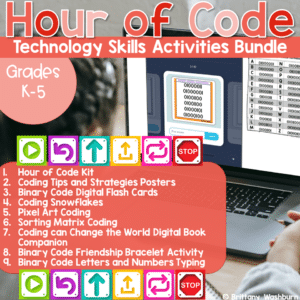
Hour of Code is always around December 9th to celebrate the birthday of Grace Hopper, a computer scientist who is credited with programming one of the first computers. Now we celebrate with a dedicated Computer Science Week during which we challenge students to explore coding concepts and practice for at least an hour. This is a bundle of printable and digital resources and decor that can be used for Computer Science Week or any time of year during your Coding unit.
Digital activities for the book Gabi’s If/Then Garden that are perfect for grades K-2. 12 total digital activities that will help students expand their understanding of this great read aloud storybook. I designed this for technology teachers or media specialists so that you can read the same book to all 3 grade levels and then assign them different activities. You can read it again the next year with fresh activities for the next grade!
Introduce a lesson on 3D Printing technology with this eBook that goes over the machines and software involved in 3D Prints. Share the PDF with students for a paperless experience or print the nonfiction text out as a booklet.
Introduce a lesson on creativity in technology with this eBook that teaches about the history and development of Digital Animation. Share the PDF with students for a paperless experience or print the nonfiction text out as a booklet.
Introduce a lesson on Coding with this eBook that teaches about decomposing, including what it is, how programmers decompose, and how we decompose in our daily lives. Share the PDF with students for a paperless experience or print the nonfiction text out as a booklet.
Introduce a lesson on Coding with this eBook that teaches about algorithms, including what they are and how we use them. Share the PDF with students for a paperless experience or print the nonfiction text out as a booklet.
Computer icons “game” that can be completed on any device. The interactive PDF has an Frog theme, where students get to help the frop get to the lily pad with each correct answer. These 24 computer icons are a combination of web browser icons and mouse/trackpad icons. Interactive PDFs are easy to use and students can practice their tech skills from any device!
$6.00Original price was: $6.00.$4.50Current price is: $4.50.
Digital Secret Picture Tile Puzzles are great mouse or trackpad practice as well as being an opportunity to practice navigating a Google Slides or PowerPoint file. This set has 10 slides of identifying 2D shapes and 10 slides of 3D shapes.
$64.00Original price was: $64.00.$35.20Current price is: $35.20.
Digital interactive slides for grades 2-3 students with monthly themes for the entire school year. Timely Tech is designed to help your students build tech skills while incorporating monthly themed digital activities.
When I teach my students with monthly themed activities that bring in the other subject areas, I find that they are more engaged and empowered to learn. There is intentionally lots of repetition from month to month with these Timely Tech activities because students are building both tech and academic skills.
$20.00Original price was: $20.00.$16.00Current price is: $16.00.
Presentation Projects for Science Topics for students to practice creating presentations in either Google Slides or PowerPoint. For each science topic there are 2 levels included for differentiation. The facts are the same, but the requirements for the presentation change between the levels.
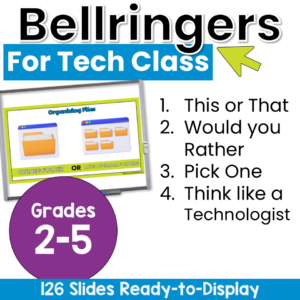
Start technology class with no-prep elementary technology warm-ups that get students thinking, choosing, explaining, and discussing from the moment they arrive! This collection of computer lab bell ringers includes more than 115 technology-themed questions and activities. Project one slide at the beginning or end of class to encourage meaningful conversation, build classroom community, activate prior knowledge, or fill a few extra minutes with purposeful learning.
Students will compare technology tools, share their preferences, consider responsible digital choices, and explore bigger questions about online safety and artificial intelligence. The variety of lighthearted choices and deeper critical-thinking prompts makes it easy to select an activity that fits your students, lesson, and available time.
$11.00Original price was: $11.00.$8.00Current price is: $8.00.
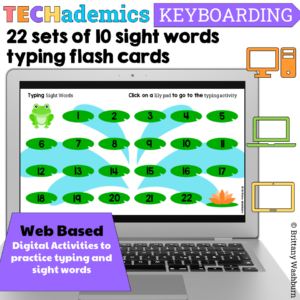
Leap Day can be celebrated in the computer lab with sight word typing digital flash cards! These digital keyboarding activities are web based, which makes them perfect for the computer lab or computer station. This Keyboard practice set has 22 sets of 10 dolch sight words for students to practice typing and sight words together.
$37.50Original price was: $37.50.$30.00Current price is: $30.00.
Do you need your students to master Microsoft Word, PowerPoint, and Excel so that they can complete assignments efficiently? This bundle has everything your upper elementary students need to become pros at Microsoft Office Software. The activities will make a great addition to your technology curriculum.
Introduce a lesson on creativity in technology with this eBook that teaches about the history and development of Digital Music. Share the PDF with students for a paperless experience or print the nonfiction text out as a booklet.
Introduce a lesson on Coding with this eBook that teaches about value and variables in coding. Share the PDF with students for a paperless experience or print the nonfiction text out as a booklet.
Introduce a lesson on Coding with this eBook that teaches about programs, including what they are and how coders use them. Share the PDF with students for a paperless experience or print the nonfiction text out as a booklet.
Introduce a lesson on creativity in technology with this eBook that teaches about the history and development of Robots. Share the PDF with students for a paperless experience or print the nonfiction text out as a booklet.
Introduce a lesson on Coding with this eBook that teaches about events and conditions, including examples of each and how they’re used in coding. Share the PDF with students for a paperless experience or print the nonfiction text out as a booklet.
Introduce a lesson on creativity in technology with this eBook that teaches about the history and development of Television. Share the PDF with students for a paperless experience or print the nonfiction text out as a booklet.
Computer parts “game” that can be completed on any device. The interactive PDF has an Gumball theme, where students get to fill a gumball machine with each correct answer. Interactive PDFs are easy to use and students can practice their tech skills from any device!
Computer parts “game” that can be completed on any device. The interactive PDF has an Car theme, where students get to race cars with each correct answer. Interactive PDFs are easy to use and students can practice their tech skills from any device!
Students can learn about retro technology by completing 10 engaging digital secret picture tile puzzles. These puzzles are great mouse or trackpad practice as well as being an opportunity to practice navigating a Google Slides or PowerPoint file.
$32.00Original price was: $32.00.$25.60Current price is: $25.60.
Coding meets math vocabulary instruction with VoCode! Integrate those robots you have (or turn students into robots) to complete these coding challenges. 3 Options for the activities mean that you can use this with ANY movable Bots and ANY grade level of students. Be sure to check out the preview!
This resource works on so many great technology skills. While students may be familiar with using snap cubes (or counting blocks or whatever you call them) to make designs, it brings the skill to a whole new level to do it digitally. 10 Pirate Theme designs in 4 different levels for differentiation between grade levels k-5.
This resource works on so many great technology skills. While students may be familiar with using snap cubes (or counting blocks or whatever you call them) to make designs, it brings the skill to a whole new level to do it digitally. 10 Mardi Gras designs in 4 different levels for differentiation between grade levels k-5.
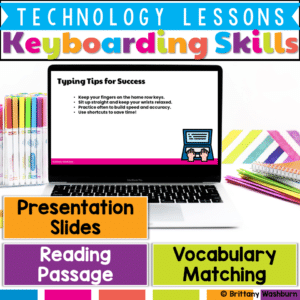
Help students build confidence in typing with this Keyboarding Skills Lesson, designed to introduce proper finger placement, key functions, and typing shortcuts in an engaging way!
What’s Included in This Resource:
✅ Vocabulary List – Key keyboarding terms with definitions
✅ Reading Passage – Informational text on home row, shortcuts, and typing posture
✅ Presentation Slides – Step-by-step visuals explaining key functions and techniques
✅ Student Handouts – Printable or digital worksheets for comprehension and skill-building
$5.00Original price was: $5.00.$2.50Current price is: $2.50.
Looking for a hands-on, engaging way to introduce binary code to your students? The 14 Binary Code Paper Strip Crafts bundle is the perfect resource for blending STEM learning with creativity! This printable packet helps students explore binary concepts through themed crafts for every season and holiday, making abstract ideas tangible and fun.
$7.00Original price was: $7.00.$3.50Current price is: $3.50.
Empower your students to navigate the digital world safely and confidently with these 30 Elementary Online Safety discussion prompts. Perfect for sparking thoughtful conversations, these printable cards will help your students understand and practice safe online habits.
What’s Included:
A set of 30 thoughtfully designed printable cards featuring open-ended discussion prompts focused on Online Safety for elementary students.
Each card presents a key question that encourages students to think critically about online behavior, privacy, and digital citizenship.
The cards are provided in PDF format, ready to print and use in your classroom.
Digital activities for the book Boy and Bot that are perfect for grades K-2. 12 total digital activities that will help students expand their understanding of this great read aloud storybook. I designed this for technology teachers or media specialists so that you can read the same book to all 3 grade levels and then assign them different activities. You can read it again the next year with fresh activities for the next grade!
Digital activities for the book Robobaby that are perfect for grades K-2. 12 total digital activities that will help students expand their understanding of this great read aloud storybook. I designed this for technology teachers or media specialists so that you can read the same book to all 3 grade levels and then assign them different activities. You can read it again the next year with fresh activities for the next grade!
Digital activities for the book Adi’s Perfect Pattern and Loops that are perfect for grades K-2. 12 total digital activities that will help students expand their understanding of this great read aloud storybook. I designed this for technology teachers or media specialists so that you can read the same book to all 3 grade levels and then assign them different activities. You can read it again the next year with fresh activities for the next grade!
Introduce a lesson on creativity in technology with this eBook that teaches about the history and development of Satellites. Share the PDF with students for a paperless experience or print the nonfiction text out as a booklet.
Introduce a lesson on creativity in technology with this eBook that teaches about the history and development of Printing. Share the PDF with students for a paperless experience or print the nonfiction text out as a booklet.
Introduce a lesson on Coding with this eBook that teaches about computer bugs and the process of debugging code. Share the PDF with students for a paperless experience or print the nonfiction text out as a booklet.
Computer icons “game” that can be completed on any device. The interactive PDF has an Flip Flop theme, where students get to solve the puzzle with each correct answer. These 24 computer icons are a combination of web browser icons and mouse/trackpad icons. Interactive PDFs are easy to use and students can practice their tech skills from any device!
Computer icons “game” that can be completed on any device. The interactive PDF has an Candy theme, where students get to collect candy pieces with each correct answer. These 24 computer icons are a combination of web browser icons and mouse/trackpad icons. Interactive PDFs are easy to use and students can practice their tech skills from any device!
Computer icons “game” that can be completed on any device. The interactive PDF has an Cake theme, where students get to build cakes with each correct answer. These 24 computer icons are a combination of web browser icons and mouse/trackpad icons. Interactive PDFs are easy to use and students can practice their tech skills from any device!
Computer parts “game” that can be completed on any device. The interactive PDF has an Bubble theme, where students get to pop the bubbles with each correct answer. Interactive PDFs are easy to use and students can practice their tech skills from any device!
Computer parts “game” that can be completed on any device. The interactive PDF has an Birdie theme, where students get to help the birds fly into their birdhouses with each correct answer. Interactive PDFs are easy to use and students can practice their tech skills from any device!
$24.00Original price was: $24.00.$19.20Current price is: $19.20.
Science Topics Virtual Classroom Bundle. Looking for supplemental technology activities for yourScience units? These sets of digital activities have you covered regardless of what type of technology device(s) you have available. Use the trend of the Bitmoji Virtual Classroom to engage your students!
Virtual classroom activities are great for students to learn about and practice topics. It is also a great opportunity to work on tech skills like navigating websites and working between tabs in a browser.
Life Cycles Virtual Classroom. Looking for supplemental technology activities for your Life Cycles Science unit? This set of digital activities has you covered regardless of what type of technology device(s) you have available. Use the trend of the Bitmoji Virtual Classroom to engage your students!
Virtual classroom activities are great for students to learn about and practice topics. It is also a great opportunity to work on tech skills like navigating websites and working between tabs in a browser.
$56.00Original price was: $56.00.$39.20Current price is: $39.20.
Coding meets science vocabulary instruction with VoCode! Integrate those robots you have (or turn students into robots) to complete these coding challenges. 3 Options for the activities mean that you can use this with ANY movable Bots and ANY grade level of students. Be sure to check out the images!











&url=https://brittanywashburn.com/product/coding-in-math-bundle-hour-of-code/&media=https://woo-bwecomm-storage.s3.amazonaws.com/wp-content/uploads/2022/01/19123232/Coding-with-Robots-by-Brittany-Washburn-20-1.png)


