Digital interactive slides for 4th and 5th grade students with a May theme. Timely Tech is designed to help your students build tech skills while incorporating monthly themed digital activities.
When I teach my students with monthly themed activities that bring in the other subject areas, I find that they are more engaged and empowered to learn. There is intentionally lots of repetition from month to month with these Timely Tech activities because students are building both tech and academic skills.
This resource works on so many great technology skills. While students may be familiar with using snap cubes (or counting blocks or whatever you call them) to make designs, it brings the skill to a whole new level to do it digitally. 10 Sports Theme designs in 4 different levels for differentiation between grade levels k-5.
Coding meets science vocabulary instruction with VoCode! Integrate those robots you have (or turn students into robots) to complete these coding challenges. 3 Options for the activities mean that you can use this with ANY movable Bots and ANY grade level of students. Be sure to check out the images!
Digital and Print Exit Ticket questions that are specific to the technology skills learned in 5th Grade. 40 questions and blank templates so that you can make your own. The printable version is 4 to a page to save on paper, and digital is in both PPT and Slides.
Digital and Print Exit Ticket questions that are specific to the technology skills learned in 3rd Grade. 46 questions and blank templates so that you can make your own. The printable version is 4 to a page to save on paper, and digital is in both PPT and Slides.
Digital activities for the book Tek The Modern Cave Boy that are perfect for grades K-2. 12 total digital activities that will help students expand their understanding of this great read aloud storybook. I designed this for technology teachers so that you can read the same book to all 3 grade levels and then assign them different activities. You can read it again the next year with fresh activities for the next grade!
89 I Can Statements for the 2016 ISTE Standards for Students. These are designed to match the Technology Themed Decor Classroom Set. Both portrait and landscape layouts are included as well as blank templates for you to make your own.
$5.00Original price was: $5.00.$3.00Current price is: $3.00.
Digital Mystery Pictures with a April Theme for Multiplication and Division Practice. Your students will love discovering what is hidden in the boxes after completing rigorous multi-digit multiplication and division problems.
$5.00Original price was: $5.00.$3.00Current price is: $3.00.
Digital Mystery Pictures with a Summer Theme for Multiplication and Division Practice. Your students will love discovering what is hidden in the boxes after completing rigorous multi-digit multiplication and division problems.
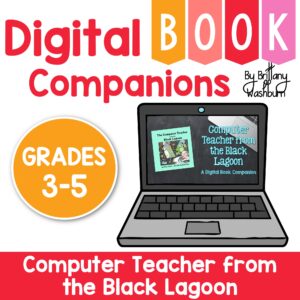
Digital activities for the book Computer Teacher from the Black Lagoon that are perfect for grades 3-5. 12 total digital activities that will help students expand their understanding of this great read aloud storybook. I designed this for technology teachers or media specialists so that you can read the same book to all 3 grade levels and then assign them different activities. You can read it again the next year with fresh activities for the next grade!
Digital activities for the book Bruno Has One Hundred Friends that are perfect for grades 3-5. 12 total digital activities that will help students expand their understanding of this great read aloud storybook. I designed this for technology teachers or media specialists so that you can read the same book to all 3 grade levels and then assign them different activities. You can read it again the next year with fresh activities for the next grade!
Digital activities for the book The Tweeting Galah that are perfect for grades 3-5. 12 total digital activities that will help students expand their understanding of this great read aloud storybook. I designed this for technology teachers or media specialists so that you can read the same book to all 3 grade levels and then assign them different activities. You can read it again the next year with fresh activities for the next grade!
$32.50Original price was: $32.50.$26.00Current price is: $26.00.
Would you like students to work on technology skills while doing fun Saint Patrick’s Day themed activities in the computer lab? Then this bundle is for you!
Build a Saint Pat’s Day Scene Digital Glyph Activity
Saint Patrick’s Day Digital Animation Project
Saint Pat’s Day Digital Pixel Art
Saint Patrick’s Day Sheets/Excel Digital Mystery Pictures
Saint Pat’s Day Digital Hundreds Charts Mystery Pictures
Saint Patrick’s Day CVC Words Digital Puzzles
Saint Pat’s Day Digital Phonics Drag and Drop
Saint Patrick’s Day Graphic Design Lesson and Activity
Have you been wanting to create a Google Site as a Technology Teacher Portfolio? Then this is for you! This product includes a website template for Technology Teachers or Technology Coaches made in Google Sites. You’ll make a copy of the website template and then be able to make it yours by adding your content to the pre-built pages.
I did all of the tedious page creation and linking so that you don’t have to!
Technology Integration made easy with Quick Tech! Computer science can be simple and engaging with these quick tech printable and digital activities! Perfect to reinforce coding skills throughout the school year without wasting precious instructional time. The activities included are all ideal for 1st grade students in interest and complexity.
Make computer science simple and engaging with these quick tech printable and digital activities! Perfect to reinforce coding skills throughout the school year without wasting precious instructional time. The activities included are all ideal for 3rd grade students in interest and complexity.
Introduce a lesson on creativity in technology with this eBook that teaches about the history and development of HTML5. Share the PDF with students for a paperless experience or print the nonfiction text out as a booklet.
Introduce a lesson on Stop Motion with this eBook that teaches about the history and development of Stop Motion. Share the PDF with students for a paperless experience or print the nonfiction text out as a booklet.
Digital activities for the Summer Olympics for grades k-5. Timely Tech is designed to help your students build tech skills while incorporating monthly themed digital activities. This is a mini unit of 16 digital activities with a summer sports theme.
$124.00Original price was: $124.00.$99.20Current price is: $99.20.
Introduce a lesson on the history of technology with eBooks about the people important to technology. eBooks are a great for a warm up activity in the computer lab or classroom. Share the PDF with students for a paperless experience or print the nonfiction text out as a booklet.
Introduce a lesson on the history of technology with eBooks about the people important to technology. eBooks are a great for a warm up activity in the computer lab or classroom. Share the PDF with students for a paperless experience or print the nonfiction text out as a booklet.
Introduce a lesson on the history of technology with this eBook that goes over the accomplishments of Mary Spio, who was a satellite communication engineer for NASA and who developed the CEEK virtual reality headset. Share the PDF with students for a paperless experience or print the nonfiction text out as a booklet.
Introduce a lesson on the history of technology with this eBook that goes over the accomplishments of Joy Buolamwini, who is working to make facial recognition software more inclusive and accurate. eBooks are a great for a warm up activity in the computer lab or classroom. Share the PDF with students for a paperless experience or print the nonfiction text out as a booklet.
Introduce a lesson on the history of technology with this eBook that goes over the life of Jerry Lawson, who developed console-based video games and revolutionized video game play. eBooks are a great for a warm up activity in the computer lab or classroom. Share the PDF with students for a paperless experience or print the nonfiction text out as a booklet.
Introduce a lesson on the history of technology with this eBook that goes over the career of Mary Wilkes, who helped develop the LINC computer. eBooks are a great for a warm up activity in the computer lab or classroom. Share the PDF with students for a paperless experience or print the nonfiction text out as a booklet.
Introduce a lesson on the history of technology with this eBook that goes over the life of Marie Curie, who studied radium, developed x-ray technology, and was awarded multiple Nobel prizes. eBooks are a great for a warm up activity in the computer lab or classroom. Share the PDF with students for a paperless experience or print the nonfiction text out as a booklet.
Introduce a lesson on the history of technology with this eBook that goes over the life of Christopher Sholes, who is famous for inventing a typewriter and developing the QWERTY keyboard layout. eBooks are a great for a warm up activity in the computer lab or classroom. Share the PDF with students for a paperless experience or print the nonfiction text out as a booklet.
Keyboard shortcuts “game” that can be completed on any device. The interactive PDF has an Blossom theme, where students get to build a bouquet of blossoms with each correct answer. Interactive PDFs are easy to use and students can practice their tech skills from any device!
$36.00Original price was: $36.00.$28.80Current price is: $28.80.
Digital Click and Drag Mystery Pictures work on so many great technology skills. While students may be familiar with using 100s charts in their math lessons, it brings the skill to a whole new level to use them as mouse or trackpad practice. This bundle includes 5 themed designs for each month in 2 different levels for differentiation between grade levels k-5.
Digital Click and Drag Mystery Pictures work on so many great technology skills. While students may be familiar with using 100s charts in their math lessons, it brings the skill to a whole new level to use them as mouse or trackpad practice. This set includes 5 September/Back to School themed designs in 2 different levels for differentiation between grade levels k-5.
Digital Click and Drag Mystery Pictures work on so many great technology skills. While students may be familiar with using 100s charts in their math lessons, it brings the skill to a whole new level to use them as mouse or trackpad practice. This set includes 5 July/Patriotic themed designs in 2 different levels for differentiation between grade levels k-5.
$50.00Original price was: $50.00.$40.00Current price is: $40.00.
Students are going to love discovering what Holiday themed design is hidden in the spreadsheet software mystery picture and you’ll love that they are practicing so many different skills. While students may be familiar with paper and pencil mystery pictures, it takes it to a whole new level to do it digitally. Students will really master the toolbar in Google Sheets or Microsoft Excel. The activity has them filling 100 cells in the table per design, making it a mastery activity.
Students are going to love discovering what Cinco de Mayo themed design is hidden in the spreadsheet software mystery picture and you’ll love that they are practicing so many different skills. While students may be familiar with paper and pencil mystery pictures, it takes it to a whole new level to do it digitally. Students will really master the toolbar in Google Sheets or Microsoft Excel. The activity has them filling 100 cells in the table per design, making it a mastery activity.
$45.00Original price was: $45.00.$36.00Current price is: $36.00.
Students are going to love discovering what mystery design is hidden in the spreadsheet software mystery picture and you’ll love that they are practicing so many different skills. While students may be familiar with paper and pencil mystery pictures, it takes it to a whole new level to do it digitally. Students will really master the toolbar in Google Sheets or Microsoft Excel. The activity has them filling 100 cells in the table per design, making it a mastery activity.
$36.00Original price was: $36.00.$28.80Current price is: $28.80.
This resource works on so many great technology skills. While students may be familiar with using snap cubes (or counting blocks or whatever you call them) to make designs, it brings the skill to a whole new level to do it digitally. 10 Weather Theme designs in 4 different levels for differentiation between grade levels k-5.
This resource works on so many great technology skills. While students may be familiar with using snap cubes (or counting blocks or whatever you call them) to make designs, it brings the skill to a whole new level to do it digitally. 10 Fitness Theme designs in 4 different levels for differentiation between grade levels k-5.
Digital interactive slides for 2nd and 3rd grade students with a Back to School theme. Timely Tech is designed to help your students build tech skills while incorporating monthly themed digital activities.
When I teach my students with monthly themed activities that bring in the other subject areas, I find that they are more engaged and empowered to learn. There is intentionally lots of repetition from month to month with these Timely Tech activities because students are building both tech and academic skills.
$40.00Original price was: $40.00.$32.00Current price is: $32.00.
This resource works on so many great technology skills. While students may be familiar with using snap cubes (or counting blocks or whatever you call them) to make designs, it brings the skill to a whole new level to do it digitally. 100 Everyday Themes designs in 4 different levels for differentiation between grade levels k-5.
Check out this related bundle: https://brittanywashburn.com/product/digital-pixel-art-with-counting-cubes-everyday-themes-bundle-2/
This resource works on so many great technology skills. While students may be familiar with using snap cubes (or counting blocks or whatever you call them) to make designs, it brings the skill to a whole new level to do it digitally. 10 Transportation Theme designs in 4 different levels for differentiation between grade levels k-5.
Digital activities for the book Faux Paw’s Adventures in the Internetthat are perfect for grades 3-5. 12 total digital activities that will help students expand their understanding of this great read aloud storybook. I designed this for technology teachers so that you can read the same book to all 3 grade levels and then assign them different activities. You can read it again the next year with fresh activities for the next grade!
$12.00Original price was: $12.00.$10.00Current price is: $10.00.
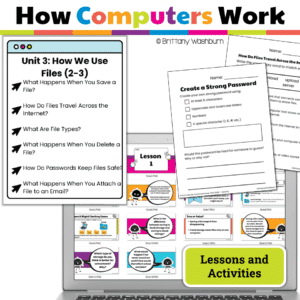
Teach young learners how computers organize, save, and print files! This engaging unit for Grades 2-3 breaks down complex tech concepts like file types, saving, cloud storage, printing, and memory into kid-friendly lessons. Includes print + Google Slides, interactive activities, and ISTE alignment—no prep needed!
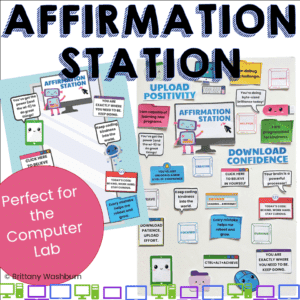
Create a tech-themed Affirmation Station in your computer lab! This printable bulletin board set features 24 positive messages to boost student confidence, growth mindset, and classroom culture. Perfect for doors, mirrors, windows, and bulletin boards.
Empower your students to navigate the digital world safely and responsibly with this engaging set of 24 Internet Safety Task Cards! Perfect for upper elementary and middle grade students, these task cards cover essential topics such as identifying safe and unsafe websites, protecting personal information, handling inappropriate content, and understanding the impact of cyberbullying.
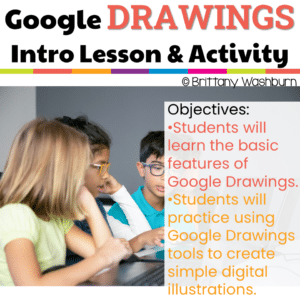
Embark on a journey of digital exploration with Intro to Google Drawings Lesson and Activity, your ultimate resource for introducing elementary students to the world of Google Drawings. This digital download is packed with engaging lesson plans, practice activities, and essential vocabulary, all designed to make the introduction to Google Drawings an exciting and educational experience.
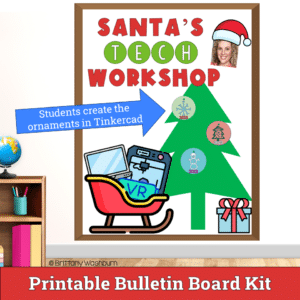
Unlock the world of creativity and technology with our Tinkercad Ornament Design Activity – a digital adventure that empowers students to bring their unique ornament designs to life in stunning 3D!
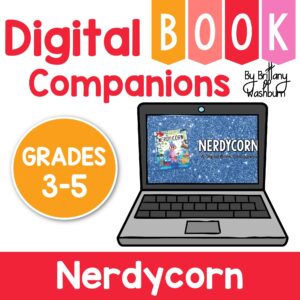
Digital activities for the book Nerdycorn that are perfect for grades 3-5. 12 total digital activities that will help students expand their understanding of this great read aloud storybook. I designed this for technology teachers or media specialists so that you can read the same book to all 3 grade levels and then assign them different activities. You can read it again the next year with fresh activities for the next grade!
Students love stickers and they’re a great classroom management strategy, but Technology themed stickers are so hard to find! I created this set of 12 retro technology themed motivational quote stickers to use with computer lab classes as part of your classroom management system.
Make software programs simple and engaging with these quick tech printable activities! Perfect to reinforce software skills throughout the school year without wasting precious instructional time. The activities included are all ideal for 4th grade students in interest and complexity.