Students are going to love discovering what Circus themed design is hidden in the hundreds chart mystery picture and you’ll love that they are practicing so many different skills. While students may be familiar with paper and pencil hundreds charts, it takes it to a whole new level to do it digitally. Students will really master the toolbar in whatever program you use. The activity has them filling 100 cells in a table per design, making it a mastery activity.
Coding meets ELA instruction with VoCode! Integrate those robots you have (or turn students into robots) to complete these fairy tale coding challenges. 3 Options for the activities mean that you can use this with ANY movable Bots and ANY grade level of students. Be sure to check out the images!
This set includes Beauty and the Beast. Check out the images to see which ones are included.
Coding meets science vocabulary instruction with VoCode! Integrate those robots you have (or turn students into robots) to complete these coding challenges. 3 Options for the activities mean that you can use this with ANY movable Bots and ANY grade level of students. Be sure to check out the images!
Coding meets science vocabulary instruction with VoCode! Integrate those robots you have (or turn students into robots) to complete these coding challenges. 3 Options for the activities mean that you can use this with ANY movable Bots and ANY grade level of students. Be sure to check out the images!
Coding meets math vocabulary instruction with VoCode! Integrate those robots you have (or turn students into robots) to complete these coding challenges. 3 Options for the activities mean that you can use this with ANY movable Bots and ANY grade level of students.
Coding meets math vocabulary instruction with VoCode! Integrate those robots you have (or turn students into robots) to complete these coding challenges. 3 Options for the activities mean that you can use this with ANY movable Bots and ANY grade level of students.
Digital and Print Exit Ticket questions that are specific to the technology skills learned in 2nd Grade. 43 questions and blank templates so that you can make your own. The printable version is 4 to a page to save on paper, and digital is in both PPT and Slides.
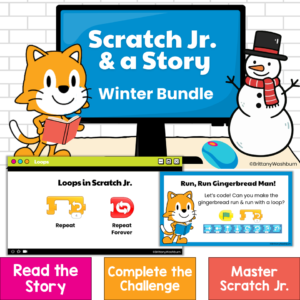
Bring coding into your winter read-alouds with three ready-to-teach Scratch Jr coding activities for kindergarten, first grade, and second grade! Scratch Jr. & a Story: Winter Bundle combines elementary computer science, digital storytelling, and literacy. After listening to a beloved picture book, students use the Scratch Jr app to code an animated scene inspired by the story.
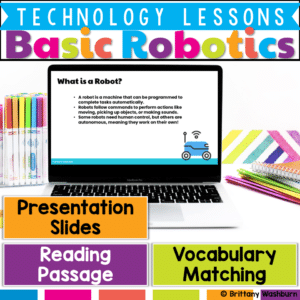
Get your students excited about robotics and automation with this engaging, beginner-friendly lesson! This Basic Robotics Lesson introduces key vocabulary, robot functions, and real-world applications, making complex concepts easy to understand.
$6.00Original price was: $6.00.$4.00Current price is: $4.00.
Digital Pixel Art works on so many great technology skills. While students may be familiar with using snap cubes (or counting blocks or whatever you call them) to make designs, it brings the skill to a whole new level to do it digitally. 10 Hanukkah designs in 4 different levels for differentiation between grade levels k-5.
$45.00Original price was: $45.00.$36.00Current price is: $36.00.
Computer icons “games” that can be completed on any device. The interactive PDF bundle has 15 fun themes for any time of the school year. Each theme includes 24 computer icons that are a combination of web browser icons and mouse/trackpad icons. The icons are the same in each theme but in different orders.
Computer icons “game” that can be completed on any device. The interactive PDF has an Cupcake theme, where students get to stack cupcakes with each correct answer. These 24 computer icons are a combination of web browser icons and mouse/trackpad icons. Interactive PDFs are easy to use and students can practice their tech skills from any device!
Computer icons “game” that can be completed on any device. The interactive PDF has an Record theme, where students get to build a juke box with each correct answer. These 24 computer icons are a combination of web browser icons and mouse/trackpad icons. Interactive PDFs are easy to use and students can practice their tech skills from any device!
Computer icons “game” that can be completed on any device. The interactive PDF has an Hawaii theme, where students get to stack Tiki Masks with each correct answer. These 24 computer icons are a combination of web browser icons and mouse/trackpad icons. Interactive PDFs are easy to use and students can practice their tech skills from any device!
Spiral Review technology lessons that teach presentation, word processing, and spreadsheet software over 12 sessions. These will make a great addition to your technology curriculum for the computer lab. The skills build on each other throughout this unit so it is important to do the lessons in order. Weeks 25-36 are all on the topic of the Teeth and Dental Health so students can take a deep dive into the content and the tech skills.
Students are going to love discovering what Detectives themed design is hidden in the spreadsheet software mystery picture and you’ll love that they are practicing so many different skills. While students may be familiar with paper and pencil mystery pictures, it takes it to a whole new level to do it digitally. Students will really master the toolbar in Google Sheets or Microsoft Excel. The activity has them filling 100 cells in the table per design, making it a mastery activity.
Students are going to love discovering what Fitness themed design is hidden in the spreadsheet software mystery picture and you’ll love that they are practicing so many different skills. While students may be familiar with paper and pencil mystery pictures, it takes it to a whole new level to do it digitally. Students will really master the toolbar in Google Sheets or Microsoft Excel. The activity has them filling 100 cells in the table per design, making it a mastery activity.
Students are going to love discovering what Construction themed design is hidden in the spreadsheet software mystery picture and you’ll love that they are practicing so many different skills. While students may be familiar with paper and pencil mystery pictures, it takes it to a whole new level to do it digitally. Students will really master the toolbar in Google Sheets or Microsoft Excel. The activity has them filling 100 cells in the table per design, making it a mastery activity.
Students are going to love discovering what Circus themed design is hidden in the spreadsheet software mystery picture and you’ll love that they are practicing so many different skills. While students may be familiar with paper and pencil mystery pictures, it takes it to a whole new level to do it digitally. Students will really master the toolbar in Google Sheets or Microsoft Excel. The activity has them filling 100 cells in the table per design, making it a mastery activity.
Coding meets ELA instruction with VoCode! Integrate those robots you have (or turn students into robots) to complete these fairy tale coding challenges. 3 Options for the activities mean that you can use this with ANY movable Bots and ANY grade level of students. Be sure to check out the images!
This set includes The Little Mermaid. Check out the images to see which ones are included.
Coding meets ELA instruction with VoCode! Integrate those robots you have (or turn students into robots) to complete these fairy tale coding challenges. 3 Options for the activities mean that you can use this with ANY movable Bots and ANY grade level of students. Be sure to check out the images!
This set includes Sleeping Beauty. Check out the images to see which ones are included.
$24.00Original price was: $24.00.$15.00Current price is: $15.00.
Coding meets ELA instruction with VoCode! Integrate those robots you have (or turn students into robots) to complete these 9 Popular Fables coding challenges. 3 Options for the activities mean that you can use this with ANY movable Bots and ANY grade level of students.
Coding meets science vocabulary instruction with VoCode! Integrate those robots you have (or turn students into robots) to complete these coding challenges. 3 Options for the activities mean that you can use this with ANY movable Bots and ANY grade level of students. Be sure to check out the images!
Coding meets science vocabulary instruction with VoCode! Integrate those robots you have (or turn students into robots) to complete these coding challenges. 3 Options for the activities mean that you can use this with ANY movable Bots and ANY grade level of students. Be sure to check out the images!
Coding meets science vocabulary instruction with VoCode! Integrate those robots you have (or turn students into robots) to complete these coding challenges. 3 Options for the activities mean that you can use this with ANY movable Bots and ANY grade level of students. Be sure to check out the images!
Coding meets math vocabulary instruction with VoCode! Integrate those robots you have (or turn students into robots) to complete these coding challenges. 3 Options for the activities mean that you can use this with ANY movable Bots and ANY grade level of students. Be sure to check out the images!