STEM goes digital with these fun and engaging design challenges for June. 5 engineering design websites and 5 editable challenges perfect for grades 3 and up. If you are in a paperless classroom or 1:1 with laptops or Chromebooks then these are ideal for you, but can also be used during computer lab time or with the laptop cart.
$32.00Original price was: $32.00.$25.60Current price is: $25.60.
Coding meets math vocabulary instruction with VoCode! Integrate those robots you have (or turn students into robots) to complete these coding challenges. 3 Options for the activities mean that you can use this with ANY movable Bots and ANY grade level of students. Be sure to check out the preview!
Teachers looking to integrate technology skills and content areas with love this review of PowerPoint/Google Slides skills for students with the topic of Water Cycle. While this is a simple research project, the real goal of this activity is for students to put their notes into a Presentation template (using either Google Slides or PowerPoint) and make it look professional.
13 digital interactive slides for 4th and 5th grade students with a September theme. Timely Tech is designed to help your students build tech skills while incorporating monthly themed digital activities.
When I teach my students with monthly themed activities that bring in the other subject areas, I find that they are more engaged and empowered to learn.
This resource works on so many great technology skills. While students may be familiar with using snap cubes (or counting blocks or whatever you call them) to make designs, it brings the skill to a whole new level to do it digitally. 10 Pirate Theme designs in 4 different levels for differentiation between grade levels k-5.
This resource works on so many great technology skills. While students may be familiar with using snap cubes (or counting blocks or whatever you call them) to make designs, it brings the skill to a whole new level to do it digitally. 10 Mardi Gras designs in 4 different levels for differentiation between grade levels k-5.
Digital activities for the book Arthur’s Computer Disaster that are perfect for grades 3-5. 12 total digital activities that will help students expand their understanding of this great read aloud storybook. I designed this for technology teachers so that you can read the same book to all 3 grade levels and then assign them different activities. You can read it again the next year with fresh activities for the next grade!
$12.00Original price was: $12.00.$10.00Current price is: $10.00.
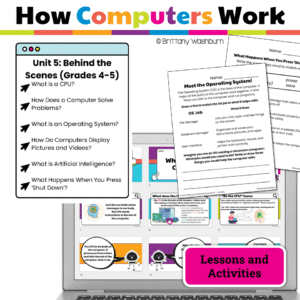
Teach students how computer systems work with this elementary tech unit on hardware and information flow. Includes 6 lessons, Google Slides, and digital activities.
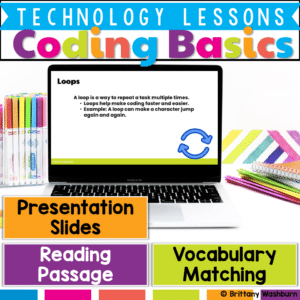
Introduce your students to the fundamentals of coding with this engaging, easy-to-use lesson! Designed for beginners, this resource provides pre-made instructional materials and a structured teacher guide to help students grasp key coding concepts such as sequences, loops, events, and conditions.
$5.00Original price was: $5.00.$2.50Current price is: $2.50.
Looking for a hands-on, engaging way to introduce binary code to your students? The 14 Binary Code Paper Strip Crafts bundle is the perfect resource for blending STEM learning with creativity! This printable packet helps students explore binary concepts through themed crafts for every season and holiday, making abstract ideas tangible and fun.
$7.00Original price was: $7.00.$3.50Current price is: $3.50.
Empower your students to navigate the digital world safely and confidently with these 30 Elementary Online Safety discussion prompts. Perfect for sparking thoughtful conversations, these printable cards will help your students understand and practice safe online habits.
What’s Included:
A set of 30 thoughtfully designed printable cards featuring open-ended discussion prompts focused on Online Safety for elementary students.
Each card presents a key question that encourages students to think critically about online behavior, privacy, and digital citizenship.
The cards are provided in PDF format, ready to print and use in your classroom.
Digital activities for the book Betty Builds It that are perfect for grades 3-5. 12 total digital activities that will help students expand their understanding of this great read aloud storybook. I designed this for technology teachers or media specialists so that you can read the same book to all 3 grade levels and then assign them different activities. You can read it again the next year with fresh activities for the next grade!
Digital activities for the book Boxitects that are perfect for grades 3-5. 12 total digital activities that will help students expand their understanding of this great read aloud storybook. I designed this for technology teachers or media specialists so that you can read the same book to all 3 grade levels and then assign them different activities. You can read it again the next year with fresh activities for the next grade!
Introduce a lesson on creativity in technology with this eBook that teaches about the history and development of Satellites. Share the PDF with students for a paperless experience or print the nonfiction text out as a booklet.
Introduce a lesson on creativity in technology with this eBook that teaches about the history and development of Printing. Share the PDF with students for a paperless experience or print the nonfiction text out as a booklet.
Introduce a lesson on Coding with this eBook that teaches about computer bugs and the process of debugging code. Share the PDF with students for a paperless experience or print the nonfiction text out as a booklet.
$24.00Original price was: $24.00.$19.20Current price is: $19.20.
Science Topics Virtual Classroom Bundle. Looking for supplemental technology activities for yourScience units? These sets of digital activities have you covered regardless of what type of technology device(s) you have available. Use the trend of the Bitmoji Virtual Classroom to engage your students!
Virtual classroom activities are great for students to learn about and practice topics. It is also a great opportunity to work on tech skills like navigating websites and working between tabs in a browser.
Teachers looking to integrate technology skills and content areas with love this review of PowerPoint/Google Slides skills for students with the topic of Magnets. While this is a simple research project, the real goal of this activity is for students to put their notes into a Presentation template (using either Google Slides or PowerPoint) and make it look professional.
STEM goes digital with these fun and engaging design challenges for July. 5 engineering design websites and 5 editable challenges perfect for grades 3 and up. If you are in a paperless classroom or 1:1 with laptops or Chromebooks then these are ideal for you, but can also be used during computer lab time or with the laptop cart.
Teachers looking to integrate technology skills and content areas with love this review of PowerPoint/Google Slides skills for students with the topic of Photosynthesis. While this is a simple research project, the real goal of this activity is for students to put their notes into a Presentation template (using either Google Slides or PowerPoint) and make it look professional.
$56.00Original price was: $56.00.$39.20Current price is: $39.20.
Coding meets science vocabulary instruction with VoCode! Integrate those robots you have (or turn students into robots) to complete these coding challenges. 3 Options for the activities mean that you can use this with ANY movable Bots and ANY grade level of students. Be sure to check out the images!
Digital coloring pages work on so many great technology skills at the same time. While students are all familiar with paper and pencil coloring activities, it takes it to a whole new level to do it digitally. With these rooms in a house theme designs, students will master working with layered shapes and the fill tool. Coloring in individual shapes in each design requires precision and patience.
Since we are all stuck at home, I thought it might be fun for students to digitally color the rooms in a house. This set is just a little bit different than the previous ones because there are background shapes and letters to color in.
Coding meets Social Studies instruction with VoCode! Integrate those robots you have (or turn students into robots) to complete these Fire Safety coding challenges. 3 Options for the activities mean that you can use this with ANY movable Bots and ANY grade level of students. Be sure to check out the images to see which ones are included!
Digital interactive slides for 4th and 5th grade students with a Summer theme. Timely Tech is designed to help your students build tech skills while incorporating monthly themed digital activities.
When I teach my students with monthly themed activities that bring in the other subject areas, I find that they are more engaged and empowered to learn. There is intentionally lots of repetition from month to month with these Timely Tech activities because students are building both tech and academic skills.
Coding meets science vocabulary instruction with VoCode! Integrate those robots you have (or turn students into robots) to complete these coding challenges. 3 Options for the activities mean that you can use this with ANY movable Bots and ANY grade level of students. Be sure to check out the images!
This resource works on so many great technology skills. While students may be familiar with using snap cubes (or counting blocks or whatever you call them) to make designs, it brings the skill to a whole new level to do it digitally. 10 4th of July designs in 4 different levels for differentiation between grade levels k-5.
Digital activities for the book The Magic School Bus Gets Programmed that are perfect for grades 3-5. 12 total digital activities that will help students expand their understanding of this great read aloud storybook. I designed this for technology teachers so that you can read the same book to all 3 grade levels and then assign them different activities. You can read it again the next year with fresh activities for the next grade!
$5.00Original price was: $5.00.$3.00Current price is: $3.00.
Digital Mystery Pictures with a February Theme for Multiplication and Division Practice. Your students will love discovering what is hidden in the boxes after completing rigorous multi-digit multiplication and division problems.
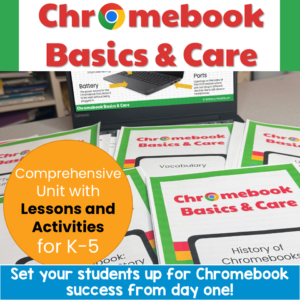
Set your students up for Chromebook success from day one! This complete Chromebook Basics & Care unit gives you everything you need to teach proper device use, care, and online safety. Perfect for 1:1 rollouts, back-to-school week, computer lab orientation, or sub plans.
With a 5-part suggested pacing guide, leveled stories and quizzes for differentiation, AND interactive Google Slides activities you can assign through Google Classroom, this unit works for your whole building.
Teach your students the fundamentals of computer hardware with this engaging, no-prep lesson! This resource provides pre-made instructional materials and a structured teacher guide to help students identify computer components, differentiate between input and output devices, and understand how computers function.
Help your students build essential internet research skills with this engaging lesson on how to use search engines effectively, evaluate website credibility, and identify reliable sources online. This resource includes pre-made instructional materials and a structured teacher guide with discussion prompts and activity ideas to enhance student learning.
Empower students to navigate the online world responsibly and respectfully with this comprehensive Digital Citizenship lesson plan. Designed for elementary learners, this engaging resource introduces essential concepts like online safety, digital footprints, and plagiarism while fostering positive online behavior. Through interactive activities, reading passages, and thought-provoking discussions, students will gain the knowledge and skills needed to be thoughtful, respectful, and responsible digital citizens.
Empower your students to become safe and responsible digital citizens with this all-in-one internet safety lesson! Designed for elementary students, this engaging and interactive resource equips learners with the essential vocabulary, concepts, and strategies they need to protect their personal information, recognize safe websites, and respond to online challenges like cyberbullying and phishing.
$6.50Original price was: $6.50.$3.25Current price is: $3.25.
Encourage students to explore software programs with this set of 24 discussion prompts. These printable cards are perfect for sparking meaningful conversations about how software works, the different types of software, and how we use them in everyday life. Ideal for the computer lab or classroom!
What’s Included:
24 printable discussion prompt cards (4 pages with 6 cards per page).
Each card features an open-ended question designed to get students thinking critically about software programs, from how they’re used to why they’re important.
3-page guide on how to use discussion prompts effectively with students.
Printable PDF format, ready to print, cut, and use for engaging class discussions.
$36.00Original price was: $36.00.$28.80Current price is: $28.80.
Digital Book Companion activities that perfectly complement 9 STEM and Coding themed picture books. Specifically designed for grades 3-5, each digital book companion offers a comprehensive set of 12 engaging activities that will enhance students’ understanding of these captivating read-aloud stories while also practicing tech skills.
Digital activities for the book T-Bone the Drone that are perfect for grades 3-5. 12 total digital activities that will help students expand their understanding of this great read aloud storybook. I designed this for technology teachers or media specialists so that you can read the same book to all 3 grade levels and then assign them different activities. You can read it again the next year with fresh activities for the next grade!
Digital activities for the book Doll-E 1.0 that are perfect for grades 3-5. 12 total digital activities that will help students expand their understanding of this great read aloud storybook. I designed this for technology teachers or media specialists so that you can read the same book to all 3 grade levels and then assign them different activities. You can read it again the next year with fresh activities for the next grade!
$48.00Original price was: $48.00.$38.40Current price is: $38.40.
Introduce lessons on technology topics with these eBooks. Share the PDF with students for a paperless experience or print the nonfiction text out as a booklet.
Introduce a lesson on creativity in technology with this eBook that teaches about the history and development of Radio Technology. Share the PDF with students for a paperless experience or print the nonfiction text out as a booklet.
Introduce a lesson on creativity in technology with this eBook that teaches about the history and development of Radar Technology. Share the PDF with students for a paperless experience or print the nonfiction text out as a booklet.
Introduce a lesson on creativity in technology with this eBook that teaches about the history and development of Flash Drive Technology. Share the PDF with students for a paperless experience or print the nonfiction text out as a booklet.
Introduce a lesson on creativity in technology with this eBook that teaches about the history and development of Green Screen Technology. Share the PDF with students for a paperless experience or print the nonfiction text out as a booklet.
$358.00Original price was: $358.00.$286.40Current price is: $286.40.
Introduce lessons on technology topics with these eBooks. Share the PDF with students for a paperless experience or print the nonfiction text out as a booklet.
Introduce a lesson on Software with this eBook that teaches about different types of image files and how we use them. Share the PDF with students for a paperless experience or print the nonfiction text out as a booklet.
Introduce a lesson on Software with these 2 eBooks that teach what fonts are and how we use them. Share the PDF with students for a paperless experience or print the nonfiction text out as a booklet.
Human Body Systems Virtual Classroom. Looking for supplemental technology activities for your Human Body Systems Science unit? This set of digital activities has you covered regardless of what type of technology device(s) you have available. Use the trend of the Bitmoji Virtual Classroom to engage your students!
Virtual classroom activities are great for students to learn about and practice topics. It is also a great opportunity to work on tech skills like navigating websites and working between tabs in a browser.
Force and Motion Virtual Classroom. Looking for supplemental technology activities for your Force and Motion Science unit? This set of digital activities has you covered regardless of what type of technology device(s) you have available. Use the trend of the Bitmoji Virtual Classroom to engage your students!
Virtual classroom activities are great for students to learn about and practice topics. It is also a great opportunity to work on tech skills like navigating websites and working between tabs in a browser.











&url=https://brittanywashburn.com/product/coding-in-math-bundle-hour-of-code/&media=https://woo-bwecomm-storage.s3.amazonaws.com/wp-content/uploads/2022/01/19123232/Coding-with-Robots-by-Brittany-Washburn-20-1.png)


