Teachers looking to integrate technology skills and content areas with love this review of PowerPoint/Google Slides skills for students with the topic of States of Matter. While this is a simple research project, the real goal of this activity is for students to put their notes into a Presentation template (using either Google Slides or PowerPoint) and make it look professional.
Technology Integration made easy with Quick Tech! Help students master software programs with these quick tech digital activities! Perfect to reinforce software skills throughout the school year without wasting precious instructional time. The activities included are all ideal for 1st grade students in interest and complexity.
Teachers looking to integrate technology skills and content areas with love this review of PowerPoint/Google Slides skills for students with the topic of Moon Phases. While this is a simple research project, the real goal of this activity is for students to put their notes into a Presentation template (using either Google Slides or PowerPoint) and make it look professional.
$37.50Original price was: $37.50.$30.00Current price is: $30.00.
Do you need your students to master Microsoft Word, PowerPoint, and Excel so that they can complete assignments efficiently? This bundle has everything your upper elementary students need to become pros at Microsoft Office Software. The activities will make a great addition to your technology curriculum.
Teachers looking to integrate technology skills and content areas with love this review of PowerPoint/Google Slides skills for students with the topic of Water Cycle. While this is a simple research project, the real goal of this activity is for students to put their notes into a Presentation template (using either Google Slides or PowerPoint) and make it look professional.
Teachers looking to integrate technology skills and content areas with love this review of PowerPoint/Google Slides skills for students with the topic of Magnets. While this is a simple research project, the real goal of this activity is for students to put their notes into a Presentation template (using either Google Slides or PowerPoint) and make it look professional.
Teachers looking to integrate technology skills and content areas with love this review of PowerPoint/Google Slides skills for students with the topic of Photosynthesis. While this is a simple research project, the real goal of this activity is for students to put their notes into a Presentation template (using either Google Slides or PowerPoint) and make it look professional.
Spiral Review technology lessons that teach presentation, word processing, and spreadsheet software over 12 sessions. These will make a great addition to your technology curriculum for the computer lab. The skills build on each other throughout this unit so it is important to do the lessons in order. Weeks 1-12 are all on the topic of the Pets so students can take a deep dive into the content and the tech skills.
$6.50Original price was: $6.50.$3.25Current price is: $3.25.
Encourage students to explore software programs with this set of 24 discussion prompts. These printable cards are perfect for sparking meaningful conversations about how software works, the different types of software, and how we use them in everyday life. Ideal for the computer lab or classroom!
What’s Included:
24 printable discussion prompt cards (4 pages with 6 cards per page).
Each card features an open-ended question designed to get students thinking critically about software programs, from how they’re used to why they’re important.
3-page guide on how to use discussion prompts effectively with students.
Printable PDF format, ready to print, cut, and use for engaging class discussions.
Introduce a lesson on Software with these 2 eBooks that teach what fonts are and how we use them. Share the PDF with students for a paperless experience or print the nonfiction text out as a booklet.
Teachers looking to integrate technology skills and content areas with love this review of PowerPoint/Google Slides skills for students with the topic of Light Waves. While this is a simple research project, the real goal of this activity is for students to put their notes into a Presentation template (using either Google Slides or PowerPoint) and make it look professional.
Spiral Review technology lessons for 1st grade that teach presentation, word processing, and spreadsheet software over 12 sessions. These will make a great addition to your technology curriculum for the computer lab. The skills build on each other throughout this unit so it is important to do the lessons in order. Weeks 25-36 are all on the topic of the Keyboards and Typing so students can take a deep dive into the content and the tech skills.
Spiral Review technology lessons that teach presentation, word processing, and spreadsheet software over 12 sessions. These will make a great addition to your technology curriculum for the computer lab. The skills build on each other throughout this unit so it is important to do the lessons in order. Weeks 13-24 are all on the topic of the Breakfast Foods around the World so students can take a deep dive into the content and the tech skills.
Introduce a lesson on Software with this eBook that teaches about presentation software, including what it is and how we use it. Share the PDF with students for a paperless experience or print the nonfiction text out as a booklet.
Introduce a lesson on Software with this eBook that teaches about word processing software, including what it is and how we use it. Share the PDF with students for a paperless experience or print the nonfiction text out as a booklet.
Spiral Review technology lessons that teach presentation, word processing, and spreadsheet software over 12 sessions. These will make a great addition to your technology curriculum for the computer lab. The skills build on each other throughout this unit so it is important to do the lessons in order. Weeks 25-36 are all on the topic of the Trees, so students can take a deep dive into the content and the tech skills.
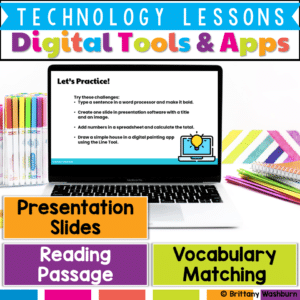
Help students build essential digital literacy skills with this no-prep Digital Tools & Apps Lesson! Students will explore word processors, spreadsheets, presentation software, and digital art applications through a structured lesson that includes pre-made materials and suggested classroom activities.
$28.00Original price was: $28.00.$22.40Current price is: $22.40.
Introduce lessons on Technology Software with these eBooks that go over 9 different types of software. Share the PDF with students for a paperless experience or print the nonfiction text out as a booklet.
Introduce a lesson on Software with this eBook that teaches about spreadsheet software, including what it is and how we use it. Share the PDF with students for a paperless experience or print the nonfiction text out as a booklet.
Introduce a lesson on Software with this eBook that teaches about different types of software and how we use them. Share the PDF with students for a paperless experience or print the nonfiction text out as a booklet.
Introduce a lesson on Software with this eBook that teaches about different types of multimedia and how we use them. Share the PDF with students for a paperless experience or print the nonfiction text out as a booklet.
Introduce a lesson on Software with this eBook that teaches about file sizes, how we name them, and how we use them. Share the PDF with students for a paperless experience or print the nonfiction text out as a booklet.
Empower your students to become confident digital creators with this set of 24 Digital Tools & Apps Task Cards! Perfect for elementary and middle grade students, this activity introduces learners to essential software and applications, helping them build foundational digital skills. Each task card guides students through the basic functions of commonly used tools, such as word processors, presentation software, digital painting apps, and spreadsheets.
Teachers looking to integrate technology skills and content areas with love this review of PowerPoint/Google Slides skills for students with the topic of Muscles and Bones. While this is a simple research project, the real goal of this activity is for students to put their notes into a Presentation template (using either Google Slides or PowerPoint) and make it look professional.
Teachers looking to integrate technology skills and content areas with love this review of PowerPoint/Google Slides skills for students with the topic of Biomes and Ecosystem. While this is a simple research project, the real goal of this activity is for students to put their notes into a Presentation template (using either Google Slides or PowerPoint) and make it look professional.
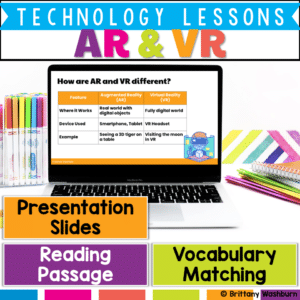
Take your students on a futuristic learning journey with this Augmented Reality (AR) and Virtual Reality (VR) Lesson! This engaging resource teaches the key differences between AR and VR, introduces relevant vocabulary, and explores how these technologies enhance learning experiences.
What’s Included in This Resource:
✅ Vocabulary List – Essential AR & VR terms with definitions
✅ Reading Passage – Informational text on how AR and VR work and their impact on learning
✅ Presentation Slides – Visual explanations with discussion prompts
✅ Student Handouts – Printable or digital worksheets for comprehension and reflection
Spiral Review technology lessons that teach presentation, word processing, and spreadsheet software over 12 sessions. These will make a great addition to your technology curriculum for the computer lab. The skills build on each other throughout this unit so it is important to do the lessons in order. Weeks 25-36 are all on the topic of the Teeth and Dental Health so students can take a deep dive into the content and the tech skills.
Spiral Review technology lessons that teach presentation, word processing, and spreadsheet software over 12 sessions. These will make a great addition to your technology curriculum for the computer lab. The skills build on each other throughout this unit so it is important to do the lessons in order. Weeks 13-24 are all on the topic of the Candy and how it is made, so students can take a deep dive into the content and the tech skills.