

HTML5 eBook
$3.00Introduce a lesson on creativity in technology with this eBook that teaches about the history and development of HTML5. Share the PDF with students for a paperless experience or print the nonfiction text out as a booklet.
Showing 481–528 of 760 resultsSorted by popularity

Introduce a lesson on creativity in technology with this eBook that teaches about the history and development of HTML5. Share the PDF with students for a paperless experience or print the nonfiction text out as a booklet.

Introduce a lesson on Stop Motion with this eBook that teaches about the history and development of Stop Motion. Share the PDF with students for a paperless experience or print the nonfiction text out as a booklet.

Digital activities for the Summer Olympics for grades k-5. Timely Tech is designed to help your students build tech skills while incorporating monthly themed digital activities. This is a mini unit of 16 digital activities with a summer sports theme.

Introduce a lesson on the history of technology with eBooks about the people important to technology. eBooks are a great for a warm up activity in the computer lab or classroom. Share the PDF with students for a paperless experience or print the nonfiction text out as a booklet.

Introduce a lesson on the history of technology with eBooks about the people important to technology. eBooks are a great for a warm up activity in the computer lab or classroom. Share the PDF with students for a paperless experience or print the nonfiction text out as a booklet.

Introduce a lesson on the history of technology with this eBook that goes over the accomplishments of Mary Spio, who was a satellite communication engineer for NASA and who developed the CEEK virtual reality headset. Share the PDF with students for a paperless experience or print the nonfiction text out as a booklet.

Introduce a lesson on the history of technology with this eBook that goes over the accomplishments of Joy Buolamwini, who is working to make facial recognition software more inclusive and accurate. eBooks are a great for a warm up activity in the computer lab or classroom. Share the PDF with students for a paperless experience or print the nonfiction text out as a booklet.

Introduce a lesson on the history of technology with this eBook that goes over the life of Jerry Lawson, who developed console-based video games and revolutionized video game play. eBooks are a great for a warm up activity in the computer lab or classroom. Share the PDF with students for a paperless experience or print the nonfiction text out as a booklet.

Introduce a lesson on the history of technology with this eBook that goes over the career of Mary Wilkes, who helped develop the LINC computer. eBooks are a great for a warm up activity in the computer lab or classroom. Share the PDF with students for a paperless experience or print the nonfiction text out as a booklet.

Introduce a lesson on the history of technology with this eBook that goes over the life of Marie Curie, who studied radium, developed x-ray technology, and was awarded multiple Nobel prizes. eBooks are a great for a warm up activity in the computer lab or classroom. Share the PDF with students for a paperless experience or print the nonfiction text out as a booklet.

Introduce a lesson on the history of technology with this eBook that goes over the life of Christopher Sholes, who is famous for inventing a typewriter and developing the QWERTY keyboard layout. eBooks are a great for a warm up activity in the computer lab or classroom. Share the PDF with students for a paperless experience or print the nonfiction text out as a booklet.

Keyboard shortcuts “game” that can be completed on any device. The interactive PDF has an Blossom theme, where students get to build a bouquet of blossoms with each correct answer. Interactive PDFs are easy to use and students can practice their tech skills from any device!

Digital Click and Drag Mystery Pictures work on so many great technology skills. While students may be familiar with using 100s charts in their math lessons, it brings the skill to a whole new level to use them as mouse or trackpad practice. This bundle includes 5 themed designs for each month in 2 different levels for differentiation between grade levels k-5.

Digital Click and Drag Mystery Pictures work on so many great technology skills. While students may be familiar with using 100s charts in their math lessons, it brings the skill to a whole new level to use them as mouse or trackpad practice. This set includes 5 September/Back to School themed designs in 2 different levels for differentiation between grade levels k-5.

Digital Click and Drag Mystery Pictures work on so many great technology skills. While students may be familiar with using 100s charts in their math lessons, it brings the skill to a whole new level to use them as mouse or trackpad practice. This set includes 5 July/Patriotic themed designs in 2 different levels for differentiation between grade levels k-5.

Students are going to love discovering what Holiday themed design is hidden in the spreadsheet software mystery picture and you’ll love that they are practicing so many different skills. While students may be familiar with paper and pencil mystery pictures, it takes it to a whole new level to do it digitally. Students will really master the toolbar in Google Sheets or Microsoft Excel. The activity has them filling 100 cells in the table per design, making it a mastery activity.

Students are going to love discovering what Cinco de Mayo themed design is hidden in the spreadsheet software mystery picture and you’ll love that they are practicing so many different skills. While students may be familiar with paper and pencil mystery pictures, it takes it to a whole new level to do it digitally. Students will really master the toolbar in Google Sheets or Microsoft Excel. The activity has them filling 100 cells in the table per design, making it a mastery activity.

Students are going to love discovering what mystery design is hidden in the spreadsheet software mystery picture and you’ll love that they are practicing so many different skills. While students may be familiar with paper and pencil mystery pictures, it takes it to a whole new level to do it digitally. Students will really master the toolbar in Google Sheets or Microsoft Excel. The activity has them filling 100 cells in the table per design, making it a mastery activity.

This resource works on so many great technology skills. While students may be familiar with using snap cubes (or counting blocks or whatever you call them) to make designs, it brings the skill to a whole new level to do it digitally. 10 Weather Theme designs in 4 different levels for differentiation between grade levels k-5.

This resource works on so many great technology skills. While students may be familiar with using snap cubes (or counting blocks or whatever you call them) to make designs, it brings the skill to a whole new level to do it digitally. 10 Fitness Theme designs in 4 different levels for differentiation between grade levels k-5.

This resource works on so many great technology skills. While students may be familiar with using snap cubes (or counting blocks or whatever you call them) to make designs, it brings the skill to a whole new level to do it digitally. 100 Everyday Themes designs in 4 different levels for differentiation between grade levels k-5.
Check out this related bundle: https://brittanywashburn.com/product/digital-pixel-art-with-counting-cubes-everyday-themes-bundle-2/

This resource works on so many great technology skills. While students may be familiar with using snap cubes (or counting blocks or whatever you call them) to make designs, it brings the skill to a whole new level to do it digitally. 10 Transportation Theme designs in 4 different levels for differentiation between grade levels k-5.

Digital activities for the book Faux Paw’s Adventures in the Internet that are perfect for grades 3-5. 12 total digital activities that will help students expand their understanding of this great read aloud storybook. I designed this for technology teachers so that you can read the same book to all 3 grade levels and then assign them different activities. You can read it again the next year with fresh activities for the next grade!
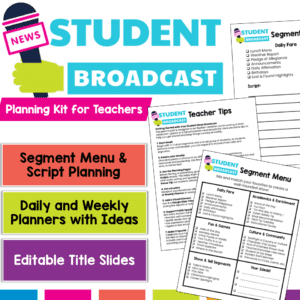
Empower your students to become confident communicators and classroom leaders with this Student News Broadcast Kit! Perfect for morning announcements, classroom news segments, or weekly wrap-ups, this resource gives students everything they need to plan, script, and deliver engaging broadcasts — all while practicing speaking and listening skills aligned with ELA standards.
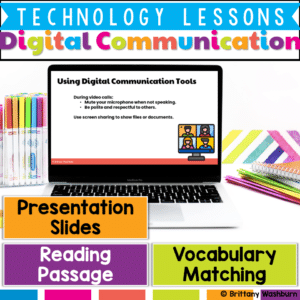
Teach students essential email and digital communication skills with this interactive, no-prep lesson! This resource includes ready-to-use instructional materials and a structured teacher guide to help students learn how to write professional emails, recognize email safety risks, and practice responsible digital communication.

Help your students become responsible and respectful digital citizens with this comprehensive set of 24 Digital Citizenship & Netiquette Task Cards! Perfect for upper elementary and middle school students, this engaging activity set covers essential topics like digital footprint, online manners, respecting others’ rights, and maintaining privacy and security in the digital world.
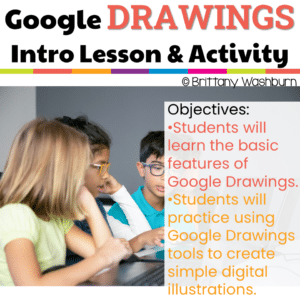
Embark on a journey of digital exploration with Intro to Google Drawings Lesson and Activity, your ultimate resource for introducing elementary students to the world of Google Drawings. This digital download is packed with engaging lesson plans, practice activities, and essential vocabulary, all designed to make the introduction to Google Drawings an exciting and educational experience.
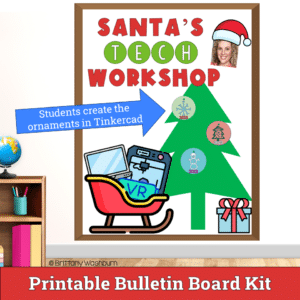
Unlock the world of creativity and technology with our Tinkercad Ornament Design Activity – a digital adventure that empowers students to bring their unique ornament designs to life in stunning 3D!
Digital activities for the book Nerdycorn that are perfect for grades 3-5. 12 total digital activities that will help students expand their understanding of this great read aloud storybook. I designed this for technology teachers or media specialists so that you can read the same book to all 3 grade levels and then assign them different activities. You can read it again the next year with fresh activities for the next grade!

Even our youngest learners can master graphic design basics with digital design activities like these seasonal Recreate a Scene challenges. Students will drag the provided clip art pieces into the work area and then resize and layer the pieces until it looks exactly like the model. I’ve provided 5 challenges for each season that are increasingly more difficult and require more tech skills and perseverance.

Quick Tech Activities for 4th Grade make it easy to build essential digital skills without adding to your test prep stress. These no-prep, ready-to-use lessons help students practice keyboarding, online navigation, and computer basics—skills that directly support online testing success.
Perfect for classroom teachers who need tech integration that’s simple, quick, and effective during a busy testing season.
Units Included:
Keyboarding • Computer Science • Digital Design • Software • Online Research Skills

Introduce a lesson on Coding with this eBook that teaches about sequencing, including what it is and how important sequencing is to coding. Share the PDF with students for a paperless experience or print the nonfiction text out as a booklet.

Introduce a lesson on Coding with this eBook that teaches about loops, including what they are and how programmers use them. Share the PDF with students for a paperless experience or print the nonfiction text out as a booklet.

Computer parts “game” that can be completed on any device. The interactive PDF has an Apple theme, where students get to collect apples in a basket with each correct answer. Interactive PDFs are easy to use and students can practice their tech skills from any device!

Using technology and problem solving skills, students decipher codes and complete activities to learn about the rules for Distance Learning. The activities are housed in a Google Slides file and students enter their codes into a locked Google Form. If you’ve been wanting to try an escape room or digital breakout with your students, this is a great place to start.

Teachers looking to integrate technology skills and content areas with love this review of PowerPoint/Google Slides skills for students with the topic of States of Matter. While this is a simple research project, the real goal of this activity is for students to put their notes into a Presentation template (using either Google Slides or PowerPoint) and make it look professional.

Coding meets ELA instruction with VoCode! Integrate those robots you have (or turn students into robots) to complete these fairy tale coding challenges. 3 Options for the activities mean that you can use this with ANY movable Bots and ANY grade level of students. Be sure to check out the images!

Coding meets Social Studies instruction with VoCode! Integrate those robots you have (or turn students into robots) to complete these phonics coding challenges. 3 Options for the activities mean that you can use this with ANY movable Bots and ANY grade level of students. Be sure to check out the the images to see which ones are included!

Coding meets ELA instruction with VoCode! Integrate those robots you have (or turn students into robots) to complete these phonics coding challenges. 3 Options for the activities mean that you can use this with ANY movable Bots and ANY grade level of students. Be sure to check out the images!
This set includes Opposites. Check out the images to see which ones are included.

4th Grade Language Standards Digital Resource Library is a Google Folder that includes 21 different interactive activity files. These are ideal for a paperless (or almost) classroom using Google or Microsoft.
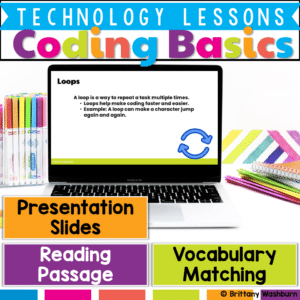
Introduce your students to the fundamentals of coding with this engaging, easy-to-use lesson! Designed for beginners, this resource provides pre-made instructional materials and a structured teacher guide to help students grasp key coding concepts such as sequences, loops, events, and conditions.

Help students navigate the online world responsibly with this set of 24 Understanding Online Privacy Task Cards! Designed for elementary and middle-grade learners, this engaging resource introduces essential concepts of online privacy and empowers students to protect their personal information. By exploring topics like creating strong passwords, managing privacy settings, recognizing secure websites, and understanding website tracking, students will become more aware of how to stay safe online.
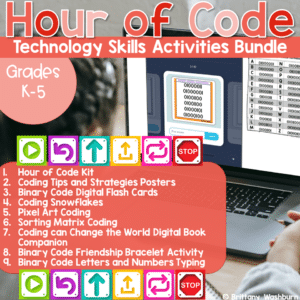
Hour of Code is always around December 9th to celebrate the birthday of Grace Hopper, a computer scientist who is credited with programming one of the first computers. Now we celebrate with a dedicated Computer Science Week during which we challenge students to explore coding concepts and practice for at least an hour. This is a bundle of printable and digital resources and decor that can be used for Computer Science Week or any time of year during your Coding unit.
Digital activities for the book Rox’s Secret Code that are perfect for grades 3-5. 12 total digital activities that will help students expand their understanding of this great read aloud storybook. I designed this for technology teachers or media specialists so that you can read the same book to all 3 grade levels and then assign them different activities. You can read it again the next year with fresh activities for the next grade!
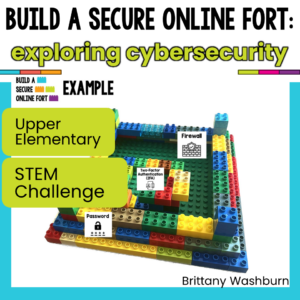
Challenge your students with a cybersecurity STEM building challenge that will help them show what they know about staying protected online against malware, phishing, and data breaches. In this challenge, students incorporate cybersecurity measures like a password-protected entrance, alarm system, and encryption in an abstract way while building a fort out of LEGOS or other building materials.
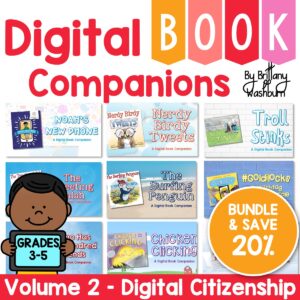
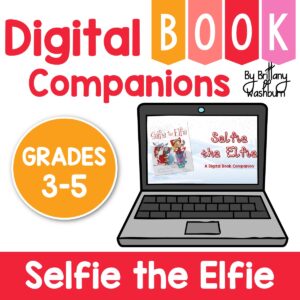
Digital activities for the book Selfie the Elfie that are perfect for grades 3-5. 12 total digital activities that will help students expand their understanding of this great read aloud storybook. I designed this for technology teachers or media specialists so that you can read the same book to all 3 grade levels and then assign them different activities. You can read it again the next year with fresh activities for the next grade!

Introduce a lesson on 3D Printing technology with this eBook that goes over the machines and software involved in 3D Prints. Share the PDF with students for a paperless experience or print the nonfiction text out as a booklet.
What do you need help with today?
Browse by Tech Topic:


