Introduce a lesson on Online Research Skills with this eBook that goes over Citing Sources. In this booklet students learn about citing sources and giving credit to authors of creative works. Share the PDF with students for a paperless experience or print the nonfiction text out as a booklet.
Students are going to love creating their own Build a Gingerbread Scene Digital Glyph and you’re going to love all of the technology skills work they are getting. Digital Glyphs work on so many great technology skills. While students may be familiar with paper and pencil glyph activities, it takes it to a whole new level to do it digitally.
In this Build a Gingerbread Scene activity, students will be asked to work across slides in either Google Slides or PowerPoint, copy and paste between slides, resize pieces, layer pieces, group pieces, and save their finished work as an image file. All while completing an engaging get-to-know-you activity.
Learning keyboarding can be super boring and tedious for students. This set of 4 Bugs Themed text formatting activities aims to bring engagement and a sense of purpose to the practice of typing. Students will also (hopefully) have a sense of pride over the final outcome and an understanding of the learning objective.
Digital Click and Drag Mystery Pictures work on so many great technology skills. While students may be familiar with using 100s charts in their math lessons, it brings the skill to a whole new level to use them as mouse or trackpad practice. This set includes 5 November/Thanksgiving themed designs in 2 different levels for differentiation between grade levels k-5.
Teach students how to save a file in a way they will never forget.
Have you given up on having your students save files on school computers because they never remember the steps to follow? I was so frustrated that they would “forget” how to save every single time, even after showing them again and again. I came up with a way to teach them that makes them so much more independent when using the school computers!
$18.00Original price was: $18.00.$12.00Current price is: $12.00.
Timely Tech is designed to help your students build tech skills while incorporating monthly themed digital activities.
When I teach my students with monthly themed activities that bring in the other subject areas, I find that they are more engaged and empowered to learn.
Help students learn the history and development of technology they use every day. Students learn about past and present technology and then practice with sorting, matching and labeling activities. Plan to read the definitions and timeline slides whole-group and then have students do the activity slides independently.
$99.00Original price was: $99.00.$83.00Current price is: $83.00.
14 Digital Interactive resources that work on tech skills bundled together to save you money. Your students will need google accounts to use these activities. A shared google account works for the primary grades activities.
$27.00Original price was: $27.00.$21.60Current price is: $21.60.
Digital activities for 8 Technology Themed Picture Books that are perfect for grades 3-5. Each digital book companion has 12 total digital activities that will help students expand their understanding of this great read aloud storybook. I designed this for technology teachers so that you can read the same book to all 3 grade levels and then assign them different activities. You can read it again the next year with fresh activities for the next grade!
Digital Spring Themed Coding Activities for your grades 2-5 students. These are fully digital and can be used through Google Slides or PowerPoint. Let your students learn about computer languages in a fun and engaging way. These activities are independent click and go lessons on binary, coding, and problem solving. Perfect for the ISTE standard Computational Thinking. They would even be great for your STEM time in class or your Maker Space during the Hour of Code!
This comprehensive resource includes everything you need to teach your students the basics about artificial intelligence (AI). With two digital slides about the history of AI, 10 fascinating facts, 10 essential vocabulary words, a realistic fiction story about AI, story comprehension questions, open-ended discussion questions, optional trivia questions, and a detailed lesson plan, this resource will engage and educate your students on this exciting and important topic.
Stop Motion Animation goes Digital with this Saint Patrick’s Day Digital Animation Project! Students add the provided graphics to make the St. Patrick’s Day scene. Then they duplicate the slide and make a small change over and over (about 20 times) to animate the scene. Once the stop motion animation is complete students publish it to the web and can optionally make it into a GIF using a website tool.
Digital Click and Drag Mystery Pictures work on so many great technology skills. While students may be familiar with using 100s charts in their math lessons, it brings the skill to a whole new level to use them as mouse or trackpad practice. This set includes 5 December/Christmas themed designs in 2 different levels for differentiation between grade levels k-5.
Students can learn and memorize the parts of a computer by completing 10 engaging digital secret picture tile puzzles. These puzzles are great mouse or trackpad practice as well as being an opportunity to practice navigating a Google Slides or PowerPoint file.
Learning keyboarding can be super boring and tedious for students. This set of 4 Candy Themed text formatting activities aims to bring engagement and a sense of purpose to the practice of typing. Students will also (hopefully) have a sense of pride over the final outcome and an understanding of the learning objective.
This resource works on so many great technology skills. While students may be familiar with using snap cubes (or counting blocks or whatever you call them) to make designs, it brings the skill to a whole new level to do it digitally. 10 Pet Shop Theme designs in 4 different levels for differentiation between grade levels k-5.
$7.00Original price was: $7.00.$3.50Current price is: $3.50.
Equip your students with the problem-solving skills they need to navigate technology challenges with confidence. These 30 Technology Troubleshooting discussion prompts will engage students in thinking critically about how to solve common tech issues, making them tech-savvy and resourceful.
What’s Included:
A set of 30 thoughtfully designed printable cards featuring open-ended discussion prompts focused on Technology Troubleshooting for elementary students.
Each card presents a real-world tech scenario or question, encouraging students to think critically and collaboratively about how to resolve technology problems.
The cards are provided in PDF format, ready to print and use in your classroom.
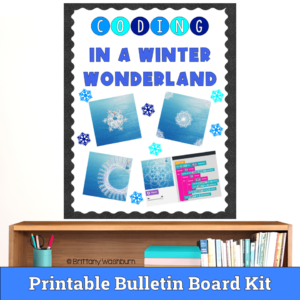
Unleash the magic of coding in your classroom with our Frozen Hour of Code Bulletin Board Set! This exciting activity combines the enchantment of Disney’s Frozen with the captivating world of coding, making learning an adventure for your students.
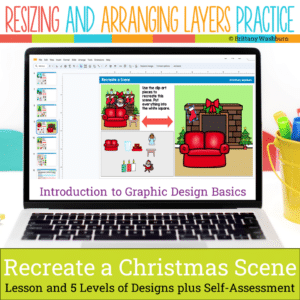
Even our youngest learners can master graphic design basics with digital design activities like this Recreate a Christmas Scene challenge. Students will drag the provided clip art pieces into the work area and then resize and layer the pieces until it looks exactly like the model. I’ve provided 5 challenges that are increasingly more difficult and require more tech skills and perseverance.
Students are going to love discovering what Back to School themed design is hidden in the spreadsheet software mystery picture and you’ll love that they are practicing so many different skills. While students may be familiar with paper and pencil mystery pictures, it takes it to a whole new level to do it digitally. Students will really master the toolbar in Google Sheets or Microsoft Excel. The activity has them filling 100 cells in the table per design, making it a mastery activity.
Students are going to love creating their own Digital Glyph Spring Scene and you’re going to love all of the technology skills work they are getting. This resource works on so many great technology skills. While students may be familiar with paper and pencil glyph activities, it takes it to a whole new level to do it digitally.
Try digital animation with your students by allowing them to create their own Classroom scenes! Students choose from background options and then add shapes, text, and clip art graphics to make a scene. Then they duplicate the slide and make a small change over and over (about 50 times) to animate the scene. Once the stop motion animation is complete students publish it to the web and can optionally make it into a GIF using a website tool.
Digital Click and Drag Mystery Pictures work on so many great technology skills. While students may be familiar with using 100s charts in their math lessons, it brings the skill to a whole new level to use them as mouse or trackpad practice. This set includes 5 February themed designs in 2 different levels for differentiation between grade levels k-5.
Using technology and problem solving skills, students decipher codes and complete activities to learn Coding Vocabulary on the topic of Bugging and Debugging. The activities are housed in a Google Slides file and students enter their codes into a locked Google Form. If you’ve been wanting to try an escape room or digital breakout with your students, this is a great place to start.
$49.50Original price was: $49.50.$39.60Current price is: $39.60.
273 I Can Statements for the 2016 ISTE Standards for Students. These are designed to match the Technology Themed Decor Classroom Set. Both portrait and landscape layouts are included as well as blank templates for you to make your own.
This resource works on so many great technology skills. While students may be familiar with using snap cubes (or counting blocks or whatever you call them) to make designs, it brings the skill to a whole new level to do it digitally. 10 School Theme designs in 4 different levels for differentiation between grade levels k-5.
$40.00Original price was: $40.00.$28.00Current price is: $28.00.
Digital pixel art works on so many great technology skills. While students may be familiar with using snap cubes (or counting blocks or whatever you call them) to make designs, it brings the skill to a whole new level to do it digitally. 10 Holidays included in 4 different levels for differentiation between grade levels k-5.
$5.00Original price was: $5.00.$3.00Current price is: $3.00.
Digital Mystery Pictures with a Winter Theme for Multiplication and Division Practice. Your students will love discovering what is hidden in the boxes after completing rigorous multi-digit multiplication and division problems.
$5.00Original price was: $5.00.$3.00Current price is: $3.00.
Digital Mystery Pictures with a Christmas Holiday Theme for Multiplication and Division Practice. Your students will love discovering what is hidden in the boxes after completing rigorous multi-digit multiplication and division problems.
Even our youngest learners can master graphic design basics with digital design activities like this Recreate a Saint Patrick’s Day Scene challenge. Students will drag the provided clip art pieces into the work area and then resize and layer the pieces until it looks exactly like the model. I’ve provided 5 challenges that are increasingly more difficult and require more tech skills and perseverance.
Introduce a lesson on Online Research Skills with this eBook that goes over How to Evaluate a Web Page. In this booklet students learn what to look for on a web page to evaluate it for accuracy and trustworthiness. Share the PDF with students for a paperless experience or print the nonfiction text out as a booklet.
Students are going to love creating their own Build a Classroom Digital Glyph and you’re going to love all of the technology skills work they are getting. Digital Glyphs work on so many great technology skills. While students may be familiar with paper and pencil glyph activities, it takes it to a whole new level to do it digitally.
Digital Click and Drag Mystery Pictures work on so many great technology skills. While students may be familiar with using 100s charts in their math lessons, it brings the skill to a whole new level to use them as mouse or trackpad practice. This set includes 5 October themed designs in 2 different levels for differentiation between grade levels k-5.
Students are going to love discovering what Easter themed design is hidden in the spreadsheet software mystery picture and you’ll love that they are practicing so many different skills. While students may be familiar with paper and pencil mystery pictures, it takes it to a whole new level to do it digitally. Students will really master the toolbar in Google Sheets or Microsoft Excel. The activity has them filling 100 cells in the table per design, making it a mastery activity.
This resource works on so many great technology skills. While students may be familiar with using snap cubes (or counting blocks or whatever you call them) to make designs, it brings the skill to a whole new level to do it digitally. 10 Farm Theme designs in 4 different levels for differentiation between grade levels k-5.
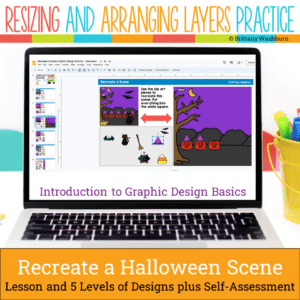
Even our youngest learners can master graphic design basics with digital design activities like this Recreate a Halloween Scene challenge. Students will drag the provided clip art pieces into the work area and then resize and layer the pieces until it looks exactly like the model. I’ve provided 5 challenges that are increasingly more difficult and require more tech skills and perseverance.
Introduce a lesson on Digital Citizenship with this eBook that goes over Passwords. In this booklet students learn about what passwords are and how to make a strong password.
Try digital animation with your students by allowing them to create their own Avatar Character! Students choose from background options and then add shapes, text, and clip art graphics to make a scene. Then they duplicate the slide and make a small change over and over (about 50 times) to animate the scene. Once the stop motion animation is complete students publish it to the web and can optionally make it into a GIF using a website tool.
Using technology and problem solving skills, students decipher codes and complete activities to learn Coding Vocabulary on the topic of Variables and Value.
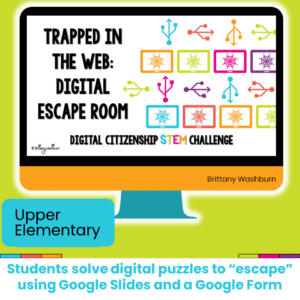
Challenge your students during STEM or Computer Lab time to complete digital challenges in a digital breakout or escape room that focuses on digital citizenship concepts.
$10.00Original price was: $10.00.$8.00Current price is: $8.00.
If you’ve been wanting to try Green Screen projects with your students, want it to be appropriate for elementary students, and want to integrate with content area topics, then this set of projects is for you! 30 Green Screen project prompts for the Green Screen by Do Ink App.