


✅ Shop with Confidence
- 🔒 Secure Checkout – Your payment is safe and protected.
- ⭐ Quality Guaranteed – Store credit refunds if something isn’t right.
- 🎉 Earn Rewards – Get points for every dollar spent & redeem as store credit!
👉 Add to Cart and start using this resource today
Technology Themed Decor Google Apps Posters
$3.00
You can have an adorable and stylish classroom while still maintaining a highly academic environment! This set of Technology Themed GAFE Posters is colorful and creative so you can decorate your computer lab, media center, or classroom while inspiring your students to do their best work.
You may also like…
-

-
-
Sale!
Technology Themed Decor for the Computer Lab Bundle
Teacher toolOriginal price was: $68.50.$61.65Current price is: $61.65. -
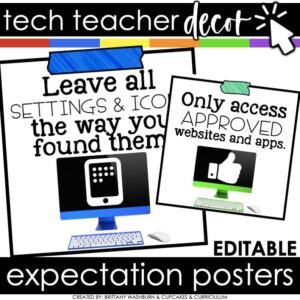

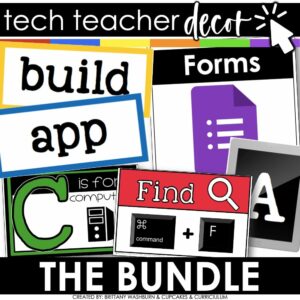
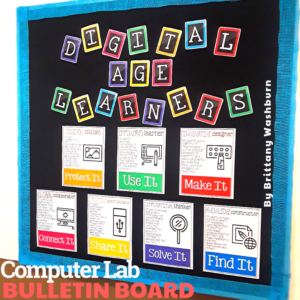
Technology Themed Decor Google Apps Posters
$3.00
Description
You can have an adorable and stylish classroom while still maintaining a highly academic environment! This set of Technology Themed Google Apps (GAFE, G Suite, Google Workspace) Posters is colorful and creative so you can decorate your computer lab, media center, or classroom while inspiring your students to do their best work.
This resource is part of a Bundle. See it here: Technology Themed Decor Classroom Set
Check out this blog post for photos of each display in the decor bundle.
Who is this for?
Any teacher who is interested in having classroom décor with a computer/technology theme.
What is included?
• Two sizes of 43 posters
• The 21 most popular Google Apps for Education are included. There are several new icons released by Google, so this set includes the new and the previous versions.
• Half-page and full page posters as well as a one-page display of all 21 posters
This set is designed to meet the needs of grades K-8. The colors are timeless and bright so you can use them with any grade level and they will be perfectly appropriate.
Why you need this in your life:
With all of the current style trends out there, why not go with a colorful classic that is sure to be in style for years? It will save you time and money down the road when you don’t have to redecorate your classroom just because a color or trend went out of style. Print and laminate once and you’re good to go!
Product Terms: Copyright © Brittany Washburn and Cupcakes & Curriculum 2017. Purchasing this file entitles you to ONE classroom use. You may use this with multiple classes but may not share with any other teachers. Copying for more than one teacher, classroom, department, school, or school system is prohibited. This product may not be distributed or displayed digitally for public view. Failure to comply is a copyright infringement and a violation of the Digital Millennium Copyright Act (DMCA). Clipart and elements found in this PDF are copyrighted and cannot be extracted and used outside of this file without permission or license. If multiple licenses are needed for use my more than one teacher or in more than one computer lab, additional licenses are discounted.
This resource was made in collaboration with: I’m so excited to have collaborated with the very talented Cupcakes & Curriculum for this resource.
Additional information
| Topic | Classroom Decor & Teacher Tools |
|---|---|
| Resource Type | Posters & Decor |
| Made for | Teachers |
225 reviews for Technology Themed Decor Google Apps Posters
Reviewers earn rewards points for any honest review they leave, positive or negative.
You must be logged in to post a review.
What teachers said on TPT
Rated 4.9 out of 5 by 225 teachers on Teachers Pay Teachers.
“These are amazing! These posters will be great for working with students on Google Classroom. I noticed there's a Google Hangouts poster; we're working on our District to open up this valuable tool... at least for teachers! Tech Teachers across the District could use this valuable tool! Thank you for saving me time!”
— Sherry M., TPT review
“I have these posters posted in my computer lab. This is a great way for me to help reference for kindergarten and first grade students to show them a picture of the icon that I need them to click on. These are colorful and bright and add a clear visual!”
— Heather G., TPT review
“I love these! It really helps my younger students find whichever program icon we are using that day. I printed big ones to hang on the wall, and I have the smaller ones in a folder that I pull out as I introduce the new programs.”
— Malinda T., TPT review
You may be interested in…


Related Products
-

Technology Themed Decor for the Computer Lab Bundle
Add to cartOriginal price was: $68.50.$61.65Current price is: $61.65. -

Appy Holidays Bulletin Board for Christmas
Add to cart$3.00 -
Class Website Design Kit Technology Theme
Add to cart$4.00 -
Coding Tips and Strategies Posters
Add to cart$3.00



You didn’t become a tech teacher to spend your weekends building lessons from scratch. I’m Brittany, a technology curriculum specialist with 1,000+ ISTE-aligned resources designed specifically for K–8 computer lab teachers.
My ready-made digital and printable resources cover everything from digital citizenship and coding fundamentals to multimedia creation and computer essentials, so your planning is handled and your students stay engaged.
Every resource is built to align with ISTE Standards, save you time, and actually work in a computer lab setting, because I’ve taught in one myself.
Browse my bestsellers, or explore by grade level or topic to find exactly what you need.


Victoria R. –
Verified TPT reviewGreat resource for my new classroom! I think all my students will love it.
Jessica G. –
Verified TPT reviewSuper helpful in organizing how to teach google drive in an effective way for new/young learners.
Paige C. –
Verified TPT reviewAwesome resource for our K-5 STEAM lab! I used this with a variety of students and visual learners.
Krista M. –
Verified TPT reviewMy students and I both love having this as a resource in our classroom!
Makayla O. –
Verified TPT reviewI didn’t use this resource as much as I used the short cuts. But still a great reminder to have on our technology wall to familiarise kids with what each app looks like.
Meghan Lewis –
Verified TPT reviewI used these in my library which also serves as a technology classroom. Perfect, useful decorations.
Classroom Fun with Mrs B –
Verified TPT reviewI love these posters! I have them in my K-5 tech room and I refer to them often in lessons. My kinders are starting to realize that the “rainbow beach ball” also is called Chrome.
Tiffany K. –
Verified TPT reviewThank you for this resource
Creations by Megan IN –
Verified TPT reviewThese posters look great!
Jennifer M. –
Verified TPT reviewThis is a cute bulletin board set to put up in the computer lab. It will be great for the beginning of the year to review all of our Google Apps.
Patricia M. –
Verified TPT reviewGreat decorations for my computer classroom
Katy Johnson –
Verified TPT reviewGreat resource to use in my new technology class. Thank You!
Sarah D. –
Verified TPT reviewGreat visuals for my tech area!
Holly J. –
Verified TPT reviewI am not sure why I bought this. I did not end up using this.
Gina Newberry –
Verified TPT reviewThis has really helped me out with my computer science classroom
Broome Closet –
Verified TPT reviewUseful resource
Jennifer P. –
Verified TPT reviewWe are newly 1:1, and these were helpful getting my students used to what the icons looked like
Lynn K. –
Verified TPT reviewGreat visual for the students to know which Google app they are looking for. Great way to decorate the lab!
Keely S. –
Verified TPT reviewA great resource for your room.
Tech Tips and Tricks FOR 99 cents –
Verified TPT reviewGreat resource, vibrant and eye-catching. Saved me a lot of time.