




✅ Shop with Confidence
- 🔒 Secure Checkout – Your payment is safe and protected.
- ⭐ Quality Guaranteed – Store credit refunds if something isn’t right.
- 🎉 Earn Rewards – Get points for every dollar spent & redeem as store credit!
👉 Add to Cart and start using this resource today
Keyboarding Display or Bulletin Board
$3.25
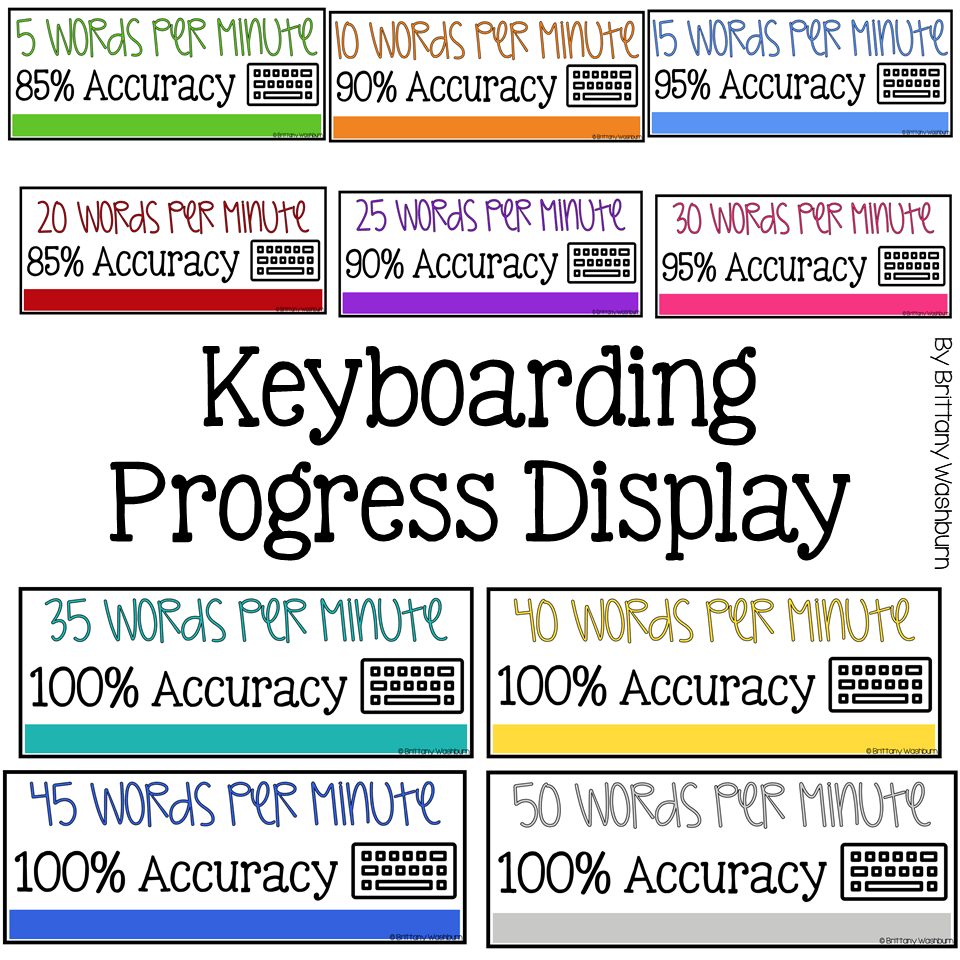
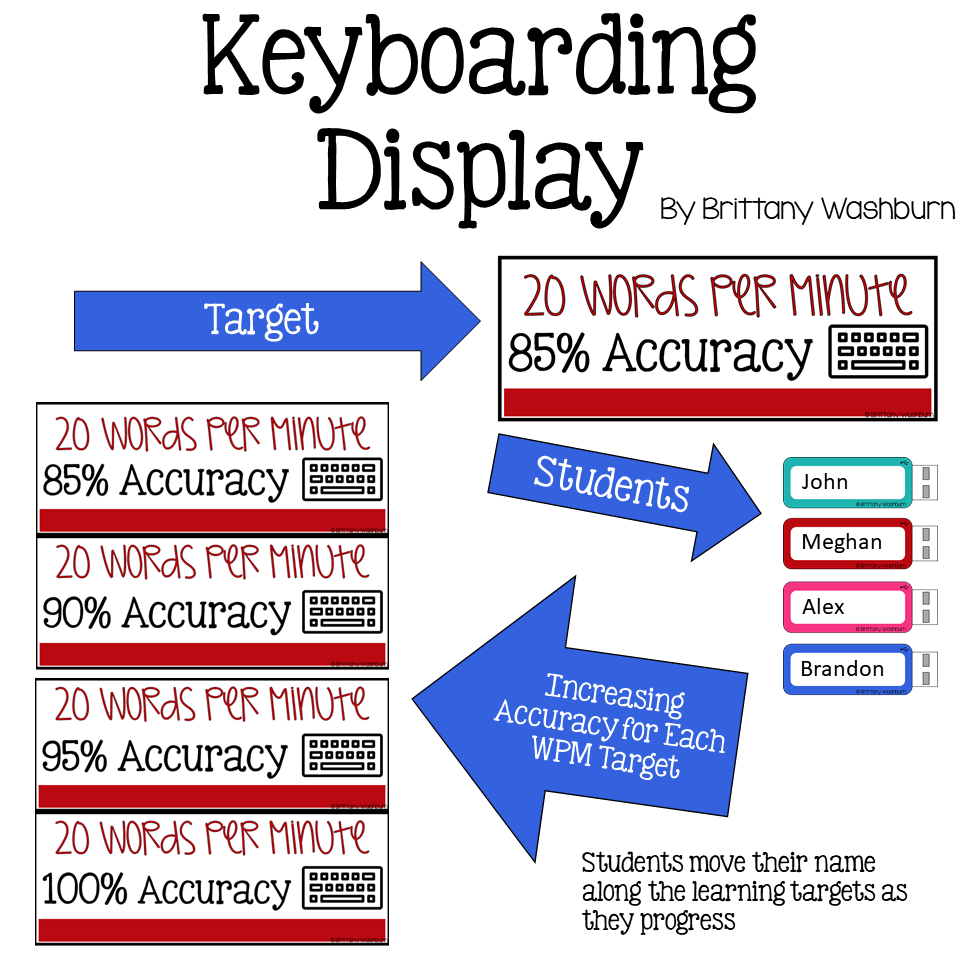
Start your year off right with this bulletin board or display for keyboarding or typing. Learning targets from 5 WPM and 85% accuracy all the way up to 50 WPM and 100% accuracy so you and your students can see their progress.
Keyboarding Display or Bulletin Board
$3.25
Description
Start your year off right with this bulletin board or display for keyboarding or typing. Learning targets from 5 WPM and 85% accuracy all the way up to 50 WPM and 100% accuracy so you and your students can see their progress.
Who is this for?
Any teacher who wants to challenge their students to master keyboarding skills both in accuracy and speed (and to have a super colorful and cute bulletin board)
What is included?
• Keyboard letters to spell out “WE ARE TYPING PROS” for the top of your display
• 1 paper keyboard with hands and an I Can Statement so students can learn the correct finger placements
• Half-page learning targets posters that you can use in the display or bulletin board as section headers
• Flash Drive shaped Name Tags for students in multiple colors plus a black and white version
This set is designed to meet the needs of grades K-5. The colors are timeless and bright so you can use them with any grade level and they will be perfectly appropriate.
Why you need this in your life:
With all of the current style trends out there, why not go with a colorful classic that is sure to be in style for years? It will save you time and money down the road when you don’t have to redecorate your classroom just because a color or trend went out of style. Print and laminate once and you’re good to go!
Additional information
| Resource Type | Posters & Decor |
|---|---|
| Format |
5 reviews for Keyboarding Display or Bulletin Board
You must be logged in to post a review.
What teachers said on TPT
Rated 5.0 out of 5 by 160 teachers on Teachers Pay Teachers.
“When I taught computer science, one of our main focuses was keyboarding and their typing speed. If they met our goal, they were part of the keyboarding masters club, which I use this bulletin board to display the members of in the hallway. I love this resource and the kids were very engaged with seeing their name and proud of themselves for making it part of the club.”
— Kailee F., TPT review
“I use this bulletin board to encourage students to reach their typing goal. It stays up in my room all year. Students get very competitive by looking to see who is at each level. We give the honor of king or queen to the student who can type the most words each week. I made a crown to go above their zip drive with their name.”
— Dawn G., TPT review
“I purchased this item to use in my new technology classroom. I am very excited to use this keyboarding material to help track students once we start having timed keyboarding tests and games. I am hoping that it will help get students excited when they see their progress.”
— Susan S., TPT review
Related Products
-

Technology Themed Decor for the Computer Lab Bundle
Original price was: $68.50.$61.65Current price is: $61.65. -

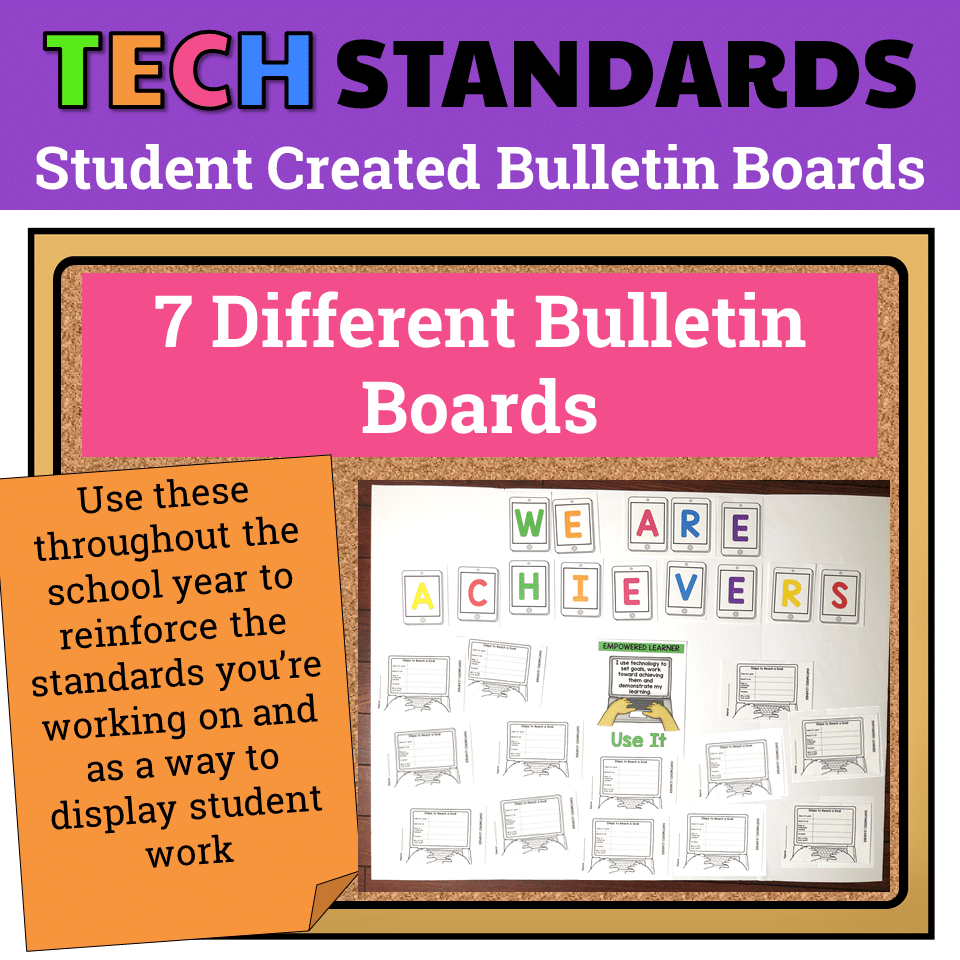
7 Technology Standards Student Created Bulletin Boards
Original price was: $21.00.$14.00Current price is: $14.00. -
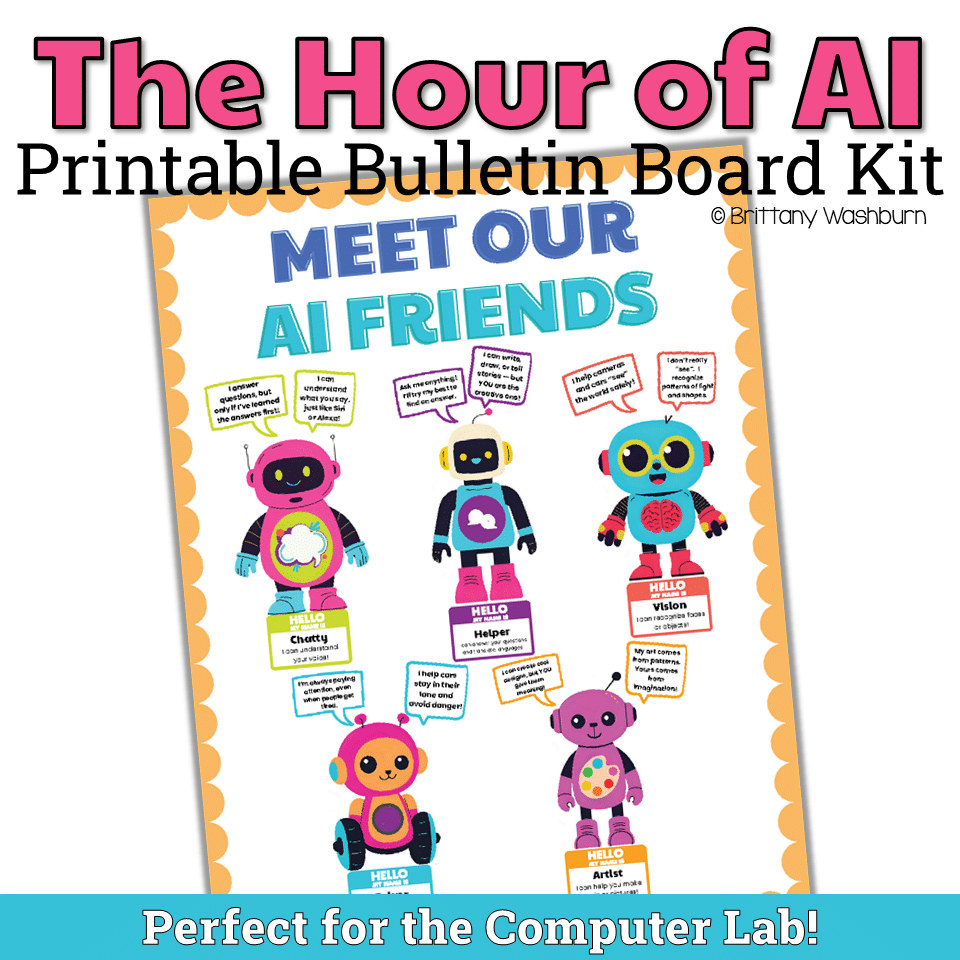
AI Friends Bulletin Board Kit
$3.00 -
Algorithm Art Student Created Bulletin Board
$2.50


You didn’t become a tech teacher to spend your weekends building lessons from scratch. I’m Brittany, a technology curriculum specialist with 1,000+ ISTE-aligned resources designed specifically for K–8 computer lab teachers.
My ready-made digital and printable resources cover everything from digital citizenship and coding fundamentals to multimedia creation and computer essentials, so your planning is handled and your students stay engaged.
Every resource is built to align with ISTE Standards, save you time, and actually work in a computer lab setting, because I’ve taught in one myself.
Browse my bestsellers, or explore by grade level or topic to find exactly what you need.

Buyer (verified owner) –
We love to have this board in the Media Center and the students love progressing up the board. However, we have students who have beat 60 wpm and need higher!
Jessica J. (verified owner) –
I absolutely love this resource! I have lots of things from Brittany so the jump drives match perfectly with my room.. the kids love being able to see where they are against others.. I love the different options included in this resource so it’s easy to use for different grade levels.
Brookelyn S. (verified owner) –
This resource has become one of my favorite things to use this year. It is a great visual for students. It even creates a competition between some students. I love that they like when they move up a level or make it on the board.
Lorrie C. (verified owner) –
I purchased and printed out this resource 2 weeks before we closed for the virus. I can’t wait to come back and use it with my students. I know they will be excited.
Andrea L. (verified owner) –
My students love checking their progress on this bulletin board in my elementary computer classroom.