


✅ Shop with Confidence
- 🔒 Secure Checkout – Your payment is safe and protected.
- ⭐ Quality Guaranteed – Store credit refunds if something isn’t right.
- 🎉 Earn Rewards – Get points for every dollar spent & redeem as store credit!
👉 Add to Cart and start using this resource today
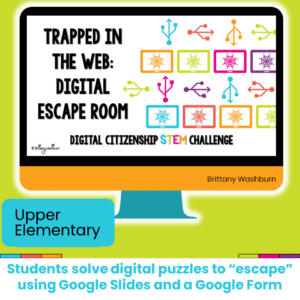
Trapped in the Web Digital Breakout
$4.00
Challenge your students during STEM or Computer Lab time to complete digital challenges in a digital breakout or escape room that focuses on digital citizenship concepts.
Trapped in the Web Digital Breakout
$4.00
Description
Additional information
| Resource Type | Digital Activity |
|---|---|
| Format |
You must be logged in to post a review.
What teachers said on TPT
Rated 4.9 out of 5 by 8 teachers on Teachers Pay Teachers.
“Students really enjoyed completing the activities to learn about being good digital citizen”
— Naomi T., TPT review
“I used this with my Computer Club that meets once a month it was fun! Thanks!”
— Shabby Teacher Print Shop, TPT review
“Very easy and clear cut for students. Left as sub plans”
— Cori W., TPT review
Related Products
-

Full Year Timely Tech All in One
Original price was: $198.00.$158.40Current price is: $158.40. -

5th Grade ELA Standards Digital Resource Library BUNDLE
Original price was: $27.20.$24.48Current price is: $24.48. -
5th Grade Language Standards Digital Resource Library
Original price was: $16.00.$14.40Current price is: $14.40. -
5th Grade Reading Standards Digital Resource Library
Original price was: $16.00.$12.80Current price is: $12.80.



You didn’t become a tech teacher to spend your weekends building lessons from scratch. I’m Brittany, a technology curriculum specialist with 1,000+ ISTE-aligned resources designed specifically for K–8 computer lab teachers.
My ready-made digital and printable resources cover everything from digital citizenship and coding fundamentals to multimedia creation and computer essentials, so your planning is handled and your students stay engaged.
Every resource is built to align with ISTE Standards, save you time, and actually work in a computer lab setting, because I’ve taught in one myself.
Browse my bestsellers, or explore by grade level or topic to find exactly what you need.
Reviews
There are no reviews yet.