Description
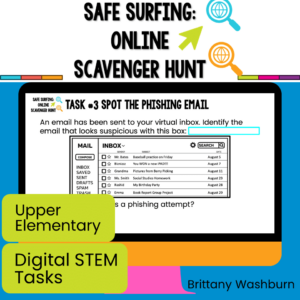
Challenge your students during STEM or Computer Lab time to complete 8 cybersecurity tasks in a fun and engaging online scavenger hunt format.
Students learn about cybersecurity through online and digital activities.
Plan to read the instructions whole-group and then have students do the activity slides independently or in pairs.
1. With the file in edit mode, students drag and drop the movable pieces. On the short answer slides, students click in the text box and type their answers.
2. You may want to remove the teacher instruction from the student copy. To do this, make a copy of the entire file and then take out the slides you don’t want.
3. Plan how you want to share the file with your students. I’m providing the Google Slides file link (on page 6) but you can also use this as a PowerPoint file. Using Google Classroom makes it really easy, but any learning management system can be used to send the file to students.
•Students will demonstrate an understanding of essential cybersecurity tips and practices.
•Students will apply critical thinking skills to identify potential online risks and make informed decisions.
•Students will develop skills in online safety, privacy, and responsible digital citizenship.
•Begin the lesson by discussing the importance of staying safe and secure online.
•Explain that students will be participating in a Cybersecurity Scavenger Hunt to learn tips and tricks for online safety.
•Distribute the tasks via a digital platform (i.e. Google Classroom, Schoology, etc.)
•Read and explain each task, ensuring students understand the expectations and requirements.
•Allow students to work individually or in small groups to complete the scavenger hunt tasks.
•Circulate the classroom, providing assistance and guidance as needed.
•Encourage students to think critically and discuss their findings and strategies with their peers.
3. Task Discussion and Reflection:
•Engage students in a guided discussion about the scavenger hunt tasks.
•Ask students to share their thoughts, experiences, and key takeaways from completing the tasks.
•Encourage students to reflect on the importance of cybersecurity and responsible digital behavior.
4. WordArt STEM Challenge
•Direct students to the WordArt website.
•Instruct them to use key words and phrases from each of their task answers.
•When students are finished, they can insert a screenshot or download the jpg file for their WordArt and insert it on the slide.
Optional Extension Activities:
•Offer additional activities to reinforce the concepts learned:
•Role-playing scenarios of online safety situations and discussing appropriate actions.
•Creating posters or digital presentations to share online safety tips with others.
•Brainstorming and implementing strategies for promoting a safe and respectful online environment within the classroom.
Copyright © Brittany Washburn 2023.
Downloading this file entitles you to ONE classroom use. You may use this with multiple classes but may not share with any other teachers. Copying for more than one teacher, classroom, department, school, or school system is prohibited. This product may not be distributed or displayed digitally for public view. Failure to comply is a copyright infringement and a violation of the Digital Millennium Copyright Act (DMCA). Clipart and elements found in this file are copyrighted and cannot be extracted and used outside of this file without permission or license. If multiple licenses are needed for use my more than one teacher or in more than one computer lab, send them here to download the file.
If you would like to get updates on NEW and CURRENT resources for technology teachers…





Reviews
There are no reviews yet.