26 letters and numbers 0-9 coded in Binary to give students a decoding challenge while also practicing academics! They are broken up into 6 sets of 6 digital flash cards which students access via a clickable PDF to take them to the web pages. After each letter or number, students click check to see if they got it right or wrong. Students type the letter or number into the field. It is not case-sensitive, making this a great activity for primary grades.
Learning keyboarding can be super boring and tedious for students. This set of 4 Candy Themed text formatting activities aims to bring engagement and a sense of purpose to the practice of typing. Students will also (hopefully) have a sense of pride over the final outcome and an understanding of the learning objective.
Learning keyboarding can be super boring and tedious for students. This set of 4 Birthday Themed text formatting activities aims to bring engagement and a sense of purpose to the practice of typing. Students will also (hopefully) have a sense of pride over the final outcome and an understanding of the learning objective.
Keyboard shortcuts “game” that can be completed on any device. The interactive PDF has a Donut Hunt theme, where students get to fill boxes of donuts with each correct answer. Interactive PDFs are easy to use and students can practice their tech skills from any device!
Technology Integration made easy with Quick Tech! Keyboarding can be fun with these quick tech printable and digital activities! Perfect to reinforce typing skills throughout the school year without wasting precious instructional time. The activities included are all ideal for 2nd grade students in interest and complexity.
Make keyboarding fun with these quick tech printable and digital activities! Perfect to reinforce typing skills throughout the school year without wasting precious instructional time. The activities included are all ideal for 3rd grade students in interest and complexity.
Learning keyboarding can be super boring and tedious for students. This set of 4 Earth Day Themed text formatting activities aims to bring engagement and a sense of purpose to the practice of typing. Students will also (hopefully) have a sense of pride over the final outcome and an understanding of the learning objective.
Keyboard shortcuts “game” that can be completed on any device. The interactive PDF has an Breakfast theme, where students get to build a breakfast with each correct answer. Interactive PDFs are easy to use and students can practice their tech skills from any device!
Learning keyboarding can be super boring and tedious for students. This set of 4 Clothes Themed text formatting activities aims to bring engagement and a sense of purpose to the practice of typing. Students will also (hopefully) have a sense of pride over the final outcome and an understanding of the learning objective.
$81.00Original price was: $81.00.$64.80Current price is: $64.80.
Text formatting is a great way to help students master word processing. Learning keyboarding can be super boring and tedious for students. These sets of formatting activities aim to bring engagement and a sense of purpose to the practice of typing. This is a bundle of all of my text formatting sets.
Each design has 2 sets of directions pages. The first one is lowercase letters and the second one is uppercase letters. This is to give you choice to match your student keyboards. When the students actually type the text, it should all be in lowercase to match the finished examples provided. There is one Advanced set that uses numbers and special keys as an extra challenge.
Keyboard shortcuts “game” that can be completed on any device. The interactive PDF has an Gumball theme, where students get to fill the gumball machine with each correct answer. Interactive PDFs are easy to use and students can practice their tech skills from any device!
Keyboard shortcuts “game” that can be completed on any device. The interactive PDF has an Bug theme, where students get to build bugs with each correct answer. Interactive PDFs are easy to use and students can practice their tech skills from any device!
Help your students master punctuation while improving their typing skills with this 40-slide digital resource! Designed to make punctuation practice engaging and effective, this activity guides students through typing sentences that incorporate essential punctuation marks—including commas, semicolons, colons, parentheses, dashes, quotation marks for dialogue, question marks, and exclamation marks.
Technology Integration made easy with Quick Tech! Keyboarding can be fun with these quick tech printable and digital activities! Perfect to reinforce typing skills throughout the school year without wasting precious instructional time. The activities included are all ideal for 1st grade students in interest and complexity.
Make keyboarding fun with these quick tech printable and digital activities! Perfect to reinforce typing skills throughout the school year without wasting precious instructional time. The activities included are all ideal for 4th grade students in interest and complexity.
In this interactive keyboard activity, students practice the keyboard layout by matching individual letter, number, and punctuation keys to their places on a keyboard.
What is included in this Mid-Size Interactive Keyboard Practice PDF:
12 Keyboard layout options. Windows, Chromebook, Mac, Tablet, and blanks of the layouts.
Print across 2 pages, making it just larger than a full size computer keyboard.
3 Letter options. Serif, Sans Serif, and Cursive fonts.
1 fun decorative font with a STEM theme. 1 phonics font with pictures that represent each letter key.
Make keyboarding fun with these quick tech printable and digital activities! Perfect to reinforce typing skills throughout the school year without wasting precious instructional time. The activities included are all ideal for 5th grade students in interest and complexity.
Keyboard shortcuts “game” that can be completed on any device. The interactive PDF has an Bubble theme, where students get to pop the bubbles with each correct answer. Interactive PDFs are easy to use and students can practice their tech skills from any device!
Keyboard shortcuts “game” that can be completed on any device. The interactive PDF has an Camera theme, where students get to build a camera with each correct answer. Interactive PDFs are easy to use and students can practice their tech skills from any device!
Keyboard shortcuts “game” that can be completed on any device. The interactive PDF has an Bounce House theme, where students get to build a bounce house with each correct answer. Interactive PDFs are easy to use and students can practice their tech skills from any device!
Keyboard shortcuts “game” that can be completed on any device. The interactive PDF has an Jellybean theme, where students get to collect jellybeans with each correct answer. Interactive PDFs are easy to use and students can practice their tech skills from any device!
Keyboard shortcuts “game” that can be completed on any device. The interactive PDF has an Car theme, where students get to win a car race with each correct answer. Interactive PDFs are easy to use and students can practice their tech skills from any device!
Keyboard shortcuts “game” that can be completed on any device. The interactive PDF has an Button theme, where students get to collect buttons with each correct answer. Interactive PDFs are easy to use and students can practice their tech skills from any device!
Keyboard shortcuts “game” that can be completed on any device. The interactive PDF has an Blossom theme, where students get to build a bouquet of blossoms with each correct answer. Interactive PDFs are easy to use and students can practice their tech skills from any device!
$45.00Original price was: $45.00.$36.00Current price is: $36.00.
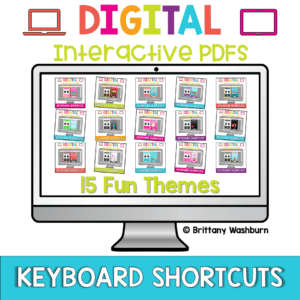
Keyboard shortcuts “games” that can be completed on any device. Interactive PDFs are easy to use and students can practice their tech skills from any device! This set has a total of 15 themes.
Keyboard shortcuts “game” that can be completed on any device. The interactive PDF has an Butterfly theme, where students get to help the butterfly get to the flower with each correct answer. Interactive PDFs are easy to use and students can practice their tech skills from any device!
Keyboard shortcuts “game” that can be completed on any device. The interactive PDF has an Birdie theme, where students get to help birds fly into birdhouses with each correct answer. Interactive PDFs are easy to use and students can practice their tech skills from any device!
Keyboard shortcuts “game” that can be completed on any device. The interactive PDF has an Apple theme, where students get to pick apples from baskets with each correct answer. Interactive PDFs are easy to use and students can practice their tech skills from any device!
$6.00Original price was: $6.00.$3.00Current price is: $3.00.
Help your students develop essential keyboarding skills with this set of 24 Keyboarding Skills Task Cards! Designed for elementary and middle grade learners, these task cards focus on building familiarity with keyboard functions, including correct finger placement, basic shortcuts, and the use of special keys. This hands-on activity emphasizes the importance of efficient typing techniques, setting students up for digital success in academic and future professional environments.
$11.00Original price was: $11.00.$8.00Current price is: $8.00.
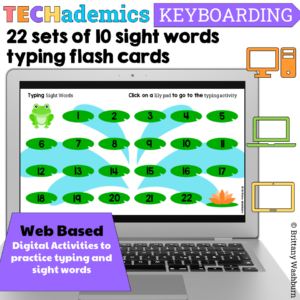
Leap Day can be celebrated in the computer lab with sight word typing digital flash cards! These digital keyboarding activities are web based, which makes them perfect for the computer lab or computer station. This Keyboard practice set has 22 sets of 10 dolch sight words for students to practice typing and sight words together.
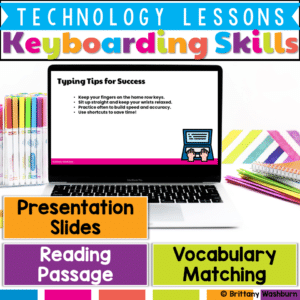
Help students build confidence in typing with this Keyboarding Skills Lesson, designed to introduce proper finger placement, key functions, and typing shortcuts in an engaging way!
What’s Included in This Resource:
✅ Vocabulary List – Key keyboarding terms with definitions
✅ Reading Passage – Informational text on home row, shortcuts, and typing posture
✅ Presentation Slides – Step-by-step visuals explaining key functions and techniques
✅ Student Handouts – Printable or digital worksheets for comprehension and skill-building
$22.25Original price was: $22.25.$17.80Current price is: $17.80.
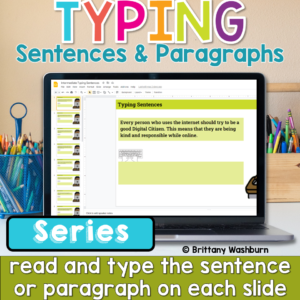
Help students build the keyboarding skills they need to write confidently on a computer with this Progressive Keyboarding Practice Bundle. This series is designed to guide students step-by-step from typing simple sentences to typing full paragraphs, helping them develop both typing fluency and confidence composing digitally.
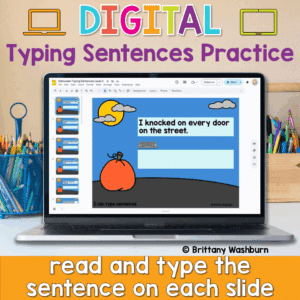
Looking for a fun and festive way to build typing fluency with your primary students? This Halloween-themed typing activity includes 40 digital slides, each featuring a short, age-appropriate sentence that students can type directly on the screen. Whether you’re working on keyboarding skills or want an engaging October tech activity, this resource is a spooktacular addition to your lesson plans!
💻 Designed for Google Slides or PowerPoint, students can complete this on any device with a keyboard—perfect for Chromebooks, desktops, or laptops.
$5.00Original price was: $5.00.$4.00Current price is: $4.00.
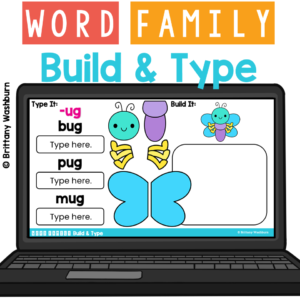
Engage your little learners with CVC word Typing and Mouse Control Practice! This digital activity is designed to help students practice typing skills, reinforce letter recognition & word families, and develop mouse/cursor control as students build a character for 20 word families and type 3 words from the word family with the keyboard. Perfect for classroom use or homeschooling environments!