



✅ Shop with Confidence
- 🔒 Secure Checkout – Your payment is safe and protected.
- ⭐ Quality Guaranteed – Store credit refunds if something isn’t right.
- 🎉 Earn Rewards – Get points for every dollar spent & redeem as store credit!
👉 Add to Cart and start using this resource today
Snowman Code Builders Digital Activities
$3.00
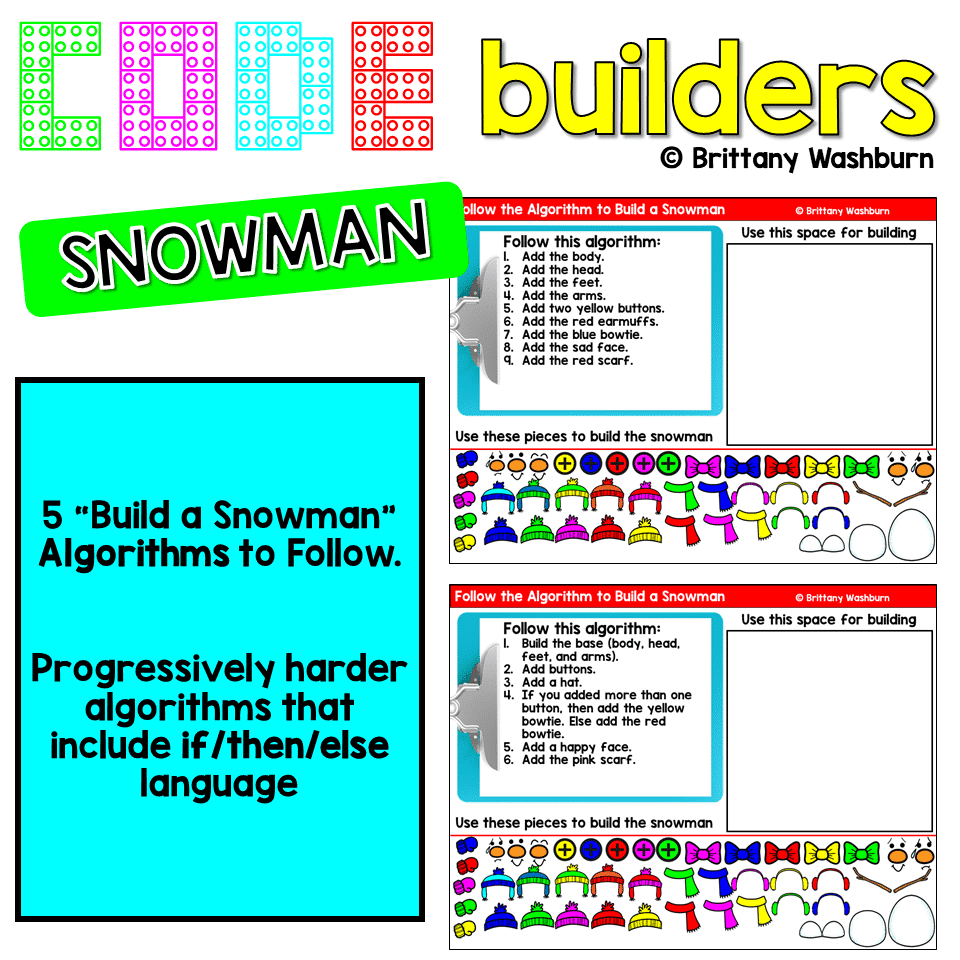
Teach students how to follow and decompose algorithms with these Build a Snowman digital activities. 2 types of digital activities ask students to follow an algorithm to put a Snowman together and then look at a pre-built Snowman and type their own algorithm for it.
Use these activities as a lesson on understanding what an algorithm is, how to write one, follow one, and decompose one. I even included printable posters and vocabulary cards.
You may also like…

Snowman Code Builders Digital Activities
$3.00
Description
Teach students how to follow and decompose algorithms with these Build a Snowman digital activities. 2 types of digital activities ask students to follow an algorithm to put a Snowman together and then look at a pre-built Snowman and type their own algorithm for it.
Use these activities as a lesson on understanding what an algorithm is, how to write one, follow one, and decompose one. I even included printable posters and vocabulary cards.
TABLE OF CONTENTS:
2 Link to the Digital file (5 slides of Following and Algorithm, 5 Slides of Decomposing an Algorithm, and 2 Vocab Posters)
3 Algorithm poster (prints on standard printer paper)
4-5 Vocab words
6-7 Terms of Use and Credits
ISTE Standards
Strand: Computational Thinker
Standard: 5.a. formulate problem definitions suited for technology assisted methods such as data analysis, abstract models and algorithmic thinking in exploring and finding solutions.
I Can Statements:
• I can follow an algorithm.
• I can create an algorithm.
• I can write a problem for the computer to
I highly recommend the picture book Kids Get Coding as an introduction to this topic for you and your students.
Product Terms:
Copyright © Brittany Washburn 2020. Purchasing this file entitles you to ONE classroom use. You may use this with multiple classes but may not share with any other teachers. Copying for more than one teacher, classroom, department, school, or school system is prohibited. This product may not be distributed or displayed digitally for public view. Failure to comply is a copyright infringement and a violation of the Digital Millennium Copyright Act (DMCA). Clipart and elements found in this PDF are copyrighted and cannot be extracted and used outside of this file without permission or license. If multiple licenses are needed for use my more than one teacher or in more than one computer lab, additional licenses are discounted.
Connect with other Technology Teachers:
If you’re interested in connecting with other technology teachers, check out the Technology Teacher Talk Group on Facebook.
Connect with me on social media!
Additional information
| Resource Type | Digital Activity |
|---|---|
| Format | Google Apps, PDF |
| Season / Holiday | Winter |
| Topic | Coding & Computer Science |
46 reviews for Snowman Code Builders Digital Activities
You must be logged in to post a review.
What teachers said on TPT
Rated 4.8 out of 5 by 45 teachers on Teachers Pay Teachers.
“This was a wonderful winter themed activity. My 3rd graders really enjoyed doing this activity. I liked it because it made them think about coding. As they follow the steps, it creates a character, which they enjoyed. Students created different ones based on the choices they selected. All of them were very engaged and it did not feel like a "filler" activity - it contained valuable and productive content. Thank you for sharing this resource. Everything worked as anticipated!”
— Jackie M R., TPT review
“My school went remote recently, right when we had started coding. I used this as an assignment while they were remote and when they returned I printed their coding directions and then had them follow them on outlined floor grids. They loved it!”
— Gretchen L., TPT review
“My fifth grade enjoyed this immensely! And I was able to go over so many things to do with images in Slides (and other programs of course) concepts such as copy/paste, resize, rotate, flip, crop, etc. We had a blast. THANK YOU!”
— Erica W., TPT review
You may be interested in…
-

Basic Robotics Printable Task Cards
Add to cartOriginal price was: $6.00.$3.00Current price is: $3.00.

Related Products
-

Full Year Timely Tech All in One
Add to cartOriginal price was: $198.00.$158.40Current price is: $158.40. -
5th Grade ELA Standards Digital Resource Library BUNDLE
Add to cartOriginal price was: $27.20.$24.48Current price is: $24.48. -
5th Grade Language Standards Digital Resource Library
Add to cartOriginal price was: $16.00.$14.40Current price is: $14.40. -
5th Grade Reading Standards Digital Resource Library
Add to cartOriginal price was: $16.00.$12.80Current price is: $12.80.



You didn’t become a tech teacher to spend your weekends building lessons from scratch. I’m Brittany, a technology curriculum specialist with 1,000+ ISTE-aligned resources designed specifically for K–8 computer lab teachers.
My ready-made digital and printable resources cover everything from digital citizenship and coding fundamentals to multimedia creation and computer essentials, so your planning is handled and your students stay engaged.
Every resource is built to align with ISTE Standards, save you time, and actually work in a computer lab setting, because I’ve taught in one myself.
Browse my bestsellers, or explore by grade level or topic to find exactly what you need.


Jennifer McKay –
Verified TPT reviewI work with students with emotional and behavioral disabilities and the more interactive I can make a lesson, the more successful it will be. Thanks so much for your hard work!
Sherry W. –
Verified TPT reviewMy students were completely engaged when working on this activity.
Denise Baldosier –
Verified TPT reviewFun way to introduce coding right before the holidays.
Apples for Primary –
Verified TPT reviewGreat resource
Lynda Ross –
Verified TPT reviewThis was a terrific Technology activity for my students during STEAM Day activities! I love the simple introduction to coding! Thanks!
Megan N. –
Verified TPT reviewGreat resource for my 1st grade g/t kids
Jamie P. –
Verified TPT reviewThis is an amazing resource! My 3rd graders were able to follow the algorithms easily and accomplish their goals.
North GA Educator –
Verified TPT reviewWhat a great resource to review algorithms in a fun and engaging manner. Thank you!
kristina Sickmeier –
Verified TPT reviewThanks!
J P. –
Verified TPT reviewEngaging resource to use before break!
Thunderous in Third –
Verified TPT reviewMy kiddos LOVED this resource! They were so engaged while completing it! While there was one mistake on one slide (needed 2 yellow scarves) it gave them an opportunity to problem solve & figure it out. Seems simple but they really need to work on that! Thank you!
Gretchen L. –
Verified TPT reviewMy school went remote recently, right when we had started coding. I used this as an assignment while they were remote and when they returned I printed their coding directions and then had them follow them on outlined floor grids. They loved it!
Christi P. –
Verified TPT reviewThis was a great resource for my early finishers.
Cynthia A. –
Verified TPT reviewGreat resource!
Lorrie C. –
Verified TPT reviewMy students had fun, not realizing they were coding. It kept them focused and engaged. Thank you.
Courtney R. –
Verified TPT reviewKids LOVED this! Thank you!
Roxanne P. –
Verified TPT reviewAwesome!
Erica W. –
Verified TPT reviewGreat resource for intro to coding as well as Google Slides review!
My fifth grade enjoyed this immensely! And I was able to go over so many things to do with images in Slides (and other programs of course) concepts such as copy/paste, resize, rotate, flip, crop, etc. We had a blast. THANK YOU!
Tiffany P. –
Verified TPT reviewMy students really liked this activity and were engaged the entire time.
Beth C. –
Verified TPT reviewThank you!