Best Classroom Management Apps for Teachers (2026)
The right classroom management app depends on the job you need done. Some apps track behavior, some keep families in the loop, and some keep every student busy answering, which heads off most behavior problems before they start. Here are the classroom management apps I’d recommend to elementary teachers in 2026, sorted by the job each one does best.
I learned the hard way not to try ALL THE THINGS at once. It overwhelmed both me and my students. Instead, pick one and master it together. Then decide if it is worth keeping.
Classroom management apps at a glance
| App | Best for | Grades | Cost | Student devices needed? |
|---|---|---|---|---|
| ClassDojo | Behavior points and family messaging | K-5 | Free for teachers | No |
| Classroomscreen | Timers, noise meter, visual directions on the board | K-8 | Free plan; paid Pro | No |
| Bouncy Balls | Showing the class how loud it is | K-5 | Free | No |
| Remind | Texting families and students | K-12 | Free plan | No |
| Google Classroom | Assigning and collecting digital work | 2-12 | Free with Google Workspace for Education | Yes |
| Seesaw | Learning journals and family sharing for young students | PreK-5 | Free starter plan; school plans | Yes |
| Nearpod | Interactive lessons students follow on their devices | K-12 | Free plan; school plans | Yes |
| Kahoot! | Game-style review | 1-12 | Free plan | Yes, or one shared screen |
| Wayground (formerly Quizizz) | Self-paced quizzes and review | 2-12 | Free plan | Yes |
| Plickers | Quick checks with printed cards, no student devices | K-12 | Free plan | No |
| Padlet | Class discussion boards and exit tickets | 2-12 | Free plan (limited boards) | Yes |
Cost and plan details change often, so check each app’s site before you commit.
Behavior management apps
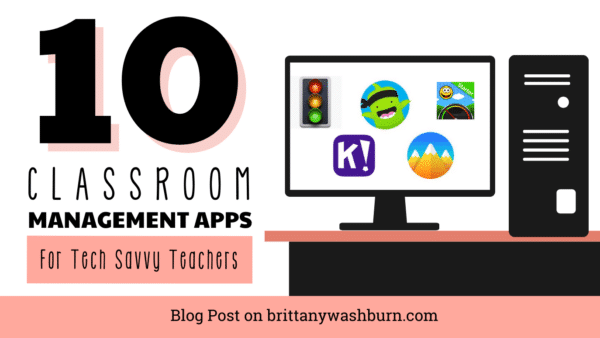
ClassDojo lets you give points for the behaviors you want to see and message families from the same app. Students get a monster avatar, which young kids love. It’s simple enough to set up in one planning period, and families can see their child’s points and your class story.
Classroomscreen turns your projector into a control center: a timer, a noise meter, work symbols (silent, whisper, working together), a random name picker and a traffic light. I’d start here if you only add one tool this year, because it helps every class you teach without any student logins.
Bouncy Balls is a free website that shows the room’s noise level as bouncing balls. Students can see when they’re getting too loud. Use it for independent work time, not all day, since a noisy room isn’t always an off-task room.
The look on my students’ faces when they saw the bouncy balls going wild and then settling down was priceless. I wish I had recorded that moment.
Communication apps
Remind sends texts to families and older students without sharing your phone number. Messages can be translated, which helps with multilingual families.
ClassDojo and Seesaw also handle family messaging, so if your school already uses one of them, you may not need a separate app.
Learning management systems
Google Classroom is the most common choice in schools that use Chromebooks. You can assign, collect and return digital work, post announcements, and send guardian summaries by email. My Google Classroom Procedures Lesson teaches students the routines before the first assignment.
Seesaw is built for young students. They can record their voice, draw, and take photos of their work, and it all goes into a learning journal families can see.
Canvas is common in middle and high school. Most elementary teachers will get more out of Google Classroom or Seesaw.
Engagement and assessment apps
Engaged students are usually well-behaved students, and these apps keep every student answering instead of only the few with their hands up.
- Nearpod sends your slides to student devices with polls, drawing questions and quizzes built in, so you see every answer live.
- Kahoot! turns review into a game show. It’s fast and fun, but the timer can stress some students, so try the untimed modes too.
- Wayground (formerly Quizizz) lets students work at their own pace, which takes the pressure off. Here’s how I use Wayground in the classroom.
- Plickers works without student devices. Each student holds up a printed card, and you scan the room with your phone.
- Google Forms makes quick self-grading quizzes and exit tickets, and it’s free with your Google account.
Collaboration and portfolios
Padlet gives the class a shared wall for discussion, brainstorming and exit tickets. Book Creator and Seesaw let students build digital portfolios with text, pictures, audio and video, which makes growth easy to show at conferences.
How to choose (and not overload your class)
- Start with the problem. Pick one thing to fix, like transitions, noise or family communication, and choose one app for it.
- Check what your school already pays for. Many districts license Seesaw, Nearpod or Google Workspace, and approved apps already have student privacy agreements in place.
- Teach the routine before the tool. Students need to know what the app is for and what’s expected, or the app becomes the distraction.
- Give it a few weeks before you add another one.
If you teach specials, you see the entire school, which means setting up a LOT of classes and managing them all. One option is to be added to each classroom teacher’s app, but then you’ll have a lot of different tools to manage.
If you’re a specials teacher, my Classroom Management Kit for Specialists has the printable systems I used alongside these apps. For strategies that work with any app, see using technology for classroom management. And if you want step-by-step tutorials for any of these tools, the Technology Toolbox for Teachers walks you through 120+ of them.
FAQ
What is the best free classroom management app?
For behavior, ClassDojo and Classroomscreen are both free to start and need no student devices. For assigning work, Google Classroom is free with Google Workspace for Education.
What classroom management apps work without student devices?
ClassDojo, Classroomscreen, Bouncy Balls and Plickers all run from the teacher’s computer or phone.
Do I need district approval to use these apps?
Usually, yes, for any app where students log in or you enter student names. Check your district’s approved app list first.
What happened to Classcraft?
HMH bought Classcraft, retired the original app on June 30, 2024, and replaced it with HMH Classcraft, a lesson platform for HMH’s K-8 ELA and math programs.
Tools to Manage Pacing During Activities in the Classroom
Effective pacing is crucial in an elementary classroom. It ensures that lessons maintain momentum, keeps…

Behavior Communication Systems to Keep Specials Teachers & Classroom Teachers on the Same Page
Effective communication systems about behavior between special education teachers and classroom teachers is essential for…

Seating Scenarios in the Classroom: Arrangements, Charts, Free Choice & More
Seating arrangements in the classroom play a crucial role in shaping the learning experience for…

Managing Students When They are Without Devices in the Tech Lab
The reliance on digital devices for learning in our current educational landscape is increasingly prevalent….

How to Tackle the Most Overwhelming Parts of your Week in the Tech Lab
Navigating the tech lab can be both exciting and overwhelming for educators, especially given the…

Handling Off-Task Behavior When Students are Working on Computers
While teaching with technology is critical these days, students often find themselves distracted while working…