Storybird

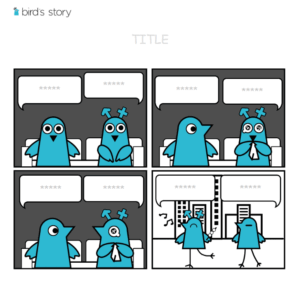
Storybird is an online platform that allows its users to create fun and interesting stories inspired by the art. Users can also share, and print their own stories and read the stories of other users. There are many pictures available in the storybird and kids can choose whatever picture they like. Then they create a unique story to go with that picture. By doing this, they create short stories by using pictures. Storybird is becoming a famous tool among teachers all around the globe because it also enhances the creativity of students. Students need to use inference skills to decide the plot, setting and other details about their stories. Storybird also encourages collaborative learning.

Creating a story on storybird is quite easy. Here is how it works:
- On the top of your screen, you will see a “create” button. Click on this button.
- A lot of pictures will appear on your screen. Choose any picture that you want to include in your story. If you want to find a specific picture, then use the search option on the left.

3. Click on any artwork that you want. Now, click on “Use this art” button. A format will be selected and loaded for you.

4. You will see a white space in the editor. Use this space to write the content of your book. If you want more pictures on the page, use the drag and drop function for this purpose.

5. On the menu tab, you will see a “Save and Close” button. Click on this button to save your work. You can always come back later and edit your book.
6. Once you are done writing your book, click on “Publish”.
7. You will have several options to save your work; you can keep it private or share it with the world.
8. If you chose to keep your work private but you want to share it with someone, you can share it via codes or email. You can also print your story.

Alignment with the iTECH Model
- Inspire: Introduce Storybird by showcasing some of the imaginative stories users create worldwide. Discuss how combining art and writing can lead to unique storytelling and enhanced creativity.
- Try: Guide students through the basics of Storybird, including choosing an image and beginning a story based on that image. Allow students to explore and select images that inspire them and start drafting simple stories.
- Expand: Introduce more complex writing projects, such as creating stories based on novels they’ve read or incorporating math concepts into their narratives. Teach narrative elements like plot, character development, and setting, encouraging students to weave these into their Storybird projects.
- Create: Assign a creative writing project using Storybird, where students develop a complete story inspired by artwork. For math concepts, have them create stories that personify and explain mathematical ideas. Encourage students to focus on story structure, coherence, and creativity.
- Huddle: Organize a session where students present their Storybird projects. Facilitate a class discussion on the storytelling process, the art that inspired them, and the lessons they learned.
There are a lot of creative ways to use storybird with your elementary students. Your students can keep the collections of poems that they like, write journal entries every day, choose different types of artwork to express their emotions and feelings, and create vocabulary lists that will help them in the learning process. Here are some of the ways by which you can use storybird in your classroom:
Creating a story based on a novel
Students read different novels in English. Ask your students to create a story based on the novel that they just finished. It will allow them to be more creative and expressive. Apart from this, it will also be a really fun project.
Using Storybird to understand Maths
You can also use storybird to teach math concepts to your students. Ask your students to create small stories on the math concepts that they learned in their math class such as three-dimensional solids and time. With the help of storybird, students will not only create interesting stories but they will also be able to focus more on conventions.
Tips for Effective Implementation
- Art as Inspiration: Encourage students to thoughtfully choose artwork that inspires their storytelling.
- Focus on Literary Skills: Use Storybird projects to reinforce literary skills such as vocabulary, grammar, and story structure.
- Integrate Across Curriculum: Incorporate Storybird into various subjects. Use it as a tool for creative expression in both language arts and math.
Role of Educators
Educators can guide students in using Storybird effectively, helping them to interpret artwork and craft coherent, creative stories. Support can be provided in both the technical navigation of the platform and the creative writing process.
Storybird offers a unique avenue for students to engage in creative storytelling, combining art and literature to enhance their writing skills and creativity. By integrating Storybird with the iTECH Model, educators can foster a deeper appreciation for art, enhance literacy skills, and encourage innovative thinking. Whether for language arts, math, or personal expression, Storybird is a valuable tool for enriching students’ educational experiences.
Click here for a presentation you can use with your staff. It is completely editable so feel free to make any changes you need.