Edcite

Edcite is a free site that features standards-based assignments and questions for all grade levels. You can search by standard or by topic or subject area. You can also create your own assignments and questions to share with your class.
One of the best features of Edcite is that tests and assignments are graded for you, saving you time. You can view progress in real-time or view reports later.

- Create a teacher account using Google, Microsoft, Clever, or e-mail.
- Click on create new class to add your class.

3. You may also import your class from Google Classroom or Clever.
4. Create your student roster by adding a name, username, and password.

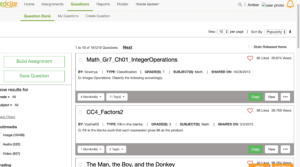
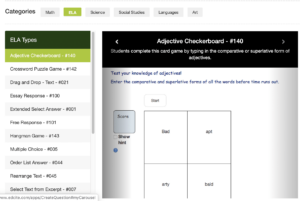
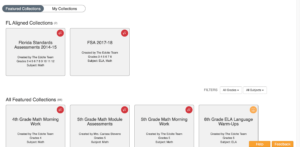
5. Search for already-created assignments or questions.
6. Assign students appropriate assignments.
7. Click on reports to view progress reports.
8. Monitor live progress, view a summary report, or grade the assignments.
Alignment with the iTECH Model
- Inspire: Introduce Edcite by highlighting its capabilities in creating personalized learning experiences and providing immediate feedback on assignments. Discuss the benefits of technology-enhanced assessments and how they prepare students for future academic challenges.
- Try: Familiarize students with Edcite by assigning a simple, standards-aligned activity relevant to your current curriculum. Guide them through the process of completing and submitting assignments on the platform.
- Expand: Utilize Edcite’s diverse question types and assignment options to cater to different learning styles and needs. Teach students how to use the feedback and grading system to self-assess and identify areas for improvement.
- Create: Develop more complex and customized assignments, or assessments on Edcite, that align with the learning objectives of your curriculum. Encourage older students to explore by creating their own questions or assignments as part of a project.
- Huddle: Review the results of Edcite assignments as a class, discussing common challenges or areas where students excelled. Use data from Edcite reports to inform class discussions, reteaching, or enrichment activities.

Differentiated Instruction
Since you can assign assignments to individual students, it’s a great way to individualize instruction. This would work well during center time for younger elementary students and independent practice for older students.
Assessments
Edcite is great for creating or using already-made assessments. You can make sure they are aligned with standards. Plus, part of the work has been done for you since the program will grade the assessments for you. It also benefits students to get used to taking tests on a device or computer, since they will see that more as they get older.
Tips for Effective Implementation
- Leverage Real-Time Feedback: Use Edcite’s immediate grading feature to provide timely feedback to students, helping them understand their progress.
- Integrate with Curriculum: Ensure Edcite assignments are linked to your curriculum goals and standards.
- Foster Digital Test-Taking Skills: Use Edcite for assessments to familiarize students with digital test-taking, a skill increasingly important in modern education.
Role of Educators
Educators can guide students in using Edcite effectively, ensuring the technology enhances their learning experience. Utilize Edcite’s data and reports to tailor instruction and provide targeted support where needed.
Edcite offers a dynamic platform for creating personalized learning experiences and efficient assessments. By integrating Edcite with the iTECH Model, educators can facilitate individualized learning, streamline assessment processes, and prepare students for the digital aspects of modern education. Whether for differentiated instruction, formative assessments, or standardized test practice, Edcite is a valuable tool for enhancing learning outcomes.
Click here for a presentation you can use with your staff. It is completely editable so feel free to make any changes you need.